A minimal, config-driven developer portfolio template built with Next.js 16, React 19, and Tailwind CSS.
Live Demo: devfoliox.vercel.app

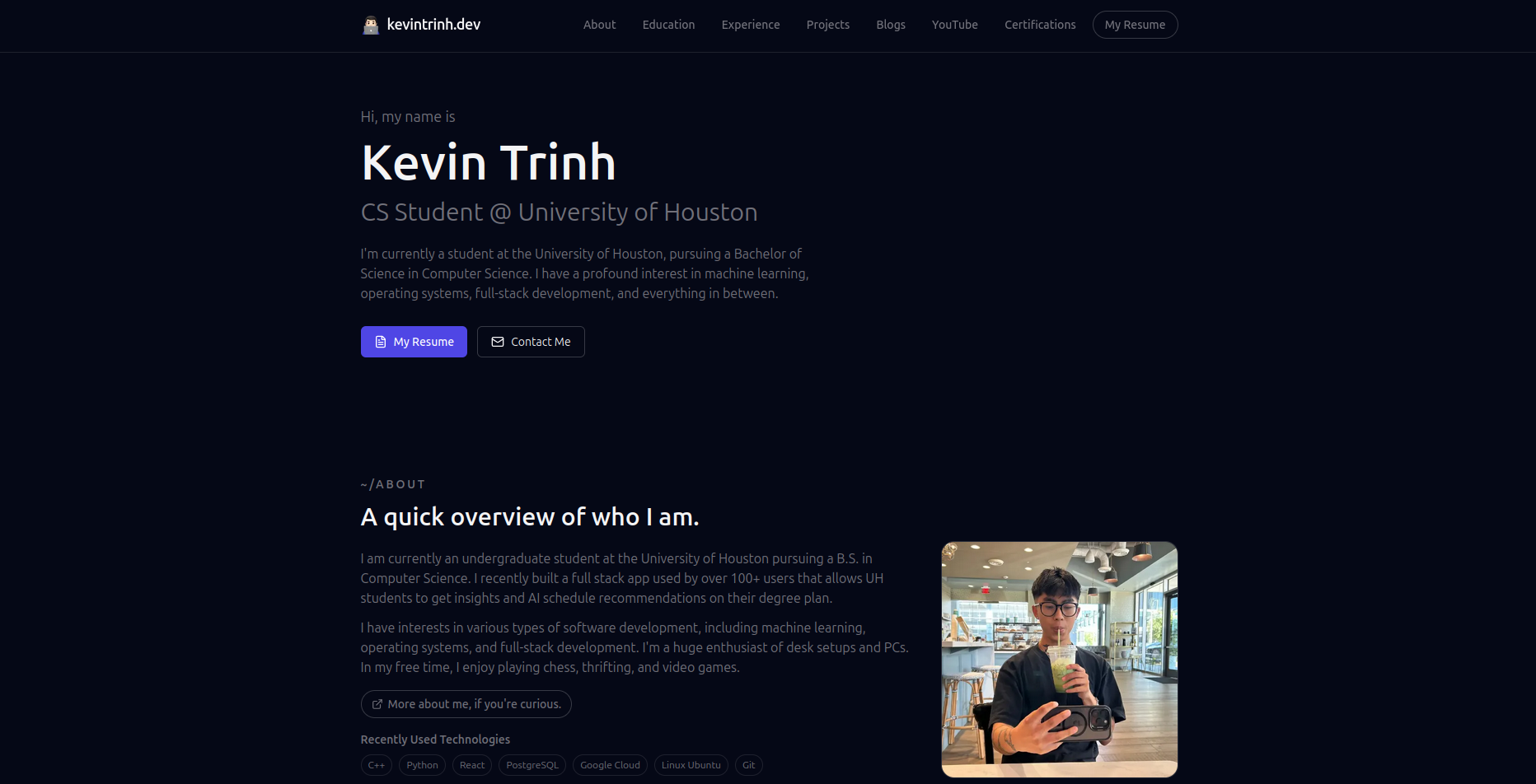
More Screenshots
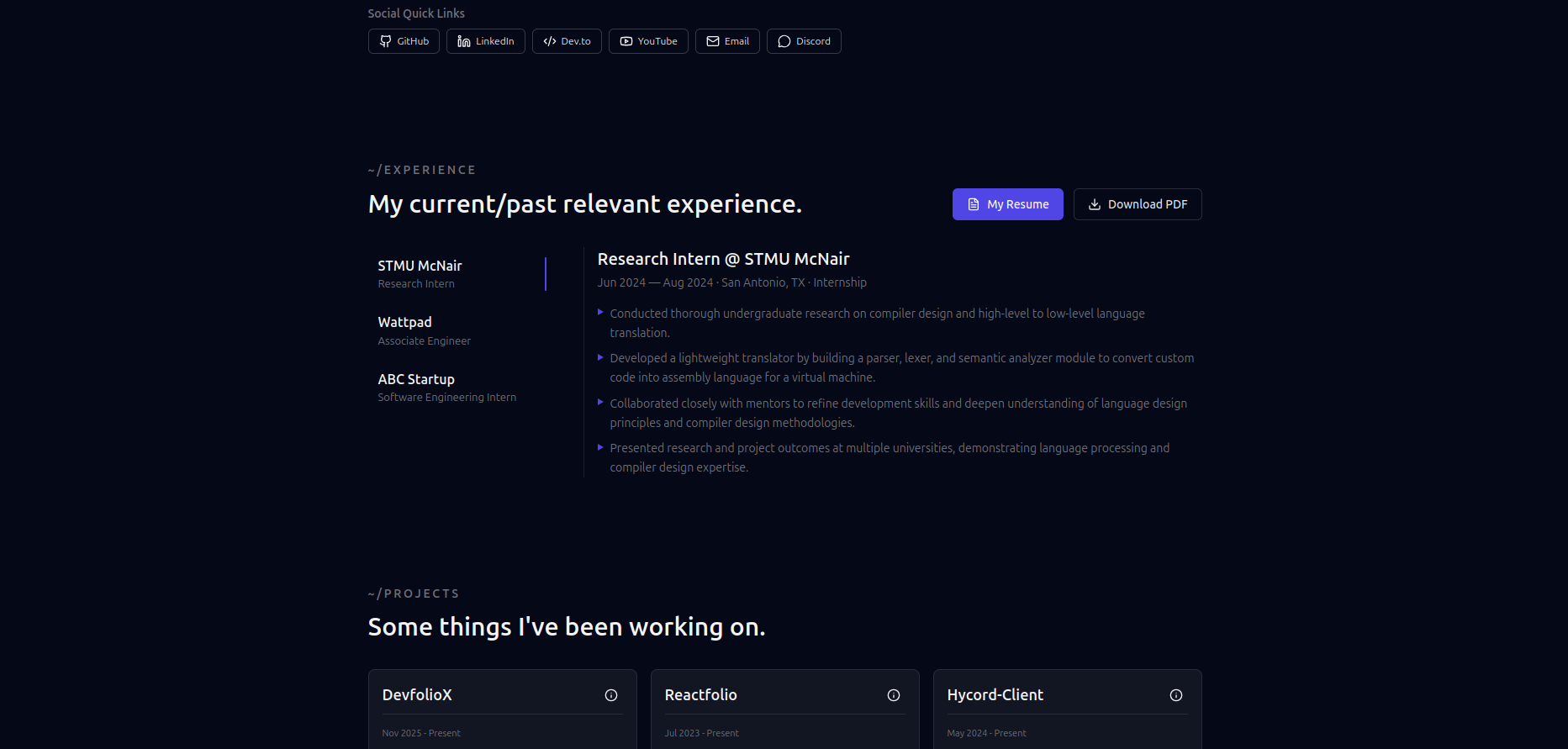
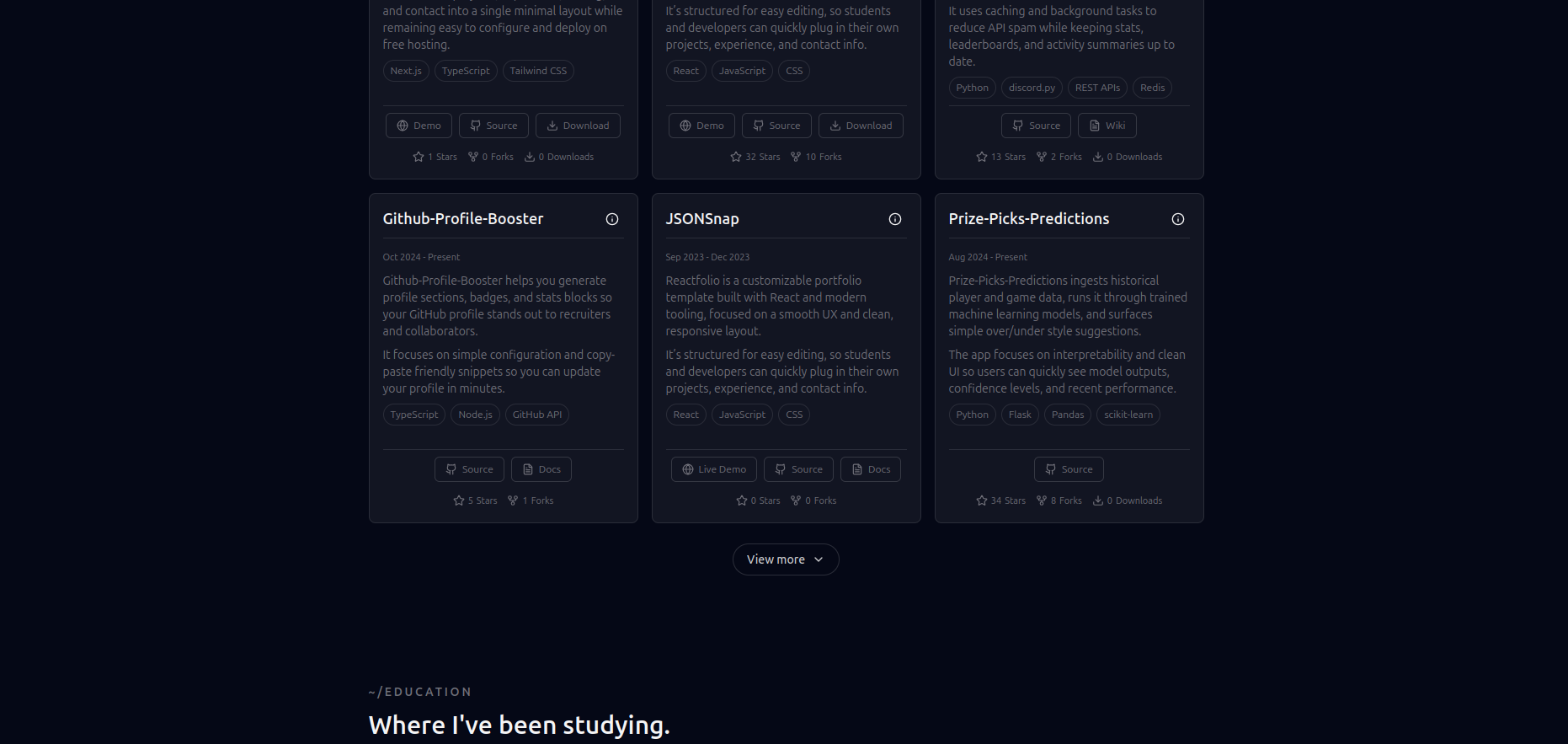
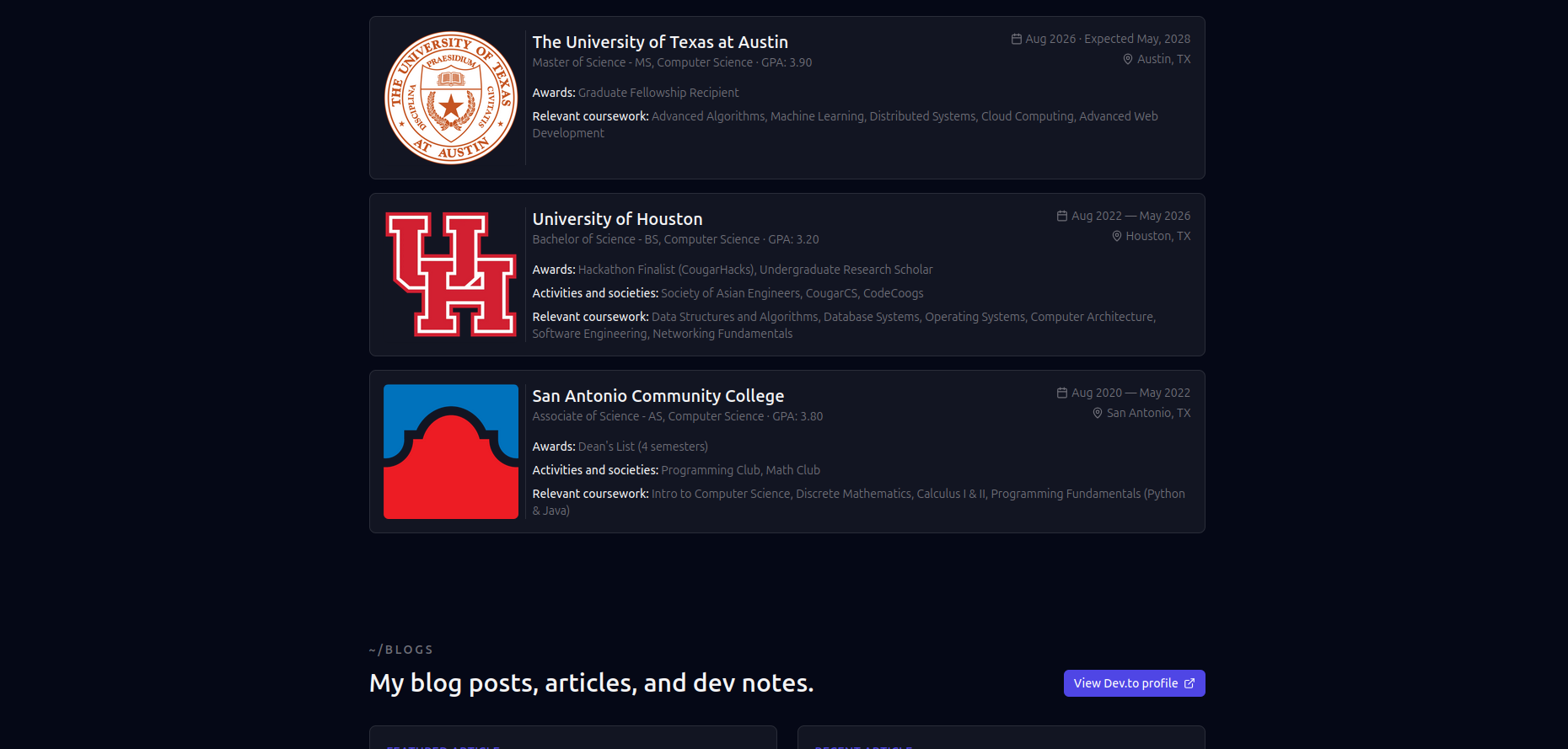
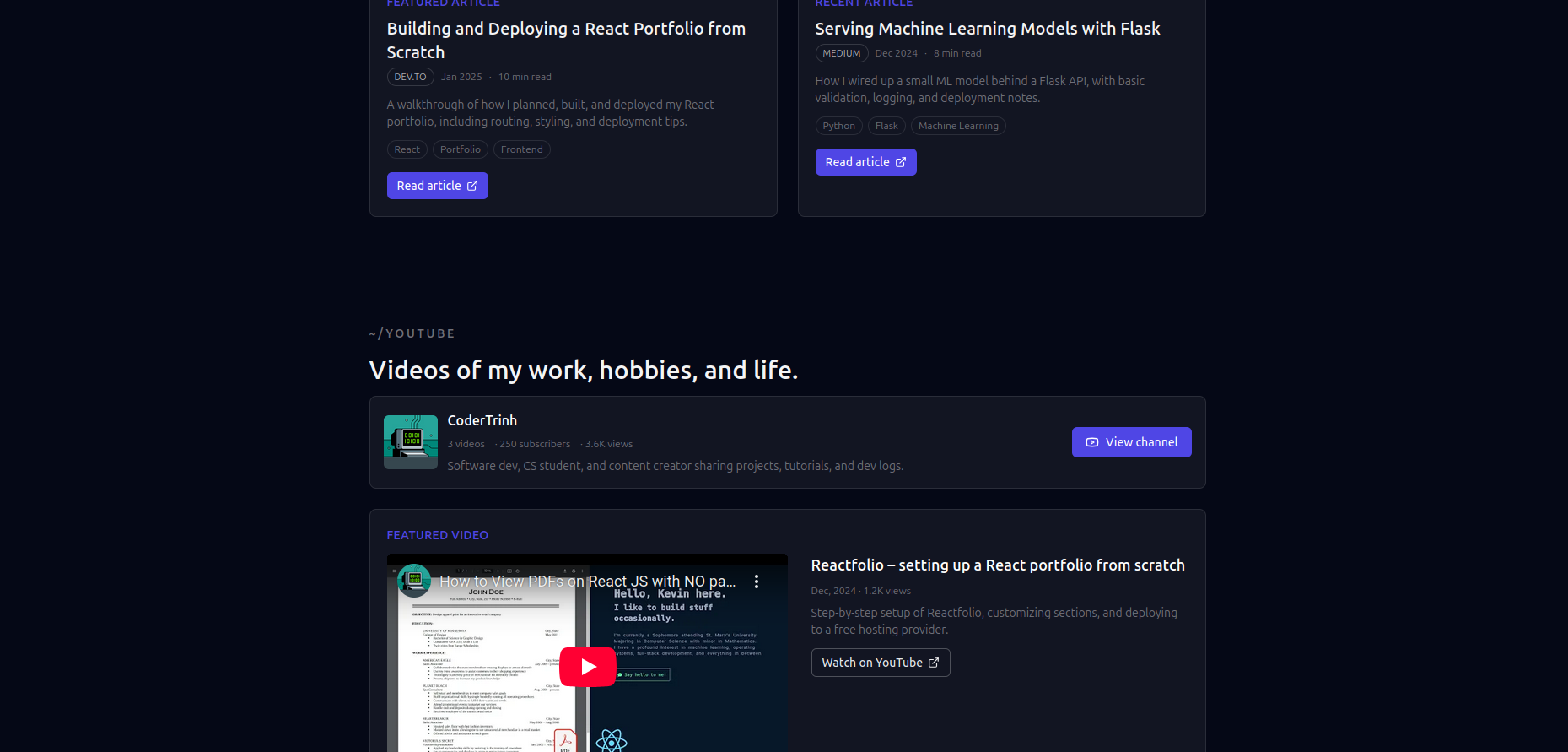
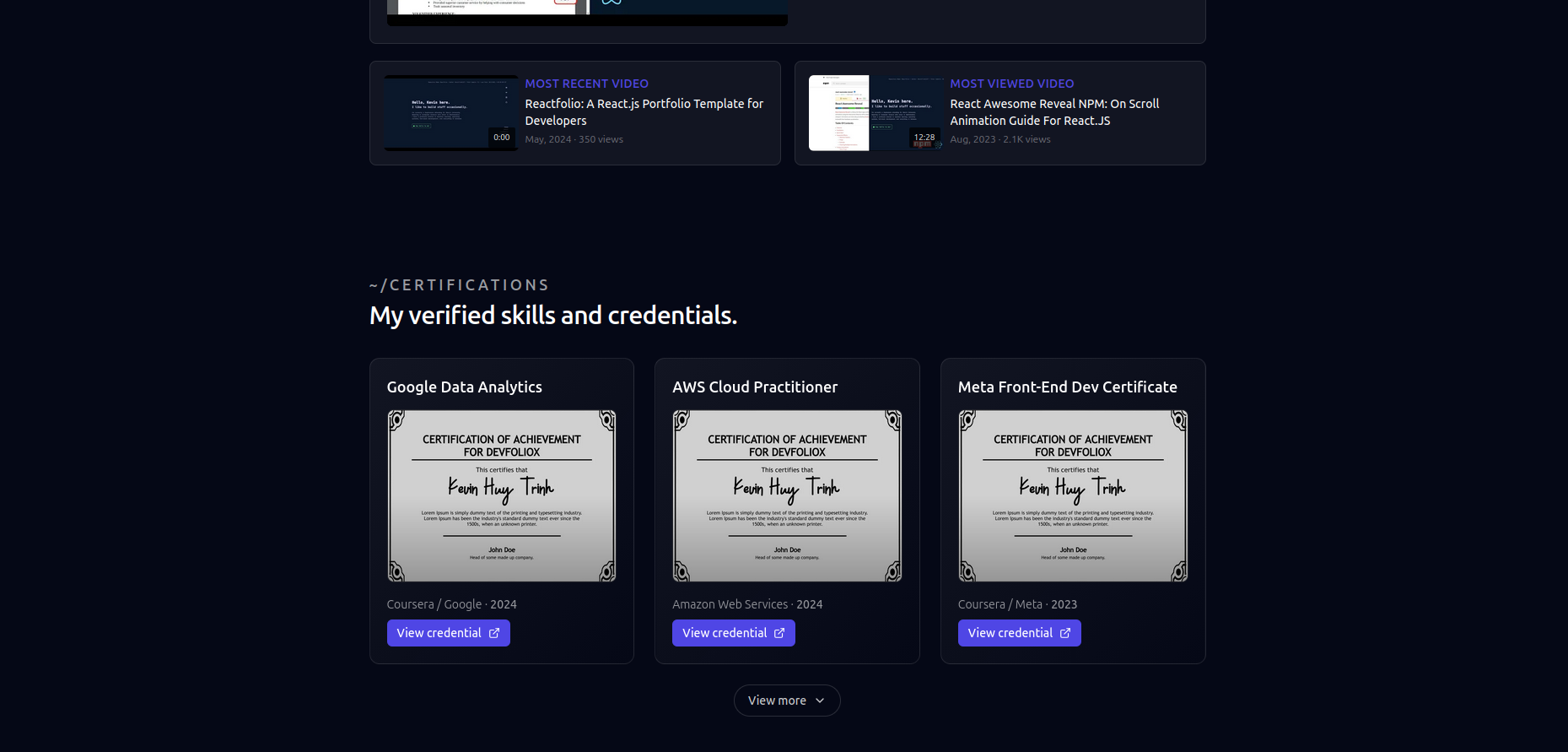
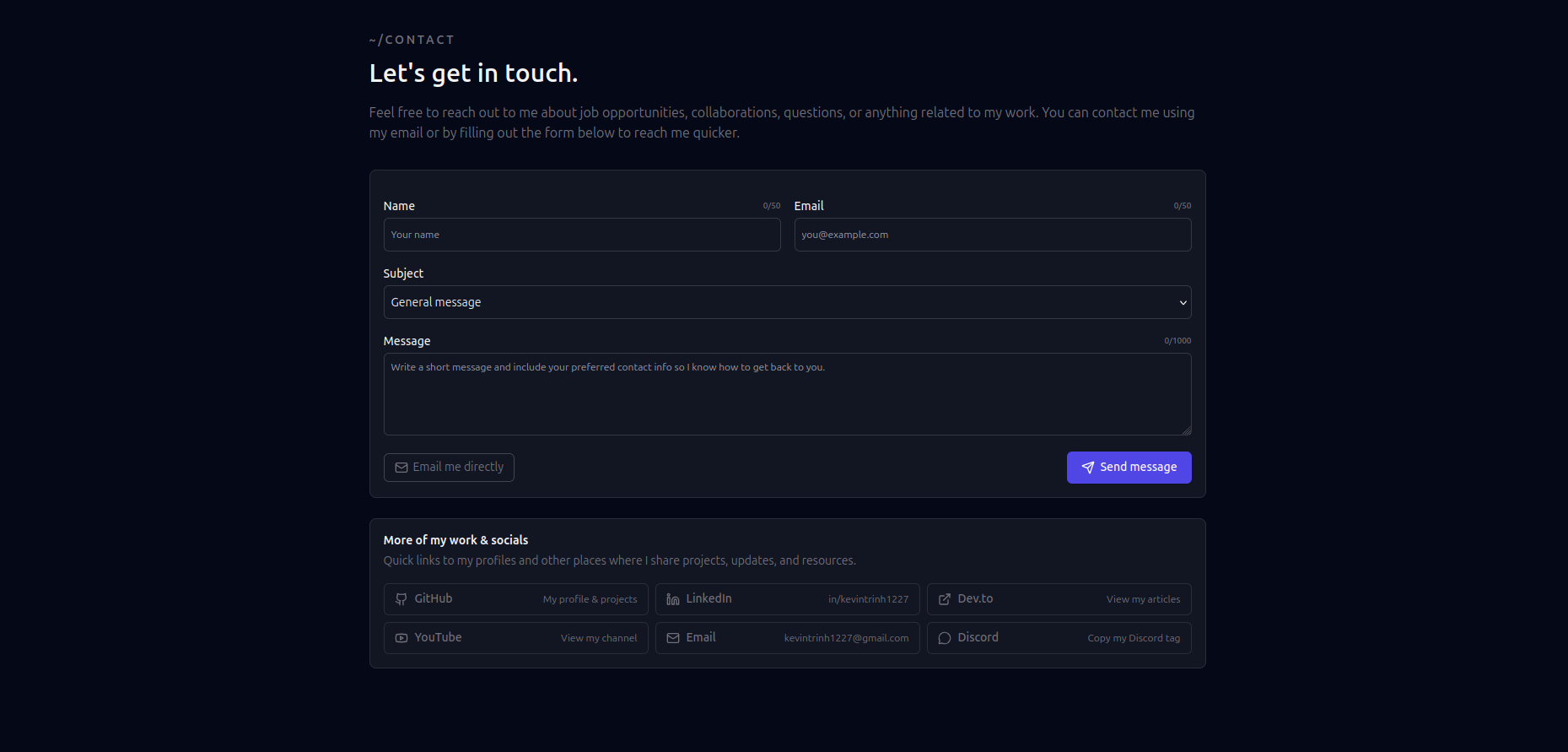

- Features
- Quick Start
- Configuration
- Blog System
- Theme Customization
- SEO
- Analytics
- Deployment
- Environment Variables
- Testing
- Config-driven - Edit JSON files, not React components
- Responsive design - Optimized for all screen sizes
- Dark/Light mode - System preference detection with manual toggle
- Command palette - Press
Cmd+Kto search everything - PWA ready - Installable as a Progressive Web App
- Homepage - Hero, about, skills, experience, projects, articles, contact
- Projects page -
/projectslisting with individual/projects/[slug]pages - Articles page -
/articleslisting with individual/articles/[slug]pages - 404 page - Custom not found page
- GitHub - Auto-fetch project stats, contribution graph, pinned repos
- YouTube - Display latest videos from your channel
- Dev.to - Sync articles from your Dev.to profile
- Google Docs - Embed your resume directly
- Contact form - Email via Resend API
- Automatic sitemap - Generated at
/sitemap.xml - Robots.txt - Configurable at
/robots.txt - JSON-LD - Structured data for rich search results
- Dynamic OG images - Auto-generated social images
- Optimized fonts - Inter + JetBrains Mono with no FOUT
- Image optimization - AVIF/WebP with lazy loading
Click the Vercel or Netlify button above to deploy instantly.
# Clone the repository
git clone https://github.com/KevinTrinhDev/DevfolioX
cd devfoliox

# Install dependencies
npm install

# Run the setup wizard
npm run setup

# Start development server
npm run dev
Visit http://localhost:3000 to see your site.
All configuration is done through JSON files in the config/ directory:
| File | Purpose |
|---|---|
site.json |
Personal info, social links, section toggles |
projects.json |
GitHub repos to feature (or manual entries) |
experience.json |
Work history and education |
articles.json |
External article links (or use MDX blog) |
theme.json |
Theme mode and accent color |
{
  "name": "Your Name",
  "title": "Full-Stack Developer",
  "email": "you@example.com",
  "github": "yourusername",
  "sections": {
    "hero": true,
    "about": true,
    "skills": true,
    "experience": true,
    "projects": true,
    "articles": true,
    "youtube": false,
    "contact": true
  }
}
Projects can be auto-populated from GitHub READMEs or defined manually:
{
  "githubRepos": [
    "yourusername/awesome-project",
    "yourusername/another-project"
  ],
  "manualProjects": []
}
Add a hidden metadata block to your GitHub README for rich project data:
<!-- devfoliox
{
  "title": "My Project",
  "summary": "A brief description",
  "featured": true,
  "technologies": ["React", "Node.js"]
}
-->DevfolioX ships a full MDX-based blog at /articles. Articles are validated
with Zod at parse time, fully pre-rendered at build, and served from
Cloudflare Workers.
- MDX articles with front-matter, custom components, and GFM
- Search + tag/category filters (client-side, debounced)
- Featured carousel + paginated list
- Per-article view counter backed by Cloudflare KV (
ARTICLE_VIEWS) with cookie + IP rate limiting - Table of contents with scroll-spy
- Related articles scored by shared tags
- Reading time auto-calculated
- Share links (X, LinkedIn, Reddit, Facebook, email, SMS, copy, native share)
- RSS 2.0 feed at
/feed.xml - JSON Feed 1.1 at
/feed.json - Sitemap at
/sitemap.xml(sourced from MDX, not the legacy config) - Robots at
/robots.txt(blocks AI crawlers by default) - JSON-LD
BlogPostingschema + canonical URLs per article - OpenGraph + Twitter cards including image alt text from frontmatter
Add a .mdx file to content/articles/. Frontmatter is validated against a
Zod schema — invalid articles are skipped at build with a clear error.
---
title: "Deploying Next.js to Cloudflare Workers"
slug: "cloudflare-workers-opennext"     # optional; defaults to filename
summary: "What I learned moving off Vercel."
date: "2026-04-22"                      # required, must be parseable
updated: "2026-04-26"                   # optional
category: "Infrastructure"              # optional, single value
tags: ["Cloudflare", "Next.js"]         # optional array
featured: true                          # optional
draft: false                            # excluded in production when true
imageSrc: "/images/cover.png"           # optional, relative to public/
imageAlt: "Cloudflare dashboard"        # optional, shown on cover + OG
author: "Kevin Trinh"                   # optional, defaults to siteConfig.name
---

Article body in Markdown / MDX...
Frontmatter rules:
titleanddateare required.slugmust be kebab-case (^[a-z0-9][a-z0-9-]{0,80}$); the filename is used as a fallback.date/updatedmust parse vianew Date(...)—"2026-04-22"and ISO 8601 both work.tagsmust be a string array.
The following components are available inside any .mdx article:
<Callout kind="info">       Info box (also: warning, success, danger, tip) </Callout>
<YouTube id="dQw4w9WgXcQ" />              {/* nocookie embed */}
<Tweet url="https://twitter.com/.../1234" />
<Figure src="/images/x.png" alt="..." caption="..." />
Press <Kbd>Ctrl</Kbd>+<Kbd>K</Kbd>/api/views/<slug> (GET returns count, POST increments). Uses
ARTICLE_VIEWS KV with three layers of abuse prevention:
- Slug allow-list (only published article slugs accepted)
- Cookie dedupe per visitor (24h)
- Per-IP throttle via KV (60s window)
Honors DNT: 1 and Sec-GPC: 1, and skips obvious crawlers via UA regex.
curl -sI https://kevintrinh.dev/articles | head -1
curl -s   https://kevintrinh.dev/feed.xml   | head -20
curl -s   https://kevintrinh.dev/feed.json  | jq '.version, (.items | length)'
curl -s   https://kevintrinh.dev/sitemap.xml | head -10
curl -s https://kevintrinh.dev/articles/<slug> | grep -o '"@type":"BlogPosting"'{
"defaultMode": "dark",
"allowToggle": true,
"accentColor": "indigo"
}indigo(default)emeraldroseambercyan
Edit app/globals.css to add custom CSS variables:
:root {
  --accent: #your-color;
  --accent-hover: #your-hover-color;
}- Sitemap - Auto-generated at
/sitemap.xml - Robots.txt - Configured at
/robots.txt - JSON-LD - Structured data for Person, WebSite, SoftwareApplication, Article
- Open Graph - Dynamic OG images via
/api/og - Canonical URLs - Automatic canonical tags
Each page has optimized metadata. Customize in app/layout.tsx or per-page with generateMetadata().
DevfolioX integrates with Cloudflare Web Analytics — privacy-friendly, no cookies, free, and works natively from Cloudflare Workers (Vercel Analytics' beacon doesn't reliably reach Vercel from a CF Worker).
- Open the Cloudflare Web Analytics dashboard.
- Add a site for your domain.
- Copy the site token (a hex string).
- Set it as
NEXT_PUBLIC_CF_ANALYTICS_TOKENin your environment (Cloudflare Workers env or.env.local).
The beacon is only injected when the env var is present, so previews and local dev stay quiet.
This repo ships to Cloudflare Workers via OpenNext. Vercel/Netlify still
work but require dropping the OpenNext-specific bits in wrangler.jsonc
and open-next.config.ts.
npm run cf:build      # OpenNext compile
npm run cf:preview    # local Worker preview
npm run cf:deploy     # deploy to production
KV bindings (already wired in wrangler.jsonc):
NEXT_INC_CACHE_KV— Next.js ISR cacheARTICLE_VIEWS— per-article view counts + IP rate-limit keys
If a deploy breaks production:
# List recent versions
npx wrangler deployments list

# Roll back to the previous one
npx wrangler rollback
Worker rollbacks are near-instant and don't require a rebuild.
- Push your code to GitHub
- Import on Vercel or Netlify; framework auto-detects as Next.js
- Set
NEXT_PUBLIC_BASE_URLand any other env vars from.env.example - Deploy
Create a .env.local file:
# Required for contact form
RESEND_API_KEY=re_xxxxx
CONTACT_TO_EMAIL=you@example.com

# Required for GitHub features
GITHUB_TOKEN=ghp_xxxxx

# Optional: YouTube integration
YOUTUBE_API_KEY=AIza_xxxxx

# Optional: Analytics
NEXT_PUBLIC_GA_ID=G-XXXXXX| Variable | Required | Purpose |
|---|---|---|
NEXT_PUBLIC_BASE_URL |
For SEO | Your deployed URL (used by sitemap, feeds, OG, JSON-LD) |
NEXT_PUBLIC_CF_ANALYTICS_TOKEN |
Optional | Cloudflare Web Analytics site token |
RESEND_API_KEY |
For contact | Send emails via Resend |
CONTACT_TO_EMAIL |
For contact | Email recipient |
GITHUB_TOKEN |
Optional | Higher GitHub API limits for contributions graph |
GITHUB_USERNAME |
Optional | Default GitHub user for stats |
YOUTUBE_API_KEY |
For YouTube | Fetch channel videos |
Run npm run validate-env to check your configuration.
npm run test          # one-shot
npm run test:watch    # rerun on save
The Vitest suite covers:
- Frontmatter Zod schema (valid + invalid cases)
- Reading-time math
- The MDX loader against the real
content/articles/directory - RSS 2.0 + JSON Feed 1.1 route handlers (shape, item count, XML escaping)
| Command | Description |
|---|---|
npm run dev |
Start development server |
npm run build |
Build for production |
npm run start |
Start production server |
npm run setup |
Interactive setup wizard |
npm run validate-env |
Validate environment variables |
npm run lint |
Run ESLint |
npm run test |
Run Vitest unit tests |
npm run cf:build |
OpenNext build for Cloudflare Workers |
npm run cf:preview |
Preview the Worker locally |
npm run cf:deploy |
Deploy to Cloudflare Workers |
- Framework: Next.js 16 (App Router)
- Language: TypeScript
- Styling: Tailwind CSS
- Blog: MDX with gray-matter
- Search: Fuse.js
- Icons: Lucide React
- Fonts: Inter, JetBrains Mono
MIT License - feel free to use this for your own portfolio.