You signed in with another tab or window. Reload to refresh your session.You signed out in another tab or window. Reload to refresh your session.You switched accounts on another tab or window. Reload to refresh your session.Dismiss alert
The number of props to spawn. Must be an integer >= 1.
originCFrame
CFrame
The starting position for the props.
propTemplate
Model or BasePart
A template instance to clone for each prop.
targetInstance
Model or BasePart
The target instance towards which props may be attracted.
settings
table
A table of configuration options for the props. See details below.
settings Table
DynamicNumber = number | Vector2 | (propIndex: number) -> number
Key
Type
Default
Description
RemoveMagnitude
number?
1
The distance within which a prop is removed (claimed).
AttractMagnitude
number?
nil
The range within which props begin attraction. nil means attract from any distance.
AttractDuration
DynamicNumber?
1.5
How long (seconds) the sigmoid attraction takes to complete.
AttractDelay
DynamicNumber?
3
Time delay before a prop becomes live and can be attracted/claimed.
AutoRemoveTime
number?
nil
Time in seconds before props are automatically removed.
CollisionGroup
string?
Props
The collision group assigned to props.
OnSpawn
function
required
A function executed when a prop is spawned.
OnRemoved
function?
nil
A function executed when a prop is removed. Receives true if forced (auto-remove/external destroy).
OnAllRemoved
function?
nil
A function executed when all props in a group are removed.
DynamicNumber
AttractDelay and AttractDuration accept a DynamicNumber, which resolves per-prop at spawn time. This lets you stagger or randomize timing across a group.
Form
Behavior
Example
number
Same value for every prop
AttractDelay = 2
Vector2
Random value in [min, max] (order doesn't matter)
AttractDuration = Vector2.new(1, 3)
function
Called with the prop's 1-based index in the group
AttractDelay = function(i) return i * 0.15 end
-- Fixed: all props attract after 2 secondsAttractDelay=2-- Random: each prop gets a random delay between 1 and 4 secondsAttractDelay=Vector2.new(1, 4)
-- Staggered: prop 1 waits 0.15s, prop 2 waits 0.3s, etc.AttractDelay=function(propIndex)
returnpropIndex*0.15end
Example Usage:
localPropDispenser=require(path-to-package)
localsettings= {
RemoveMagnitude=2,
AttractMagnitude=20,
AttractDuration=Vector2.new(1, 2), -- random 1-2s per propAttractDelay=3,
AutoRemoveTime=30,
CollisionGroup="Props",
--! Important: Avoid yielding any of the callbacks. `OnSpawn` could be an exception, though it may lead to unexpected results.OnSpawn=function(prop)
print("Spawned prop:", prop)
-- You must manually parent the propprop.Parent=workspacelocalrandomX=math.random(-10, 10)
localrandomY=math.random(5, 10)
localrandomZ=math.random(-10, 10)
-- Your `spill` logictask.defer(function()
prop.PrimaryPart:ApplyImpulse(
Vector3.new(randomX, randomY, randomZ)
)
end)
end,
OnRemoved=function(wasForced)
print("Prop removed.")
--[[ * Triggered whenever a single prop is removed. * `wasForced` is `true` if the removal was due to auto-remove, external destruction, or the target leaving. It is `nil`/falsy when the prop was claimed normally.]]end,
OnAllRemoved=function()
print("All props removed.")
--[[ * Triggered when every prop in the group has been removed, regardless of how each individual removal occurred.]]end,
}
PropDispenser:Start(
10, -- Number of propsCFrame.new(0, 10, 0), -- Origin positionworkspace.PropTemplate, -- Template prop instanceworkspace.Target, -- Target instancesettings-- Settings table
)
About
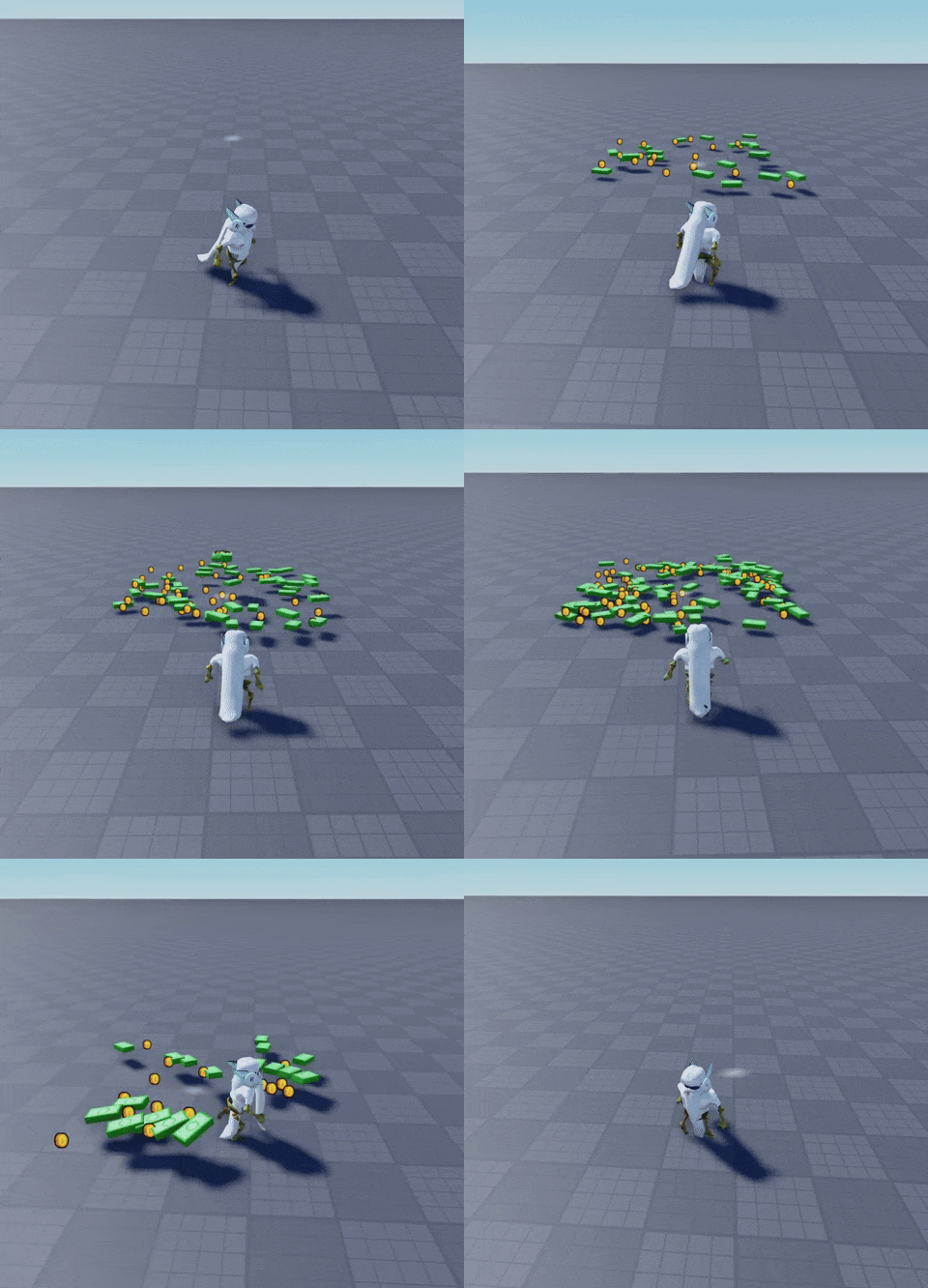
A system for physically dispensing and attracting in-game props.