Client/desktop windows#481
Conversation


support for running pipelines

GPU testing for windows

minor fix

ipcService changes

Bump highlight.js from 9.18.1 to 9.18.5 in /client (#458)

Bumps [highlight.js](https://github.com/highlightjs/highlight.js) from 9.18.1 to 9.18.5.
- [Release notes](https://github.com/highlightjs/highlight.js/releases)
- [Changelog](https://github.com/highlightjs/highlight.js/blob/9.18.5/CHANGES.md)
- [Commits](highlightjs/highlight.js@9.18.1...9.18.5)

Signed-off-by: dependabot[bot] <support@github.com>

Co-authored-by: dependabot[bot] <49699333+dependabot[bot]@users.noreply.github.com>
Co-authored-by: Brandon Davis <git@subdavis.com>

small updates for windows

fixing logging on windows

minor comments and fixes
 BryonLewis
force-pushed
the
client/desktop-windows
branch
from
BryonLewis
force-pushed
the
client/desktop-windows
branch
from
963372f to
ff0b62c
Compare
BryonLewis
force-pushed
the
client/desktop-windows
branch
from
91e7e68 to
83fcb72
Compare

 subdavis
left a comment
subdavis
left a comment
subdavis
left a comment
There was a problem hiding this comment.
Only real requested change is the nvidia-smi one. Others are all optional.
| @@ -1,9 +1,10 @@ | |||
| import { ipcMain } from 'electron'; | |||
|
|
|||
| import OS from 'os'; | |||
There was a problem hiding this comment.
language imports should go above external imports.
Need to find the linter settings for that...
| // it doesn't guarantee that the system doesn't have a relevant GPU | ||
| async function nvidiaSmi(): Promise<NvidiaSmiReply> { | ||
| return new Promise((resolve) => { | ||
| const smi = spawn(`"${programFiles}\\NVIDIA Corporation\\NVSMI\\nvidia-smi.exe"`, ['-q', '-x'], { shell: true }); |
There was a problem hiding this comment.
According to https://stackoverflow.com/questions/57100015/how-do-i-run-nvidia-smi-on-windows that is an outdated location.
Newer installs apparently put nvidia-smi on PATH. Could we try an option where we os.stat the old location, then attempt to run nvidia-smi as defined by PATH?
There was a problem hiding this comment.
I saw that same issue and I looked to see if I could run it. I went to media PC which I just reinstalled windows on yesterday and the graphic drivers. nvidia-smi.exe is not accessible from the cmd.exe by default and it's not located on the path either. It doesn't hurt to check multiple locations and I can add that in.
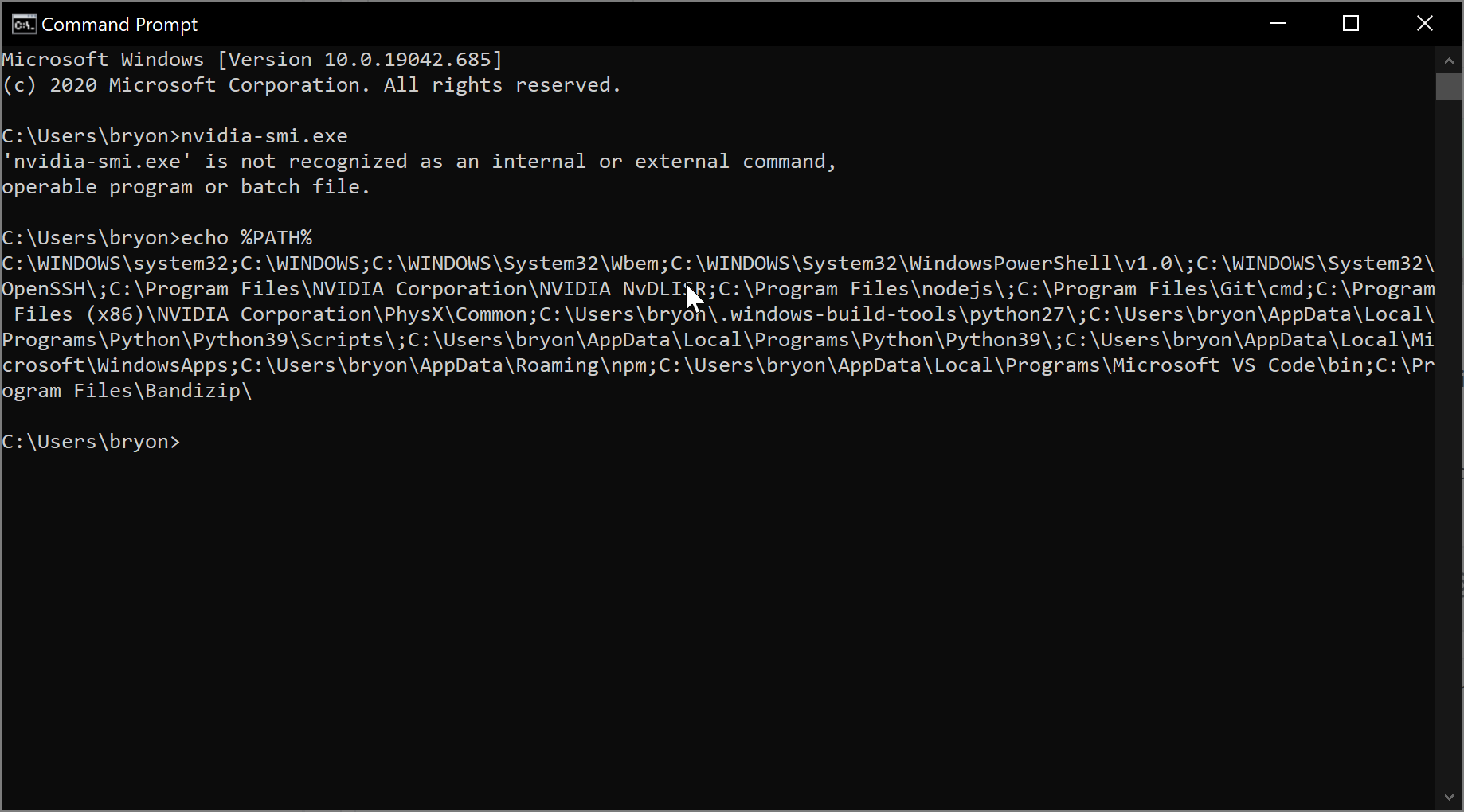
nvidia-smi.exe is in my C:\Windows\System32\DriverStore\FileRepository\nv_dispi.inf_amd64_7ad69efe14475762 which is very different than the stack overflow and I feel is dependent on the individual card and the users other system configuration. It also may be that quadro cards install nvidia-smi into a different location than geforce cards do. I'll do a bit more research into seeing if there is a difference between quadro and geforce cards. I don't know how we could guarantee where in the FileRepository it is located unless we do a search on every folder (~1000 folders),
There was a problem hiding this comment.
Well if that SO answer is just wrong, I'm fine with this change. I agree we shouldn't be doing directory searches or anything like that.
Since this isn't an easy change, let's just merge it as-is.
There was a problem hiding this comment.
I modified it so that it will test for the Path location first and then if that fails over it will test for the C:\Program Files\NVSMI location. I tested it my manually manipulating the location of the file. My guess is that if you install any tools for development purposes that it will place nvidia-smi.exe into the path and that any subsequent driver updates will see that and prevent it from going in the Program Files directory.
My recently formatted media PC had it located in C:\Program Files.
My desktop old dev PC (which had some stuff for Unity and other Nvidia dev stuff) had it in the Path, even after I updated to the same drivers as my media PC.
I tested on the desktop PC, by manually moving the nvidia-smi.exe from the path in Windows/System 32 to Program Files and this new update will work with both.
There may be a cleaner structure than what I did and I'll solicit your opinion for that.

Co-authored-by: Brandon Davis <git@subdavis.com>
Co-authored-by: Brandon Davis <git@subdavis.com>

support for running pipelines

GPU testing for windows

minor fix

ipcService changes

small updates for windows

fixing logging on windows

minor comments and fixes
2 participants


Fixes #466
The general status is that there is now checking for kwiver and GPU compatibility in windows as well as the ability to run pipelines.
I have some details listed below:
nvidia-smi.exe. Older drivers placed it in other locations.setup_viame.batandkwiver -hso I modified the settings panel to have a progress indicator while it is checking for support.