Transcode anamorphic video.#602
Conversation


|
Works a lot better when you use Interestingly, the tracker output is different too, so I think even the tracker hates weird SAR values. |
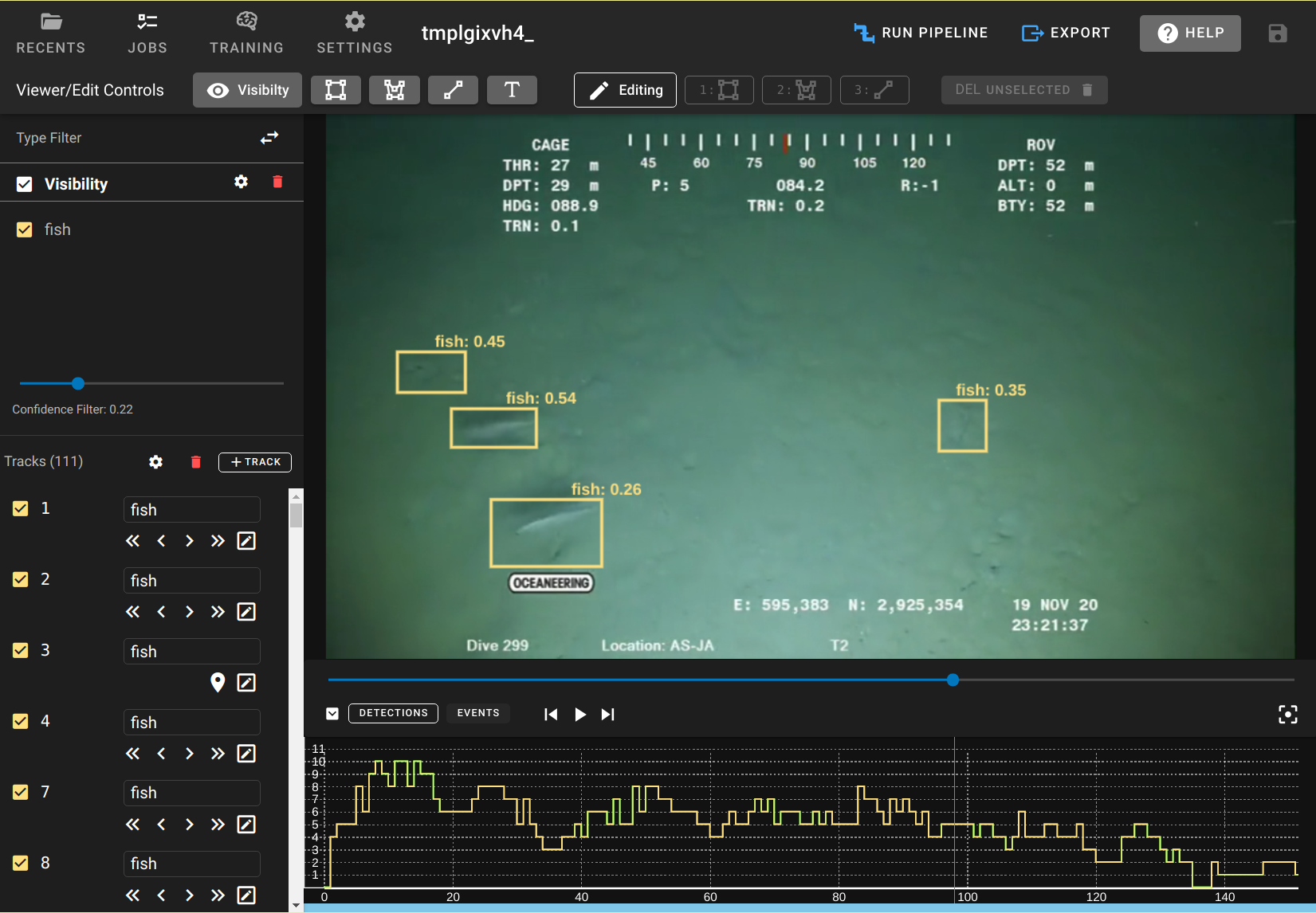
|
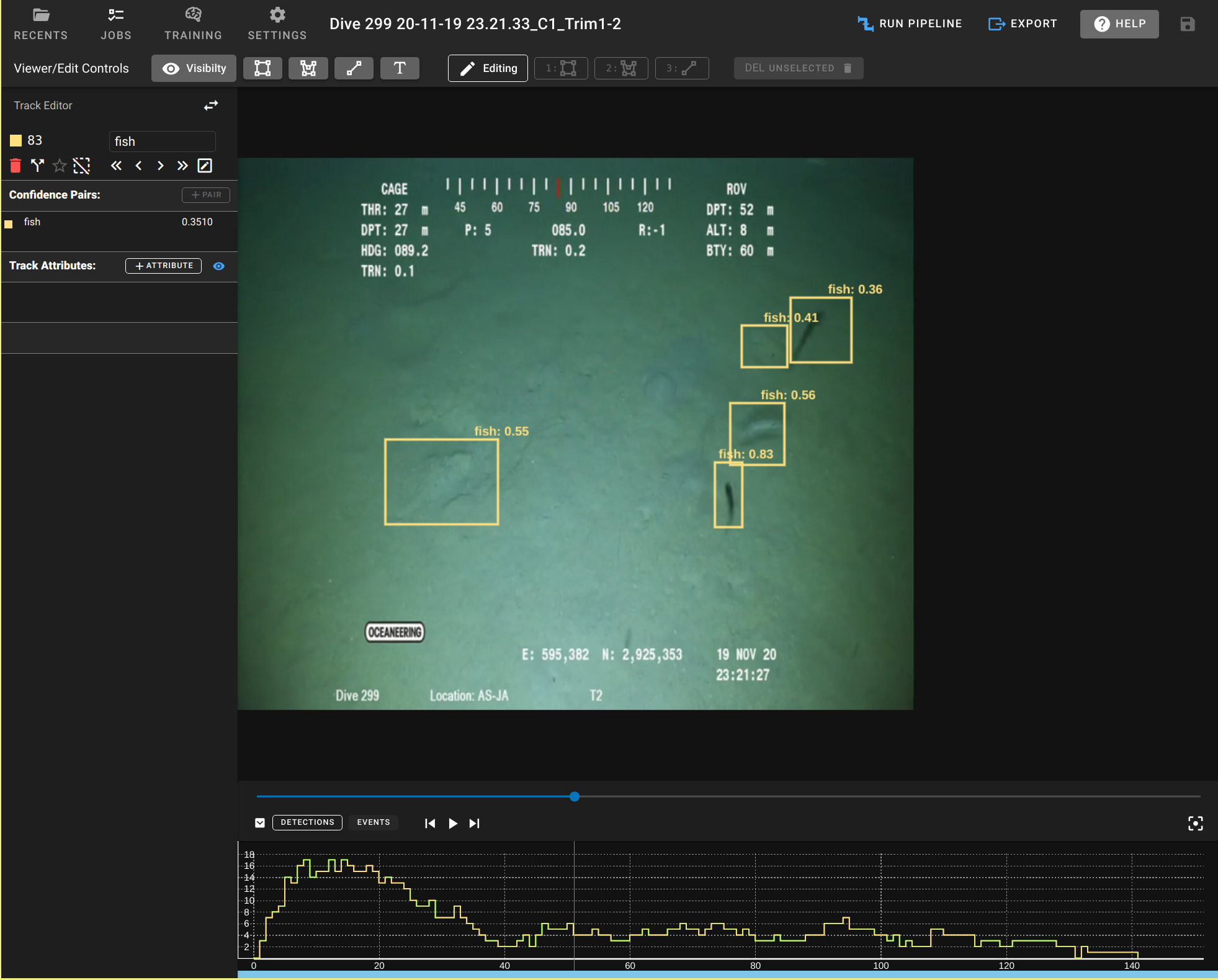
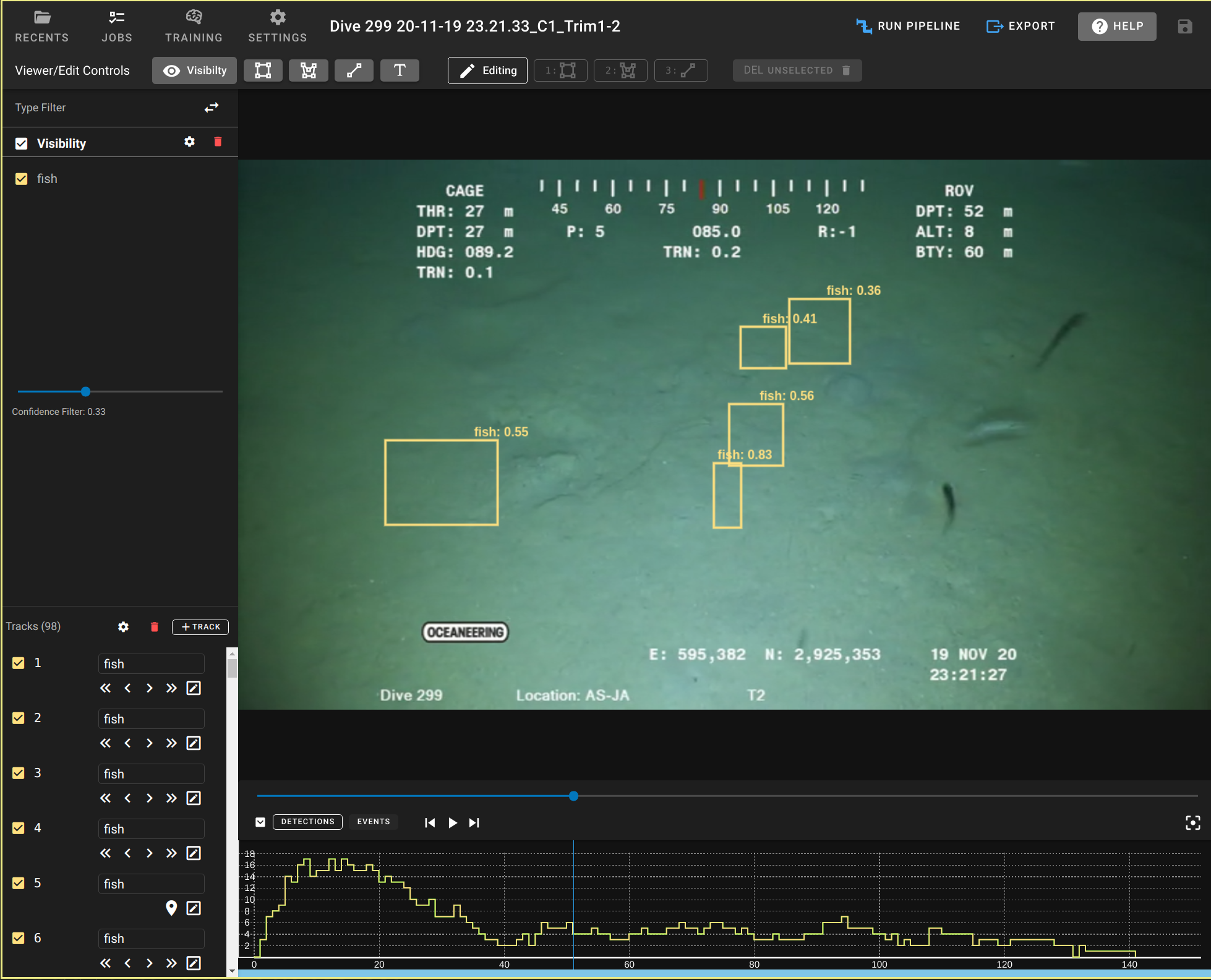
I also tried using gcs. Only parts of this work. the This reinforces my fear of client-side transformations. If we had a regression, we would find out about it much later because this is such a niche use case, and we would have to locate and correct all the corrupted manual annotations that users may have created. This kind of mistake could be very costly in time and customer relationship (since we could have corrupted hours of manual labor in creating annotations) Imagine if we had to script updates to all line geometry only because some future change cause it to start ignoring this transform. I also don't like the additional mental hoops I'd have to jump through. "Does 175px really mean 175?" One thing I can do is distort the video rather than the annotations. This doesn't seem ideal for users, but it seems a lot safer than hoping all layer types treat gcs arguments the same.
|


|
did you attempt this on the wrasse.mp4 data? It was giving me an error related to the width being non-divisible by 2. It wants to scale the video from 720x480 to 853x480 but that then is a non-even width. |
|
I have a similar local change that I forgot to push, but they aren't the same.
Mine causes the final aspect ratio to be different than the input by some fraction of a pixel width Yours seems like it must be doing the same. My margin of error is 0.5pixel widths, but yours seems like it could be closer to 1 pixel width. I'm not the best at math. |
|
With a really weird SAR you could end up getting a non-even width. The padding way would take that 776.5757/2 = 388.2878 | ceil = 389 | double = 778 I think mine will add up to 1.9999999 pixels black letter box like scaling on the ends while maintain aspect ratio, an updated version of your command ( |
|
Update: Just doubled checked and it looks like ffmpeg supports round so you could cut the maximum amount of being off to 1 pixel instead of 2. But then I would limit to squashing the output using your method, don't think you can pad negative space: That would have an output width of 776 instead of the 778 for the weird source video. |

| '-crf 26', | ||
| '-c:a copy', | ||
| // https://video.stackexchange.com/questions/20871/how-do-i-convert-anamorphic-hdv-video-to-normal-h-264-video-with-ffmpeg-how-to | ||
| '-vf "scale=iw*sar:ih,setsar=1"', |
There was a problem hiding this comment.
determination of how we want to modify this for non-even values.
I like so far -vf "scale=round(iw*sar/2)*2:round(ih/2)*2,setsar=1"
Fixes any issues with height or width being odd by adjusting by at most one pixel in either direction.
| "26", | ||
| "-c:a", | ||
| "copy", | ||
| "-vf \"scale=iw*sar:ih,setsar=1\"", |
There was a problem hiding this comment.
same non-even width/height issue as the electron versions:
-vf "scale=round(iw*sar/2)*2:round(ih/2)*2,setsar=1"
Update: Of course the version of the ffmpeg in the container doesn't support round
…e/dive into client/non-anamorphic-transcoding
 BryonLewis
left a comment
BryonLewis
left a comment
BryonLewis
left a comment
There was a problem hiding this comment.
Tested the web version and desktop version with some weird SAR datasets and it works properly. Web has the benefit of converting everything and the desktop was properly detecting x264/mp4s that had non 1:1 SAR values and converting them. I then ran pipelines through the results making sure they were applied to the converted versions.

Co-authored-by: BryonLewis <61746913+BryonLewis@users.noreply.github.com>
BryonLewis
left a comment
BryonLewis
left a comment
There was a problem hiding this comment.
did another pass through with my test datasets and all seem to be working in both modes.
2 participants


Pixel aspect ratio !== 1:1 is not supported. Force it in transcoding.
This may slightly alter the actual width/height of the video
https://viame.kitware.com/#/viewer/601a0582503d63fdb4d021f5
https://viame.kitware.com/#viewer/602441854d85a3cb4e2250d2
fixes #570