Conversation


 BryonLewis
left a comment
BryonLewis
left a comment
BryonLewis
left a comment
There was a problem hiding this comment.
Couple of things primarily related to adding environment variables after launching it without them. Only other thing is either instructions or options if the install path is disabled as well as if it is disabled and the environment path is invalid.
| ...settingsValue, | ||
| // Overwrite with explicitly persisted settings | ||
| ...maybeSettings, |
There was a problem hiding this comment.
This could be a two-part because the correct localSettings aren't written unless you save the data So see the other comment further down.
If you don't have a DIVE_VIAME_INSTALL_PATH set and have a previous version when you load up the data it will set override to {} in the local settings.
If you then set DIVE_VIAME_INSTALL_PATH afterwards and load it up, the locaStorage will always have the overrides: {}. I'm guessing because your spreading the ...maybeSettings over the top of ...settingsValue so it is wiping out the default overrides: with the blank one.
Even if you get the correct settings set here it doesn't update the localSettings for the client. I don't know if that is required during this part.
There was a problem hiding this comment.
I was a bit confused what you meant at first, but after understanding this is a great catch. Really appreciate you pointing out this major issue. I was actually having trouble with getting the environment variables to load in and thought I was going insane, but this was actually the issue.
A quick temporary fix I'm trying for now is just to delete the overrides property from maybeSettings (since it's a JSON and not a proper type). Then spreading it on top of settingsValue will overwrite everything except the overrides. I'm open to any better solutions.
There was a problem hiding this comment.
I think you might want to check the overrides to ensure the Object.keys(maybeSettings).length !== 0 or something similar before deleting it or setting it to undefined. If there exists the path/readonly settings you probably want them to spread and overwrite the defaults.
There was a problem hiding this comment.
Could we add a little comment above the delete line about what that's for?
| settingsValue.readonlyMode = settingsValue.overrides.readonlyMode; | ||
| } | ||
| settings.value = settingsValue; | ||
| ipcRenderer.send('update-settings', settings.value); |
There was a problem hiding this comment.
I don't know exactly if this would be a incorrect/correct option but if the settings are different than the base localSettings like the case where there is an environment variable. Here is where I think you would want to just call updateSettings from further down to update the localStorage as well
| :disabled="!!(localSettings.overrides && localSettings.overrides.viamePath)" | ||
| persistent-hint | ||
| /> | ||
| </v-col> | ||
|
|
||
| <v-col cols="3"> | ||
| <v-btn | ||
| large | ||
| block | ||
| color="primary" | ||
| class="mb-6" | ||
| :disabled="!!(localSettings.overrides && localSettings.overrides.viamePath)" |
There was a problem hiding this comment.
I think these two need some explicit text stating why they are disabled. Something about the environment variable name being set and using that instead of manually allowing changing.
There was a problem hiding this comment.
Good point. I'll add an info box saying the environment exists and changes are being locked.

|
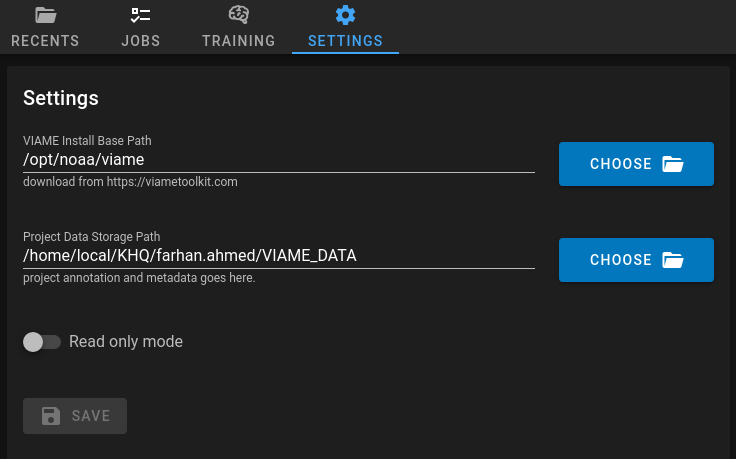
The save button is now disabled when there are no pending changes. This is just a simple computed ref checking if the local settings match the global settings.
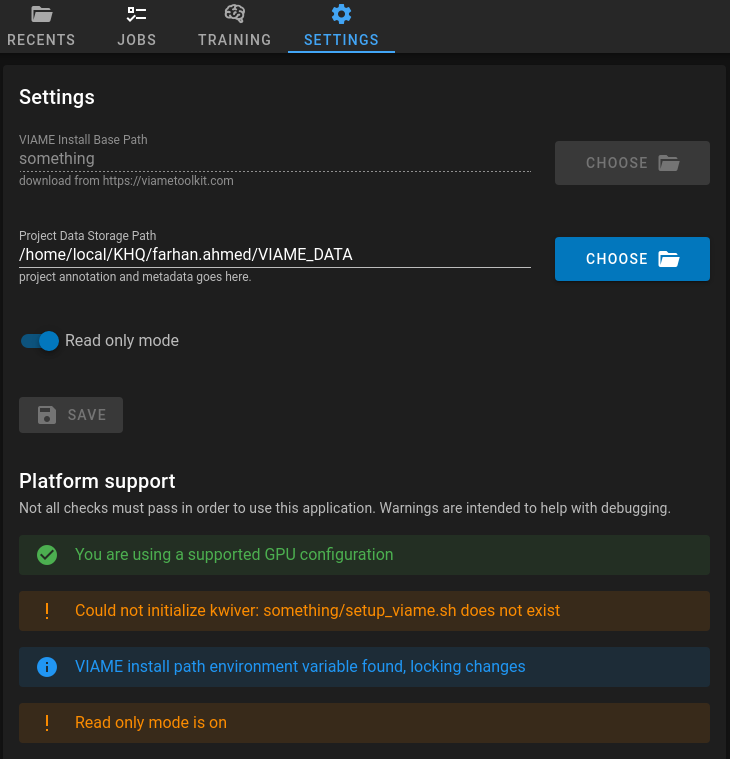
Fixed the major issue where the DIVE_VIAME_INSTALL_PATH=something yarn serve:electronwill properly cause the path to be set and will lock changes. Added an info box to indicate the
|
|
There are also a few outstanding points of concern
|


 subdavis
left a comment
subdavis
left a comment
subdavis
left a comment
There was a problem hiding this comment.
LGTM, tested and works quite well!
subdavis
left a comment
subdavis
left a comment
There was a problem hiding this comment.
One quick question about a command reorder.
| onBeforeMount(async () => { | ||
| settingsAreValid.value = await validateSettings(localSettings.value); | ||
| smi.value = await nvidiaSmi(); | ||
| settingsAreValid.value = await validateSettings(localSettings.value); |
There was a problem hiding this comment.
You flipped the order here. Does this change anything? If this order matters, you have a race condition that needs to be addressed.
|
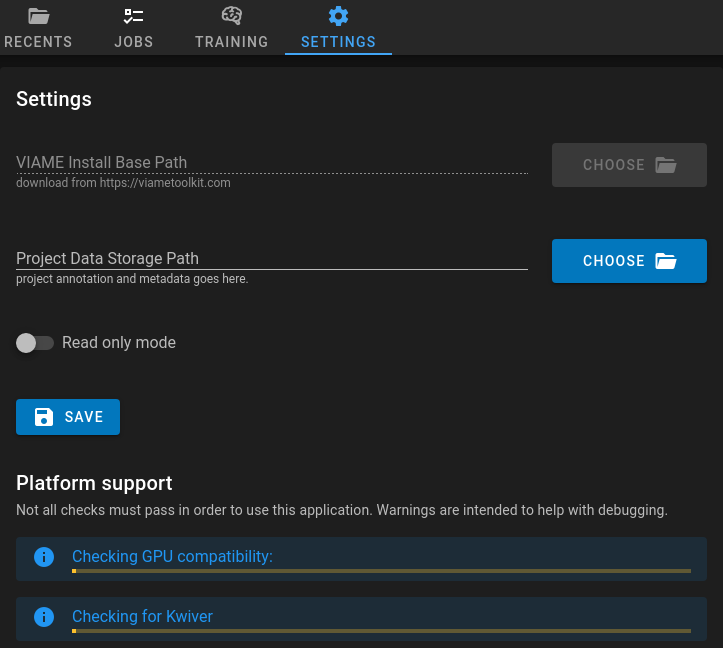
After discussion, there is no longer a race condition and entry points of error in Also updated the desktop settings screenshot for the docs. |
3 participants


fixes #640
fixes #727
Added environment overrides on desktop under the
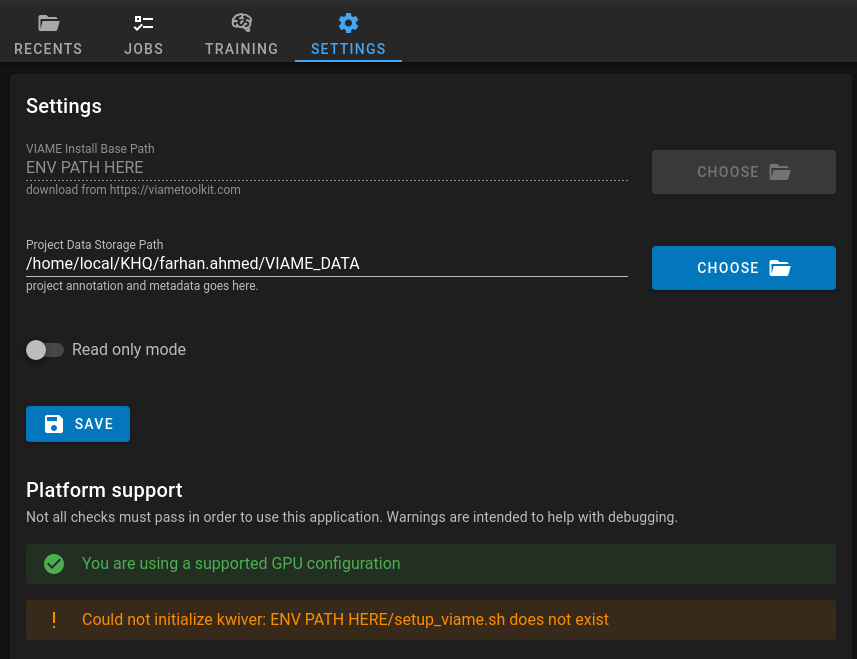
DIVE_VIAME_INSTALL_PATHandDIVE_READONLY_MODEenvironment variables. If they are provided, they will override the settings forviamePathandreadonlyModerespectively. If the environment variableDIVE_VIAME_INSTALL_PATHis provided, it will also prevent the user from changing the path in any way:Implemented read only mode on desktop. This can be either toggled on/off from the settings or the
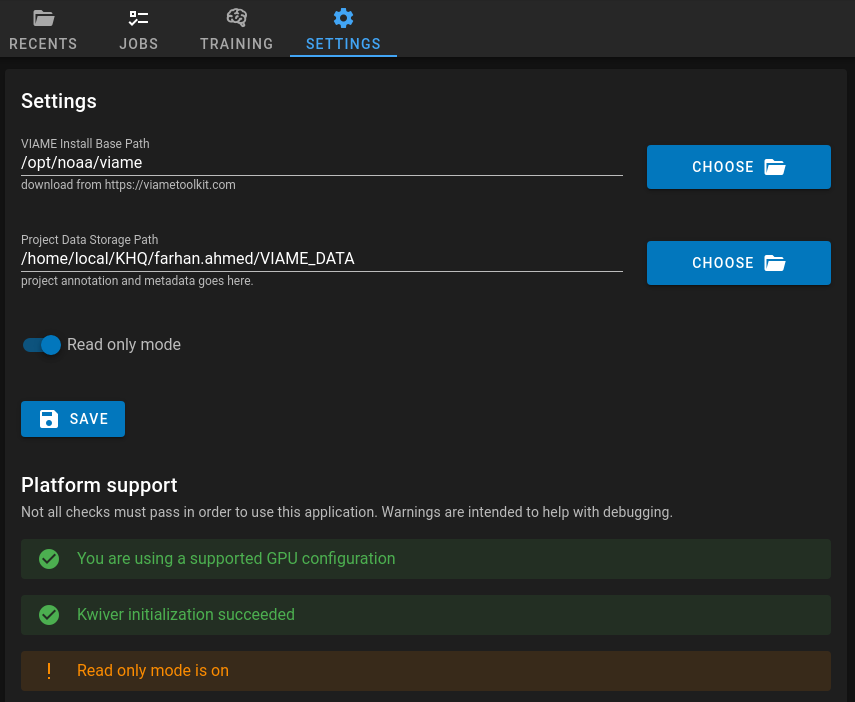
DIVE_READONLY_MODEenvironment variable can be provided. Even if this variable is provided, the user can still toggle it on or off. When read only mode is active, a warning will be displayed in the settings:In read only mode, the user is able to make changes as usual, however, they cannot save any changes. The save icon will be disabled with a warning logo to catch attention:

When hovering over the save icon, it will display a descriptive message:

However, the Run Pipeline and Import functionality still work (as requested) which can still modify the data even in read only mode. Although this is not good in terms of the application perspective, this is still the desired feature.
Fixed the issue with "fake" saving on the settings page on desktop. Previously when changing any settings (such as the viame path), the desktop app would update immediately before clicking the save option. When navigating away to a different page, these changes would persist. However, when reloading the app, these changes would not truly save until the save button was actually clicked. Now, when making local changes, nothing will update until clicking the save button. Navigating away to a different page will also discard any unsaved changes on the settings page.
Read only mode is only for desktop, it is not implemented for web.