Repository navigation
Lua Box
A Lua Box runs one Lua program. The program is the file main.lua; it starts when the box is loaded and stops
when it is unloaded, and it keeps nothing between runs.
Right-click the box.
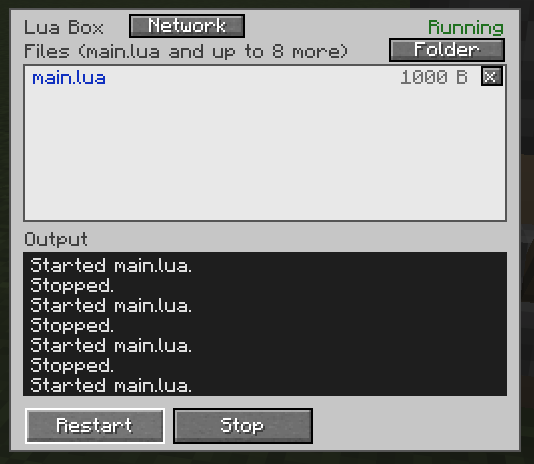
-
Files:
main.luaand up to 8 more files. Drop files from your file manager onto the screen. In single player the Folder button opens the box's folder, and a click on a file opens it in your editor. - Output (the dark field): what the program prints, and its errors. Clear Output above it empties it, for example between two runs.
- Restart and Stop for the program. Everybody may press them and Clear Output, unless the server allows only operators.
- Network swaps the file list for the machines the box reaches, see Network and pipes. When more machines are in reach than fit, scroll the list with the mouse wheel or page with the ▲ and ▼ buttons above and below it.
Only the owner of a box (the player who placed it) and operators may add or remove files.
Standard Lua, plus print, sleep, require, files, network, and the clock functions of os.
All of them are in the Lua reference.
- Files other than
main.luaare data (.txt,.json,.csv, images) or modules:require("name")runsname.luafrom the box once and gives back what it returned. Programs cannot write files. - A program that never calls
sleep()is stopped after 5 seconds; a program that keeps the box busy is stopped as too busy. The limits are in Settings and commands.
<world>/billboard_api/boxes/<id>/, one folder per box. In single player the Folder button opens it.
Script Boxes become Lua Boxes (not while Billboard Engine 1.x itself is installed). Each keeps its files, which move to
billboard_api/boxes/, and its one program is renamed to main.lua. Programs written for the engine still find it as
engine.