Monghoul v1.6.0

Monghoul 1.6.0
Keyboard Shortcuts
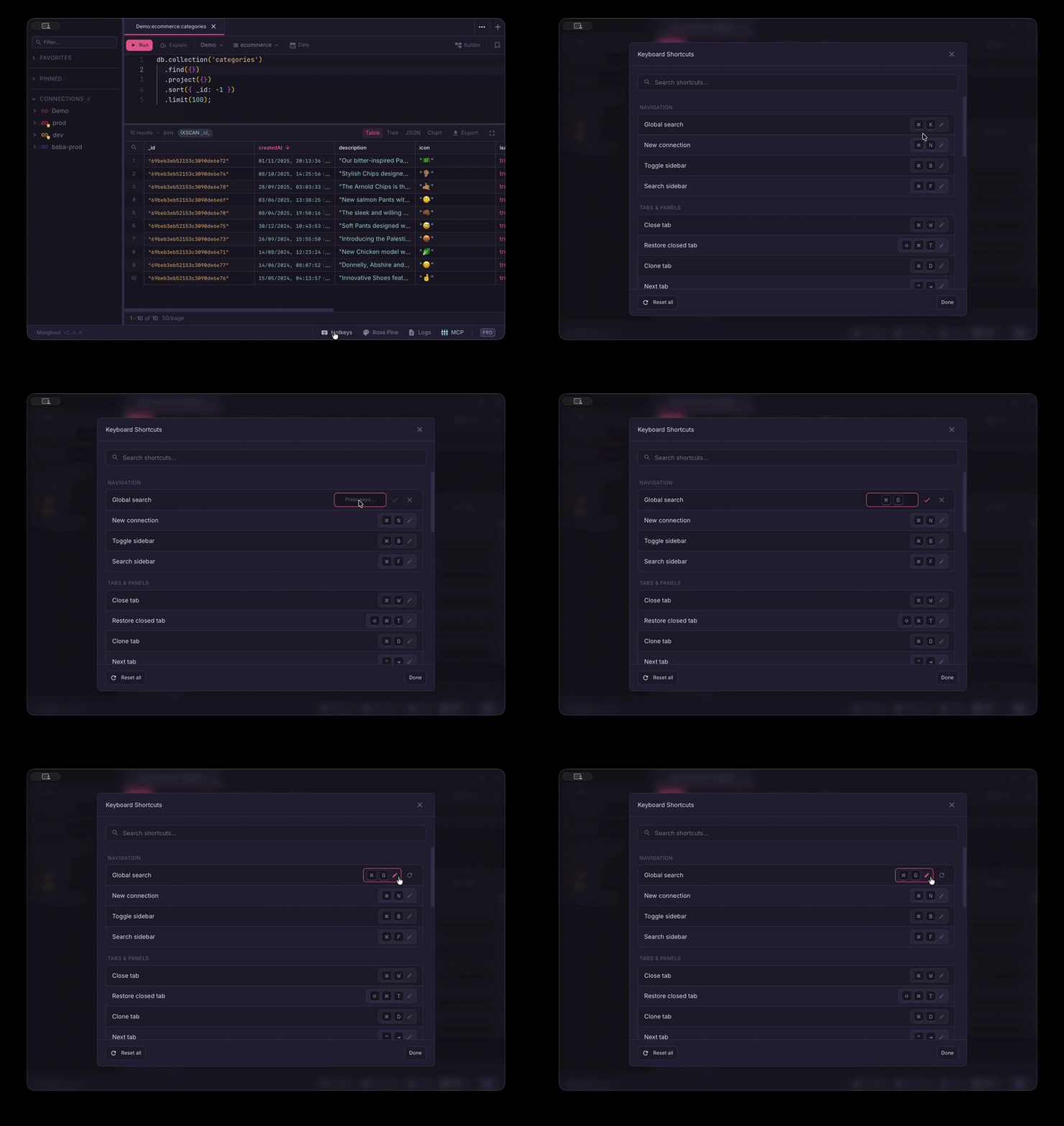
- Customizable shortcuts — almost every shortcut can now be remapped from the redesigned Keyboard Shortcuts dialog: search for a command, click its keys to record a new combination, and save. A clash with another shortcut is flagged with a reassign prompt.
- Reset bindings — reset any single shortcut to its default, or reset all of them at once; custom bindings are saved across sessions.
- Redesigned dialog — searchable, grouped, single-line layout with platform-correct keys; the shortcut itself is the edit control — click it to start recording.
- Cross-platform panel switching — moving between split panels now works on Windows and Linux (Ctrl+Alt+Arrow), not just macOS.
Sidebar
- Focus a collection — single-click a collection in the tree to focus it; double-click still opens it in a query tab, and clicking anything else clears the focus.
- Refresh the focused collection — Ctrl/Cmd+Shift+R refreshes the focused collection's stats, indexes, and schema, falling back to the active query tab's collection when nothing is focused.
Editor
- Format in detached windows — the format shortcut now works inside detached query windows.
Markdown
- Images & embedded HTML in preview — the markdown tab preview now renders embedded HTML, including
<img>tags such as screenshots pasted into the GitHub release editor (previously dropped). Wide images scale to fit the pane; scripts and unsafe URLs are sanitized out.
MCP Server
- Lazily-loaded tools stay reliably callable — fixed AI assistants (e.g. Claude Code) being unable to call tools turned on mid-session via the
enable_toolsmeta-tool. After a long idle period the server's notification stream could go quiet and the assistant never learned the tool list had changed; the server now keeps that stream alive with a heartbeat, so newly enabled tools always become callable.