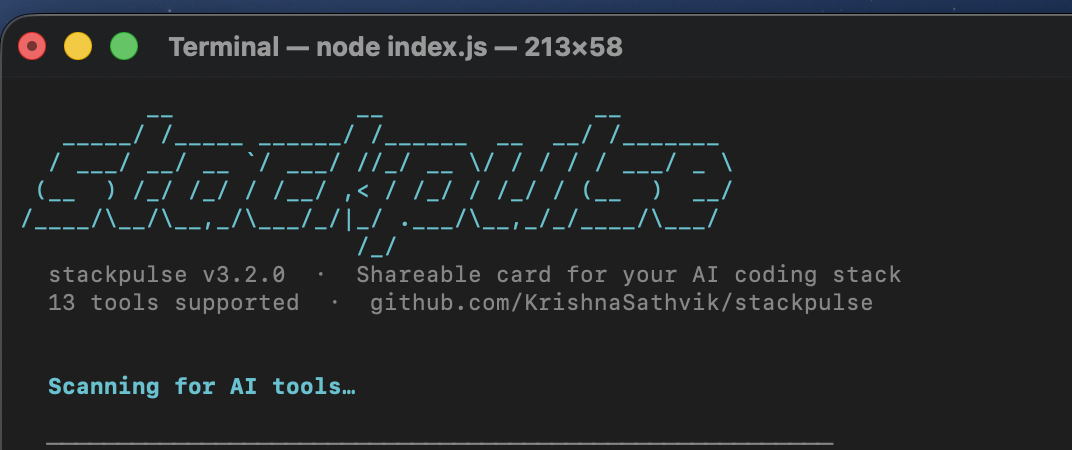
Generate beautiful, shareable cards for your AI coding tool usage




Quick Start • Supported Tools • Themes • Config File • How It Works
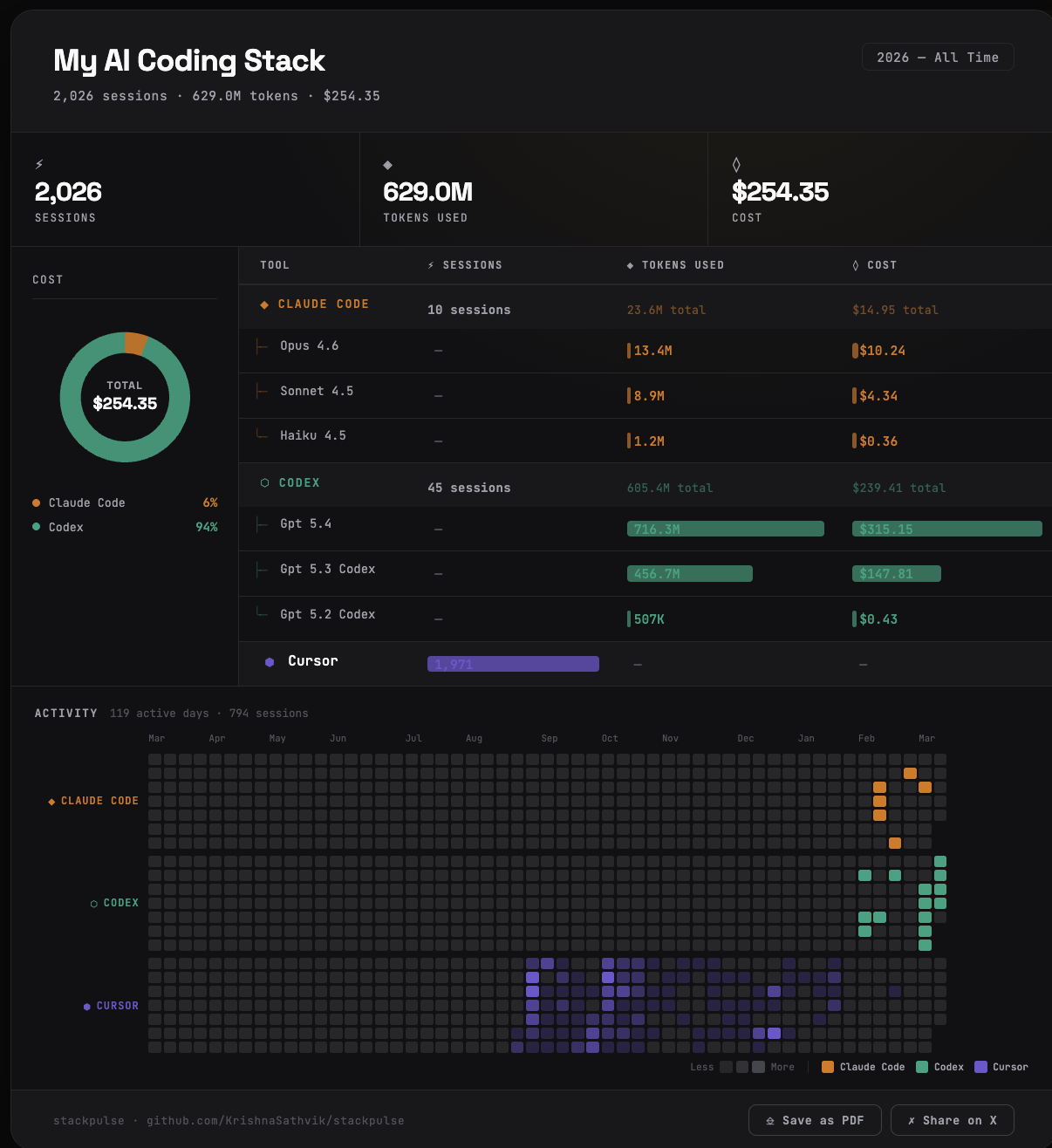
stackpulse scans your machine for AI coding tools, reads their local usage data (sessions, tokens, cost), and generates a shareable HTML card with:
- Per-tool usage breakdown with model details
- Donut chart with smart metric selection
- GitHub-style activity heatmap (per-tool rows)
- Save as PNG, PDF, or share on X — all from the card itself
One command. No API keys. No data leaves your machine.
npx stackpulse
# Run directly (no install needed)
npx stackpulse

# Or install globally
npm install -g stackpulse
stackpulse
The interactive wizard walks you through 3 steps:
- Select tools — auto-detected from your machine + manual entry
- Choose metrics — sessions, tokens, cost, commits, lines written
- Customize — title, handle, theme, output filename
Output: stackpulse.html (open in browser, click "Save as PNG")
stackpulse supports 13 AI coding tools across 4 data source types:
| Tool | Data Source | What's Read |
|---|---|---|
| Claude Code | ccusage |
Sessions, tokens, cost, model breakdown, daily activity |
| OpenAI Codex | @ccusage/codex |
Sessions, tokens, cost, model breakdown, daily activity |
| OpenCode | @ccusage/opencode |
Sessions, tokens, cost, daily activity |
| Amp (Sourcegraph) | @ccusage/amp |
Sessions, tokens, cost, credits, daily activity |
| Pi Agent | @ccusage/pi |
Sessions, tokens, cost, daily activity |
| Tool | Data Source | What's Read |
|---|---|---|
| Gemini CLI | Local JSONL files | Sessions, tokens, daily activity |
| Qwen Code | Local JSONL files | Sessions, tokens, estimated cost, daily activity |
| Kimi Code | Local session files | Sessions, tokens, estimated cost, daily activity |
| Tool | Data Source | What's Read |
|---|---|---|
| Cursor | SQLite state.vscdb |
Composer sessions, daily activity from timestamps |
| Antigravity | SQLite state.vscdb |
Missions + agent sessions |
| Roo Code | VS Code SQLite | Task history count |
| Kilo Code | VS Code SQLite | Task history count |
| Tool | Data Source | What's Read |
|---|---|---|
| Aider | .aider.chat.history.md + git |
Sessions, commits, lines written |
Tools not installed on your machine can still be added manually during the wizard.
7 built-in themes, selectable in the wizard or via --theme:
| Theme | Vibe |
|---|---|
dark |
Terminal noir (default) |
light |
Clean minimal |
cosmic |
Deep space blues |
forge |
Amber heat |
arctic |
Ice blue on white |
verdant |
Forest green |
neon |
Pink synthwave |
stackpulse --theme cosmicSkip the wizard entirely with a YAML or JSON config:
# Generate a starter config
stackpulse --init ai-usage.yaml

# Run from config
stackpulse --config ai-usage.yaml
Example ai-usage.yaml:
title: My AI Coding Stack
timeframe: "2026 — All Time"
username: latentengineer_
theme: dark
metrics:
  - sessions
  - tokens_used
  - cost_usd
tools:
  claude_code:
    sessions: 312
    tokens_used: 23500
    cost_usd: 180
  codex:
    sessions: 88
    tokens_used: 605400
    cost_usd: 240
  cursor:
    sessions: 1971
  gemini:
    sessions: 200
tokens_used: 8400Usage: stackpulse [options]
Options:
-V, --version output version number
-c, --config <file> load from YAML or JSON config file
-o, --output <name> output base filename (default: "stackpulse")
--no-png skip PNG export prompt
--theme <theme> override theme (dark|light|cosmic|forge|arctic|verdant|neon)
--title <title> override card title
--timeframe <range> override timeframe text
--username <handle> override handle
--init [file] scaffold a starter YAML config
-h, --help display help
stackpulse reads only local data — nothing is sent to any server.
┌─────────────────────────────────────────────────────┐
│                    Your Machine                      │
│                                                      │
│  ~/.claude/projects/    ──→  ccusage (sessions,      │
│  ~/.codex/              ──→  tokens, cost, models)   │
│  ~/.gemini/tmp/         ──→  JSONL parser (tokens)   │
│  ~/.kimi/sessions/      ──→  JSON parser (tokens)    │
│  ~/Library/.../Cursor/  ──→  SQLite reader (sessions)│
│  .aider.chat.history.md ──→  File parser (sessions)  │
│                                                      │
│         ↓ all local ↓                                │
│                                                      │
│  ┌─────────────────────────────────────────────┐     │
│  │              stackpulse.html                     │     │
│  │  ┌─────┬──────────────────────────────┐     │     │
│  │  │Donut│  Tool table with bars        │     │     │
│  │  │chart│  + model breakdown           │     │     │
│  │  └─────┴──────────────────────────────┘     │     │
│  │  ┌────────────────────────────────────┐     │     │
│  │  │  Per-tool activity heatmap         │     │     │
│  │  └────────────────────────────────────┘     │     │
│  │  [Save PNG] [Save PDF] [Share on X]         │     │
│  └─────────────────────────────────────────────┘     │
└─────────────────────────────────────────────────────┘
The generated HTML card includes built-in export buttons:
- Save as PNG — captures the full card at 2x resolution via html2canvas
- Save as PDF — uses the browser's native print dialog
- Share on X — pre-filled tweet with your tool stats
- Node.js 18+
- sqlite3 CLI (for Cursor/Antigravity/Roo Code/Kilo Code parsing)
- Tools you want to track must be installed and have local usage data
stackpulse is fully offline. It:
- Reads only local files on your machine
- Never sends data to any server
- Never requires API keys or authentication
- The HTML output is a standalone file with no external dependencies (except Google Fonts)
Contributions welcome! Especially:
- New tool parsers — if you use an AI coding tool not listed above
- Themes — add new visual themes to
generator.js - Bug reports — especially from tools with untested data formats
git clone https://github.com/KrishnaSathvik/stackpulse.git
cd stackpulse
npm install
node index.jsMIT © Krishna Sathvik Mantripragada
Built by @latentengineer_ · GitHub · npm