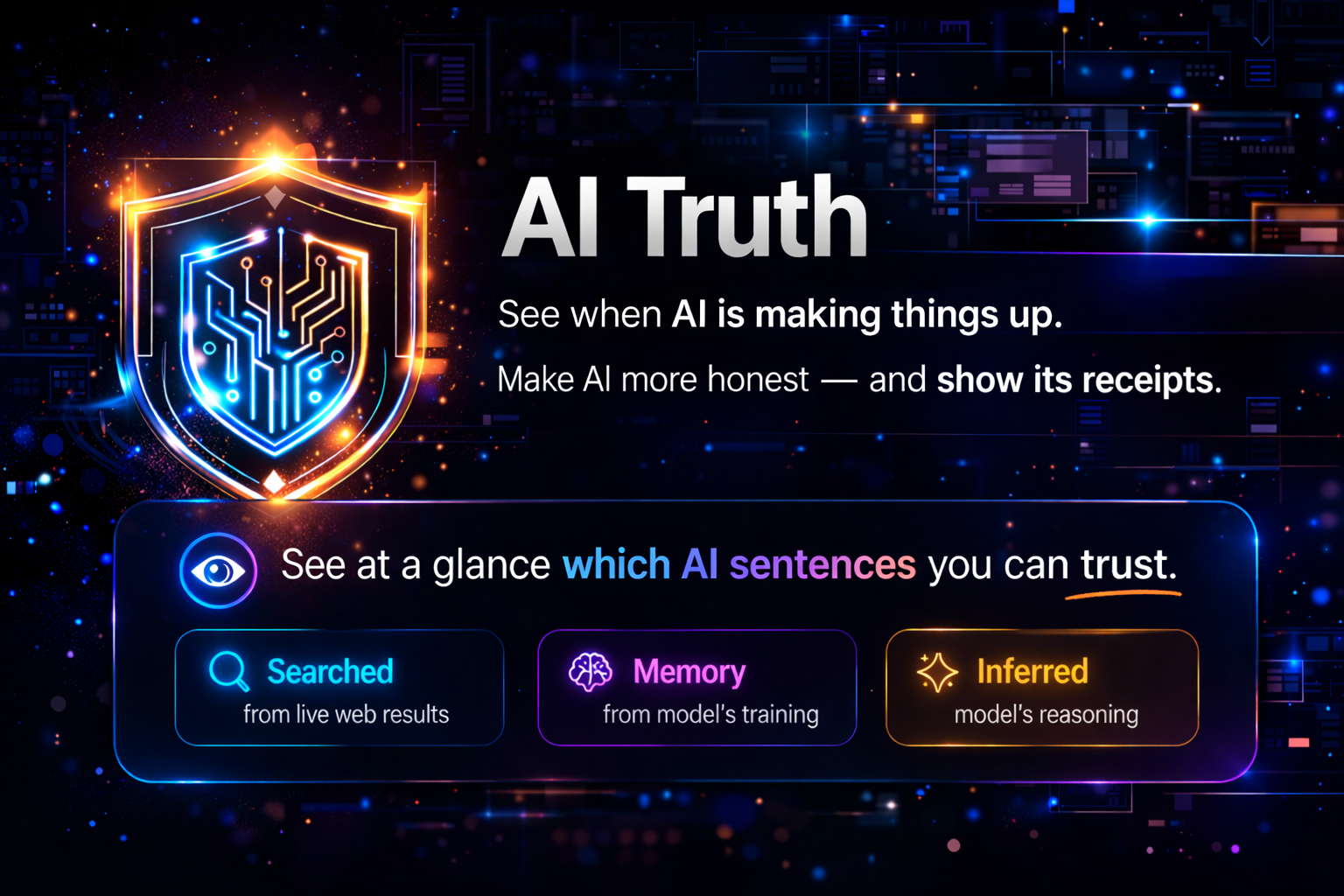
See when AI is making things up.Make AI more honest — and show its receipts.
Evidence labels for Claude, ChatGPT, and Gemini.
Show what was searched in this conversation, what comes from memory, and what is inference — instead of presenting everything in the same confident tone.
demo.1.mp4
LLMs often mix facts, memory recall, analysis, and guesses into one seamless answer.
The problem is not only hallucination — it is that everything can sound equally certain.
AI Truth makes that difference visible.
It combines a structured credibility prompt with a Chrome extension that surfaces evidence labels directly in the chat UI.
Read the Design Journey — the reasoning, the mistakes, and the iterations behind the framework.
- A credibility prompt framework for Claude, ChatGPT, and Gemini
- Two prompt versions for different use cases:
- Compact for always-on personalization / custom instructions
- Full for tighter control in new chats, research, and fact-checking
- Inline evidence labels such as
[S1],[M2+R2],[S3+R2+F],[U+C] - Risk prefixes for high-risk domains like
⚠Legal,⚠Finance, and⚠Medical - A Chrome extension that can:
- visualize labels in AI responses
- copy the framework prompt in one click
- inject prompt versions into supported chat interfaces
Before answering, the model runs a hidden 6-point check on key claims:
- factual accuracy
- unsupported conclusions
- time-sensitivity
- reasoning gaps
- missing premises
- completeness
Claims that fail should be revised, downgraded, or marked uncertain before the final answer is shown.
The final answer labels claims by evidence family, so the user can see what kind of support each statement actually has.
| Family | Tags | Meaning |
|---|---|---|
| S (Searched) | S1, S2, S3 | Actually searched in this conversation: multi-source verified → single strong source → weak / secondary source |
| M (Memory) | M1, M2, M3 | Stable consensus → possibly outdated → time-sensitive, should search first |
| U (User) | U | User-provided, not externally verified |
| R (Reasoning) | R1, R2, R3 | Mechanically verifiable → framework-dependent → open synthesis |
| C (Creative) | C | Generative ideation or design |
| F (Fragile) | F | Insufficient, conflicting, or missing support |
Examples: [S1] [M2+R2] [S3+R2+F] [U+C]
High-risk content should also use domain prefixes such as:
⚠Legal ⚠Finance ⚠Tax ⚠Medical ⚠Safety ⚠Compliance ⚠Engineering
Two versions are included:
| Compact | Full | |
|---|---|---|
| Length | ~400 tokens | ~2500 tokens |
| Best for | Personalization / custom instructions / always-on use | New chats / research / fact-checking / tighter labeling |
| Behavior | Lighter, faster, good default coverage | More explicit rules, stronger boundary control |
| Tradeoff | More drift in long chats, more edge cases left to model judgment | Better consistency, but too long for most personalization settings |
Recommendation: Start with Compact for everyday use. Use Full when you want tighter boundaries, stronger labeling, and less drift.
Prompt files:
Suggested setup:
- Claude → Settings → Customize Claude
- ChatGPT → Settings → Personalization → Custom Instructions
- Gemini → style / preferences area
- Open
chrome://extensions/ - Enable Developer mode
- Click Load unpacked
- Select
extensions/chrome - Open Claude, ChatGPT, or Gemini
Supported platforms:
- Claude
- ChatGPT
- Gemini
When the AI outputs labels like [S1], [M2+R3], or [S3+R2+F], the extension highlights paragraphs by credibility level.
Two display modes are available:
- Simple — clean badge labels (
Verified,Caution,Ref,Alert) - Audit — stronger color treatment with hoverable label pills and explanations
Copy the current framework prompt from the popup in one click.
A Credibility prompt selector is injected into supported chat interfaces so you can pick and insert a prompt version without leaving the page.
This project does not just ask the model to “be more careful.”
It changes what becomes visible to the user.
- Unlike approaches that show how the model reasons, this project shows what each conclusion stands on.
- Unlike confidence-style methods that output probability-like scores, it uses categorical labels that do not pretend to be calibrated.
- It separates source type from reasoning type.
- It adds a UI layer, so the framework is visible in real chat workflows rather than hidden in a prompt.
├── docs/                        # Design docs and assets
│   └── design-journey.md
├── extensions/
│   └── chrome/                  # Chrome extension for visualizing labels
│       ├── manifest.json
│       └── src/                 # content scripts, popup, utils, bundled prompts
├── model_instructions/          # Versioned prompt files
│   ├── prompts-v7-compact.md
│   └── prompts-v7-full.md
├── README.md
└── limitations.md               # Known failure modes and tradeoffs
See limitations.md for the full list.
Important ones include:
- self-checking still inherits the model’s own blind spots
- long conversations can weaken prompt adherence
- this framework has only been tested with frontier models; weaker models may mislabel claims and reduce reliability
- platform DOM changes may break UI injection
- labels improve auditability, not guaranteed truth
Contributions are welcome, especially in these areas:
- selector robustness across supported platforms
- label parsing and visualization quality
- prompt versioning and evaluation
- localization and bilingual documentation
- docs, examples, and demo assets
MIT