trace
This function depends on builtins Python 3.x built-in module.
trace message [color]
- message : the message to print in the console. Can be a 'string' or variable.
- color : the RGB list or HEX color of the desired color
This is a service function, useful for debugging your code. It prints the message parameter to the console in the (optional) color specified.
Tips:
- The Python 3.x concatenation operator is {} (curly bracket)
- Use the console clear command to clear the output from trace
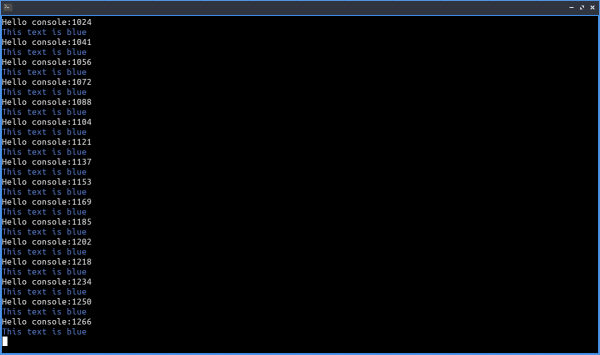
#####################################

db16=[[0x14,0x0c,0x1c], [0x44,0x24,0x34], [0x30,0x34,0x6d], [0x4e,0x4a,0x4e],[0x85,0x4c,0x30], [0x34,0x65,0x24], [0xd0,0x46,0x48], [0x75,0x71,0x61], [0x59,0x7d,0xce], [0xd2,0x7d,0x2c], [0x85,0x95,0xa1], [0x6d,0xaa,0x2c], [0xd2,0xaa,0x99], [0x6d,0xc2,0xca], [0xda,0xd4,0x5e], [0xde,0xee,0xd6]]
# trace demo
cls(db16[0])
while True:
    trace('Hello console:{}'.format(time()))
    trace('This text is blue',db16[8])

#####################################