

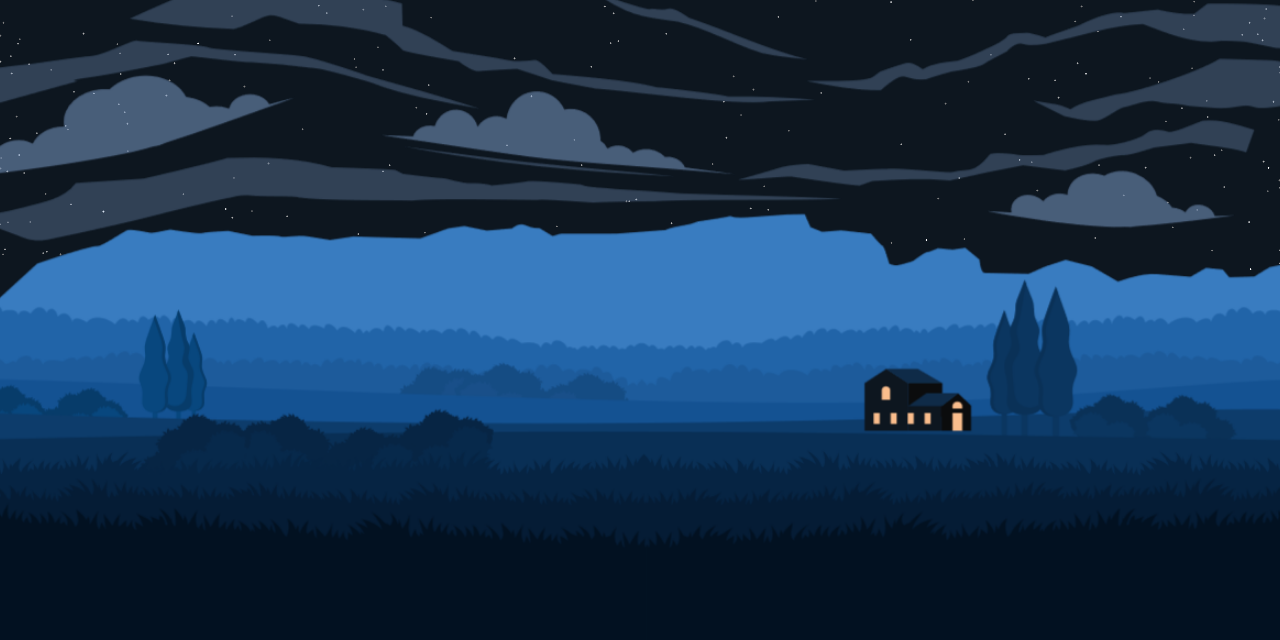
A repository showcasing a monotone illustration of a landscape, with a wide grass field, trees, mountains, and a small house. The illustration dynamically represents the solar system planets based on the user's time, date, and location. The color scheme of the website changes according to the time of day, and a night sky with stars appears during nightime hours.
- Foreground grass field, trees, background mountain range, and a small house with parallax based on the mouse cursor.
- Solar system planets' representation based on the user's time, date, and location.
- Dynamic color changes reflecting the time of day.
- Night sky with stars during nightime.
- Utilizes the Astronomy Engine npm package.
- Implemented in vanilla JavaScript, SCSS, and PHP (why PHP ? because I like it).
- Compiled with ViteJS.
-
Tilt Angle Adjustment: The tilt angle for the planets is not right idk why.
-
Accurate Stars' Positions: We're also planning to incorporate accurate star positions based on location and time, adding a touch of realism to the night sky.
- Make sure you have PHP 8.0+ and Node.js 22 installed.
- Clone this repository:
git clone https://github.com/MLNOP/Scenery.git - Navigate to the project directory:
cd Scenery - Install Node.js dependencies:
npm install - Install PHP dependencies:
composer install
This project includes a Docker configuration for easy development and deployment. The setup uses PHP 8.3 with Apache and includes Node.js 24 for running Vite.
- Docker Desktop installed and running
- Traefik setup (if using the provided Traefik labels)
-
Create a
.envfile in the root directory:PROJECT_NAME=scenery APP_FQDN=local.scenery.com
-
Add to your
/etc/hostsfile (macOS/Linux) orC:\Windows\System32\drivers\etc\hosts(Windows):127.0.0.1 local.scenery.com -
Build and start the container:
docker compose build
docker compose up -d
-
Install dependencies inside the container:
docker compose exec docker_app composer install
docker compose exec docker_app npm install
-
Access the application at
http://local.scenery.com(or your configuredAPP_FQDN)
To run the Vite dev server inside the container:
docker compose exec docker_app npm run watchThe Vite dev server will be available on port 5173.
# Start/Stop containers
docker compose up -d
docker compose down

# Access container shell
docker compose exec docker_app bash

# View logs
docker compose logs -f docker_app

# Rebuild after changes
docker compose build --no-cache
docker compose up -d- Run the development server:
npm run watch - Open your browser and navigate to the provided URL.
- Explore the beautiful monotone landscape illustration with dynamically changing elements based on time, date, and location.
- ViteJS: Fast, opinionated web dev build tool.
- PHP 8.0+: Server-side scripting language.
- Node.js 22+: JavaScript runtime.
- Astronomy Engine: NPM package for astronomy calculations.
Stuff who inspired/helped me
- Moon & sun phases
- Moon Phase on js canvas
- Don Cross sky view
- Firewatch-style SVG parallax landscape
- Chat GPT
Contributions are welcome! Here's how you can get involved:
- Fork the repository and create a new branch.
- Make your changes and test them locally.
- Submit a pull request explaining your changes.
This project is licensed under the MIT License.