Conversation


- Legend swatch size and consistency
- Add "World Region" w/swatch to Details intro (ready to go for table)
- Style improvements to Details, omnibox, Record Description

|
@rperlin-ela the deploy will be at http://deploy-preview-67--languagemapping.netlify.app/ |

|
Geocoder working nicely on everything non-county I tried, and there will be highlighting of corresponding polygons to come? (Using Boundaries? And/or our Neighborhoods tileset?) Or, for specific addresses, do we think users will expect to see some kind of pin?
If we have those, that might help with the strangeness currently when we seem to be giving uniform extent for “Manhattan” on the one hand and 40 E 94th St (Manhattan) on the other. It’s not a bad intermediate extent right now, and maybe I’m jumping the gun or missing things…
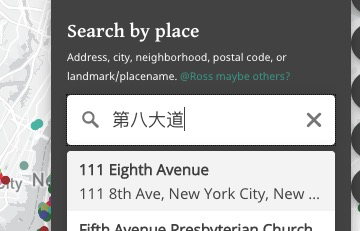
To make sure the international order of linguists doesn’t boot me out, I have to ask about Unicode (non-Roman) character support in the geocoder. Google Maps is now decent about taking me where I want to go in Brooklyn if I type in a neighborhood name like װיליאַמסבורג, a street name like 第八大道, or insitutions like אור החיים or 东海, but these don’t seem to register with the geocoder.
“Zoom to Current” is still of interest, but let’s focus on other things first, like the Details panel, and revisit based on time, is that ok?
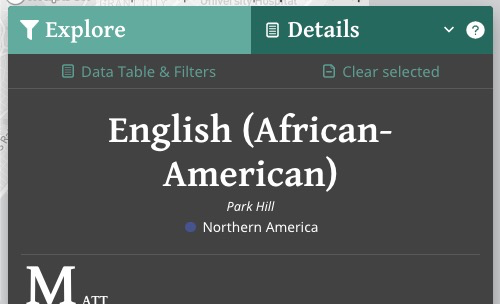
For Details, I think Size or Status can be omitted. Primary country with or without flag (should be present for all) should be shown. Very eager to see your ability to squeeze things in and make it work, but we don’t have to go overboard.
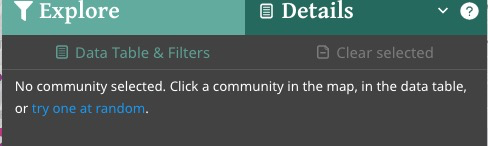
The “random community” idea is great — maybe better to say “try a community at random”?
… On Aug 30, 2020, at 12:35 AM, Jason Lampel ***@***.***> wrote:
Additions
Geocoder init
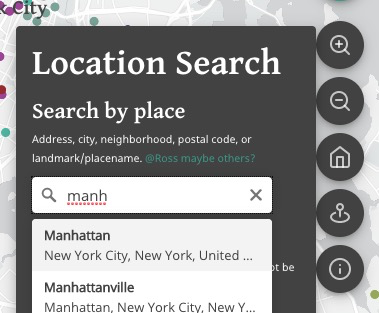
Working well. @rperlin-ela <https://github.com/rperlin-ela> let me know if it's working as you'd want/expect it to:
<https://user-images.githubusercontent.com/4974087/91651144-11796480-ea46-11ea-947e-0a97918e7ee3.png>
Zoom level
When you click "Manhattan" for example, is it a good extent?
<https://user-images.githubusercontent.com/4974087/91651233-61a4f680-ea47-11ea-9c9c-f8bfae893978.png>
Note that the geocoder returns a point, not a polygon from what I can tell. So it's basically the lat/lon/center concepts like we've talked about in regards to initial map extent.
Boundaries
Our MB Boundaries access does not seem to be enabled. I tried to set it up but no soup so I emailed our contact. Worst-case, if we don't get it, can we (Maya) upload a Neighborhoods tileset?. The Boundaries stuff is very new and the docs and examples are not as robust as the rest.
Zoom to current
Just a placeholder but @rperlin-ela <https://github.com/rperlin-ela> let me know if this is still desired before I spend time on it. It will take some time and I'm not sure how much use it will get (useless if you're outside NYC metro!), plus people may be reluctant to use location (there will be the usual browser alert asking for permission, it's definitely required).
<https://user-images.githubusercontent.com/4974087/91651176-bbf18780-ea46-11ea-85ee-68710685aa15.png>
World Region symbol in Details
<https://user-images.githubusercontent.com/4974087/91651190-ec392600-ea46-11ea-9961-ba6576ed12ba.png>
@rperlin-ela <https://github.com/rperlin-ela> I started looking at Size and have some ideas but wasn't sure if that and/or Status should really be shown here given they are a bit loosely defined. Should I omit? And what about primary country? Show flag of primary country if present? Or skip?
Other
Random point when none selected
Having fun with this!
<https://user-images.githubusercontent.com/4974087/91651147-25bd6180-ea46-11ea-8336-ed244fda0349.png>
Omnibox style improve
Some extra contrast for the headings, easier to see:
<https://user-images.githubusercontent.com/4974087/91651262-e09a2f00-ea47-11ea-98fc-4ad38f4cdb01.png>
Refactoring, cleanup
Just a bit.
You can view, comment on, or merge this pull request online at:
#67 <#67>
Commit Summary
Geocoder: init (great start, no flyTo offset yet)
Trivial refactoring: filter features by ID fn into utils
Geocode: put inside Popover, flyTo wired up 💥
Trivial map refactor
More cleanup, rm unused junk
Tons of UI improvements and additions:
Details panel: add "random link" feature when no community selected
Location Search popover: improve UI, add dummy zoom-current btn
File Changes
M package.json <https://github.com/Language-Mapping/language-map/pull/67/files#diff-b9cfc7f2cdf78a7f4b91a753d10865a2> (1)
M src/components/details/DetailsPanel.tsx <https://github.com/Language-Mapping/language-map/pull/67/files#diff-e7bf2f1fd4452178840d32cea1c5bc26> (102)
M src/components/filters/OmniboxResult.tsx <https://github.com/Language-Mapping/language-map/pull/67/files#diff-f172385ed9b74edcd338cd0a1d2fa015> (3)
M src/components/filters/SearchByOmnibox.tsx <https://github.com/Language-Mapping/language-map/pull/67/files#diff-527028c90fc08729162132157741d755> (3)
M src/components/legend/LegendSwatch.tsx <https://github.com/Language-Mapping/language-map/pull/67/files#diff-0080d1bc54f4977caa2af35e44aef9c2> (26)
M src/components/legend/types.ts <https://github.com/Language-Mapping/language-map/pull/67/files#diff-049429a3f7fbd7483a68362328fa72e4> (1)
D src/components/map/LayerToggle.tsx <https://github.com/Language-Mapping/language-map/pull/67/files#diff-3eaafc58f32b2c72b31daacd5b75ed88> (33)
D src/components/map/LayersMenu.tsx <https://github.com/Language-Mapping/language-map/pull/67/files#diff-95bc1d973b2b641157a4ff4c55a1e94d> (71)
M src/components/map/Map.tsx <https://github.com/Language-Mapping/language-map/pull/67/files#diff-4497826369d0b3d93448f4ca7b3fe823> (67)
M src/components/map/MapCtrlBtns.tsx <https://github.com/Language-Mapping/language-map/pull/67/files#diff-1c036ef85049ea8e9561783056e5069b> (219)
M src/components/map/config.ts <https://github.com/Language-Mapping/language-map/pull/67/files#diff-1f7b7a635a6ff2af7a20eae82cca3897> (2)
M src/components/map/index.ts <https://github.com/Language-Mapping/language-map/pull/67/files#diff-4770f82e53ed1adc4d4761fdabda644a> (6)
A src/components/map/react-geocoder.d.ts <https://github.com/Language-Mapping/language-map/pull/67/files#diff-c6a826c3b33d840134e4513538e0254f> (1)
M src/components/map/types.ts <https://github.com/Language-Mapping/language-map/pull/67/files#diff-3b8a228c1f1692d8e045b7708c1dbec3> (22)
M src/components/map/utils.ts <https://github.com/Language-Mapping/language-map/pull/67/files#diff-9cb1c479f185bd4ccc64eb2f35c74beb> (35)
M src/components/nav/TopBar.tsx <https://github.com/Language-Mapping/language-map/pull/67/files#diff-50a85d0f5b1369dfc4d22e6bb2a60f16> (24)
M src/components/results/RecordDescription.tsx <https://github.com/Language-Mapping/language-map/pull/67/files#diff-f1f7ce7662ed1b6a5a0c4b39d29d96a8> (11)
M src/components/results/index.ts <https://github.com/Language-Mapping/language-map/pull/67/files#diff-b76cd46a2d5c3c9d61a74973d4e11d6c> (1)
M src/context/initialState.ts <https://github.com/Language-Mapping/language-map/pull/67/files#diff-41e5be4519450ace6f5b536a95d046ab> (6)
M src/context/reducer.tsx <https://github.com/Language-Mapping/language-map/pull/67/files#diff-3336f53f153be4e134a3596b868e0664> (14)
M src/context/types.ts <https://github.com/Language-Mapping/language-map/pull/67/files#diff-07b3a3c477a5fc83343674df92234ab1> (22)
M src/utils.ts <https://github.com/Language-Mapping/language-map/pull/67/files#diff-e1495d267619047a7cca5cfe8f692729> (16)
M yarn.lock <https://github.com/Language-Mapping/language-map/pull/67/files#diff-8ee2343978836a779dc9f8d6b794c3b2> (430)
Patch Links:
https://github.com/Language-Mapping/language-map/pull/67.patch <https://github.com/Language-Mapping/language-map/pull/67.patch>
https://github.com/Language-Mapping/language-map/pull/67.diff <https://github.com/Language-Mapping/language-map/pull/67.diff>
—
You are receiving this because you were mentioned.
Reply to this email directly, view it on GitHub <#67>, or unsubscribe <https://github.com/notifications/unsubscribe-auth/AMNKB5GWA4CA7U2FQN275FDSDHJI7ANCNFSM4QPMVIVA>.
|
|
In terms of the text, I understand the logic, but having both “Location Search” and then “Search by place” feels a little redundant and I think “Location Search” (kind of bulky anyway) can just be taken out. “Search by place” can become “Search by location”. Then maybe "Address, Neighborhood, Postal Code, Landmark etc.”. I’m not sure what to do about “city”, so maybe just leave off?
… On Aug 30, 2020, at 9:03 AM, Ross Perlin ***@***.***> wrote:
Geocoder working nicely on everything non-county I tried, and there will be highlighting of corresponding polygons to come? (Using Boundaries? And/or our Neighborhoods tileset?) Or, for specific addresses, do we think users will expect to see some kind of pin?
If we have those, that might help with the strangeness currently when we seem to be giving uniform extent for “Manhattan” on the one hand and 40 E 94th St (Manhattan) on the other. It’s not a bad intermediate extent right now, and maybe I’m jumping the gun or missing things…
To make sure the international order of linguists doesn’t boot me out, I have to ask about Unicode (non-Roman) character support in the geocoder. Google Maps is now decent about taking me where I want to go in Brooklyn if I type in a neighborhood name like װיליאַמסבורג, a street name like 第八大道, or insitutions like אור החיים or 东海, but these don’t seem to register with the geocoder.
“Zoom to Current” is still of interest, but let’s focus on other things first, like the Details panel, and revisit based on time, is that ok?
For Details, I think Size or Status can be omitted. Primary country with or without flag (should be present for all) should be shown. Very eager to see your ability to squeeze things in and make it work, but we don’t have to go overboard.
The “random community” idea is great — maybe better to say “try a community at random”?
> On Aug 30, 2020, at 12:35 AM, Jason Lampel ***@***.*** ***@***.***>> wrote:
>
> Additions
>
> Geocoder init
>
> Working well. @rperlin-ela <https://github.com/rperlin-ela> let me know if it's working as you'd want/expect it to:
>
> <https://user-images.githubusercontent.com/4974087/91651144-11796480-ea46-11ea-947e-0a97918e7ee3.png>
> Zoom level
>
> When you click "Manhattan" for example, is it a good extent?
>
> <https://user-images.githubusercontent.com/4974087/91651233-61a4f680-ea47-11ea-9c9c-f8bfae893978.png>
> Note that the geocoder returns a point, not a polygon from what I can tell. So it's basically the lat/lon/center concepts like we've talked about in regards to initial map extent.
>
> Boundaries
>
> Our MB Boundaries access does not seem to be enabled. I tried to set it up but no soup so I emailed our contact. Worst-case, if we don't get it, can we (Maya) upload a Neighborhoods tileset?. The Boundaries stuff is very new and the docs and examples are not as robust as the rest.
>
> Zoom to current
>
> Just a placeholder but @rperlin-ela <https://github.com/rperlin-ela> let me know if this is still desired before I spend time on it. It will take some time and I'm not sure how much use it will get (useless if you're outside NYC metro!), plus people may be reluctant to use location (there will be the usual browser alert asking for permission, it's definitely required).
>
> <https://user-images.githubusercontent.com/4974087/91651176-bbf18780-ea46-11ea-85ee-68710685aa15.png>
> World Region symbol in Details
>
> <https://user-images.githubusercontent.com/4974087/91651190-ec392600-ea46-11ea-9961-ba6576ed12ba.png>
> @rperlin-ela <https://github.com/rperlin-ela> I started looking at Size and have some ideas but wasn't sure if that and/or Status should really be shown here given they are a bit loosely defined. Should I omit? And what about primary country? Show flag of primary country if present? Or skip?
>
> Other
>
> Random point when none selected
>
> Having fun with this!
>
> <https://user-images.githubusercontent.com/4974087/91651147-25bd6180-ea46-11ea-8336-ed244fda0349.png>
> Omnibox style improve
>
> Some extra contrast for the headings, easier to see:
>
> <https://user-images.githubusercontent.com/4974087/91651262-e09a2f00-ea47-11ea-98fc-4ad38f4cdb01.png>
> Refactoring, cleanup
>
> Just a bit.
>
> You can view, comment on, or merge this pull request online at:
>
> #67 <#67>
> Commit Summary
>
> Geocoder: init (great start, no flyTo offset yet)
> Trivial refactoring: filter features by ID fn into utils
> Geocode: put inside Popover, flyTo wired up 💥
> Trivial map refactor
> More cleanup, rm unused junk
> Tons of UI improvements and additions:
> Details panel: add "random link" feature when no community selected
> Location Search popover: improve UI, add dummy zoom-current btn
> File Changes
>
> M package.json <https://github.com/Language-Mapping/language-map/pull/67/files#diff-b9cfc7f2cdf78a7f4b91a753d10865a2> (1)
> M src/components/details/DetailsPanel.tsx <https://github.com/Language-Mapping/language-map/pull/67/files#diff-e7bf2f1fd4452178840d32cea1c5bc26> (102)
> M src/components/filters/OmniboxResult.tsx <https://github.com/Language-Mapping/language-map/pull/67/files#diff-f172385ed9b74edcd338cd0a1d2fa015> (3)
> M src/components/filters/SearchByOmnibox.tsx <https://github.com/Language-Mapping/language-map/pull/67/files#diff-527028c90fc08729162132157741d755> (3)
> M src/components/legend/LegendSwatch.tsx <https://github.com/Language-Mapping/language-map/pull/67/files#diff-0080d1bc54f4977caa2af35e44aef9c2> (26)
> M src/components/legend/types.ts <https://github.com/Language-Mapping/language-map/pull/67/files#diff-049429a3f7fbd7483a68362328fa72e4> (1)
> D src/components/map/LayerToggle.tsx <https://github.com/Language-Mapping/language-map/pull/67/files#diff-3eaafc58f32b2c72b31daacd5b75ed88> (33)
> D src/components/map/LayersMenu.tsx <https://github.com/Language-Mapping/language-map/pull/67/files#diff-95bc1d973b2b641157a4ff4c55a1e94d> (71)
> M src/components/map/Map.tsx <https://github.com/Language-Mapping/language-map/pull/67/files#diff-4497826369d0b3d93448f4ca7b3fe823> (67)
> M src/components/map/MapCtrlBtns.tsx <https://github.com/Language-Mapping/language-map/pull/67/files#diff-1c036ef85049ea8e9561783056e5069b> (219)
> M src/components/map/config.ts <https://github.com/Language-Mapping/language-map/pull/67/files#diff-1f7b7a635a6ff2af7a20eae82cca3897> (2)
> M src/components/map/index.ts <https://github.com/Language-Mapping/language-map/pull/67/files#diff-4770f82e53ed1adc4d4761fdabda644a> (6)
> A src/components/map/react-geocoder.d.ts <https://github.com/Language-Mapping/language-map/pull/67/files#diff-c6a826c3b33d840134e4513538e0254f> (1)
> M src/components/map/types.ts <https://github.com/Language-Mapping/language-map/pull/67/files#diff-3b8a228c1f1692d8e045b7708c1dbec3> (22)
> M src/components/map/utils.ts <https://github.com/Language-Mapping/language-map/pull/67/files#diff-9cb1c479f185bd4ccc64eb2f35c74beb> (35)
> M src/components/nav/TopBar.tsx <https://github.com/Language-Mapping/language-map/pull/67/files#diff-50a85d0f5b1369dfc4d22e6bb2a60f16> (24)
> M src/components/results/RecordDescription.tsx <https://github.com/Language-Mapping/language-map/pull/67/files#diff-f1f7ce7662ed1b6a5a0c4b39d29d96a8> (11)
> M src/components/results/index.ts <https://github.com/Language-Mapping/language-map/pull/67/files#diff-b76cd46a2d5c3c9d61a74973d4e11d6c> (1)
> M src/context/initialState.ts <https://github.com/Language-Mapping/language-map/pull/67/files#diff-41e5be4519450ace6f5b536a95d046ab> (6)
> M src/context/reducer.tsx <https://github.com/Language-Mapping/language-map/pull/67/files#diff-3336f53f153be4e134a3596b868e0664> (14)
> M src/context/types.ts <https://github.com/Language-Mapping/language-map/pull/67/files#diff-07b3a3c477a5fc83343674df92234ab1> (22)
> M src/utils.ts <https://github.com/Language-Mapping/language-map/pull/67/files#diff-e1495d267619047a7cca5cfe8f692729> (16)
> M yarn.lock <https://github.com/Language-Mapping/language-map/pull/67/files#diff-8ee2343978836a779dc9f8d6b794c3b2> (430)
> Patch Links:
>
> https://github.com/Language-Mapping/language-map/pull/67.patch <https://github.com/Language-Mapping/language-map/pull/67.patch>
> https://github.com/Language-Mapping/language-map/pull/67.diff <https://github.com/Language-Mapping/language-map/pull/67.diff>
> —
> You are receiving this because you were mentioned.
> Reply to this email directly, view it on GitHub <#67>, or unsubscribe <https://github.com/notifications/unsubscribe-auth/AMNKB5GWA4CA7U2FQN275FDSDHJI7ANCNFSM4QPMVIVA>.
>
|
|
All good points, thanks for reviewing! Replies
Yes, for neighborhoods at a minimum, and maybe cities or whatever the non-neighborhood polygons there are, but it depends on:
I cc'd you on the support email to MB yesterday, just waiting to hear back about why Boundaries isn't enabled for us.
Yes that would be ideal and should be easy. Questions in "Discussion" below.
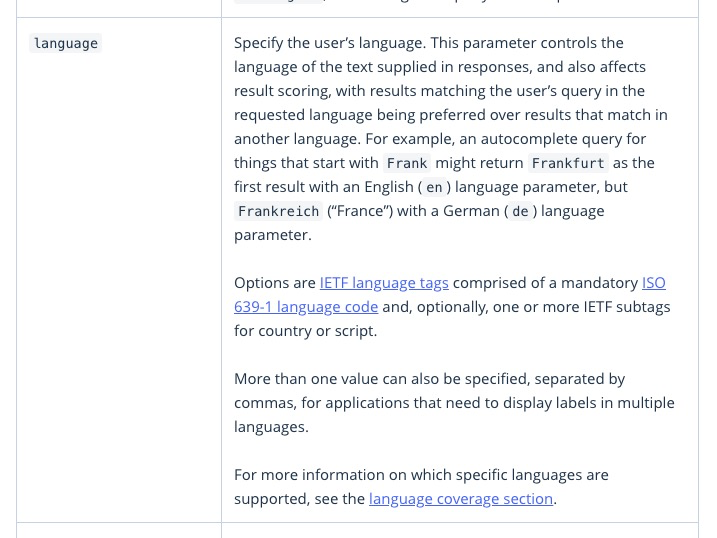
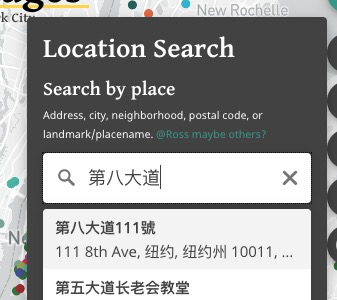
Ha! Don't want to get you booted from the order, so let's see what we can do. The geocoder can indeed support(ish) languages:
The available languages are here. Which ones will be needed? I realize this is something to test, especially since there is limited support, so might be trial and error. I did try it with Chinese though, and pasted in your
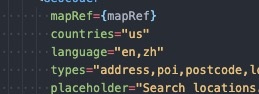
I tried it with the language setting for Chinese AND English:
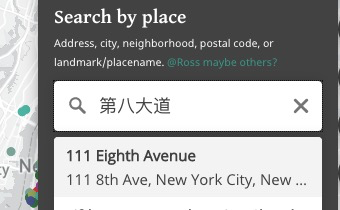
and it supports both as a search but displays the English result since that was listed first:
What's interesting though is that if I don't set any language, it still supports the search:
So if you're wanting to not just support the non-Roman search but also display the results in that language, there would need to be another dropdown/setting to select language. And if you're going to allow that, it seems awkward to only display in that language in the geocoder but not the rest of the app. 🤔
Very ok! I want to make sure I cover the SOW but I've worked with Geolocation in the past and it's deceptively involved, so if the Geocode search is covering things for now then yes wait on geolocation.
Ok
To clarify "should be present for all", you mean all the countries should have flags now, correct? Not "all" as in show all the countries for that community?
That makes two of us. Is there anything else to show beyond what I have plus primary country and flag? And maybe an expanding popover for
Ha yeah my version didn't sound right. How about this?
Agreed, assuming we are dropping the geolocation part for now.
Why leave off city? DiscussionBehavior/lifespan of the pin or highlighted featureHow long should the pin remain (or the feature be highlighted)? In other words, how should it be clearable? I would expect it to be cleared via the same way it was created- via the geocode search box. Currently its value does not persist after selecting a result, but I could set it up that way. So in that scenario:
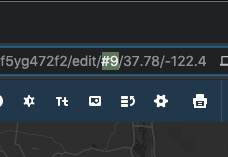
For 3 above, let me know the ______ answer. Remember you can check via URL in MB Studio:
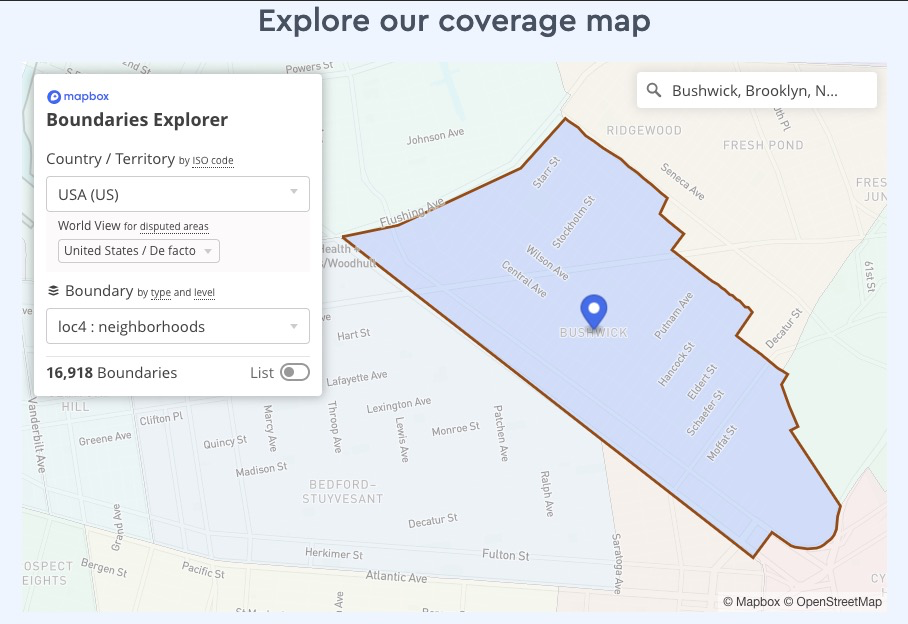
For 4 above, should the other neighborhoods be shown as well, just not highlighted? Basically just like the Boundaries Explorer behavior:
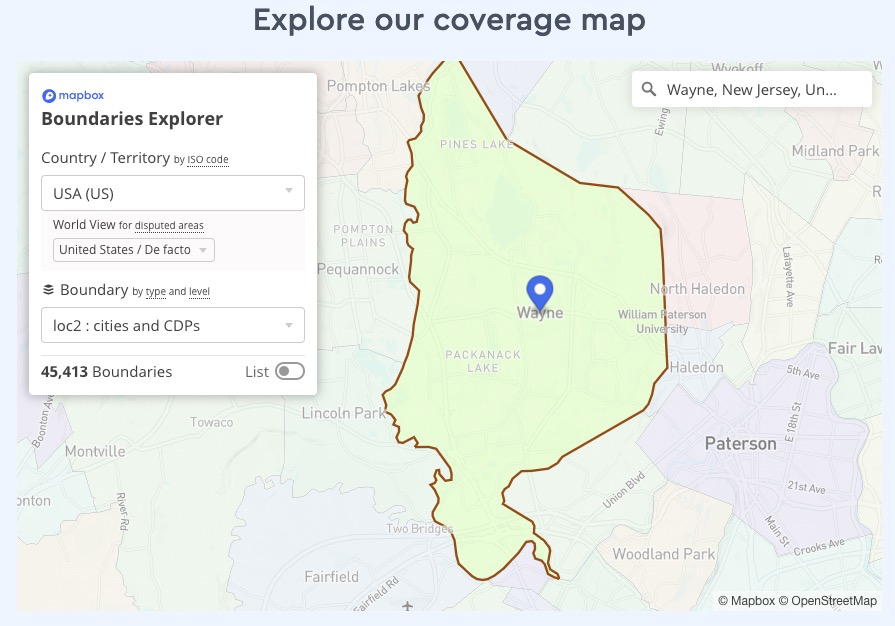
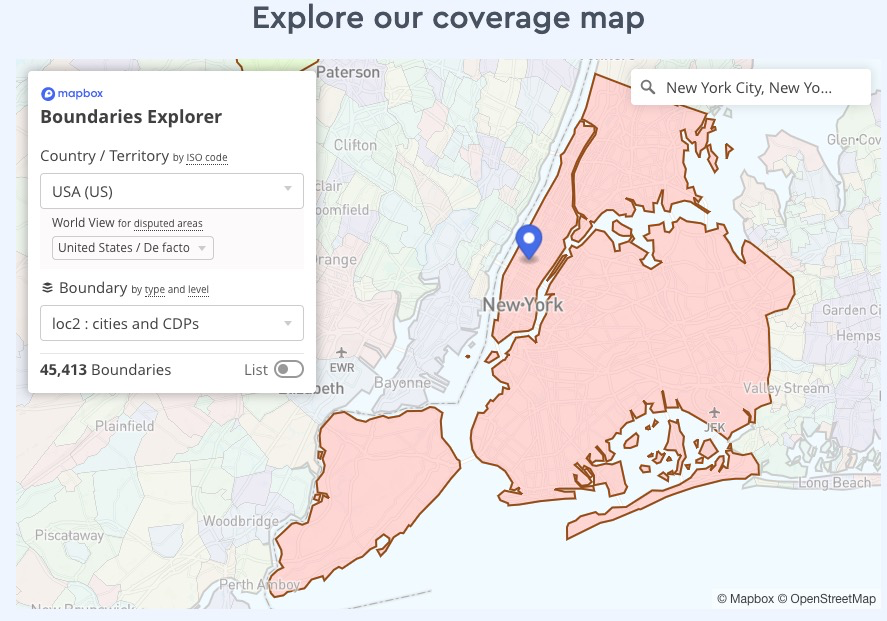
Regardless of geocoding, once we have Neighborhoods there should ideally be a toggle switch to turn them on/off. So, based on your answer to showing the non-highlighted polygons as well, if they ARE shown then what happens if the user had the Neighborhoods layer toggled off? Would clicking another geocode result force it back on? If you're not concerned with showing any non-highlighted polygons then maybe a toggle is not needed. Also, what happens if the clicked result is not a neighborhood? Say, Wayne NJ? If we are banking on Boundaries coming through, then should Cities be its own layer with its own toggle?
Or, how about this (and again 100% assuming Boundaries folks come through): a single toggle for "Show boundaries", which would cover both cities and neighborhoods? I could code it so that the neighborhoods are shown on top of the cities, otherwise NYC city boundary would obscure the neighborhoods:
|
|
@rperlin-ela that's a big one. Can Zoom later if you'd like? |
|
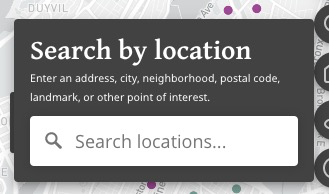
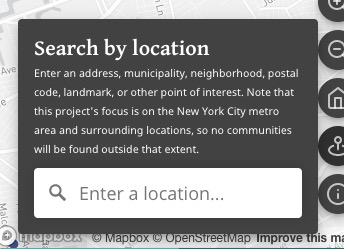
also here's what i came up with for the geocode popover:
cool? |
This seems to be doing the trick for major languages without any need to specify individual languages. I spot-checked Брайтон-Бич, كوينز, குயின்சு, and a few simple things. So at least something decent is up and running.
Good point, so this goes on the wishlist. From your end, just out of curiosity, how much work would it take to develop a Spanish or even a Chinese version of the whole site? Are there easy/medium/difficult ways of doing it? Maybe better for a Zoom call after this current push.
I just wanted sure what you meant by "if present" because all countries should have flags, I believe, and all records should at least have a primary country.
Definitely need some way to show the additional neighborhoods. If you think it's too much to squeeze in two (and in a few cases three) countries, then Primary Country is probably ok. I guess the main thing now to do with the Details panel is to fit in the videos (definitely the priority--for the good number of records that have it), audio (so far just testing one), and potentially story map (none yet). Right?
Great
We want to build this generically, but we don't want people to think we have this for cities other than New York. True that Yonkers and Jersey City and a few others we have records for are cities, but maybe changing to "town" would be more explicitly inclusive of the suburban cities? Not a big deal if we have "city", but maybe then "Address, City, Neighborhood, Postal Code, Landmark etc within the New York metropolitan area"?
This sounds intuitive to me. If I understand right, at least looking on desktop, I would think maybe a zoom level like 15 to really get us close in to a point but still showing a decent amount of its surrounding area.
Just to double-check, are we talking about our layer of Neighborhoods or the one used by Mapbox Boundaries (which I know we also requested)? Are we potentially causing headaches here if we use our own? Doesn't seem mission-critical, but showing surrounding neigbhorhoods while highlighting the one being searched does seem nice. What you suggest in terms of forcing the Neighborhoods layer on/off to match what the user is doing could make sense, as long as it's not annoying. But if this whole question of toggling looks complicated, maybe we can skip it and just highlight the neighborhood being searched.
This sounds like the ticket— single toggle, combine layers to have neighborhoods on top. |
|
Looks good to me. Again feels a little redundant to have “Search by Location” header and then “Search locations” in the box, but I’m not sure anyone will notice
Happy to Zoom pretty much any time now with a little notice for any major loose ends or roadblocks, but also figuring we might just want to push on today and tomorrow and then catch our breath. Just let me know.
… On Aug 30, 2020, at 1:43 PM, Jason Lampel ***@***.***> wrote:
also here's what i came up with for the geocode popover:
<https://user-images.githubusercontent.com/4974087/91665874-f34b4d00-eab5-11ea-9793-043ffd025b81.png>
cool?
—
You are receiving this because you were mentioned.
Reply to this email directly, view it on GitHub <#67 (comment)>, or unsubscribe <https://github.com/notifications/unsubscribe-auth/AMNKB5ASWCO4BY4TW633TVLSDKFTHANCNFSM4QPMVIVA>.
|
Not sure, I've never done anything like that. Material supports a few though and it looks relatively straightforward. But it might be more confined to what MB shows for labels (geocoding is separate animal).
Show 24/7 or on-demand via click? If 24/7, should they go in the same "intro" section of Details or can they go in the body?
If we aren't showing Size or Status, I should be able to fit it fine. Kinda depends on the on-demand neighborhoods though. Desktop has all the room in the world so I'd vote for intro as top choice and save the body for description, and only add stuff to body as a last resort. I think at a minimum on mobile we just need to make sure the first line is seen so it encourages scrolling and lets user know there is more:
Right. And I totaly forgot about media. Guess I should stick to my #23 efforts. Re: media, is that another 24/7 one? I feel like that could have a toggle. At some point I'm not going to be able to fit everything in first view on mobile without losing first line of Descrip or compromising comfy layout, so let's see how far I get with fitting the rest and cross the on-demand bridge if needed.
I see. I can switch to "town" but here's the
Either way, is it ok with you if we keep the heading? I find headings as a user to be very helpful. It's instant UI-relief to know what a section is for through slightly-larger bold text. I also changed the placeholder input so it's action-suggesting and not redundant.
Sounds good. I haven't made those changes yet because I'd to lump them in with zoom-to-bounds for polygons, which will take some work as almost the entire map stuff in the project is based on center + zoom, not bounds. The box-clearing/search input persistence will take some work as well.
Either one, but if using ours then would only be Neighborhoods I believe? Don't show city/township boundaries? Or do?
No headaches to my knowledge. I think it will be a similar process either way.
Agreed, just not sure how the toggle/forced toggle will play in.
Depends on the user 😃 I think if we include a toggle, ideally it would be off by default so as not to compete with World Region symbols on load, and it would never be forced on, and if the user clicked a result while it was turned off then the map would just zoom but show nothing. If they turned it on then the layer would stay on, and if their clicked geocode result (assuming it's a polygon like neighborhood) would get highlighted. TLDR; either the layer is on or it's not. And it's controlled by the user, no surprises/shenanigans.
It will add some work but it's a core aspect of interactive maps and GIS. I think it's also in the SOW so let's make it happen.
Agreed, although it depends on Boundaries status and if we don't get that, does Maya have the other layers? I will say that the combo layer is considerably more involved. Not the toggle so much, but more likely the "what happens in terms of highlighting" part since it has to look for several layers. If you're not encouraging cities/towns anyway, then how about this:
How does that sound? The "Show Neighborhoods" toggle would mean no confusion about "hey man, where's that Wayne, NJ boundary I was expecting?".
We've gotten pretty far via GH but I'll leave Zoom open as a backup. |

Via click seems fine.
Media is really important, especially video, so let's focus on that. Toggle seems possible, but this is arguably as cool and unique a feature of the map as the descriptions, the fact that we have 100+ videos of speakers from New York speaking these very languages. It's also fine to have a "Show More" with the Description if that helps.
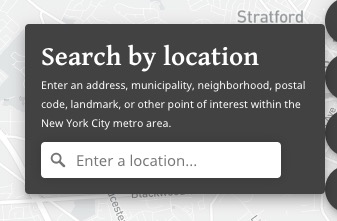
A masterpiece, but needs to be shorter. How about just "... or other point of interest within the New York City metro area"
Sure
Can we "combine" our Neighborhoods with their Cities/Townshops, or is that getting weird? In any case the Neighborhood layers are more important. I'm open to using the MB Neighborhood layers but it will take some work on our end. I guess first we need them turned on to see what we're dealing with. Out of my depth here and defer to @fiddleHeads.
I think this sounds good. Showing Neighborhood polygons is by far the most important (because unclear boundaries). |
Roger that. Will definitely get the media into intro. I still think consistency is better like this:
than this:
event though most won't have audio/story map. The N/A could lead to "ooh cool, now I have to find one with audio" and also less confusion like "hmm I swear there was a Video reference in that previous community I clicked but now there's nothing". We'll see how it shakes out though.
Nah, if it's at the bottom it's fine. If you're feeling it though I can add.
Done. I won't tell Fairview, NJ we had this talk. 🤫
Out of my depth too until I have some polygon layers to work with. Hopefully MB support replies tomorrow and we can move forward. |
|
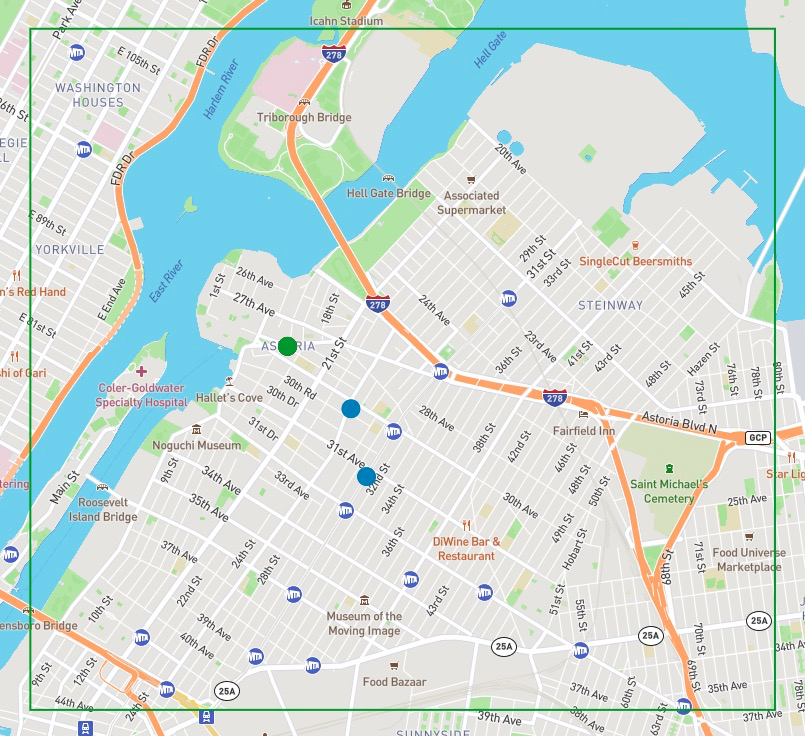
@rperlin-ela I got the "zoom to geocoder polygon result extent" working: https://deploy-preview-67--languagemapping.netlify.app/ If it looks "off", you can visit the playground as the source of truth. The big thing to note is that the center point is not necessarily the "center" of the polygon:
I'm not familiar enough w/NYC to know how it plays out but what I have does seem to match the playground. The only slightly-off thing is not a geocoder issue but rather me miscalculating the "perceived center" of the map. This has probably been the hardest (or at least most frequent) issue to deal with in the entire project, but basically having a map with panels on top of it means the "center" is not actually the center in the user's eyes- it's the center of the available space between the panel and the edges of the screen. Anyway, you may also see the miscalc when a point is clicked and zoomed to, but it kinda works out in our favor due to the popup height. Popups: I just noticed they are gone. I broke it but I know what's wrong, will fix tomorrow. Other updates:
Near-future Jason
|
|
Re: near-future jason... Not sure if marker and the "clear marker when geocode is cleared, and make sure geocode value in search box persists until then" is something to hit next though. The search-by-location is doing its job, so if you're okay with waiting until the table and Details are done, that can be on the backburner. |
Seems to be working well!
Good, but assume this will be shortened as discussed (and in your screenshot). I still see the long version. Seems fine to finsih Table and Details before dealing with marker! Re: media, I feel pretty strongly that we shouldn't have "Audio: N/A" or "Story Map: N/A" when there's only going to be a tiny number of these and they're more likely special add-ons, maybe, in the future. For video, I'm more open, but anything would be better than "N/A" — somehow graying something out? Will there actually be a good way for people to find all the ones that have video? |
|
I must not have pushed the shortened version up last night. Will do this morning. Ah good call, graying out is a much better approach than N/A! For the video should that open as an embed in a modal dialog? I think that would be much better than trying to squeeze it into Details like I did with the world map. And better than opening in new tab because we don’t want to lose anyone. I think all YouTube embeds have a link to the source video anyway, so that would either open in new tab or app on phone. Sound good? I’m going to restore the Popups then push what I have and merge this branch into master. We can revisit geocode marker and polygons later. Been looking forward to Details for weeks! |
|
All sounds good. I think there may be strong feelings from the wider team about how the video displays, but this sounds like a good plan to me for now. Definitely a modal dialog, just wondering (while I understand about squeezing) how we can give it maximum visibility. Let me know if there are any issues with the links as given in the spreadsheet — they are just plain (non-embed) links and some are playlist links (going right into the first video), which is hopefully ok. |
|
I will look into the YouTube thing and get back to you |
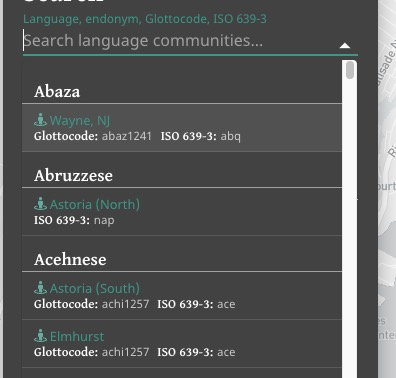
geocoder:

Close the popup on `movestart` in all instances including geocoder
search to avoid the janky feel of popup staying open while moving.

|
@rperlin-ela all set! You can see my changes summary in the commit messages: https://github.com/Language-Mapping/language-map/pull/67/commits Tested as we go. Merging. |
2 participants


Additions
Geocoder init
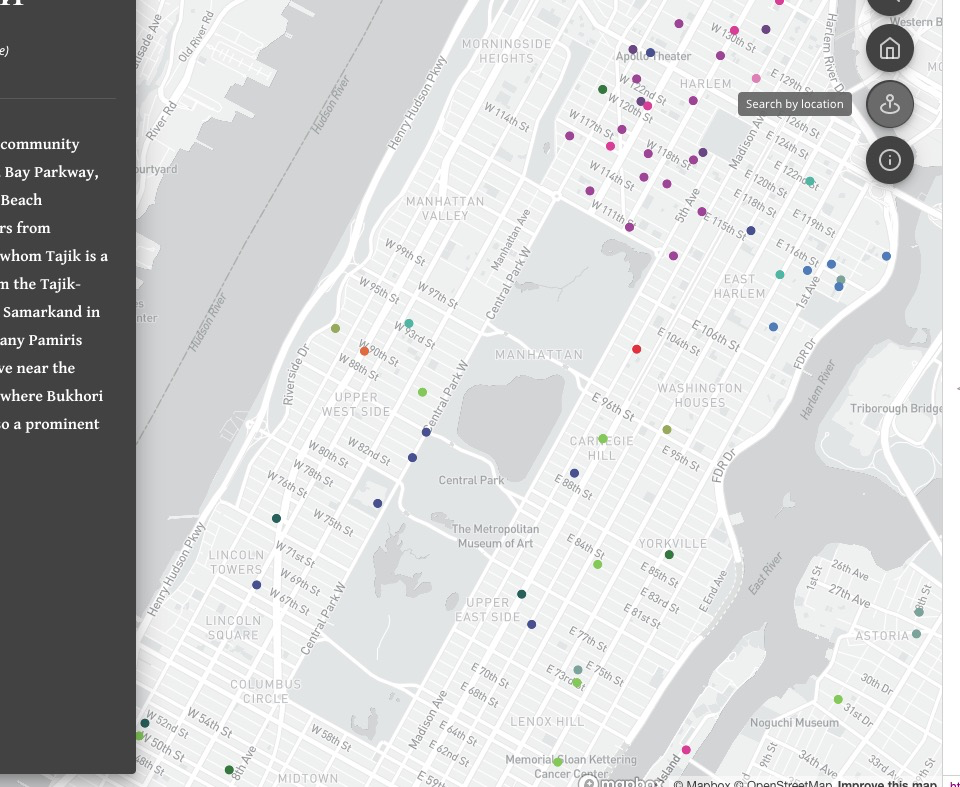
Working well. @rperlin-ela let me know if it's working as you'd want/expect it to:
Zoom level
When you click "Manhattan" for example, is it a good extent?
Note that the geocoder returns a point, not a polygon from what I can tell. So it's basically the lat/lon/center concepts like we've talked about in regards to initial map extent.
Boundaries
Our MB Boundaries access does not seem to be enabled. I tried to set it up but no soup so I emailed our contact. Worst-case, if we don't get it, can we (Maya) upload a Neighborhoods tileset?. The Boundaries stuff is very new and the docs and examples are not as robust as the rest.
Zoom to current
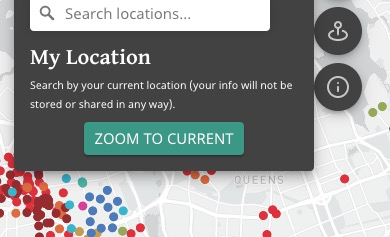
Just a placeholder but @rperlin-ela let me know if this is still desired before I spend time on it. It will take some time and I'm not sure how much use it will get (useless if you're outside NYC metro!), plus people may be reluctant to use location (there will be the usual browser alert asking for permission, it's definitely required).
World Region symbol in Details
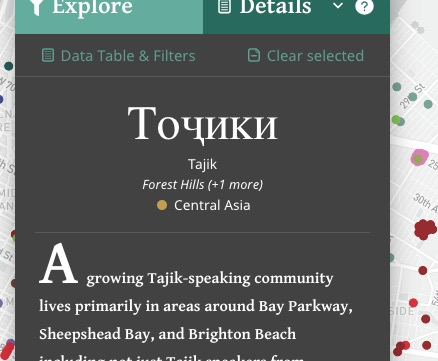
@rperlin-ela I started looking at
Sizeand have some ideas but wasn't sure if that and/orStatusshould really be shown here given they are a bit loosely defined. Should I omit? And what about primary country? Show flag of primary country if present? Or skip?Other
Random point when none selected
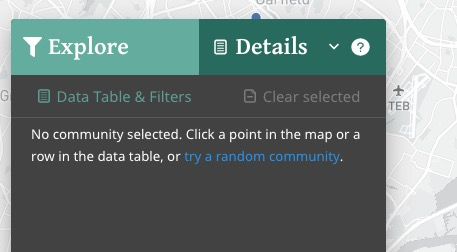
Having fun with this!
Omnibox style improve
Some extra contrast for the headings, easier to see:
Refactoring, cleanup
Just a bit.