Repository navigation
Quickstart First Trip
Sign into your new Paladio instance, initialize your 8-axis Taste Star profile at /taste-calibration, and generate your first deterministic itinerary in New Trip (/engine) without needing any external generative AI key.
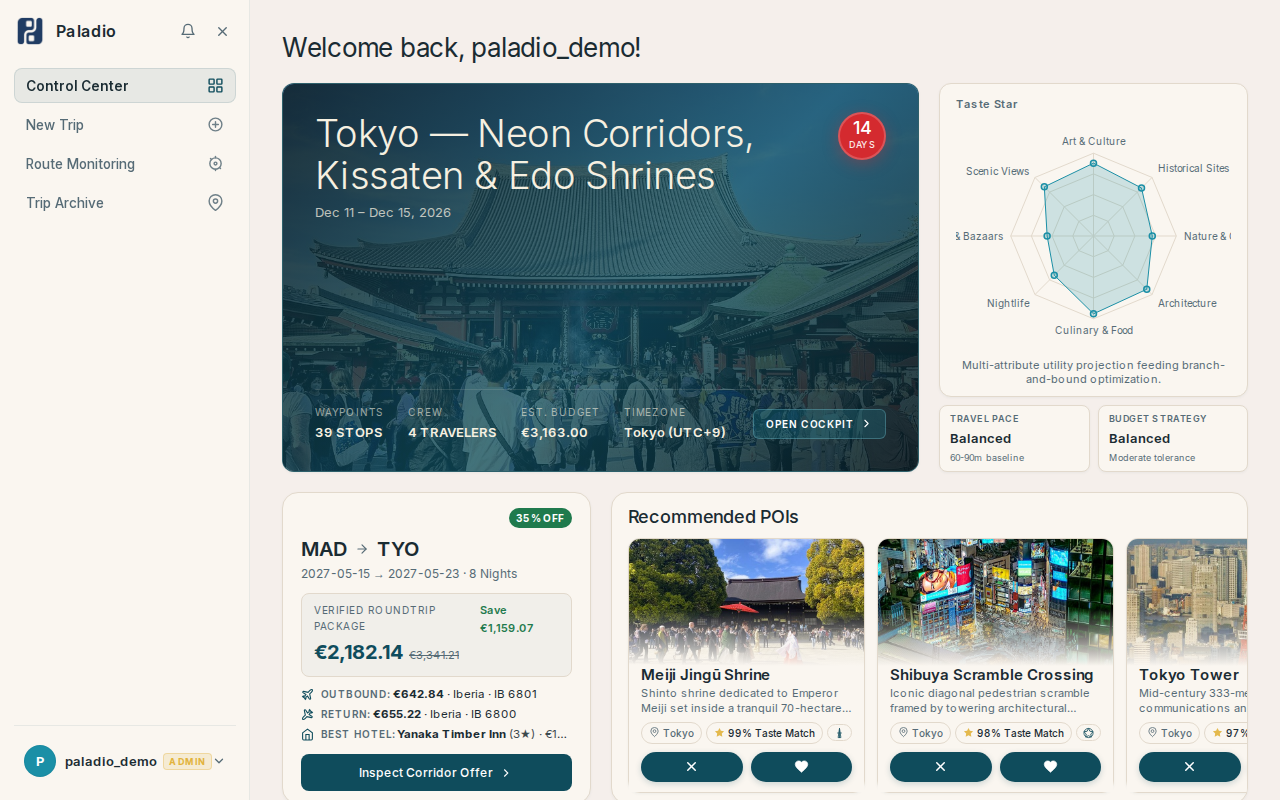
New accounts start with a neutral taste vector (0.5 across all dimensions), which displays a calibration banner on Control Center (/dashboard). Completing /taste-calibration seeds your personal 768-dimensional preference profile for Point of Interest (POI) matching before you generate a trip.
- Click the Seed Your Taste banner on
/dashboard(or navigate tohttp://localhost:3000/taste-calibration). - Answer the 8 scenario questions (
first_morning,afternoon_pace,urban_form,dining_style,after_sunset,markets_craft,budget_strategy, andcrowd_discovery) or skip any question you want to leave neutral. - Submit your answers to update your
UserTasteProfileModeland view your updated Taste Star radar (art_culture,history_heritage,nature_outdoors,architecture,food_culinary,nightlife,shopping, andscenic_views) on/dashboard.
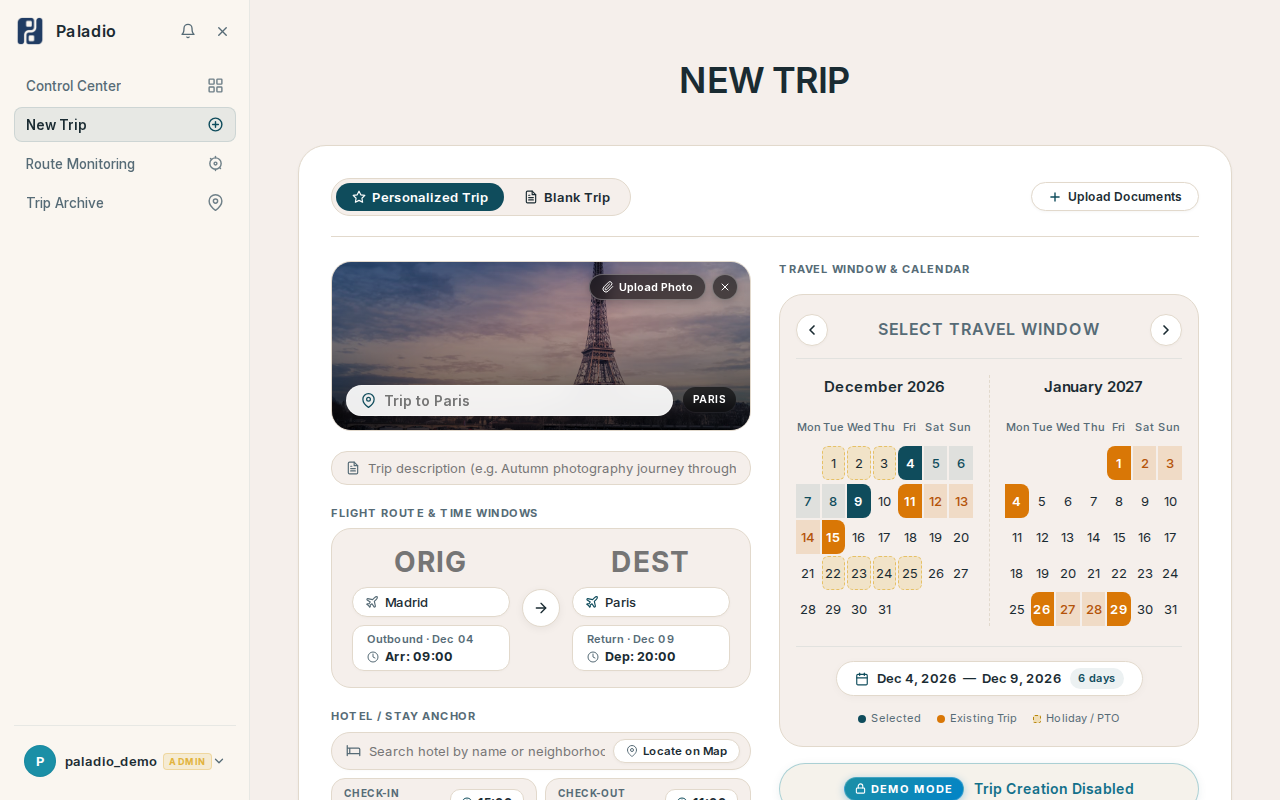
Opening New Trip (/engine) lets you choose between Personalized Trip (runs the deterministic LangGraph swarm and paladio_core C++20 optimizer) and Blank Trip (opens an empty workspace for manual curation).
- Select Personalized Trip in the mode toggle at the top of
/engine. - Fill in your ORIG and DEST city/airport codes and arrival/departure hours in the route intake bar so Day 1 and the final day respect airport transfer windows.
- Select your travel dates in the date range picker, set your hotel stay anchor (either by hotel search or by dropping a map pin), and enter your target budget with the currency wheel picker.
- Optionally add fellow travelers in the Crew Roster or upload flight and hotel confirmation files (
PDF,PNG,JPG,WEBP,TXT,.pkpass, or.trip) via the upload modal for automatic local parsing. - Describe your preferences in the intent box (for example,
Quiet museums, historic neighborhoods, specialty coffee, and late tapas) and click Generate Sovereign Trip Plan.
Paladio connects over WS /api/ws/stream and streams real-time progress through the ThinkingScreen while the 9-node deterministic swarm hydrates city POIs and computes travel matrices.
- When the Verification Required modal appears (
verify_constraintshuman-in-the-loop checkpoint), confirm the extracted origin, destination, dates, budget, and hotel anchor, or adjust any field before proceeding. - If your new dates overlap an existing trip in PostgreSQL, resolve or acknowledge the Trip Overlap Warning modal (
guardrailscheckpoint). - Wait for
planner_scrape,planner_optimize(paladio_core.optimize_itinerary),planner_critic, andplanner_repairto complete and redirect you automatically to/trips/[id].
Note
Zero LLM keys required for trip generation
All 9 swarm nodes (ticket_parser, assemble_constraints, verify_constraints, guardrails, prompt_analyzer, planner_scrape, planner_optimize, planner_critic, planner_repair) execute deterministically using regex parsers, CPU ONNX embeddings, and C++20 branch-and-bound search. Generative LLM API keys are needed only if you later enable the optional interactive chat assistant inside Plan -> Agent.
Your trip opens in the full-screen Trip Workspace (/trips/[id]), pairing an interactive 2D architectural map on the right with a 6-tab sidebar on the left (Route, Search, Transit, Weather, Collections, Agent).
- Switch between ALL DAYS and individual day pills (
DAY 1,DAY 2, …) in the Route tab to inspect stop times, meal windows, and walking or transit leg connectors. - Click the bottom-left Speed Dial (
+) button and toggle EDIT ROUTE to lock fixed-time reservations, drag stops to reorder a day, or delete stops. - Click Solve to re-run the C++20 Time-Constrained Orienteering Problem with Time Windows (TCOPTW) / TSPTW solver around your locked anchors.
Next, learn every panel of the workspace in Control Center and Taste Star and Trip Workspace and editing.