Repository navigation
Releases: LeulAria/volt
Release list
Volt 0.0.2

Volt 0.0.2 (ea522d7c)
This is the first Volt build you can download for macOS, Windows and Linux. It collects the work since the 0.0.1 tag: multi-agent tools, a code index for agents, design mode in the in-app browser, Git views for branches and worktrees, and a lot of speed work.
Highlights
- Design mode in the in-app browser. Click an element or drag an area and tell the agent what to change. A pick is named after its React or Vue component and goes with a picture of what you chose. Batch edits holds several annotations as numbered pins and sends them together.
- Subagents you can steer. Resume a stopped subagent, retry a failed one, and see what each one changed in the turn's review.
- Plan mode with a plan card. An agent proposes a plan you approve, revise, edit or save, and can carry it out in a new worktree chat.
- A code index for agents. Volt indexes your open projects in the background, so
grep,glob,find_symbolandinstant_grepanswer from an index. - Several Claude accounts. Switch by hand, or let Volt move to another account near a limit.
- Git views. Branches, Remotes, Tags and Worktrees in Source Control, beside Commits and Stashes.
- Faster. Near-instant chat switching, bounded chat memory, and a shorter loop for small requests.
The full list is in the changelog.
Install
| Your computer | Download |
|---|---|
| Mac with Apple silicon (M1 and newer) | volt-stable-0.0.2-darwin-arm64.dmg |
| Mac with an Intel chip | volt-stable-0.0.2-darwin-x64.dmg |
| Windows (x64, or Arm) | volt-stable-0.0.2-win32-<arch>-user-setup.exe |
| Linux | volt-stable-0.0.2-linux-<arch>.deb, .rpm or .tar.gz |
Macs: read this first
The Mac build is not signed with an Apple Developer ID and is not notarized, so macOS stops it the first time. That is expected, and the steps below take about a minute. You do them once.
-
Find the download and open the
.dmg. A chip named Apple M… in Apple menu > About This Mac means you want thearm64file.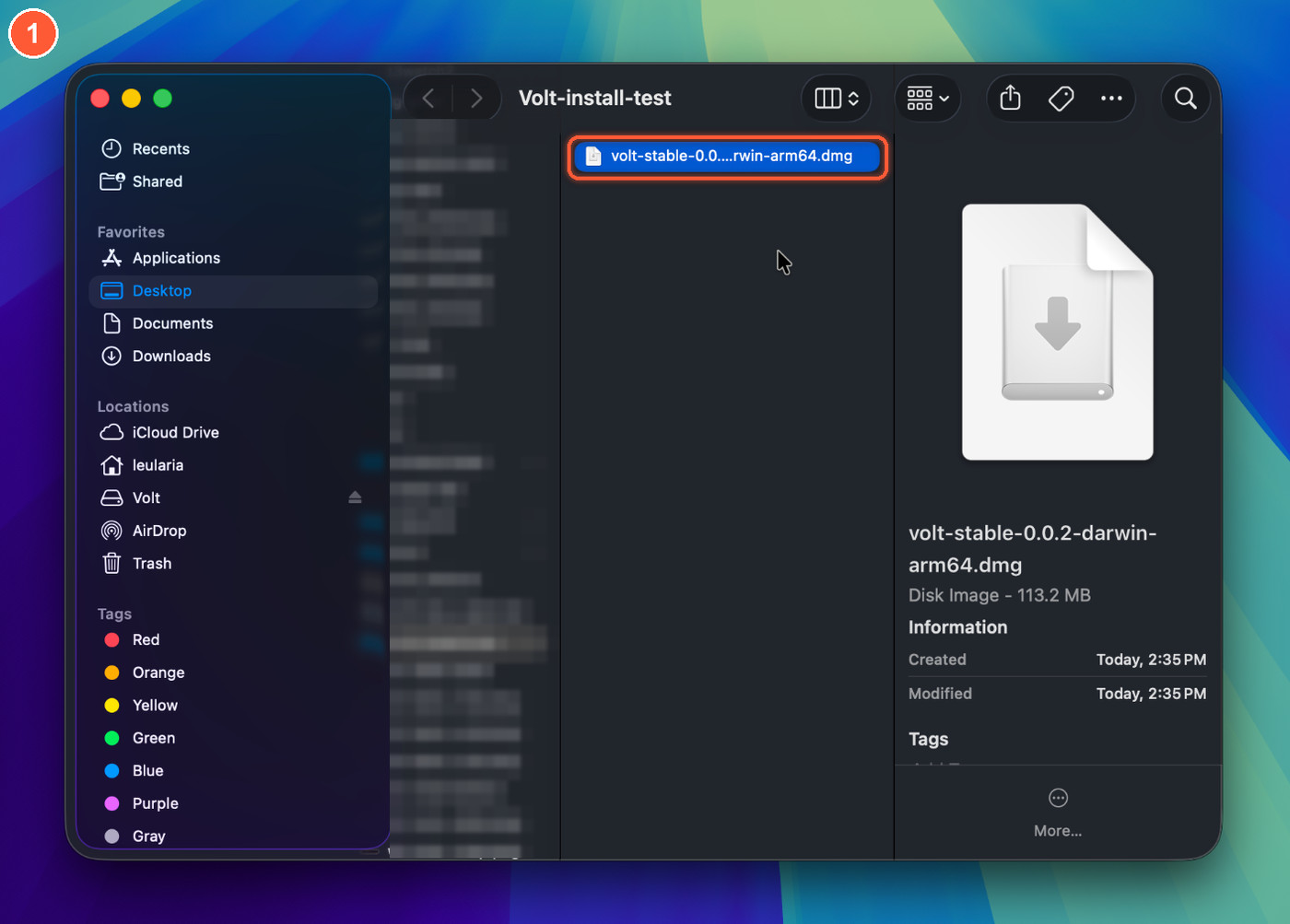
-
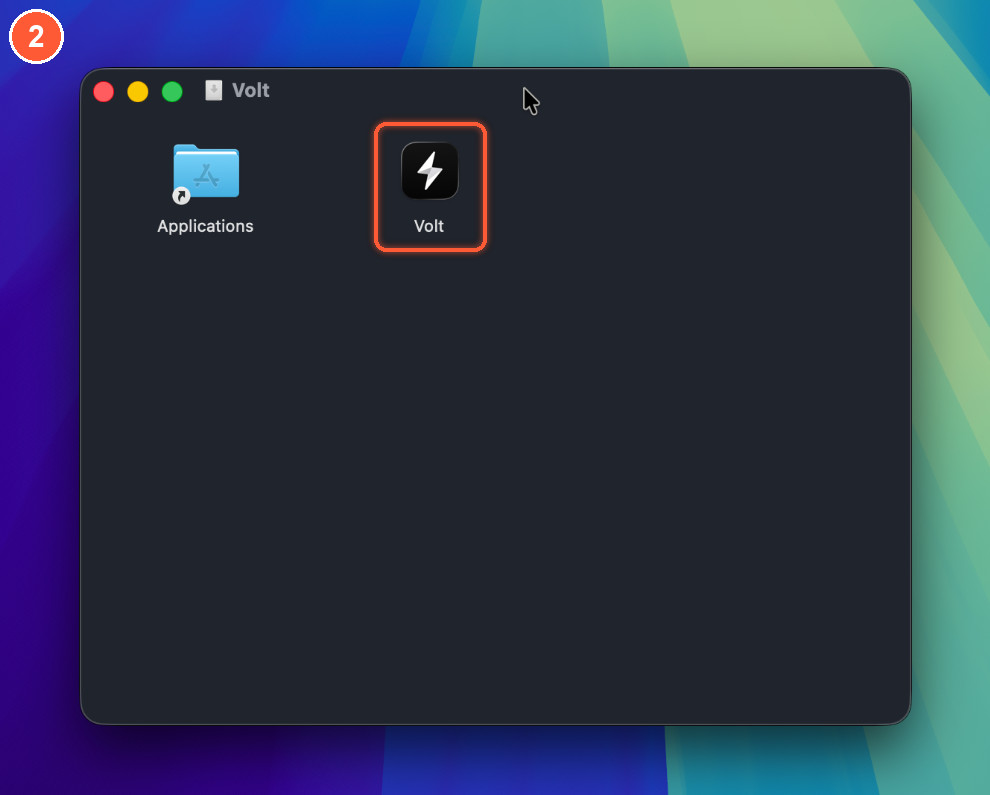
Open the disk image. A window opens with Volt and an Applications shortcut.
-
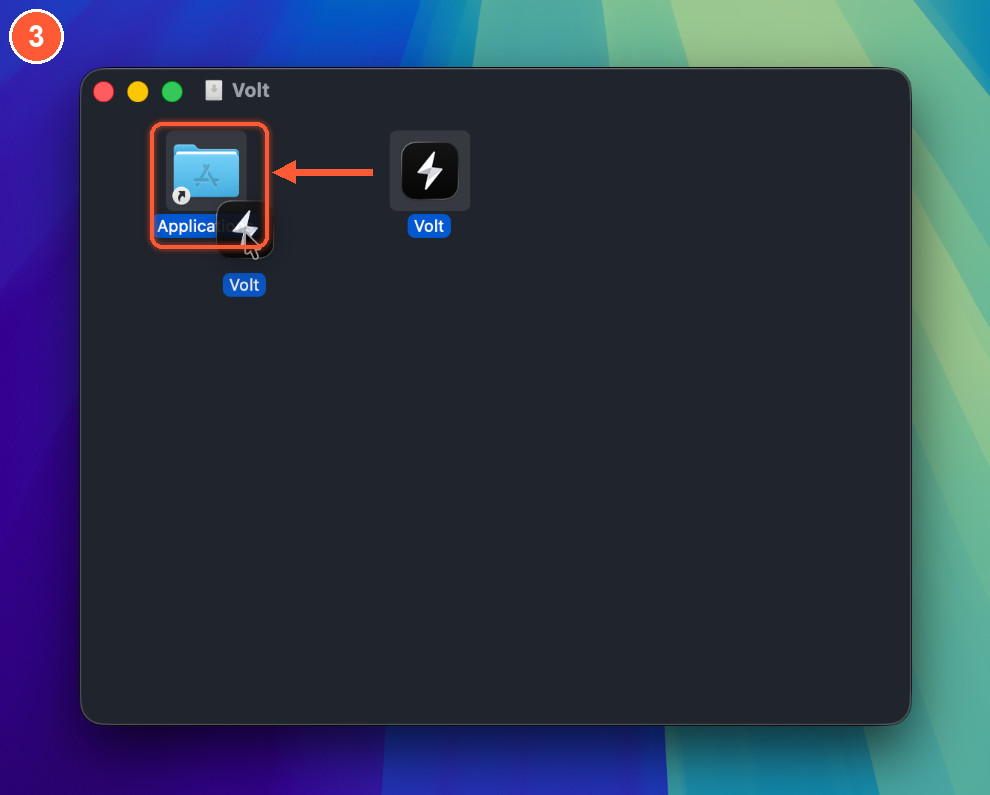
Drag Volt onto Applications, then eject the disk image.
-
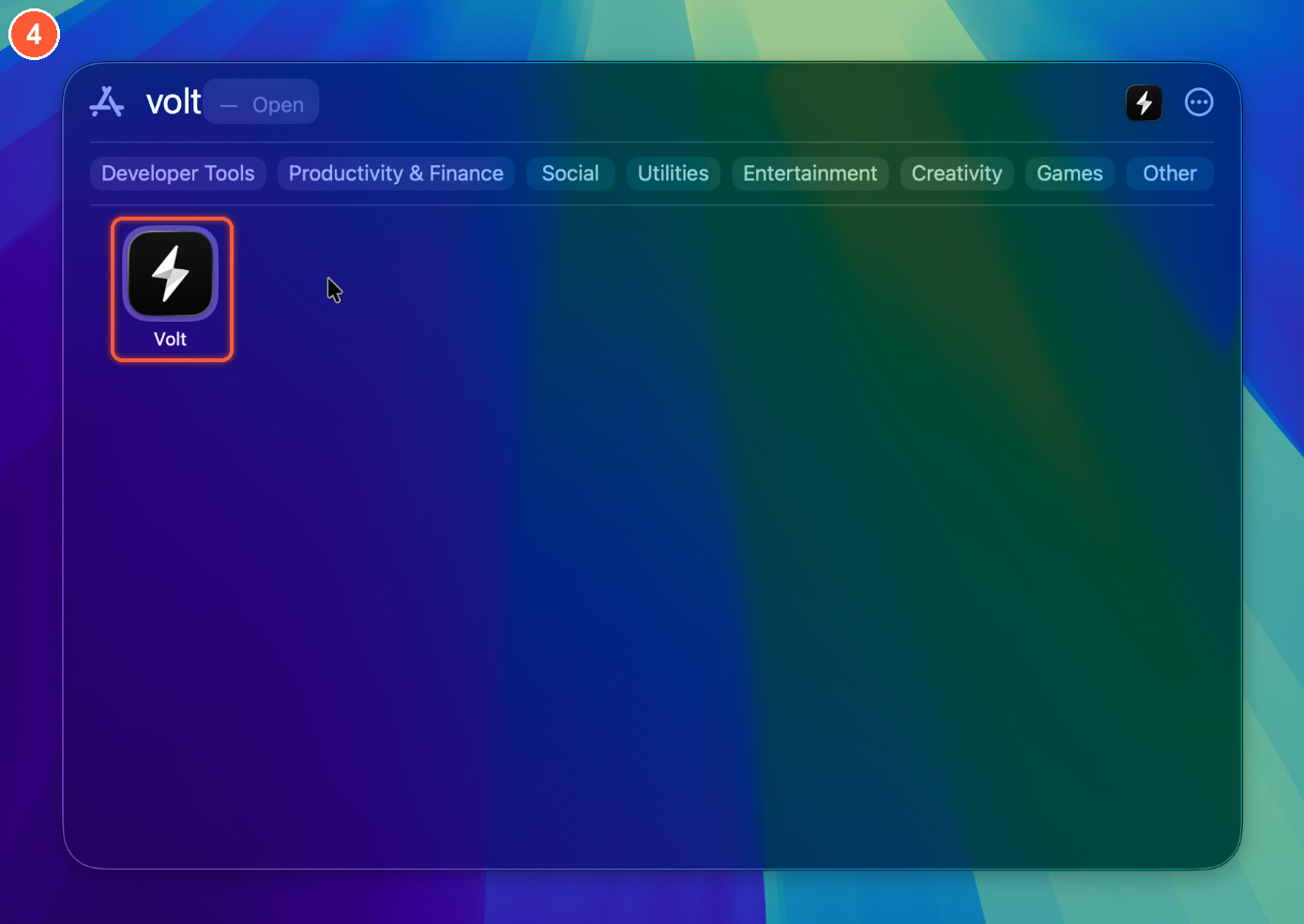
Open Volt from Applications, Launchpad or Spotlight.
-
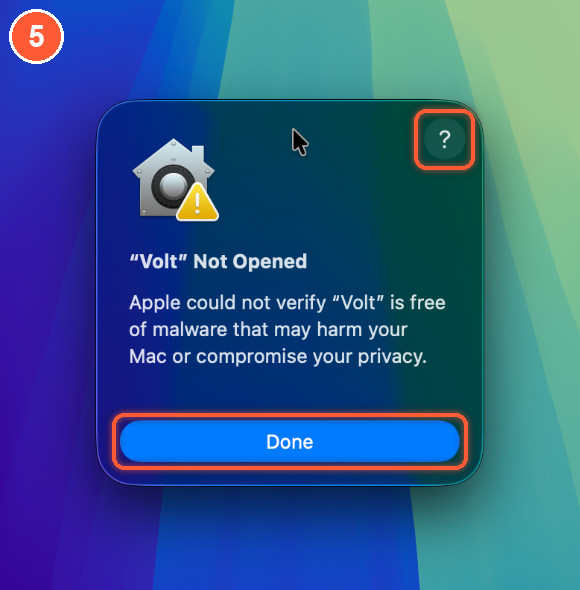
macOS says "Volt" Not Opened. Click Done. (The ? opens Apple's help page, the quickest way to the next step.)
-
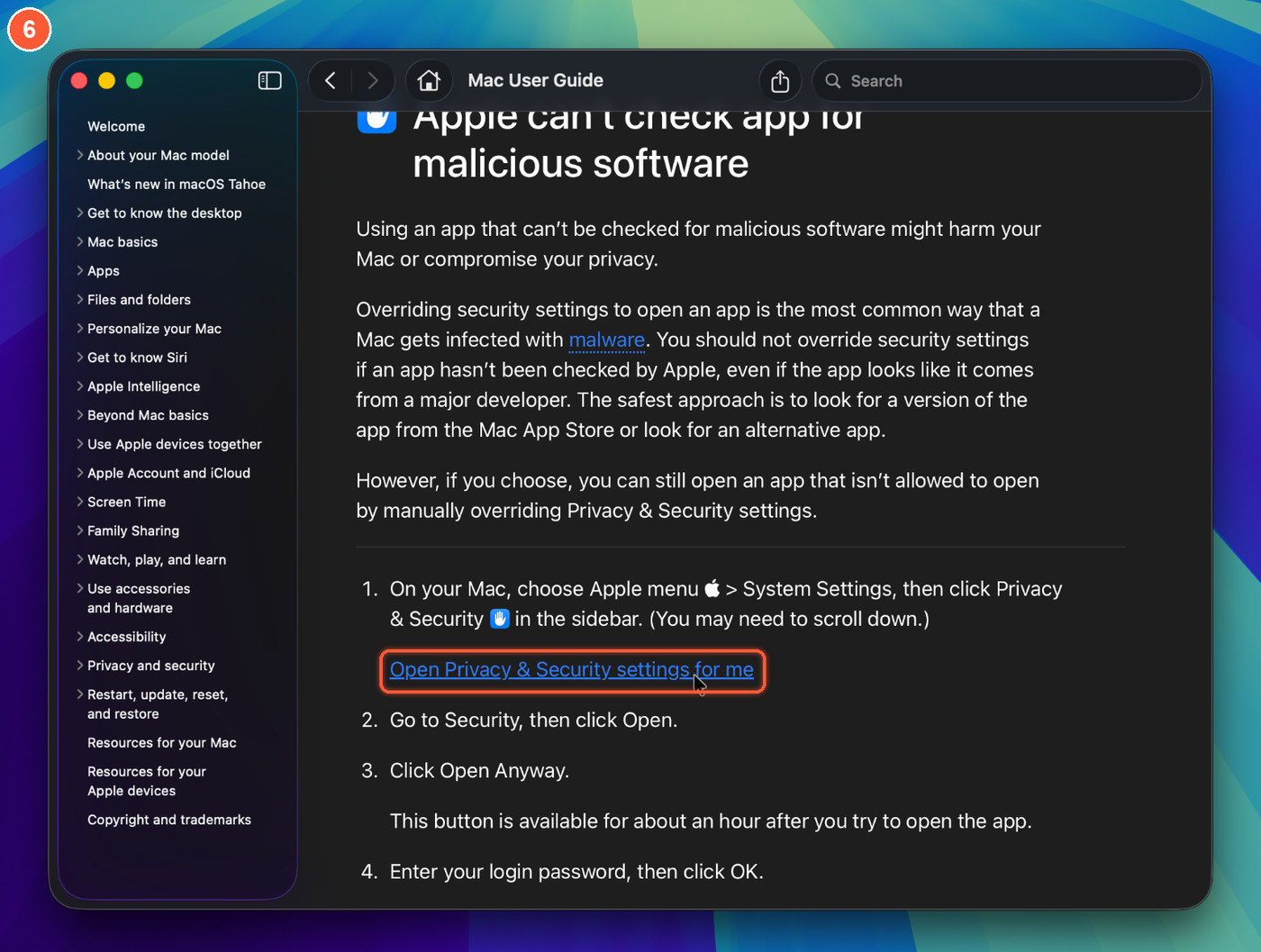
Open the Privacy & Security settings. On Apple's help page click Open Privacy & Security settings for me, or open System Settings yourself.
-
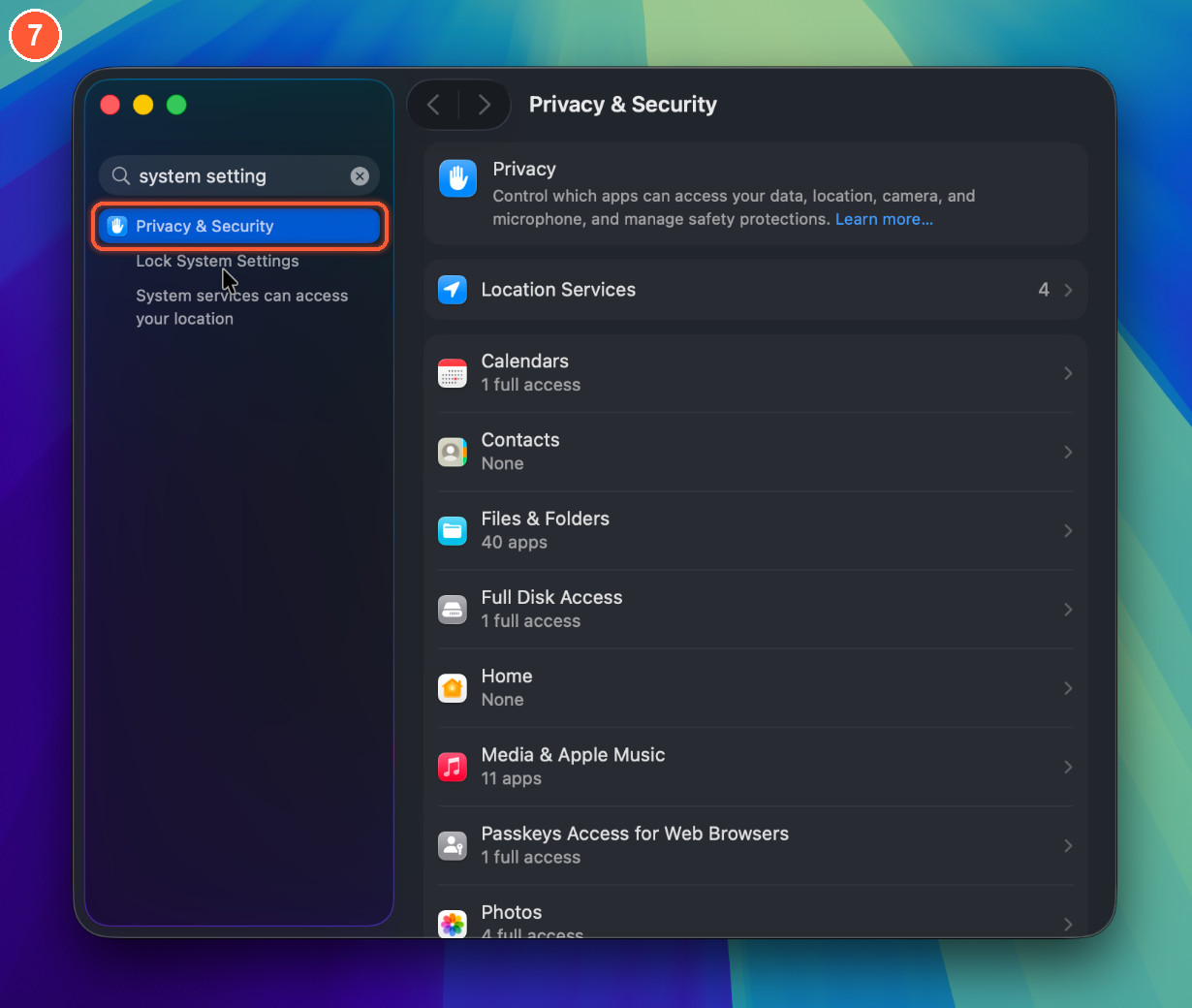
Choose Privacy & Security in the sidebar, or search for it.
-
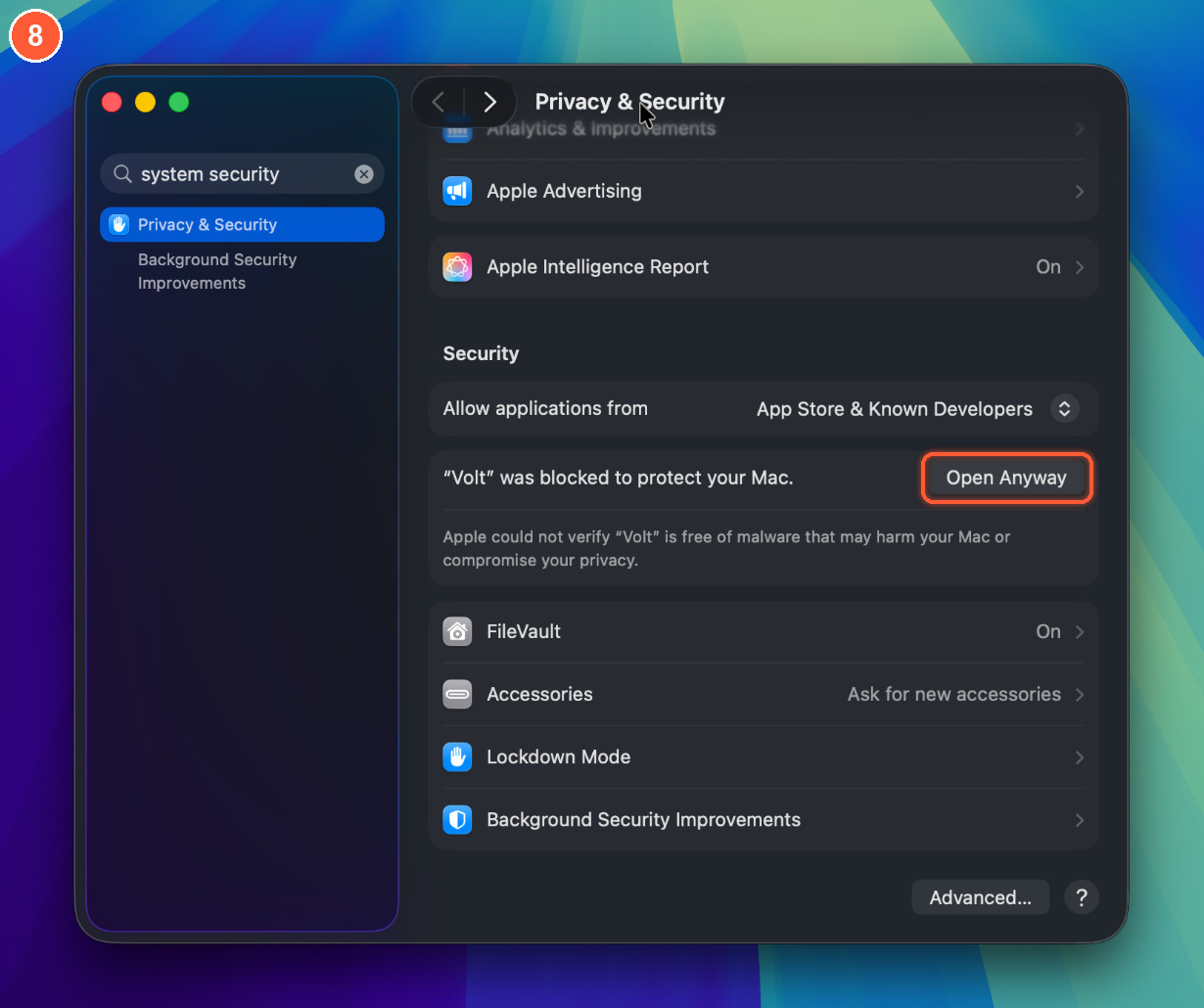
Scroll down to Security and click Open Anyway next to "Volt" was blocked to protect your Mac. The button shows for about an hour after a blocked attempt, so if it is missing, open Volt again first.
-
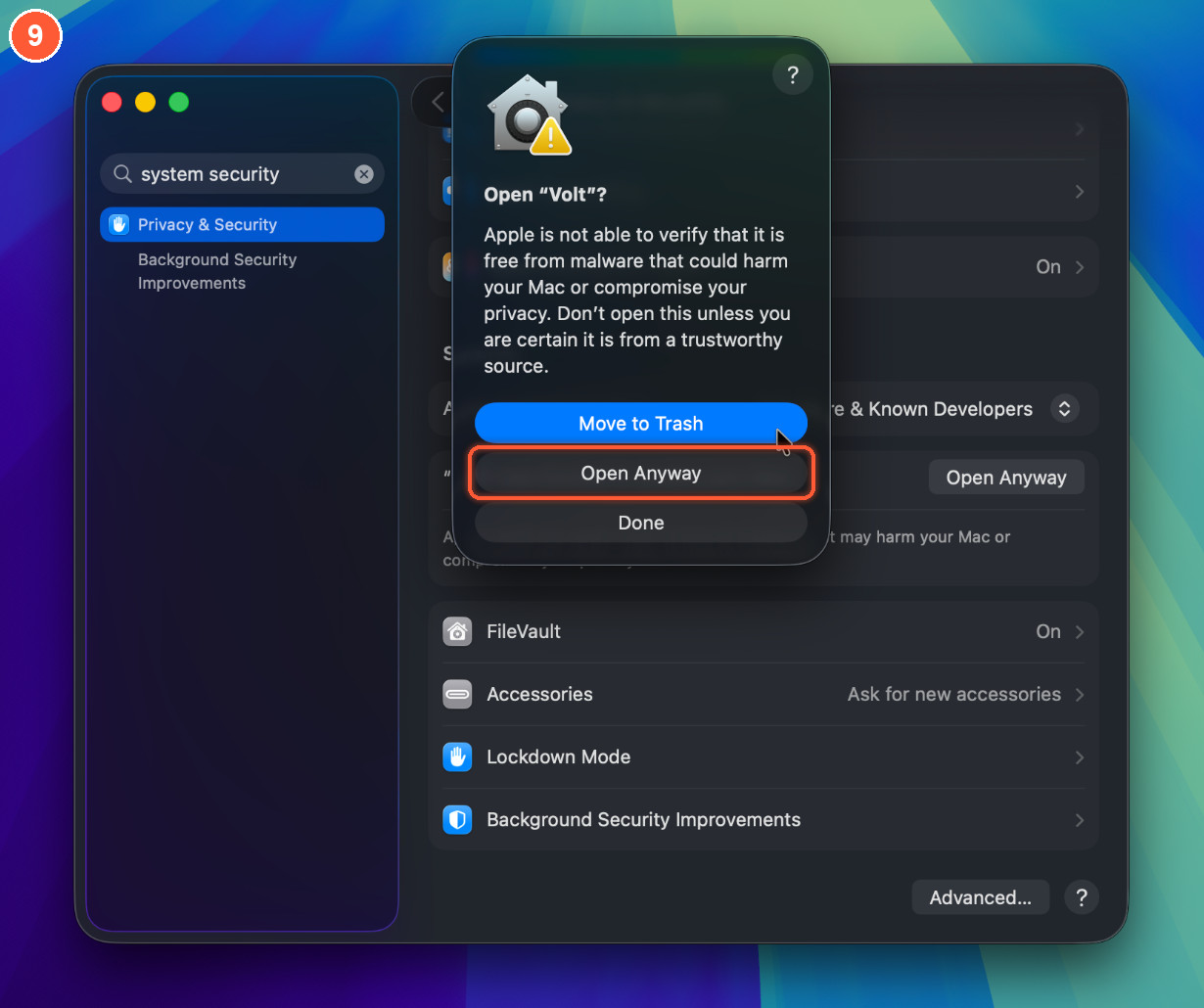
Click Open Anyway again in the Open "Volt"? dialog. The blue button is Move to Trash, so do not press Return.
-
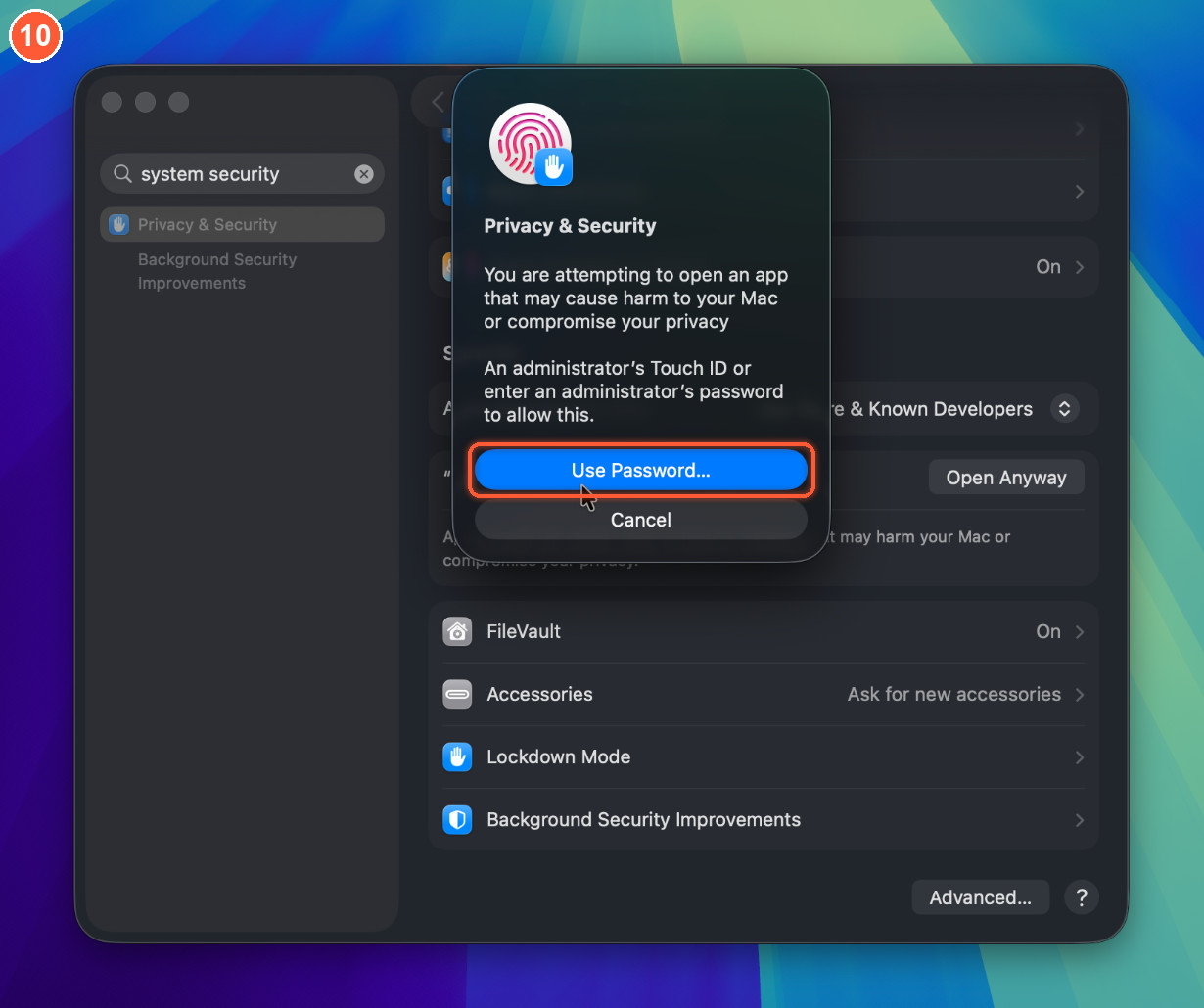
Verify it is you with Touch ID, or click Use Password….
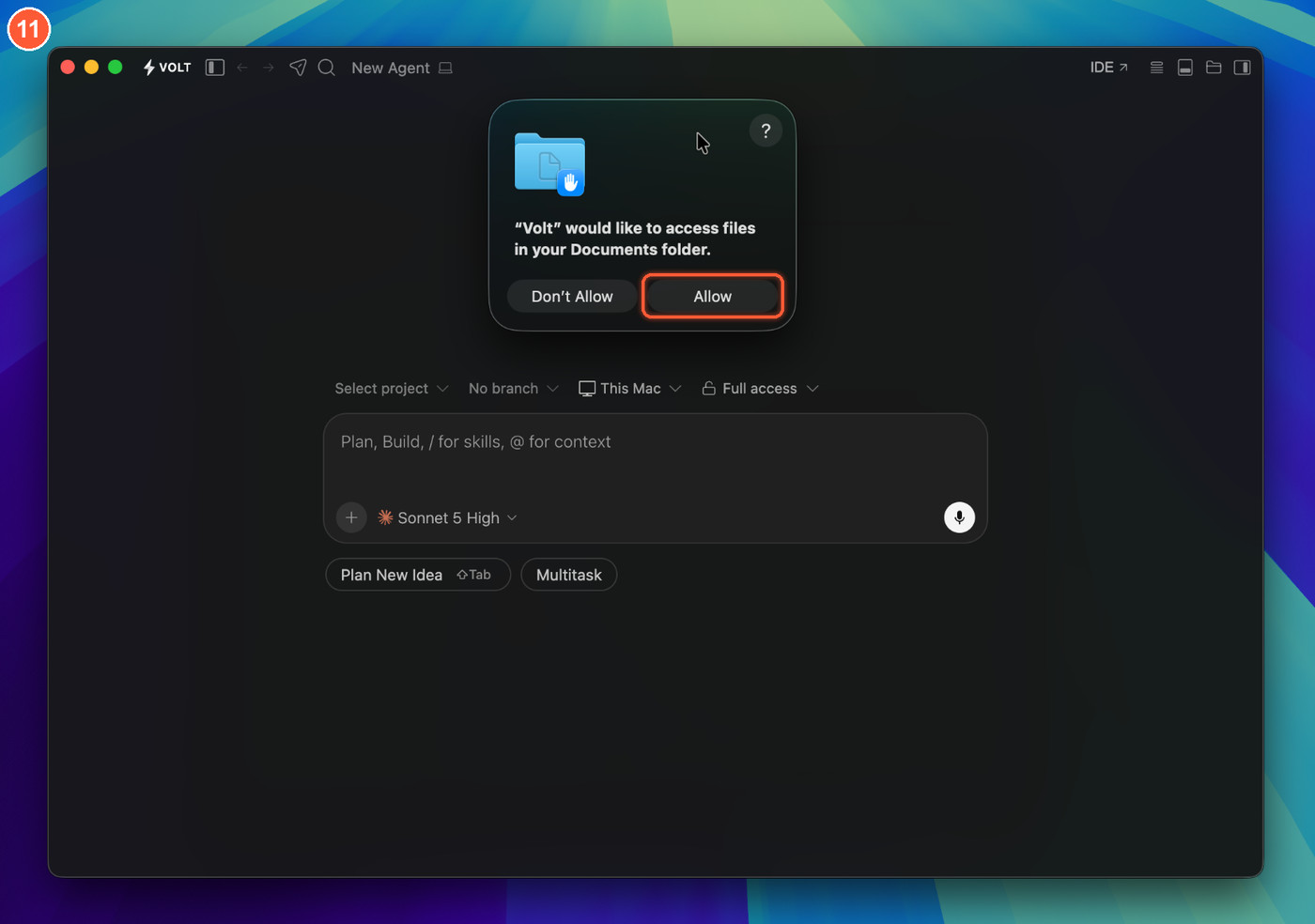
- Volt opens. If macOS asks about access to a folder such as Documents, click Allow. Volt opens normally from now on.
Prefer the Terminal? One command downloads the right build for your computer, checks its SHA-256 against this release and installs it, with no sudo and no dialogs (macOS and Linux):
curl -fsSL https://raw.githubusercontent.com/LeulAria/VOLT/main/install.sh | bashOr by hand on a Mac (x64 on an Intel Mac):
curl -fL -o ~/Downloads/Volt.dmg https://github.com/LeulAria/volt/releases/download/v0.0.2/volt-stable-0.0.2-darwin-arm64.dmg
hdiutil attach ~/Downloads/Volt.dmg -nobrowse -quiet && cp -R /Volumes/Volt/Volt.app /Applications/ && hdiutil detach /Volumes/Volt -quiet
open -a Volt
Use Volt from the Terminal: in Volt press ⇧⌘P, run Shell Command: Install 'volt' command in PATH, open a new terminal, then volt . opens the current folder.
If you see "Volt is damaged and can't be opened", the app is fine: run xattr -dr com.apple.quarantine /Applications/Volt.app and open it again.
The macOS install guide has the same steps plus uninstall and troubleshooting, and the website has it at volt.leularia.com/docs/install.
Windows and Linux
The Windows installers are not code-signed either. When SmartScreen says Windows protected your PC, click More info, then Run anyway. On Linux, sudo apt install ./volt-stable-0.0.2-linux-x64.deb or sudo dnf install ./volt-stable-0.0.2-linux-x64.rpm. See the install overview.
Known limitations
- On macOS, Volt cannot install updates by itself while it is unsigned. It tells you when a new version is out and opens the download.
- macOS is the platform Volt is developed and tested on. Windows and Linux builds come from CI and have had little testing.
- The agent server, web, mobile, Relay and Govern pieces are early and may change.
Found a problem? Open an issue. For a security problem, follow SECURITY.md instead of opening a public issue.
Downloads: https://volt.leularia.com/download