
Android extension for VS Code focused on daily Android development: ADB, emulator/device management, Logcat, Gradle run/debug, APK install, and XML/Layout tools.
Android Tools is a lightweight VS Code extension that brings the most used Android Studio workflows into VS Code. It is not a replacement for Android Studio.
Keywords: Android VS Code extension, ADB, Emulator Manager, Device Manager, Logcat, Gradle, Kotlin, Java, APK, XML Preview.
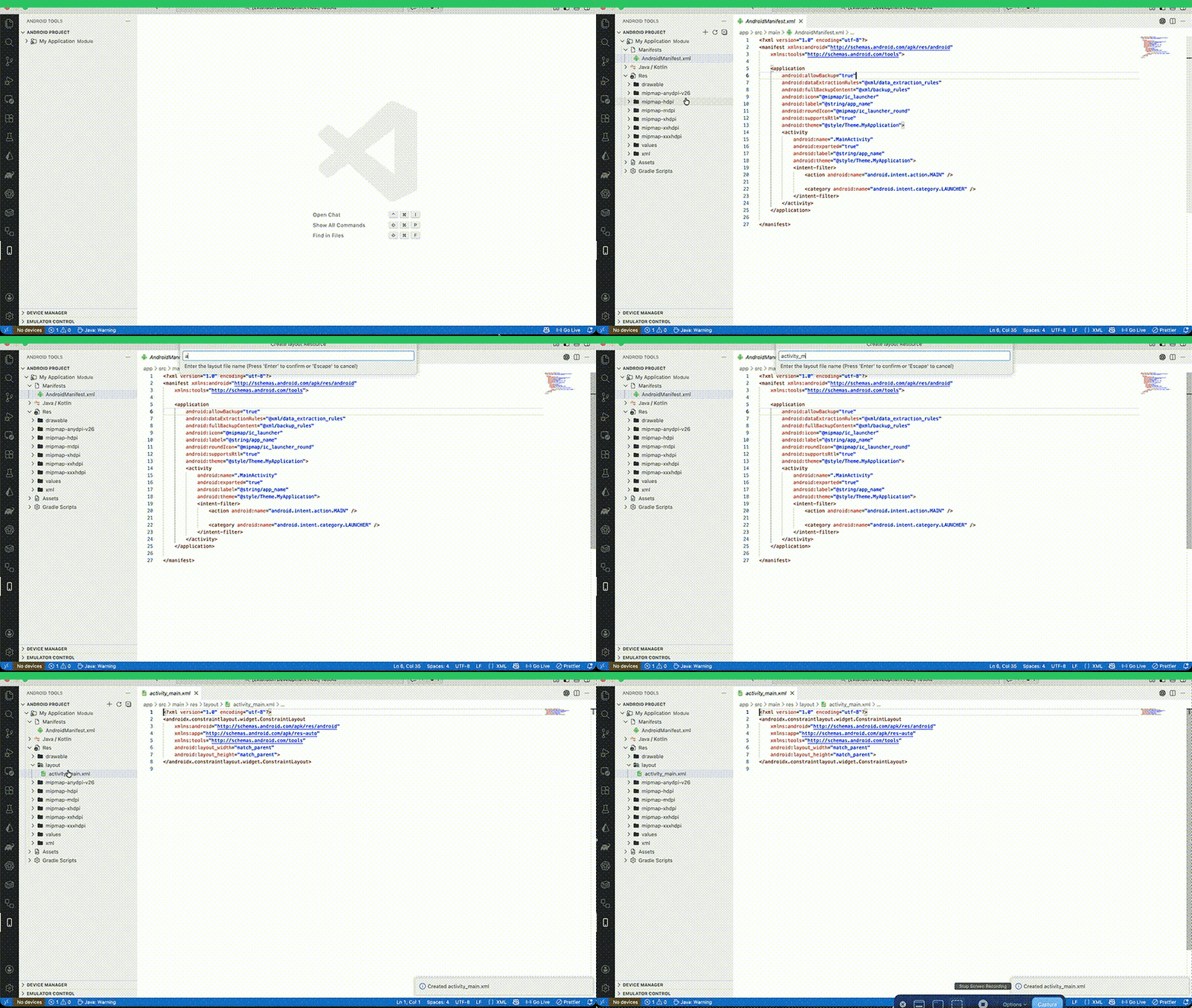
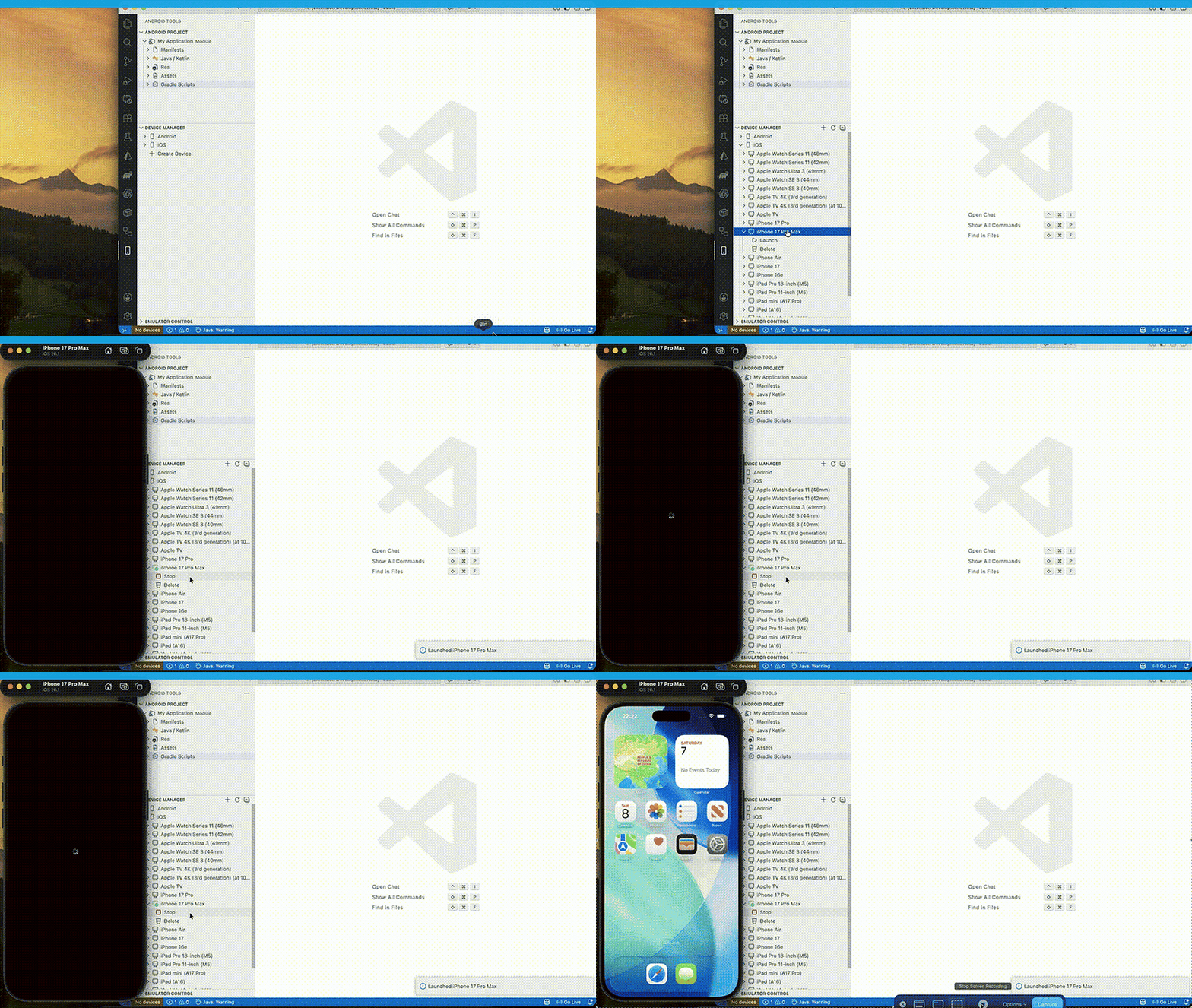
Run Panel Quick Actions:
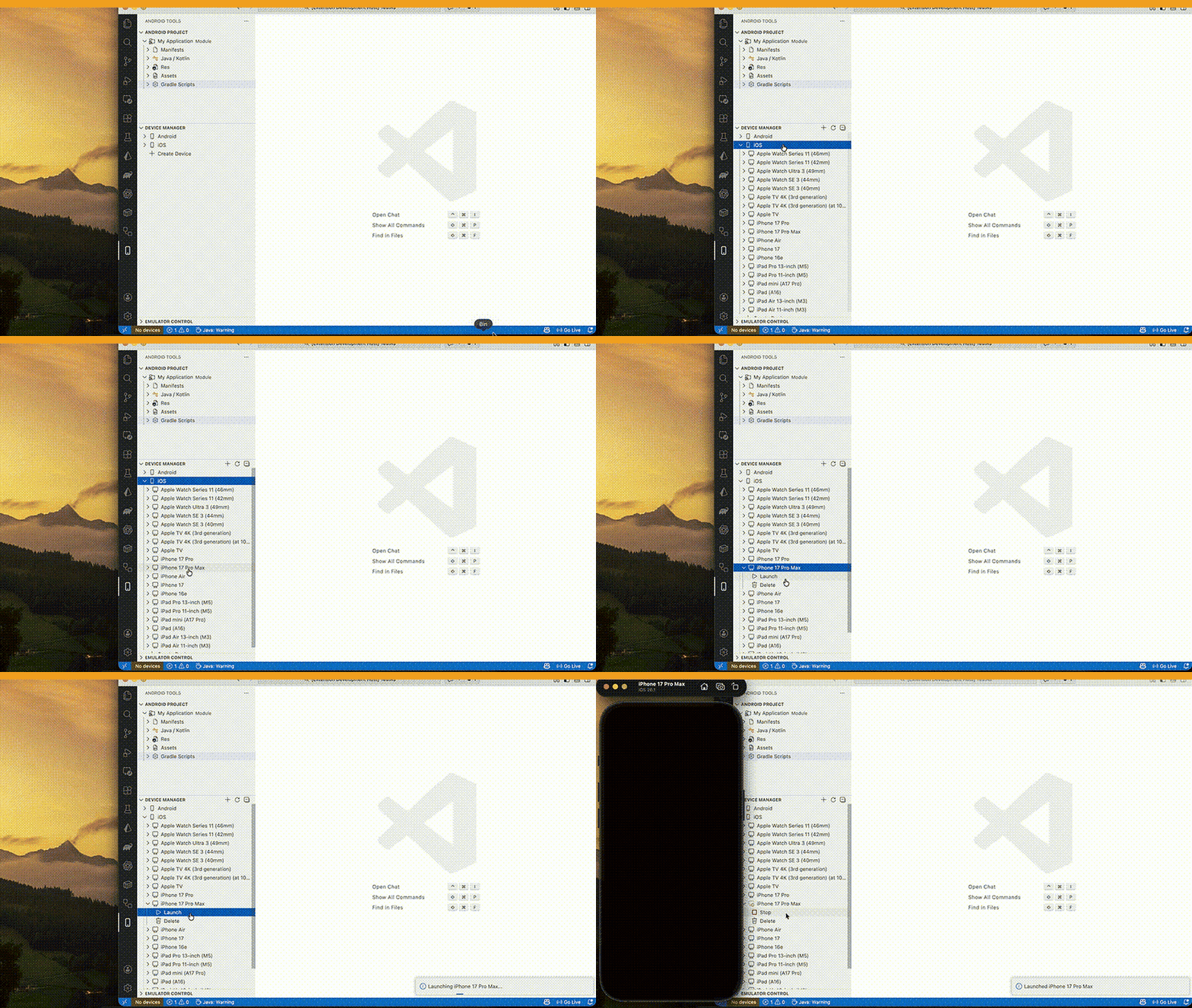
XML Live Preview:
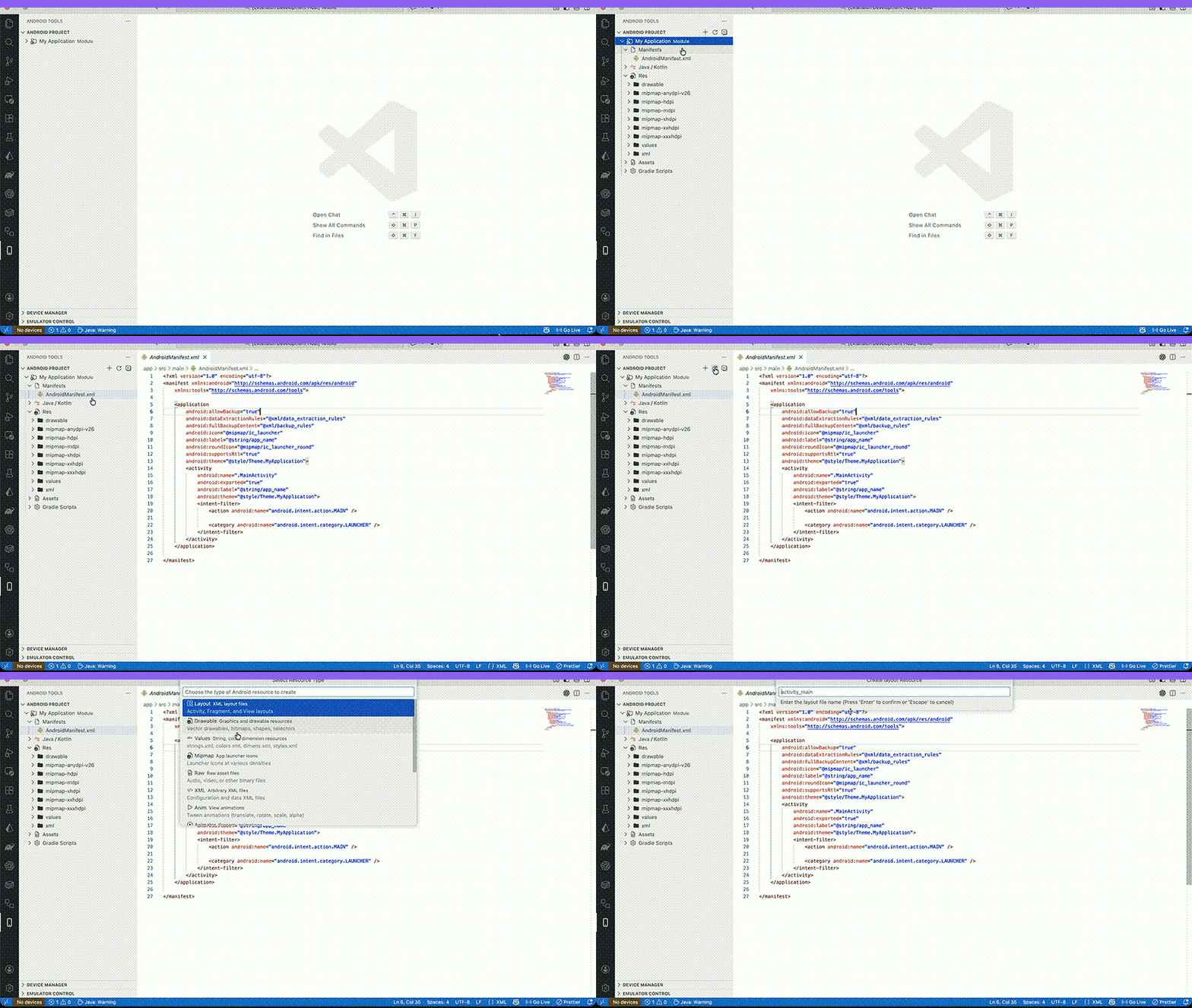
ConstraintSet Snippet Generator:
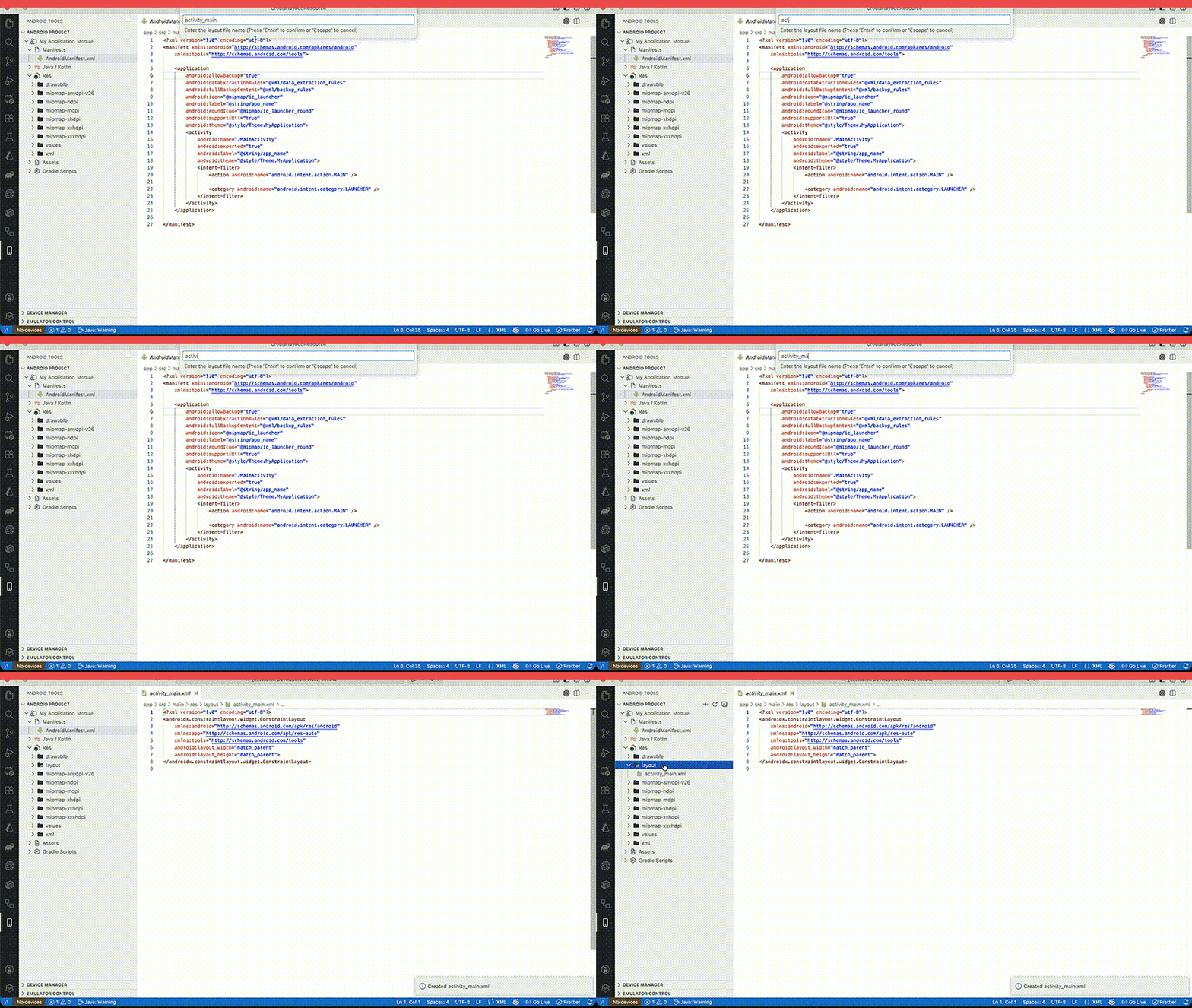
Run -> Result flow (module/device/variant/run):
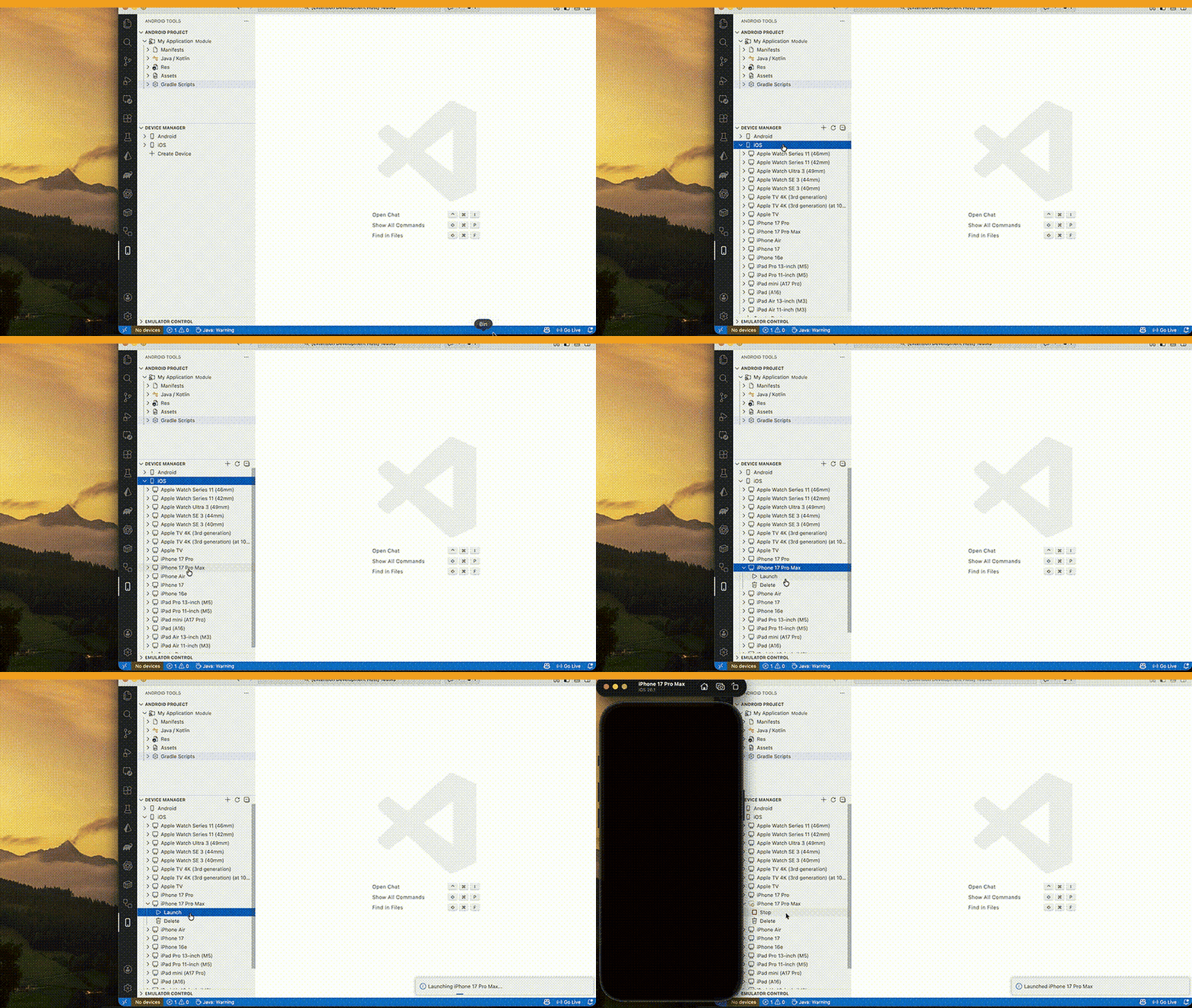
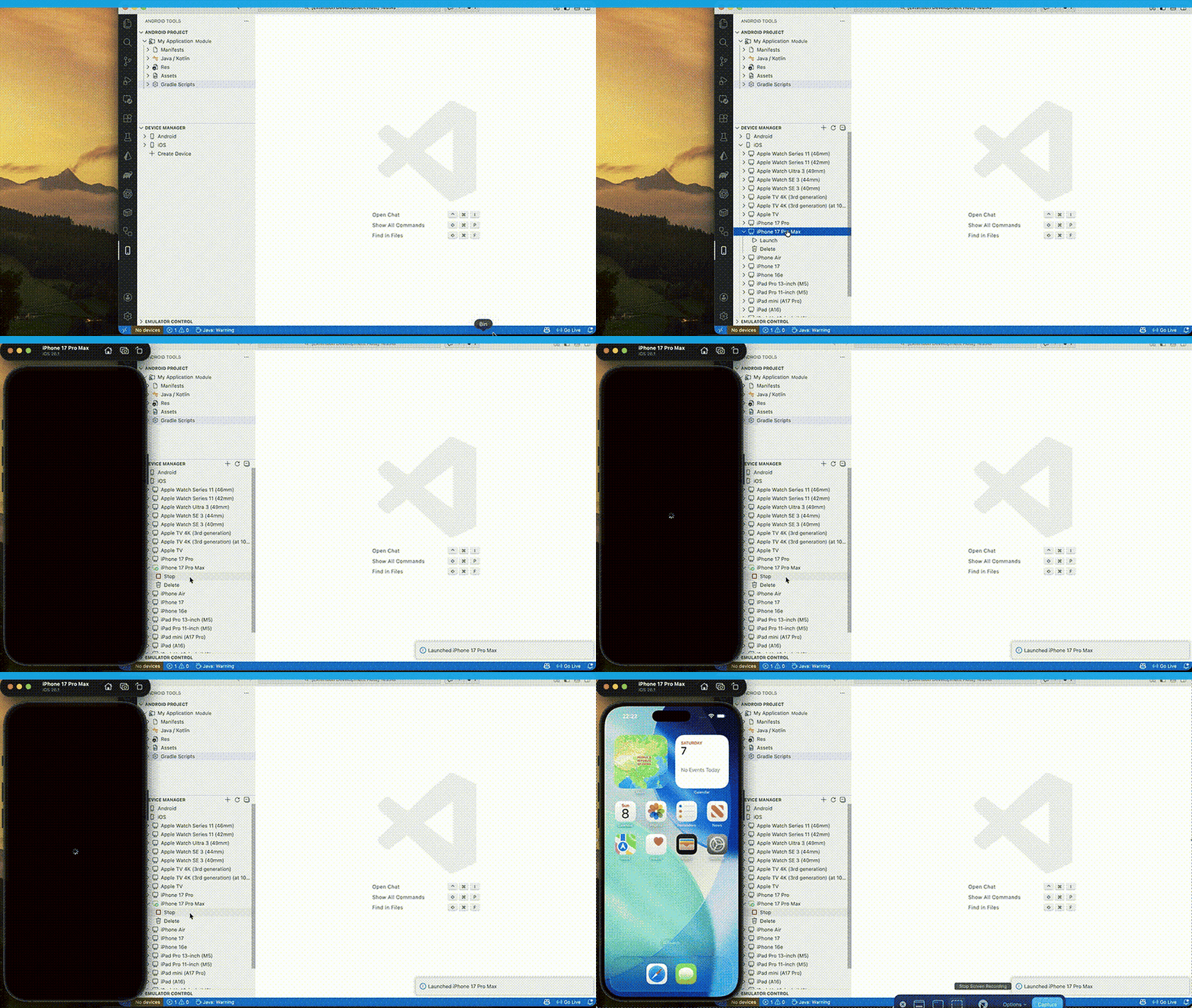
Device launch and install on target:
XML live edit with preview feedback:
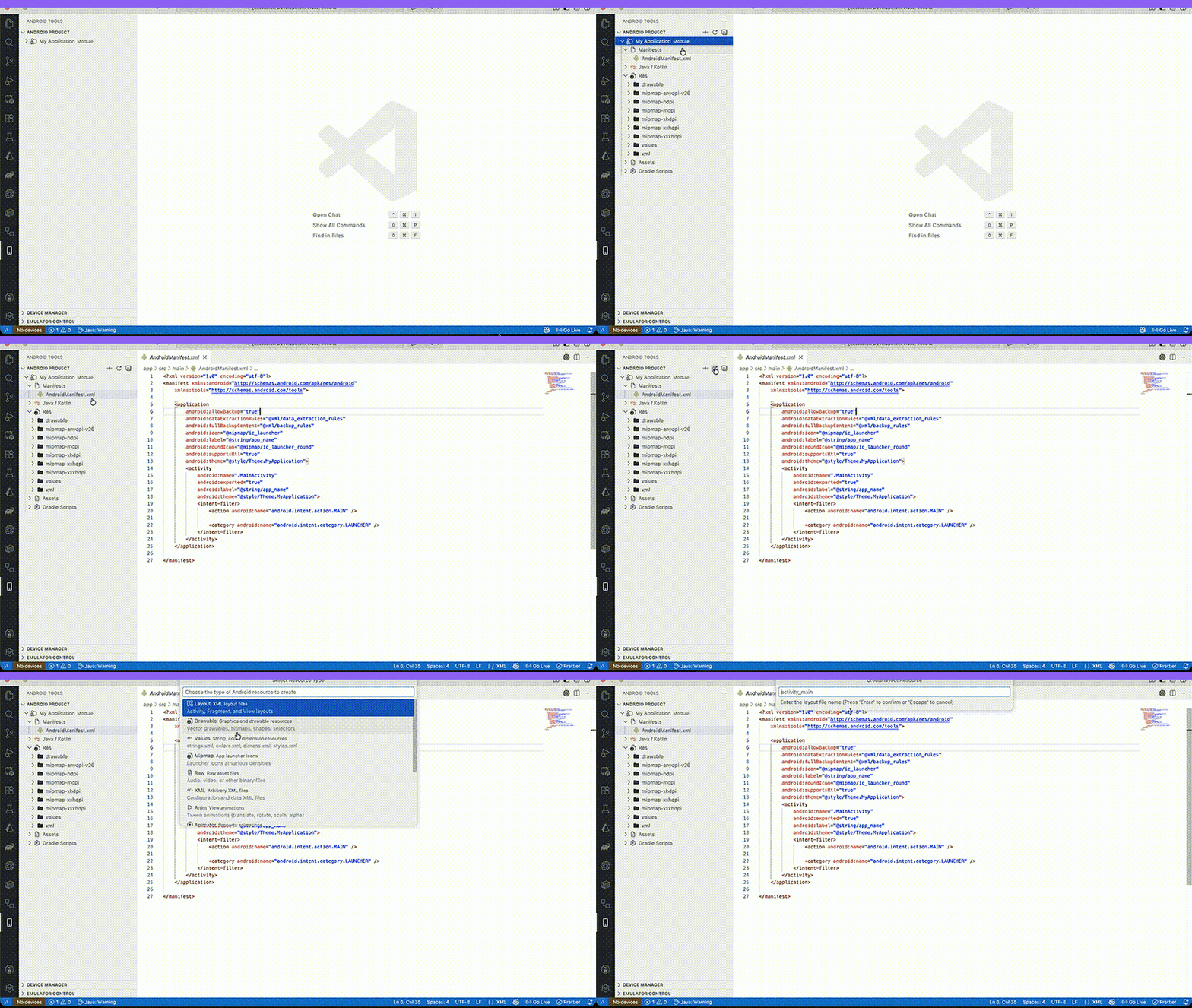
- Install Android SDK and Emulator tools.
- Run
Android: Start Emulator. - Run
Android: Run App on Emulator. - Open
Android: Open Run Paneland use one-screen flow:
Module -> Device -> Variant -> Run
- If run fails, use:
Android: Open Run Failure ReportAndroid: Open SLO DashboardAndroid: Open Last Failed StepAndroid: Export Diagnostics Bundle
- AI Intelligence Hub introduced as a single actionable surface for release readiness, crash triage, matrix guidance, policy enforcement, deep-link validation, and observability correlation.
- AI Crash Triage Hub now clusters likely root causes (mapping/proguard, NPE, resource, ABI/native), provides confidence scores, and links one-click suggested fixes.
- Smart Device Test Matrix now recommends device coverage from minSdk/targetSdk/ABI/features and supports smart smoke retries plus PR heatmap export.
- Release Risk Score now gates release decisions with weighted signals and supports audited override approval.
- Startup Performance Guard now adds regression attribution and suggested init deferral plan in the intelligence report.
- Policy-as-Code support now validates local manifest/gradle/signing rules from JSON/YAML and applies safe auto-fixes.
- Deep Link Fuzz + Contract Validator now generates cases from nav graph + manifest and supports replay on selected devices.
- APK Diff Intelligence now explains likely size-change drivers (dex/native/resources) with concrete optimization hints.
- Team Playbooks and PR Quality Assistant added for consistent incident response and focused changed-file checks.
Android: Open AI Intelligence HubAndroid: Run Smart Matrix SmokeAndroid: Export PR Heatmap CommentAndroid: Approve Release Risk OverrideAndroid: Enforce Policy-as-CodeAndroid: Replay Deep Link Fuzz CaseAndroid: Run Team Incident PlaybookAndroid: Run Focused PR Checks
Marketplace and Support
- Install from VS Code Marketplace (search:
Android Tools for VS Code). - Repository: GitHub
- Issues / feedback: GitHub Issues
Fast Android Runner
- Automatic Android SDK and ADB detection
- Start and stop emulators
- Install APKs or debug builds
- Run app on a selected emulator or device
- Device discovery via
adb devices
Android Project View
- Manifests, Java and Kotlin, Res, Assets, Gradle
- View mode switcher (Android / Project Files / Packages) from tree title dropdown
- Create Kotlin or Java class
- Create files and folders
- Rename and delete items
- Drag and drop to move files and folders between directories
- Conflict-safe moves (auto-renames when target name already exists)
- Move preview before drop with confirm/cancel
- Undo last move/delete from Android Project view
- Delete moves items into
.android-tools-trashwith quick restore
Emulator Control
- Rotation, screenshots
- Cold boot, warm boot, wipe data
- Network on and off
- Battery simulation with level and charging
- Screen recording
- Quick actions: key events, taps, swipes, text input
- Push/pull clipboard
Logcat Viewer
- Live stream, filter by tag, level, or search
- Clear logs
- Save filter presets
- Pin favorite presets for one-click use
- One-click
Only this appfilter (by app PID) - Zero-empty next steps:
No device -> Start emulator,No logs -> Start app + filter - Export selected log lines or full visible log
- Render window optimization for long sessions (bounded DOM + dropped counter)
Debugging
- Attach and detach
- Breakpoints via VS Code debugger
Profiler (Lite)
- CPU and memory snapshots
- ADB performance monitor: CPU, memory, graphics polling
- Record 10s performance series to JSON trace
Run Panel
- One-screen primary flow:
Module -> Device -> Variant -> Run - Secondary actions moved under
Advanced Tools - Build, install, run, clean, and release-quality gate
- Stop action near Run
- Recent run history + quick re-run
- History search/filter (all / current module / current device)
- Quick presets: Debug on emulator / Release on device
- Pinned presets (quick one-click row)
- Run Panel keyboard:
Enter= Run,Cmd/Ctrl + R= Re-run selected history - Runtime health status (Java/Kotlin stability)
- Open Last Failed Step action (jump back to latest failed stage with context)
- Copy Error Context button (module/variant/device/error snippet to clipboard)
- Preflight checks with fix suggestions before run/install/build
- Auto-recovery for common failures (ADB reconnect, install retry, Gradle daemon retry)
- Smart device pick from last successful run (module + variant aware)
- Gradle diagnostics classifier v2 (better top-error reason + targeted quick fixes)
- Cancel active long-running operation from Command Palette
- Smart empty-state hints with one-click quick fixes (module/device/workspace/SDK)
- Zero-empty next steps:
No module -> Open project,No device -> Start emulator - Built-in Quick Actions row (Run Selected / Stop Selected / Logcat This App / Health Wizard / Release Gate)
- Unified failure block format:
Reason+Why+Suggested+ one-click fix actions - Unified state status bar across core panels:
Idle / Running / Failed / Fixed - Customizable primary actions layout (
build/install/run/stop/clean/releaseGate) - Consistent action naming across primary flows:
Run,Install,Stop,Release Gate - Visible shortcut hints near action buttons
- Shortcut profiles:
Default,Vim-like,JetBrains-like
Customization & Profiles
- UI modes:
Beginner/Standard/Power User(Beginnerdefault) - Beginner mode hides advanced areas (Matrix, Gradle Intelligence, diagnostics dashboards)
- Config profiles:
Solo,Team,CI-heavy,Release,Custom - One-click profile apply updates Android Tools settings for workflow style
- Notification granularity toggles:
run,gradle,device,logcat,tips, anderrors-only - Theme tokens for webviews (
success/warn/error/info) with contrast-safe accents - Keyboard-first customization: remap Run Panel shortcuts from UI command
- Keyboard profile switch command:
Android: Set Keyboard Shortcut Profile - Density/font controls:
Compact/Comfortable, panel font size, table/log row height - Saved panel layouts:
Debug layout,Release layout,QA layout+ custom save/apply - Quick Settings Center: searchable settings UI with live workspace updates
First-Run Health Wizard
- Success-driven setup check (SDK, Java/Kotlin, modules, devices)
- Health score feedback and focused quick fixes for failed checks
Fix All Detected Issuesoption before first run
Onboarding v2
- 3-step UX flow: validate environment -> apply fixes -> test run
- Checklist UI for SDK, JDK, modules, and devices
- One-click per-item fixes +
Fix All Detected Issues - Built-in
Test Runaction at the end of onboarding - Direct handoff to Run Panel
- Progress bar + health score
- Explicit completion state:
Environment ready Send UX Feedbackaction with auto-generated diagnostics snapshot
Device Selector Bar
- Persistent status bar controls for device, module, and variant
- Run, Debug, Stop buttons
Gradle Sync + Project Health
- Gradle sync command with output channel
- SDK/Build Tools/NDK checks
Gradle Task Explorer
- Browse tasks by group
- One click run
- Stale-cache return with background refresh for faster open
Gradle Build Output Panel
- Dedicated Gradle output channel
- Error parsing with file/line links
Gradle Intelligence
- Dependency conflict detector with safe force-version suggestions
- Build scan-lite with slow task ranking (from Gradle timing output)
Problems View
- Collects failed Run/Build/Install/Clean actions
- One-click fix actions from failure context
- Jump to source location when file/line is available
- Run Failure Report command with top-10 grouped failure reasons
- Crash/Failure Insights panel: top errors for last 7 days, frequency, and auto-fix hit rate
- Error Knowledge Base: top errors with root cause, auto-fix/manual-fix, and direct file links
- Error taxonomy v2: unified normalized reason IDs across diagnostics/reporting/panels
- Actionable error prompts in extension flows (quick fix actions + suggestion sheet)
- One-click
Copy Fix Commandin error prompts for terminal-ready recovery commands
Team Features
- Export/import project config via
.vscode/android-tools.json - Share launch profiles, matrix presets, logcat presets, and key androidToolkit settings
- Versioned project config schema with auto-migration (
schemaVersion: 2)
Matrix Runs
- Install matrix retries failed devices automatically for recoverable ADB failures
- Matrix output includes attempt counts
- Device Lab mode: matrix
Install / Run / Smoke / Tests - Flaky test history by device and runner (dashboard summary)
- Device Farm Presets: saved QA/Release/Smoke matrices with one-click run
Stability SLO Dashboard
- Run success rate
- Median build/install duration
- Crash-free sessions (session health tracking)
- Command budget (median/p95/breach count for key command latency SLOs)
- Startup Profiler panel for activation breakdown (top slow init phases)
Performance Pass
- Lazy open for heavy UI panels (on-demand import)
- Debounced auto-sync tick to avoid overlap
- Cached read-only Gradle scans for faster repeated analysis
- Unified throttled background scheduler for polling tasks
- Smart cache invalidation on Gradle/project file changes and device topology changes
- Crash-safe lightweight panel state snapshots (restores after extension host restart)
- Progressive webview rendering (loading skeletons before heavy lists/tables)
- Action replay diagnostics report for reproduce-bug bundles
Build Variants
- Pick debug, release, and product flavors
Launch Profiles
- Save module, variant, device type, and optional task
- Run profiles from the command palette
Run Configurations
- Per module and variant configs
- Pre-run tasks, env vars, and Gradle arguments
- Run/Debug Profiles v2 panel with create/run/debug/duplicate/delete
- Inline profile edit directly in panel (without reopening dialogs)
Deep Link Studio
- UI constructor for deep links and intent parameters
- Runs
am startintents on selected device - Saved deep link scenarios (run/delete)
ADB Macro Recorder
- Record action sequences (keyevent/tap/swipe/text)
- Save reusable macros and replay with step delay
- Device-targeted execution from one panel
Snapshot Scenario Runner
- Scenario pipeline: load snapshot -> build -> install -> run -> smoke check -> report
- Saved scenario presets
- Auto markdown report for each run
Diagnostics Bundle
- One-click export ZIP with Gradle output, logcat, device info, diagnostics snapshot, run failure report, action replay, and timeline
APK Analyzer (Lite)
- Total APK size
- Top largest files
APK Analyzer (Lite+)
- Compare two APKs
- Top classes and resources
Mapping Viewer
- Open mapping.txt
- Search classes
- Deobfuscate stacktraces
App Inspection (Lite)
- Running processes
- Package version and install info
- Live network log stream (OkHttp/HTTP via Logcat pattern)
- Kill + Restart + Clear Data quick action
Database Inspector (Lite)
- List app databases
- Pull database files for local inspection
- Simple queries and CSV export
- Snapshot and diff between database states
APK Install Matrix
- Install the same APK on multiple devices
- Per-device report output
Device File Explorer
- Browse
/sdcard - Pull and push files
ADB Shell
- Open an interactive shell per device
Layout Preview (Lite)
- Static preview for layout XML
- XML Live Preview beside editor (updates while typing)
- Layout Editor (Lite): drag-and-drop components, properties, constraint handles, snap-to-grid, alignment guides
- Multi-select with Cmd/Ctrl-click, align/distribute actions, and delete selected
- Undo/Redo support for layout edits
- Expanded palette: TextView, Button, EditText, ImageView, CheckBox, Switch, ProgressBar
- Constraint type selectors:
toStartOf/toEndOf/toTopOf/toBottomOf - Component Tree panel for quick selection and multi-select
- Properties grouped by categories: common, text, layout, visibility
- Visual constraint arrows with different styles for each link type
- Resize handles on selected component (corner resize)
- Constraint diagnostics panel: missing constraints, overlap, off-screen + badges in Component Tree
- Diagnostics auto-fix actions: per-issue
Fix,Focus, and globalAuto-Fix All - Safe Auto-Fix mode: preview fixes before apply, with
Apply Preview/Discard Preview - Safe Auto-Fix diff preview: per-component before/after field changes before apply
- Diagnostics undo:
Undo Last Fixrestores previous layout state for diagnostics actions - UX polish: disabled button states, cleaner empty/loading states, and reduced noisy notifications
- Live write modes:
onType(debounced auto-write) oronSave(manual Apply XML) - Live device preview loop (optional) with gfx hotspot hints
Layout Inspector (Lite)
- View tree with bounds
- Screenshot overlay
- Live filter by id/class/text
Compose Tooling (Lite)
- Static compose preview list from
@Preview - Live preview via emulator screenshot
- Parameter set input and recomposition hotspot hints (gfx framestats)
Test Runner
- Unit and instrumentation launch from panel
- Tree view from JUnit XML reports
- Re-run failed tests quickly
- Device matrix run for instrumentation
Gradle Doctor
- Auto-fix helpers for SDK components and daemon JVM args
- Offline mode toggle
- Cache cleaner for common Gradle cache groups
- Auto-detect sdkmanager from Android cmdline-tools
Signing and Release
- Play App Signing helper
- Bundletool integration (
build-apks,install-apks) - VersionCode bump wizard
- Auto-detect
bundletool.jarfrom project/home common locations - Release Flow Wizard: Select Variant -> Build -> Sign -> Install/Test
- Release Gate Wizard+: version bump -> changelog check -> sign -> build -> dry-run publish
- Release checklist (versionCode/signing/manifest flags)
Manifest and Resource Tools
- Insert templates
- Basic validation
- Resource inspector (values)
- Go to resource by R.string/R.color/R.dimen
- Resource Refactor Tools: bulk rename/move resources with project-wide reference updates (
@type/name,R.type.name) - Manifest editor for activity/service/permission
- Manifest Diff Assistant: compare manifests between variants/build types with risky flag highlights (
exported,debuggable, permissions) - Navigation graph helpers (destination/argument jump + SVG preview)
- Graph layout with action arrows in SVG preview
API Compatibility Scanner
- Scan project API usage against module
minSdk/targetSdk - Rule-based detection for risky APIs (permissions/framework classes/manifest attrs)
- Generates report with quick fix guidance and jump-to-location picks
Project Blueprint Templates
- MVVM starter scaffold
- Clean architecture scaffold (domain/data/presentation)
- Multi-module blueprint structure with generated starter code and docs
Crash Symbolicator
- Paste obfuscated stacktrace + select
mapping.txt - Deobfuscate directly in panel and open result in editor
XML Authoring (New)
- Snippet completions for common Android layout views/attrs in
res/layout/*.xml - Faster writing for ConstraintLayout child blocks and base attributes
tools:*authoring helpers (tools:text,tools:visibility,tools:src,tools:ignore)- Generate Kotlin
ConstraintSetsnippet directly from selected XML views - Layout XML lint on save (hardcoded text, missing
contentDescription, missing constraints) - Quick Fix actions for XML warnings
- Extract selected XML text into
res/values/strings.xml
New Project Wizard
- App name, package, language
- Template selection:
- Views: Empty Activity
- Views: Bottom Navigation
- Compose: Empty Activity (Kotlin)
- Activity, manifest, resources
- Gradle files and wrapper when available
Template Gallery
- Visual template picker for Android project starters
- Quick create flow for Views and Compose templates
- Preview cards + capability summary per template
- Run
Android: First-Run Health Wizard. - If SDK is missing, click
SDK Setup Guidein wizard and install command-line tools. - If Java 25 is detected, run
Android: Use JDK 21 Path. - Open
Android: Open Run Panelwhen checks are green.
- Open
Android: Open Run Panel. - Select
Module,Device,Variant. - Use core actions:
Build,Install,Run,Stop,Clean. - Use presets for speed:
Debug on EmulatorRelease on Device
- Use built-in quick actions:
Run SelectedStop SelectedLogcat This AppHealth Wizard
- Open any file in
res/layout/*.xml. - Run
Android: Open XML Live Previewto open preview beside code. - Optional: run
Android: Toggle XML Live Previewfor auto-updates while typing. - Write XML and observe updates in preview.
Shortcuts:
Ctrl/Cmd + Alt + P=> open XML live previewCtrl/Cmd + Alt + Shift + P=> toggle live preview
In res/layout/*.xml, use completion for:
- View snippets:
TextView (android),Button (android),Constraint Item - Attributes:
android:id,android:text,android:layout_width,android:layout_height - Design-time helpers:
tools:text,tools:visibility,tools:src,tools:ignore
Also available:
- Save layout XML to run lint checks automatically.
- Use lightbulb quick fixes for common issues.
- Run
Android: Extract String Resource from XML(orCtrl/Cmd + Alt + E) to move hardcoded text intostrings.xml. - Run
Android: Extract All Hardcoded Strings (Layout)for batch extraction in one pass. - Run
Android: Fix All Layout Warningsfor one-click bulk fixes in current file. - In Layout Editor (Lite), use the new Fix All (Android Lint) button in Constraint Diagnostics.
- Golden snapshot tests cover before/after XML auto-fix behavior.
- Select one or more views in layout XML that have
android:id. - Run
Android: Generate ConstraintSet Snippet from Selection. - Extension opens Kotlin
ConstraintSetboilerplate in new editor.
Shortcut:
Ctrl/Cmd + Alt + Shift + C
Ctrl/Cmd + Alt + R=>Android: Run Selected (Quick)Ctrl/Cmd + Alt + Shift + R=>Android: Stop Selected (Quick)Ctrl/Cmd + Alt + L=>Android: Logcat This App (Quick)
- Run
Android: Cancel Active Operation. - Run
Android: Collect Diagnostics Snapshot. - In Run Panel error block, click
Open Gradle Output. - Re-run from Run Panel.
| Command | Description |
|---|---|
| Android: List Devices | Show connected devices |
| Refresh | Refresh current Android Tools view |
| Open in Explorer | Reveal selected item in VS Code explorer |
| Android: Start Emulator | Start an AVD |
| Android: Stop Emulator | Stop an AVD |
| Android: Create Emulator | Create a new AVD |
| Android: Run App on Emulator | Build, install, run on emulator |
| Android: Run App on Device | Build, install, run on device |
| Android: Open Run Panel | Build, install, run, clean in one panel |
| Android: First-Run Health Wizard | Guided setup checks + quick fixes |
| Android: Open Onboarding v2 | Visual onboarding checklist with one-click fixes |
| Android: Open Template Gallery | Open visual starter template gallery |
| Android: Project Blueprint Templates | Generate MVVM/Clean/Multi-module blueprint scaffolds |
| Android: Run Selected (Quick) | Alias for running selected target |
| Android: Stop Selected (Quick) | Alias for stopping selected app |
| Android: Logcat This App (Quick) | Open Logcat and jump to app-focused flow |
| Android: Cancel Active Operation | Request cancellation for current long action |
| Android: Collect Diagnostics Snapshot | Export environment/device/module diagnostics to markdown |
| Android: Open Run Failure Report | Show top grouped run/build/install failure reasons |
| Android: Open Startup Profiler | Show activation phase breakdown and top startup costs |
| Android: Open Action Replay Report | Export recent actions with args and latency for repro |
| Android: Open Last Failed Step | Re-open latest failed timeline stage with guided fixes |
| Android: Export Diagnostics Bundle | Export one ZIP with logs, diagnostics, failure report, and timeline |
| Android: Run Release Quality Gate | Run compile/lint/tests/release checks before publish |
| Android: Set UI Mode | Switch Beginner / Standard / Power User UI mode |
| Android: Apply Config Profile | Apply Solo / Team / CI-heavy / Release defaults |
| Android: Configure Run Layout | Select and order visible Run Panel primary actions |
| Android: Configure Keyboard Shortcuts | Remap Run Panel keyboard actions |
| Android: Set Keyboard Shortcut Profile | Apply Default / Vim-like / JetBrains-like shortcut profile |
| Android: Save Current Panel Layout | Save current UI/run layout as named preset |
| Android: Apply Saved Panel Layout | Apply Debug/Release/QA/custom saved layout |
| Android: Open Settings Center | Search + live-edit Android Tools UI/behavior settings |
| Android: Open Failure Insights Panel | Weekly top failures + auto-fix hit rate dashboard |
| Android: Open Stability SLO Dashboard | Data-driven stability metrics (run success, medians, session health) |
| Android: Open Error Knowledge Base | Top errors with why/fixes/docs/file hints |
| Android: Export Team Project Config | Save shared project config to .vscode/android-tools.json |
| Android: Import Team Project Config | Apply shared project config from .vscode/android-tools.json |
| Android: Select Build Variant | Choose debug/release/flavor |
| Android: Gradle Assemble Debug | Assemble debug variant |
| Android: Gradle Install Debug | Install debug via Gradle |
| Android: Gradle Clean | Clean project |
| Android: Run Gradle Task | Run a Gradle task |
| Android: Refresh Gradle Tasks | Refresh task list |
| Android: Clear Problems | Clear Android Problems view |
| Android: Apply Problem Fix | Execute selected fix action from Problems view |
| Android: Open Problem Location | Open source location from Problems view |
| Android: Create Launch Profile | Save a launch profile |
| Android: Run Launch Profile | Run a launch profile |
| Android: Delete Launch Profile | Delete a launch profile |
| Android: Rename | Rename selected file/folder in Android project view |
| Android: Delete | Delete selected file/folder in Android project view |
| Android: Undo Last Project Action | Undo last move/delete in project view |
| Android: Create Run Configuration | Create a run configuration |
| Android: Run Run Configuration | Run a saved configuration |
| Android: Debug Run Configuration | Run saved configuration and attach debugger |
| Android: Duplicate Run Configuration | Duplicate an existing run configuration |
| Android: Delete Run Configuration | Delete a configuration |
| Android: Open Run/Debug Profiles v2 | Open panel to manage run/debug profiles |
| Android: APK Analyzer | Analyze APK size |
| Android: Compare APKs | Compare two APKs |
| Android: App Inspection | Inspect running apps |
| Android: Kill+Restart with Clear Data | Reset and restart selected app |
| Android: Database Inspector | Inspect app databases |
| Android: Debug Panel | Open integrated debug panel |
| Android: Build Cache Inspector | Show build cache stats and issues |
| Android: Dependency Insight | Run Gradle dependency insight |
| Android: Open Gradle Intelligence | Conflict detector + build scan-lite slow task view |
| Android: Signing Wizard | Generate keystore and setup signing |
| Android: Release Flow Wizard | Guided variant/build/sign/install release flow |
| Android: Release Gate Wizard+ | Version bump + changelog check + sign + build + dry-run publish |
| Android: Build Signed APK | Build release APK |
| Android: Build Signed AAB | Build release bundle |
| Android: Refresh Device Explorer | Refresh device files |
| Android: Pull From Device | Download file or folder |
| Android: Push To Device | Upload files to device |
| Android: Delete From Device | Delete device files |
| Android: Open ADB Shell | Open shell terminal |
| Android: Preview Layout | Show layout preview |
| Android: Open XML Live Preview | Open side-by-side live XML preview |
| Android: Toggle XML Live Preview | Turn on/off auto-update preview while typing |
| Android: Generate ConstraintSet Snippet from Selection | Build Kotlin ConstraintSet boilerplate from selected view ids |
| Android: Lint Current Layout XML | Run layout XML lint checks immediately |
| Android: Extract String Resource from XML | Extract selected XML value to strings.xml and replace with @string/... |
| Android: Extract All Hardcoded Strings (Layout) | Batch-extract hardcoded android:text/android:hint/android:contentDescription from current layout |
| Android: Fix All Layout Warnings | One-click fix for missing constraints/contentDescription + bulk hardcoded string extraction |
| Android: Open Layout Editor (Lite) | Drag-drop layout editor with properties and XML sync |
| Android: Layout Inspector | View bounds and overlay |
| Android: Compose Preview (Lite) | List and open @Preview composables |
| Android: Validate Manifest | Basic manifest checks |
| Android: Insert Manifest Template | Insert manifest snippets |
| Android: Add Manifest Entry | Add activity/service/permission |
| Android: Open Manifest Editor | Open manifest editor |
| Android: Manifest Diff Assistant | Compare manifest between variants/build types and highlight risky flags |
| Android: Validate Resources | Basic res checks |
| Android: Insert Values Template | Insert values snippets |
| Android: Resource Inspector | Search resources |
| Android: Go To Resource (R.) | Jump to values resource |
| Android: Resource Refactor Tools | Open bulk resource rename/move actions with ref updates |
| Android: Bulk Rename Resources | Rename selected resources and update references |
| Android: Bulk Move Resources | Move resources across res/* folders and update references |
| Android: API Compatibility Scanner | Scan API usage against minSdk/targetSdk with fix guidance |
| Android: Jump To Navigation Destination | Jump to destination in navigation graph |
| Android: Jump To Navigation Argument | Jump to argument in navigation graph |
| Android: Preview Navigation Graph (SVG) | Render navigation graph overview |
| Android: Device Quick Actions | Send keys, taps, swipes, text, clipboard |
| Android: Mapping Viewer (Proguard/R8) | Open mapping.txt and deobfuscate stacktraces |
| Android: Crash Symbolicator | Symbolicate pasted stacktrace via mapping.txt in dedicated panel |
| Android: Performance Monitor | Live CPU/memory/graphics polling |
| Android: Compose Live Preview | Live screenshot-based preview with params |
| Android: Select Device | Set device for status bar |
| Android: Select Module | Set module for status bar |
| Android: Run (Selected Target) | Run using status bar selection |
| Android: Stop App | Force stop selected app |
| Android: Install APK | Install an APK |
| Android: Install APK on Multiple Devices | Install APK on multiple devices |
| Android: Device Matrix Run | Run app/tests on selected devices |
| Android: Matrix Dashboard | Unified matrix UI with saved presets + flaky history view |
| Android: Configure Device Farm Presets | Save/update QA/Release/Smoke/custom matrix presets |
| Android: Run Device Farm Preset | Run a saved device farm preset |
| Android: Run Device Farm Preset (QA) | One-click run for QA preset |
| Android: Run Device Farm Preset (Release) | One-click run for Release preset |
| Android: Run Device Farm Preset (Smoke) | One-click run for Smoke preset |
| Android: Delete Device Farm Preset | Remove custom preset |
| Android: Gradle Doctor | Check and auto-fix Gradle environment issues |
| Android: Save Emulator Snapshot | Save current emulator snapshot |
| Android: Load Emulator Snapshot | Load emulator snapshot |
| Android: Gradle Sync | Run Gradle sync task |
| Android: Project Health Check | Check SDK/NDK/build-tools/project setup |
| Android: Uninstall App | Uninstall package |
| Android: Restart App | Force stop and launch |
| Android: Open Logcat Viewer | Open Logcat panel |
| Android: Clear Logcat | Clear Logcat |
| Android: Open Emulator Control | Open emulator control panel |
| Android: Rotate Screen | Rotate emulator |
| Android: Take Screenshot | Capture screenshot |
| Android: Cold Boot | Cold boot AVD |
| Android: Warm Boot | Warm boot AVD |
| Android: Wipe Data | Factory reset AVD |
| Android: Toggle Network | Toggle emulator network |
| Android: Set Location | Set emulator location |
| Android: Start Screen Recording | Start recording |
| Android: Stop Screen Recording | Stop recording |
| Android: Set Battery Level | Set battery level and state |
| Android: Attach Debugger | Attach Java debugger |
| Android: Detach Debugger | Detach debugger |
| Android: Toggle Breakpoint | Toggle breakpoint |
| Android: Debug Status | Show debug status |
| Android: Create Resource | Create resource file |
| Android: Create Class | Create Kotlin or Java class |
| Android: Create File | Create file |
| Android: Create Folder | Create folder |
| Android: Create Asset | Create asset file |
| Android: Create Language/Locale | Create locale resources |
| Android: New Project | Create new Android project |
| Android: Use JDK 21 Path | Set JDK path for Java/Kotlin extension reliability |
| Mobile: Create Device | Create a simulator/device profile |
| Mobile: Refresh Device Manager | Refresh device manager view |
| Launch Device | Launch selected managed device |
| Stop Device | Stop selected managed device |
| Delete Device | Delete selected managed device |
| Android: Open Test Runner | Run tests, view tree, rerun failed, matrix |
| Android: Open Performance Profiler | Open profiler panel |
| Android: Play App Signing Helper | Guide for upload key vs app signing key |
| Android: Bundletool Build APKS | Build .apks from .aab |
| Android: Bundletool Install APKS | Install .apks to device |
| Android: Bump Version Code Wizard | Increment versionCode in Gradle file |
- Android SDK
- ADB
- Android Emulator
- VS Code (latest stable)
- JDK 17+ (JDK 21 recommended for Kotlin language server)
Optional:
- Debugger for Java extension for debugging
- Kotlin Language extension for Kotlin support
- If Kotlin server crashes, use JDK 21 and set
JAVA_HOME
- If Kotlin server crashes, use JDK 21 and set
Quick fix map:
| Problem | Use in Extension |
|---|---|
SDK not found (Android SDK not found, sdk.dir is missing) |
Android: Gradle Doctor + Android: Collect Diagnostics Snapshot |
Kotlin server crash / Java mismatch (25.0.1, KotlinCoreEnvironment) |
Android: Use JDK 21 Path then reload VS Code |
| Device not detected / unauthorized | Android: Select Device or Android: Start Emulator |
| Install failed | Android: Open Last Failed Step + Open Gradle Output + Copy Fix Command |
| Need bug report bundle | Android: Export Diagnostics Bundle |
SDK not found:
- Set
ANDROID_SDK_ROOTor install SDK via Android command line tools
Kotlin language server crashes:
- Install JDK 21 and set
JAVA_HOME, then restart VS Code
No devices detected:
- Run
adb devicesin a terminal and check USB authorization - Too many popups: set
androidToolkit.notifications.modetoquietin VS Code Settings
Performance tips:
- Keep
androidToolkit.performance.deferBackgroundMonitoring = true(default). - Use
Android: Cancel Active Operationif a long action blocks your workflow. - Use
Android: Open Run Panelquick actions instead of opening many separate panels.
- This extension is not a full Android Studio replacement (no full visual layout designer parity).
- Some advanced profiler/app-inspection capabilities are lite mode and ADB-dependent.
- Kotlin language tooling quality depends on local Java/Kotlin extension runtime compatibility.
- Real device/emulator state can be flaky; use preflight + auto-fix suggestions in Run Panel.
MIT
- GitHub Actions CI runs on every push/PR.
- Deterministic runtime:
- pinned Node version in CI
- pinned VS Code test runtime version
- OS matrix for runtime confidence: Linux + macOS.
- Compile + lint + unit/smoke + P0 tests.
- VS Code Extension Host runtime smoke:
- open run panel
- select device (if available)
- matrix dashboard dry-run readiness
- export/import team config
- Flake guard:
- runtime smoke retries only known flaky failures (network/xvfb transient)
- writes
.artifacts/runtime-flaky-report.json - uploads flaky report as CI artifact
- Release validation:
- semver check
- changelog version section check
- README local links and screenshots check
- license file check
- extension bundle size check
- VSIX package dry-run (
vsce package --no-yarn) - Performance budgets:
- Gradle variant parser hot-path latency budget.
- Extension bundle size budget.
Local prepublish gate:
npm run -s prepublish:gate
Real-project reliability pass (10-15 projects):
npm run -s qa:real-projects -- qa/real-projects/projects.local.json- Output:
.artifacts/real-project-report.json,.artifacts/real-project-report.md - Guide:
qa/real-projects/README.md
Release automation:
npm run -s release:automate(patch)npm run -s release:automate:minornpm run -s release:automate:majornpm run -s release:publish:dry-run
Manual feedback loop (no telemetry):
- Bug report template:
.github/ISSUE_TEMPLATE/bug_report.yml - Include environment, repro steps, and logs for triage.
- Hard release checklist:
RELEASE_CHECKLIST.md - Changelog:
CHANGELOG.md - Release notes template:
RELEASE_NOTES_TEMPLATE.md - UI release QA checklist:
docs/UI_RELEASE_QA.md - Top failure triage map:
docs/TOP_10_CRASH_FIXES.md read me