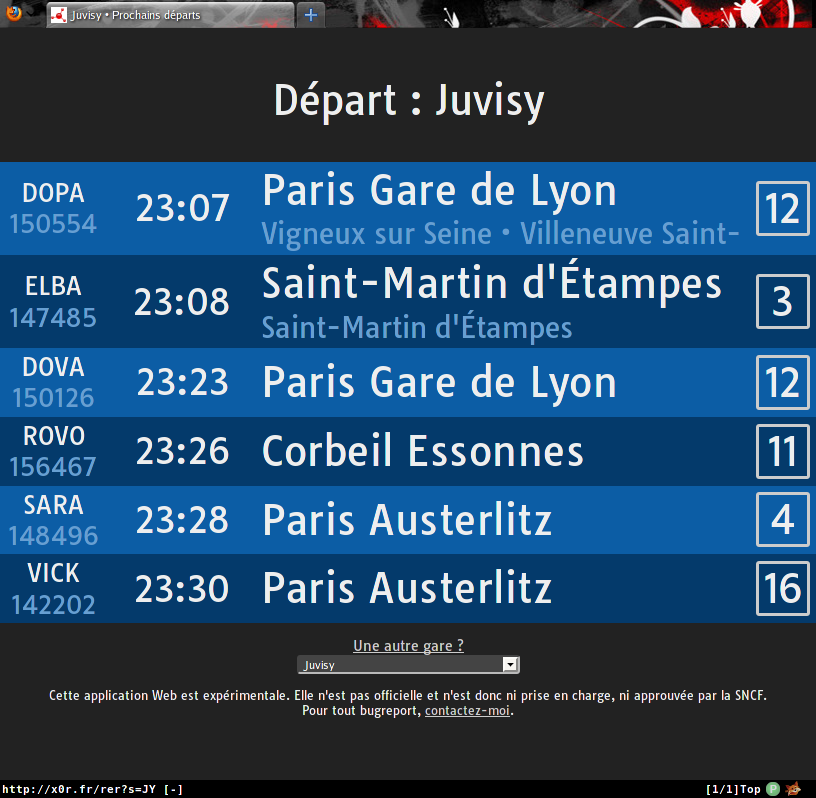
This web app is yet another variation on the "how can I possibly display the timetable for the 6 next trains in any way I can imagine" theme. Only this time, it tries to be classy. It is primarily intended for display on medium (tablet/desktop) or large screens (TVs), while trying not to break too badly on cellphones.
See it in action at http://x0r.fr/rer.
I know the SNCF's website does the same thing, but let's face it, this interface is sexier. Also, because this was an AJAX and Javascript exercise for myself, please try not to be too harsh on the "but this is useless" remarks.
You will need the following Perl modules:
- DateTime
- DateTime::Format::Strptime
- DBI
- DBD::mysql
- Dancer
- JSON::XS
- WWW::Mechanize
- Text::CSV
- Template::Plugin::Decode
- Tie::Handle::CSV
- YAML
You will also need git for the install.sh script to work.
Any kind of DBMS will do; however, you will need to load SNCF's rather massive GTFS data into it and therefore, I recommend MySQL, PostgreSQL or anything somewhat beefy. I have tested this with MySQL without any problems.
Copy config.yml.example to config.yml and edit it to suit your needs.
Log into an account with administrative access on MySQL and create the database holding the data:
mysql> CREATE DATABASE sncf_gtfs;
Create a user which only has the necessary privileges. This is optional, but highly recommended (not to mention a good security practice):
mysql> CREATE USER 'rer-web' IDENTIFIED BY 'some-password';
mysql> GRANT SELECT ON sncf_gtfs.* TO 'rer-web'@'localhost';
Finally, run sh ./install.sh. This install script will download a GTFS
parsing script, download the GTFS data from SNCF's website, import it into the
database, and import a custom-made station database as well.
Note: SNCF update their data once a week. In order to reimport the data,
simply run ./install.sh again.
Deploy this as you would any Perl Dancer application. If you really have no idea how to do this, read the Dancer::Deployment Perldoc page.