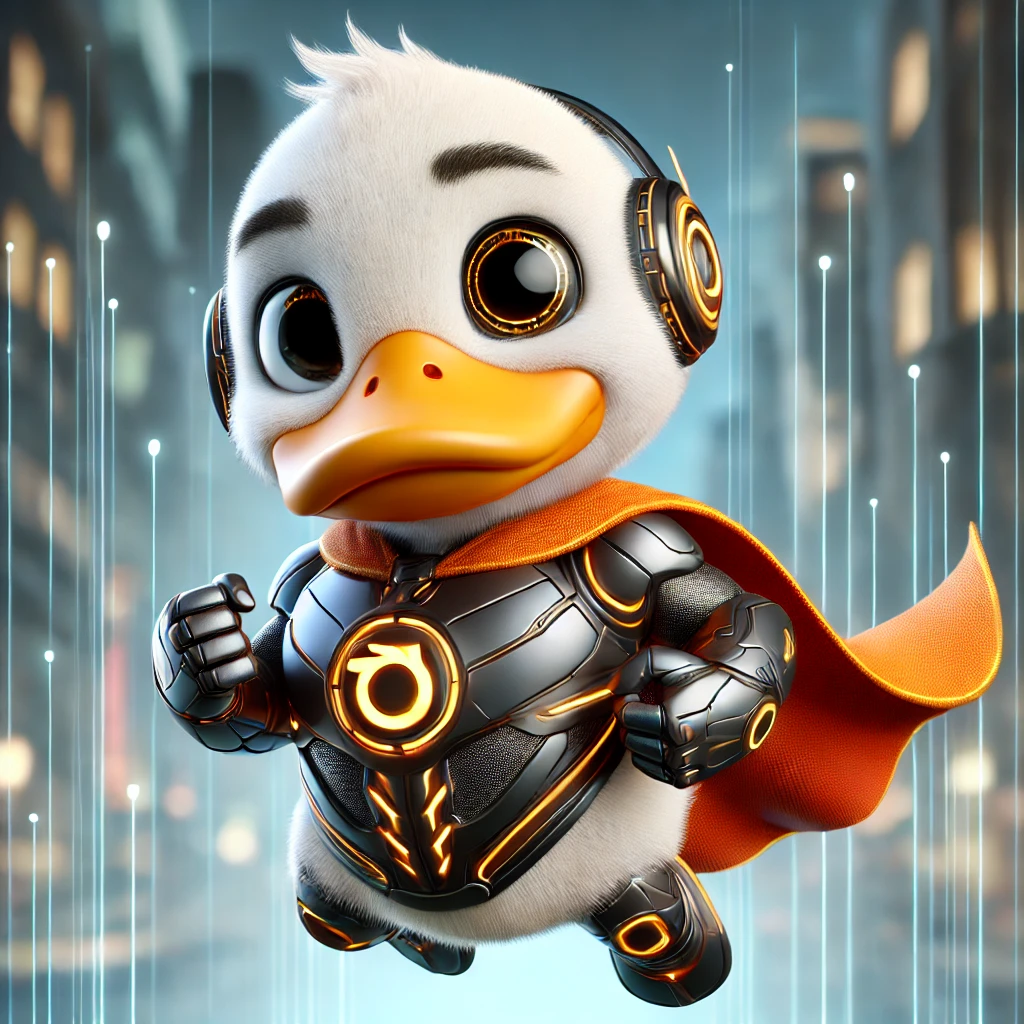
DuckBot is a fun and interactive AI-powered bot that helps you with various tasks while embodying the charming character of Duck Boy, a superhero duck. Built using Retrieval-Augmented Generation (RAG), DuckBot pulls relevant facts from a local database and generates dynamic, character-driven responses powered by a state-of-the-art AI model.
DuckBot was built using a mix of Python, SQLite, and Ollama for the backend, with a simple web interface frontend that uses HTML, JavaScript, and PHP to make interaction easy. DuckBot can be run locally on any machine with the appropriate hardware to support Ollama and the required model.
- Duck Boy Character: A fun AI persona based on a quirky, humorous superhero duck.
- Retrieval-Augmented Generation (RAG): Combines information retrieval from a local SQLite database and AI-generated responses for a more accurate and personalised reply.
- AI-powered Responses: Using Ollama with Llamda3.2 70B as the default model, DuckBot understands the input and provides intelligent answers based on prompts combined with stored data.
- Web Interface: A simple, interactive web page where you can chat with DuckBot.
To install all necessary dependencies, including Python, Ollama, and the Llama 3.2 model, you can use the provided install.sh script. However, a word of caution: The script was written by chat GPT, and I haven't tested it. So if it doesn't work, follow the steps in the step-by-step installation section.
Simply run the following command to install everything:
./install.shAs default DuckBot uses the Ollama API and the Llama 3.2 model for generating responses. To use these features, you will need to install Ollama and ensure that the llama3.2:latest model is available. You can also experiment with your own models, but you will probably need change the regex expression to display the required response, and add it to the models.py module as well as changing the main call in the backend.py module. I have already added Deepseek R1 because of all the hype. To change from Llama to Deepseek, comment out print(call_ollama(user_input)) and uncomment #print(call_deepseek(user_input) by adding or removing #.
You can download and install Ollama from ollama.com or follow the installation instructions for your system.
-
For macOS/Linux: Use the following command in your terminal:
curl -sSL https://ollama.com/install.sh | bash -
For Windows: Download the installer from the Ollama website.
Once Ollama is installed, you need to download the llama3.2:latest model. To do this run:
ollama pull llama3.2:latestClone the DuckBot repository to your local machine. Open your terminal and run the following command:
git clone https://github.com/your-username/DuckBot.git
cd DuckBotDuckBot requires Python 3.x to run. You'll also need to install the required Python libraries. To do that, create a virtual environment (optional but recommended) and install the dependencies.
# Create a virtual environment (optional but recommended)
python3 -m venv DuckBot
source DuckBot/bin/activate  # On Windows use `DuckBot\Scripts�ctivate`

# Install required libraries
pip install -r requirements.txt
The dependencies include:
sentence-transformers: For embedding text and comparing input to stored facts.numpy: For numerical operations.sqlite3: To interact with the SQLite database.- Other necessary libraries for the backend and web functionality.
DuckBot uses an SQLite database to store facts about Duck Boy. Run the dbcreator.py script to create or update the database and insert predefined fact of your choosing to curate your own character.
python dbcreator.pyBefore you can retrieve facts based on user queries, you need to precompute the embeddings for these facts. This allows DuckBot to compare the user’s input with the stored data more effectively, using cosine similarity.
Run the precomputeembeddings.py script to update the database with the embeddings for the facts you've created in the dbcreator.py. This step ensures that DuckBot can quickly find relevant answers to queries by comparing the user’s input with the precomputed embeddings.
python precomputeembeddings.pyThe easiest way to interact with DuckBot is through the web interface. To start a simple local server, run the following command in your terminal (ensure you're in the DuckBot directory):
# While in the DuckBot directory
php -S localhost:8000Once the server is running, open your browser and visit http://localhost:8000/index.html. You should see the DuckBot interface where you can type prompts and get responses.
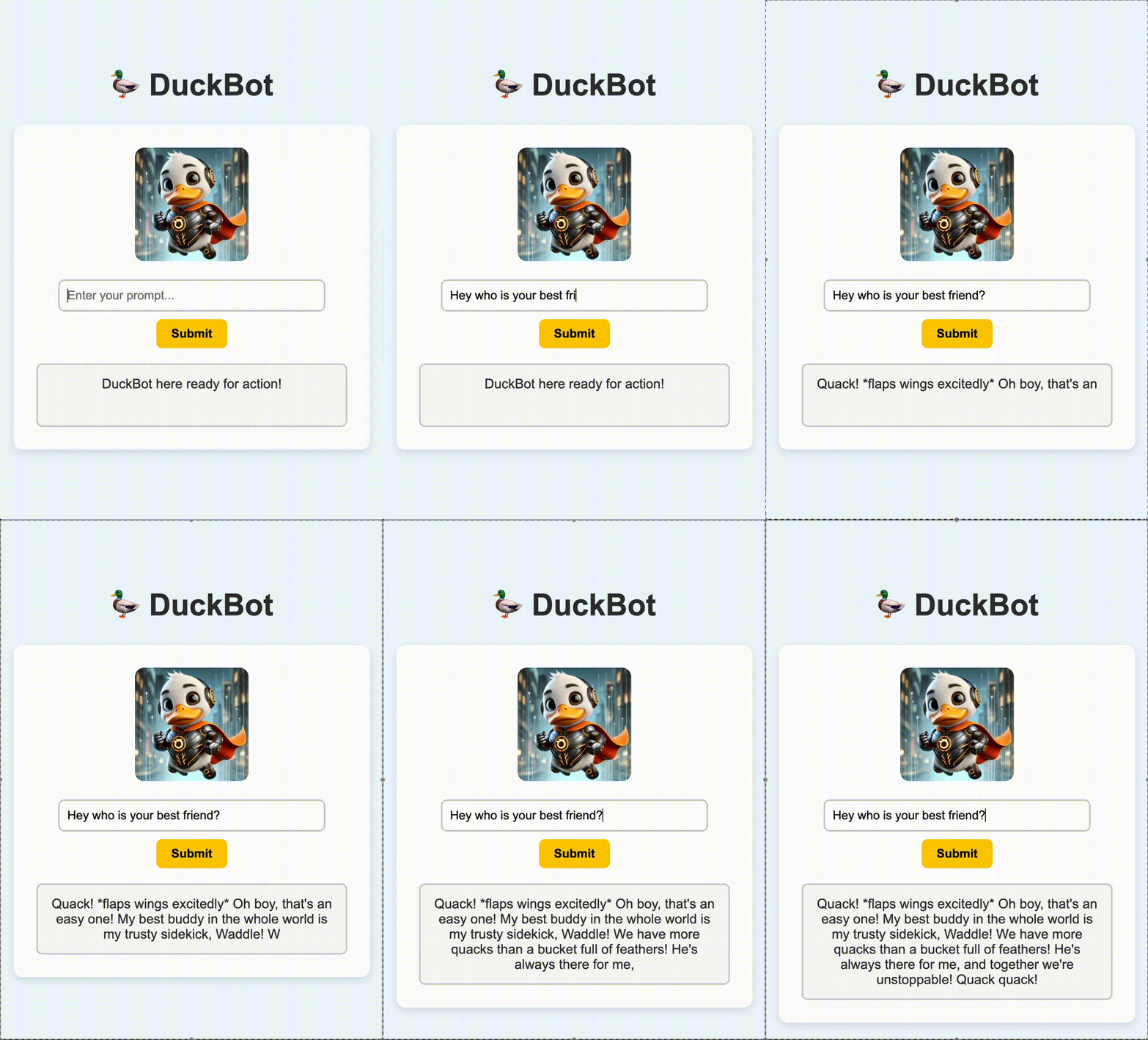
Once the DuckBot server is running and the web interface is loaded in your browser, follow these steps:
- Type a prompt: In the text input box, enter a query or prompt for DuckBot. For example, you can ask, "Where is Duck Boy from?"
- Click Submit: After typing your prompt, click the "Submit" button to send the input to DuckBot.
- Get the response: DuckBot will process your input, search for relevant facts, and generate a funny, AI-driven response.
- View the response: After DuckBot generates the response, it will be displayed in the response box, where you can read and enjoy it!
DuckBot uses a combination of Retrieval-Augmented Generation (RAG) to provide more accurate and personalised responses.
-
Retrieval: When you ask a question, DuckBot searches through the local SQLite database of facts about Duck Boy. It looks for similarities between your query and the facts in the database using cosine similarity, which measures word similarities in a multidimensional space. If it finds a match with a high enough similarity, it incorporates that fact into its response.
-
Generation: DuckBot then uses a pre-trained AI model to generate a more natural response, incorporating both the retrieved data, the query input, and a hidden prompt that tells the AI to get into character and respond as Duck Boy.
For example:
- If you ask, "What is Duck Boy’s favourite color?", DuckBot will retrieve the stored fact from the database: "Definitely orange. Classic duck style!" and generate a response around that, in character as Duck Boy.
This process ensures DuckBot can give both factual and witty answers!
- Python: Backend logic and AI-powered response generation.
- SQLite: Local database to store Duck Boy facts and embeddings.
- Sentence Transformers: Used for converting input text into embeddings for similarity-based responses.
- HTML/CSS/JavaScript: Frontend interface for interaction.
- PHP: Simple server-side scripting to interface between the frontend and the backend.
- Retrieval-Augmented Generation (RAG): Combines fact retrieval from the database with AI-driven text generation for more contextually relevant and personalised responses.
I welcome contributions to improve DuckBot! Here’s how you can help:
- Fork the repository.
- Create a new branch (
git checkout -b feature-branch). - Make your changes, improve features, or fix bugs.
- Submit a pull request to the main repository.
This project is licensed under the MIT License - see the LICENSE file for details.
- Special thanks to Laurence Spellman for creating Duck Boy during a Christmas party game!