


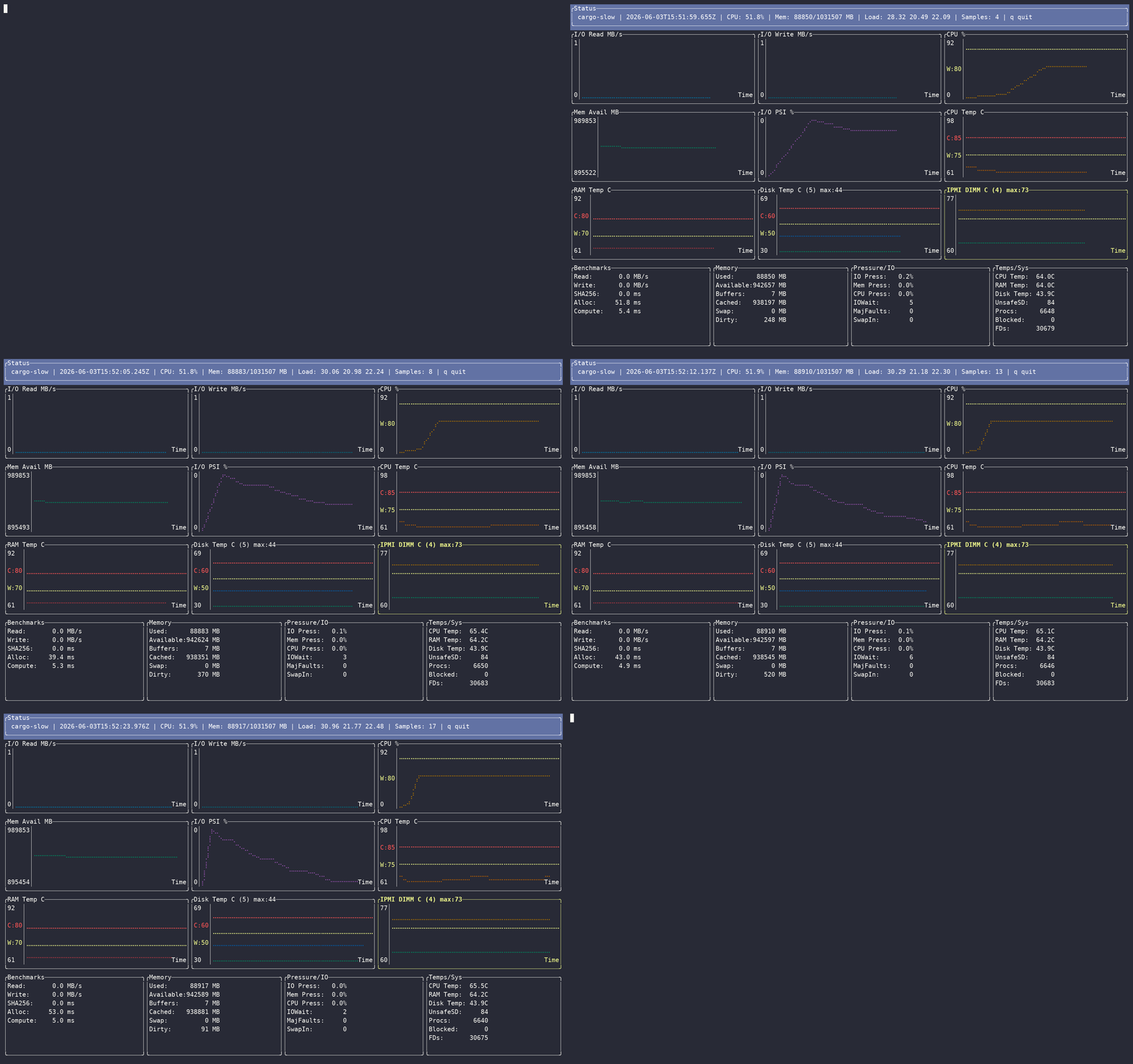
cargo-slow is a Linux terminal monitor for diagnosing slow machines, shipped as the cargo slow subcommand. It samples system pressure, temperatures, disk health, and optional throughput benchmarks, then shows the results in a TUI and writes them to CSV.
It is meant for the practical question: is this slowdown caused by I/O, memory pressure, thermal limits, disk health, or general resource exhaustion?
cargo install cargo-slowThis installs the cargo-slow binary, which Cargo runs as the cargo slow subcommand. You can also invoke the binary directly as cargo-slow.
# TUI dashboard
cargo slow

# Full hardware data, when SMART/IPMI access needs privileges
sudo $(which cargo-slow)

# Logging only
cargo slow --headless

# Include active disk throughput checks
cargo slow --io-bench

# Show all options
cargo slow --helpq, Esc, and Ctrl+C exit the TUI. If stdout is not a terminal, cargo slow falls back to headless mode.
- CPU usage, load, iowait, and CPU pressure.
- Memory, swap, dirty/writeback pages, and memory pressure.
- Disk I/O counters, queue depth, and optional read/write/hash benchmarks.
- Network counters, process counts, and file descriptor usage.
- CPU, DIMM, NVMe, SATA disk, and IPMI/BMC temperatures when available.
- SMART health, reallocated sectors, pending sectors, unsafe shutdowns, and disk pass/fail state.
Implausible sensor values are ignored rather than plotted or logged as real temperatures.
Most /proc and /sys metrics work as a normal user. Run with sudo for full SMART and IPMI/BMC coverage, especially SATA disk temperatures and disk health.
Optional tools:
| Tool | Used for |
|---|---|
smartctl from smartmontools |
SMART health and SATA disk temperatures |
ipmitool |
BMC/IPMI DIMM sensors |
The UI reports missing tools, missing sensors, and permission gaps.
| Option | Default | Meaning |
|---|---|---|
-i, --interval |
5 |
Seconds between samples |
-c, --csv-file |
metrics.csv |
CSV output path |
-t, --test-file |
/tmp/slowtest.bin |
File used by I/O benchmarks |
-f, --file-size-mb |
256 |
I/O benchmark file size |
--history-size |
120 |
Points kept for TUI plots |
--headless |
off | Disable the TUI |
--io-bench |
off | Enable active disk throughput benchmarks |
--io-bench is disabled by default because it adds disk load and may disturb an already slow system. Enable it only when you want direct throughput measurements.
- Linux.
- Rust 1.88 or newer.
- Kernel PSI support is optional but useful for pressure metrics.
- Hardware temperature support depends on the machine and loaded kernel drivers such as
coretemp,k10temp,zenpower,jc42, and NVMe hwmon drivers.
MIT