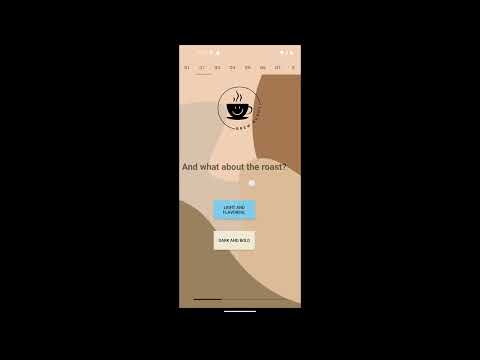
Brew Buddy is an app designed to help any coffee business achieve higher levels of customer satisfaction and therefore higher sales by helping users get better acquainted with that company's products faster. This android app takes in basic user preferences and translates them to recommended products on a menu, taking out much of the longer decision-making process that stops users from getting more complicated (and therefore more expensive) drinks.
This app helps improve the customers' experience with the business by recommending products that fit what the user likes, and may not have even known was on the menu, as well as helping the business get the customer familiar and comfortable shopping with recommended options at their store, making them more likely to come back due to the personalized experience.
Much like Amazon’s recommendation features, which according to an article by McKinsey and Company, account for 35% of what people buy on Amazon, this app’s idea was developed to create a simple version of a recommendation feature that smaller businesses could attach to their mobile apps in order to boost sales.
Also, it was just a fun idea to develop to see how this would all work together on a smaller scale. As mentioned in the “Possible Features Addition” this app could be easily extended to include food by just replacing the algorithm choices, making it a great template to use for any list of items a smaller store might be wanting to sell.
- Android Device/ Emulator running Android 9 (API level 28) or higher
- Valid internet connection for connection to the database
In the BrewBuddyApp repository, look for the APK file in the repository's file list: BrewBuddy.apk
- On the APK file's detail page, click on the "Download raw file" button to download the APK file to your computer.
- If using an android emulator:
- Launch an emulator, Android Studio, or IntelliJ.
- Click on "Configure" and select "AVD Manager" from the dropdown menu.
- In the AVD Manager, click on "Create Virtual Device."
- Choose a device model, select an Android version API level 28 or higher, and click "Next."
- Customize the emulator configuration if desired and click "Finish" to create the virtual device.
- Run the app by opening the APK in the desired emulator or by dragging and dropping the file into the virtual device.
- If using a physical android device:
- Using a USB cable, connect your Android device to your computer.
- Open the file explorer on your computer and locate the downloaded APK file.
- Copy the APK file and paste it into a convenient location on your Android device, such as the Downloads folder.
- On your Android device, open the file manager app.
- Navigate to the location where you copied the APK file in the previous step.
- Tap on the APK file to start the installation process.
- On your Android device, find the app icon in your app drawer or home screen.
- Tap on the app icon to launch the application and start using it.