Chatbot input field: Support overriding of individual attributes per steps #119
Conversation
This file contains hidden or bidirectional Unicode text that may be interpreted or compiled differently than what appears below. To review, open the file in an editor that reveals hidden Unicode characters.
Learn more about bidirectional Unicode characters


added 2 commits
August 2, 2018 10:21
… attributes as overrides into every step.

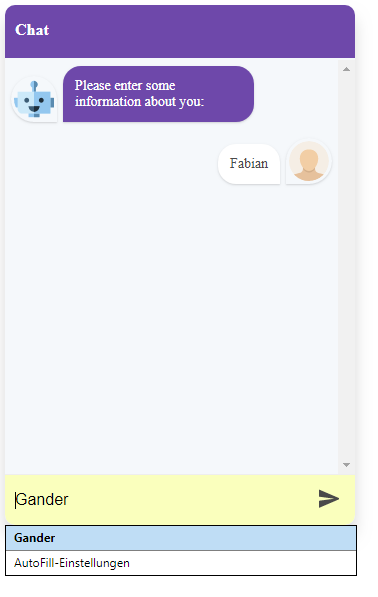
This allows us to have for example: browsers autofill-feature (autocomplete - attribute) and others.

Contributor
Author
|
To show what this makes possible: Autofill/Autocomplete
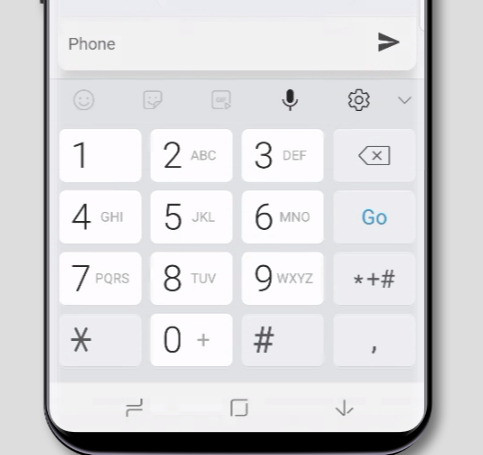
Keyboard layout
|


Owner
|
Loved that! Thank you @Cyclodex! |

Sign up for free
to join this conversation on GitHub.
Already have an account?
Sign in to comment
2 participants


Add this suggestion to a batch that can be applied as a single commit.
This suggestion is invalid because no changes were made to the code.
Suggestions cannot be applied while the pull request is closed.
Suggestions cannot be applied while viewing a subset of changes.
Only one suggestion per line can be applied in a batch.
Add this suggestion to a batch that can be applied as a single commit.
Applying suggestions on deleted lines is not supported.
You must change the existing code in this line in order to create a valid suggestion.
Outdated suggestions cannot be applied.
This suggestion has been applied or marked resolved.
Suggestions cannot be applied from pending reviews.
Suggestions cannot be applied on multi-line comments.
Suggestions cannot be applied while the pull request is queued to merge.
Suggestion cannot be applied right now. Please check back later.
Goal
We wanted to have several changes to the user input field, according to the step we are on.
Similar to the hideInput feature or metadata, but we wanted to have flexible access to override the input-fields attributes. This basically to reach 2 goals:
Changes
Test
I also added some tests for testing the feature / schemas
Usage example
We can now set individual attributes on the input, like:
Chatbot steps examples
Lastname
Email
Phone
Chatbot component example
Initial / Global settings
You can globally set any attributes on the input field using the inputAttributes prop on the ChatBot Component:
Feature Sponsored by
This feature/PR is sponsored by the company I work: Garaio AG