Plays a sound of your choice upon keypress, counts keystrokes, and provides digital lock light indicators. Windows only for now.
You will need a Windows 10 or 11 system. Older versions that support python 3 probably work but haven't been tested.
I also recommend you read the section titled "How to Count Keypresses" first.
Download .exe and run. Windows Defender will swear at you while you do this.
Alternatively you can install pyinstaller,
pip install pyinstaller
then compile the source code into an executable (after loading your preferred directory):
pyinstaller "beepin buttons.py" --onefile --uac-admin -w --icon=appicon.ico
The first time you run it, three things will be created: two folders called "profiles" and "keypers", then a file called "settings.json". Do not modify these.
Create a folder in the same directory as the application and put .mp3, .wav, or .ogg audio files into it. Run the program and you will see your folder under the profiles section. Select it and you will hear a random one of those sounds on keypress.
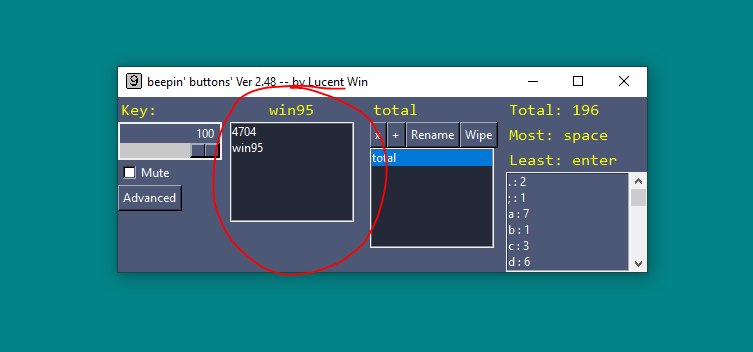
You can assign a specific sound to a key by naming a sound file a specific way. The format is:
cst_ + keyname
To find the name of a key, press it! A label will tell you.
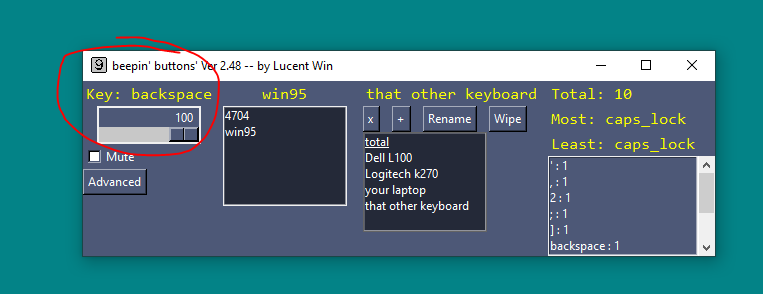
In this example, you'd name the file:
cst_backspace
Only a single custom sound can be assigned to a key at a time.
I recommend keeping the length of a file less than or equal to 0.3 seconds. But you can throw any ol' music folder if you don't mind the noise!
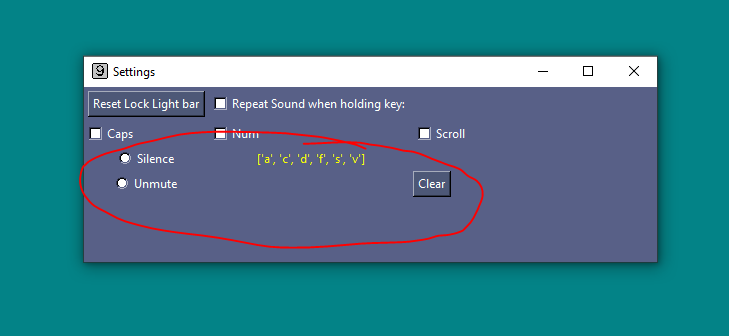
You can also mute specific keys in advanced settings.
If you install this, you agree to let a keylogger run on your system.
According to Kaspersky, "Keyloggers are built for the act of keystroke logging — creating records of everything you type on a computer or mobile keyboard. These are used to quietly monitor your computer activity while you use your devices as normal. Keyloggers are used for legitimate purposes like feedback for software development but can be misused by criminals to steal your data."
https://usa.kaspersky.com/resource-center/definitions/keylogger
Beepin' Buttons does not know what words you type, where you type them, nor transmits anything over the internet. It only tracks how many times you've pressed a key. However, your OS doesn't know this and might flag it as a virus. This type of software can indeed be quite harmful, so I urge you to review the source code.
Have you ever read a blurb for a keyboard and read something like: "lasts 5 million keystrokes"? Now you can track that.
A keyper is a tiny database for recording keystrokes. By default one named "total" is created by the program. It's job is to track all keystrokes you ever make while the application is active. You cannot change anything about this file within the program itself.
If you want to track keystrokes on a specific keyboard, create a new keyper and name it. There are ALSO options to delete, create, rename, and clear the data.
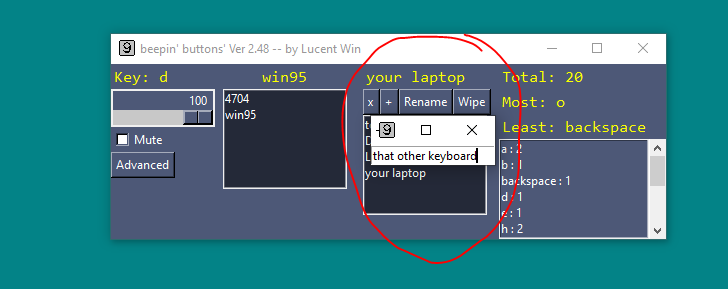
The rightmost panel shows a summary of that keyper's keystrokes. They are sorted alphabetically
Beepin' Buttons remebers where you move this bar, so it will reappear in the same place next time you open the application. If you have a certain lock on most of the time, like num lock, you can tell the bar to ignore that indicator. Finally, you can reset its position if it ever goes off screen.
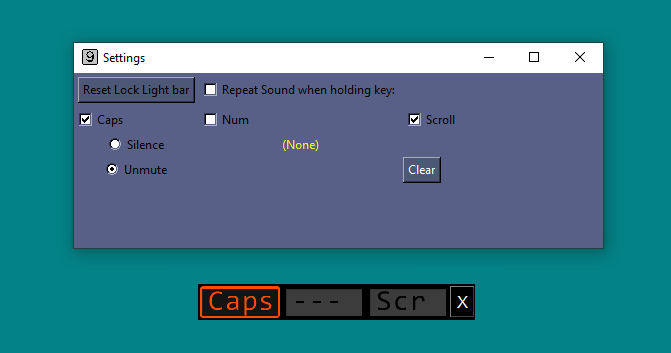
Repeat protection prevents sounds from playing over and over when holding a key down. This works because most keyboards send messages to your OS for when a key is pressed and when it is released. older keyboards only say when a key is pressed down. If you hear a single noise, then nothing, disable this feature.
It you want to contribute, thank you! Just keep in mind that stability and Linux support are the goals for now, not new features.
- Lucent Win
This project is licensed under the GPL v3 License - see the LICENSE.md file for details