Repository navigation
Setting up the dependency
Before getting started with patches, you have to add PatchLib as a dependency to your project.
First, you want to modify your mod's mod_info.json to declare PatchLib as a dependency. This makes the game require users to have PatchLib enabled to use your mod and prevents crashes when that isn't the case.
"dependencies": [
    {
      "id": "patchlib",
      "name": "! PatchLib !"
    },
  ],
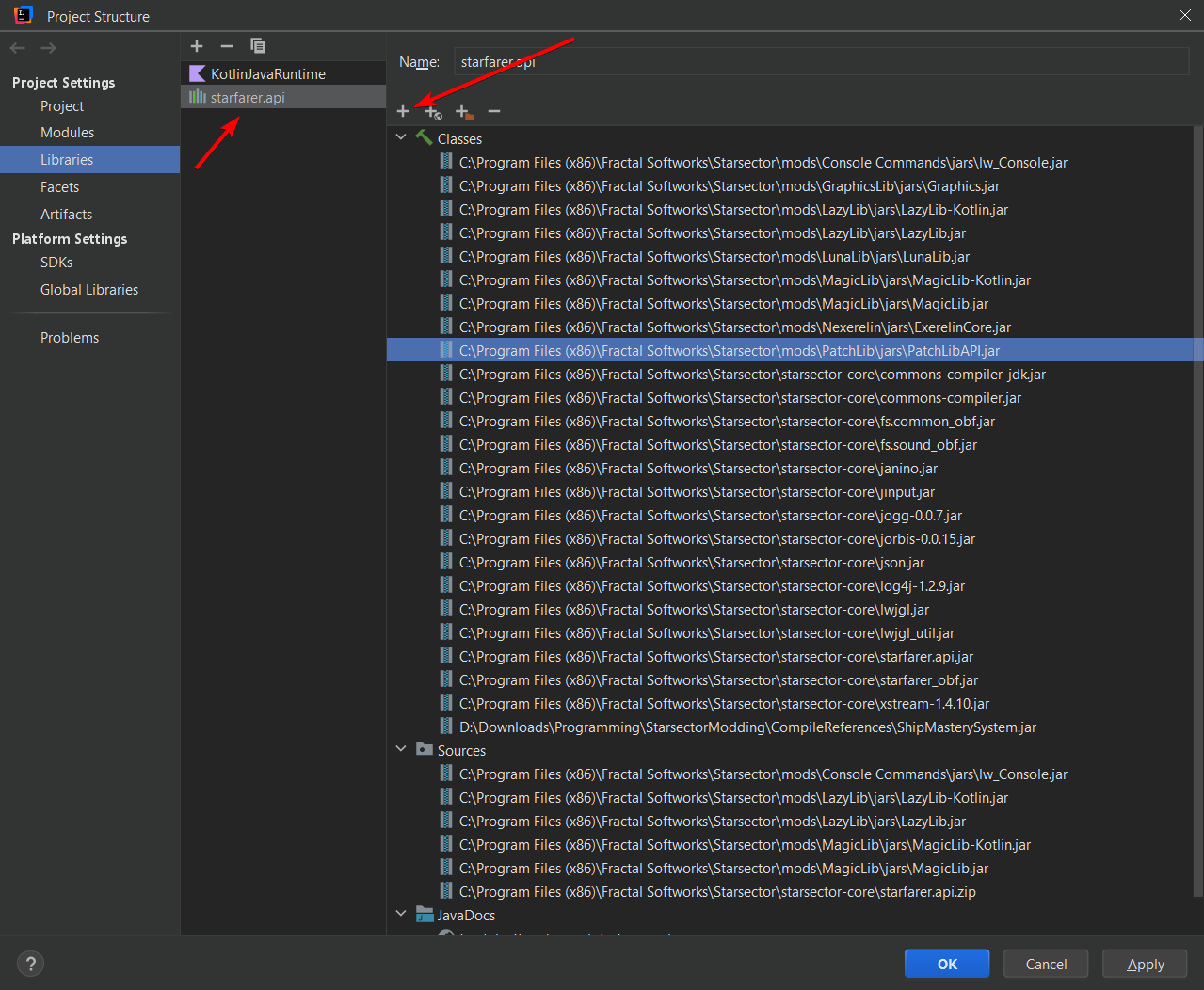
Afterwards, you want to add PatchLibAPI.jar from PatchLib/jars/ as a reference to your project. Do not add the other jars from the same folder. The process for this depends on how your mod is set up. If you used the mod template from Galatia Academy, then modify modDepencendies in your build.gradle.kts file.
val modDependencies = listOf(
    "LazyLib.jar", //LazyLib
    "LazyLib-Kotlin.jar",

    "MagicLib.jar", //MagicLib
    "MagicLib-Kotlin.jar",

    "LunaLib.jar", //LunaLib

    "PatchLibAPI.jar", //Add PatchLib here like this

    //Some other common dependencies, uncomment them if you need them.
    //Make sure to note them in mod_info.json as well.

    //"Graphics.jar", //GraphicsLib
    //"ExerelinCore.jar", //Nexerelin
    //"lw_Console.jar", //Console Commands
)
If you instead used Wisp's IntelliJ Template, you want to click on File -> Project Structure -> Libraries -> starfarer.api and use the + button to add PatchLibAPI.jar from its folder.