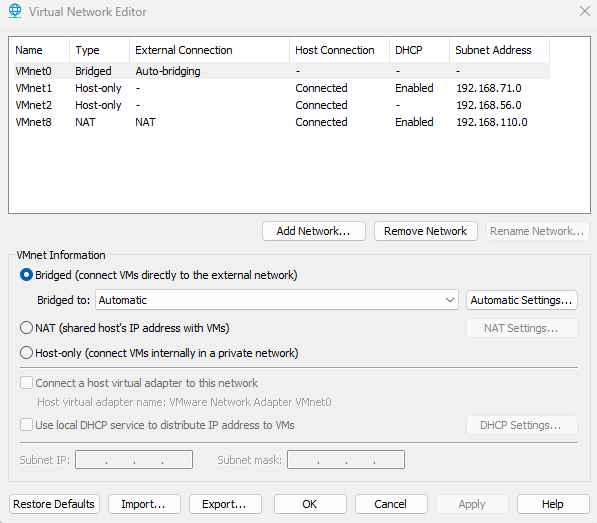
Vmware Workstation
- I used
Virtual Network Editorto add Virtual Network and i named itVMnet2with Host-only Type
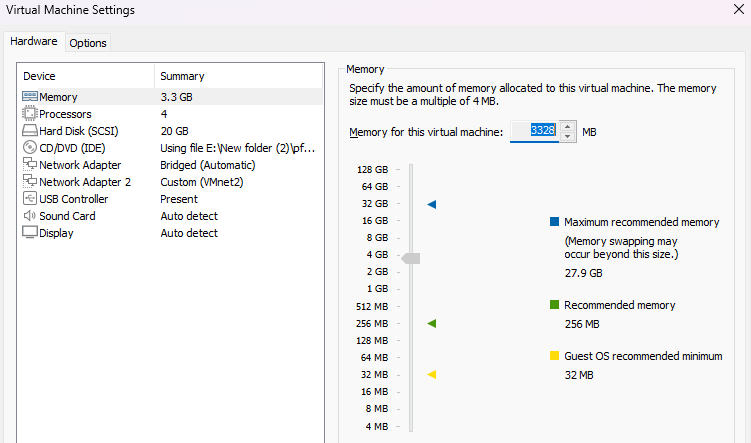
- Install Pfsense Iso image and then Create Virtual machine
- Create New Network Adapter 2 as shows in image
- lunch the Virtual Machine
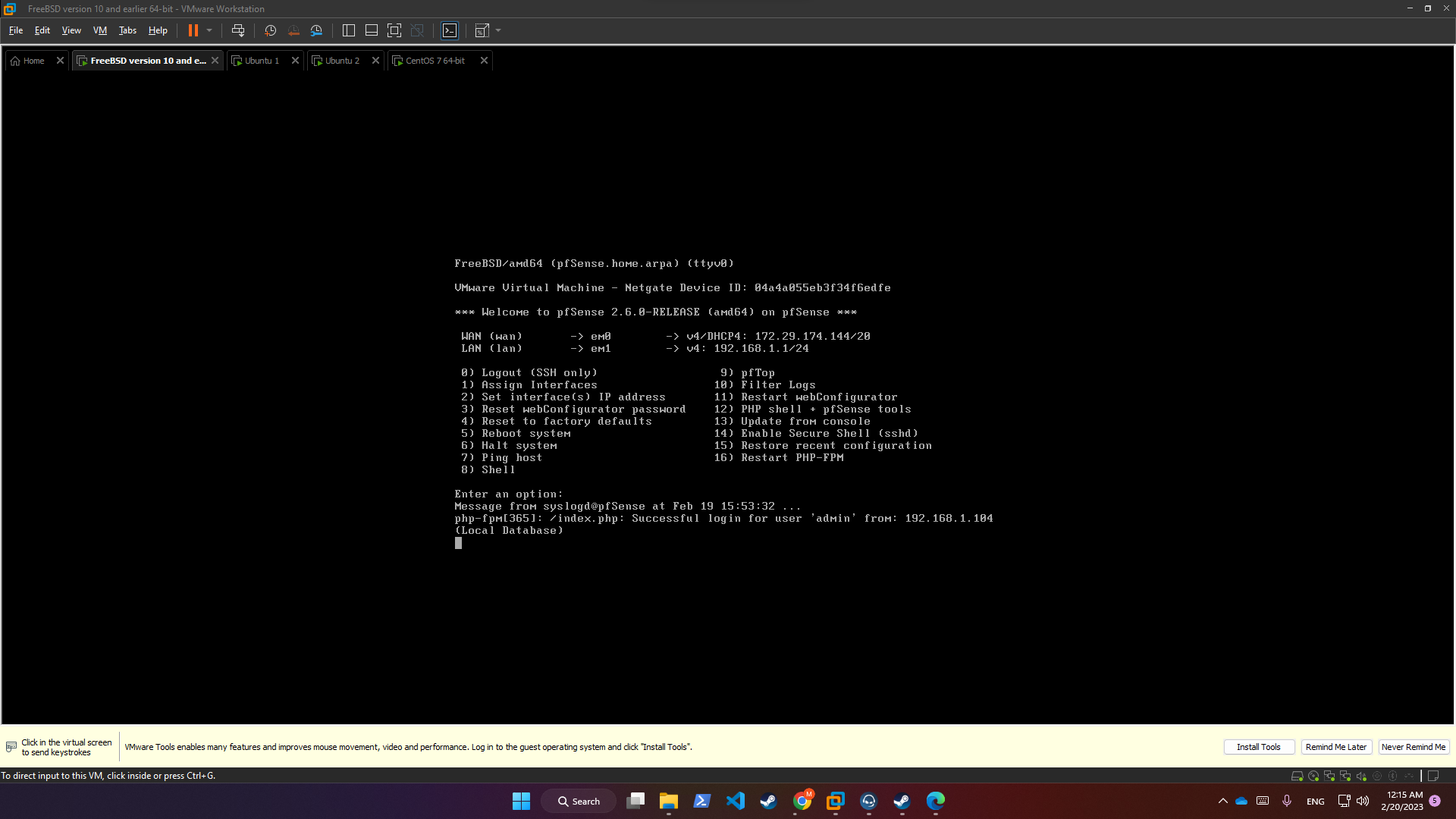
WAN(eM0) DHCP4 : 172.29.174.144/20LAN(eM1) GW : 192.168.1.1/24
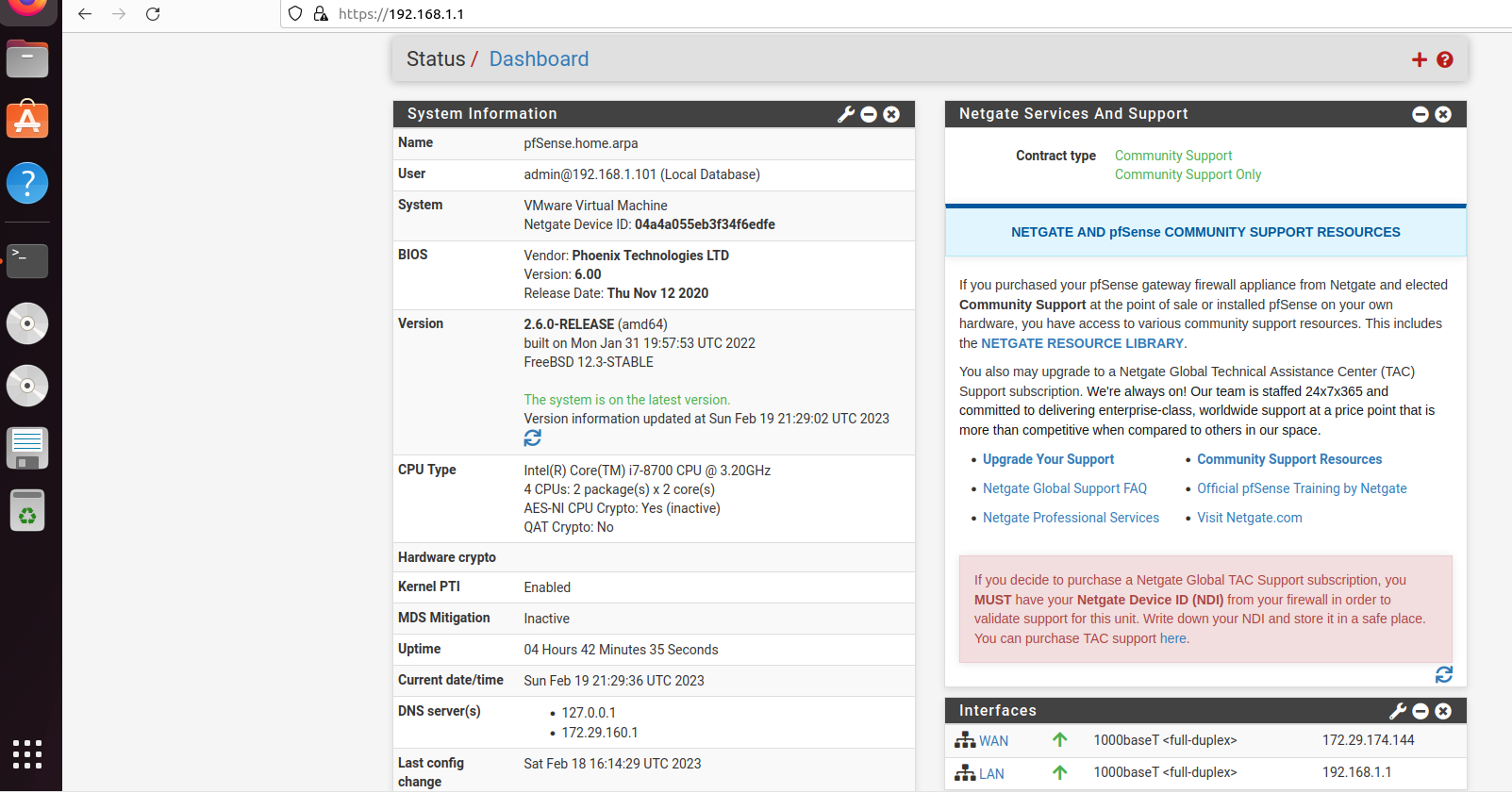
ubuntuserver1 with ipv4192.168.1.100pinging192.168.1.1
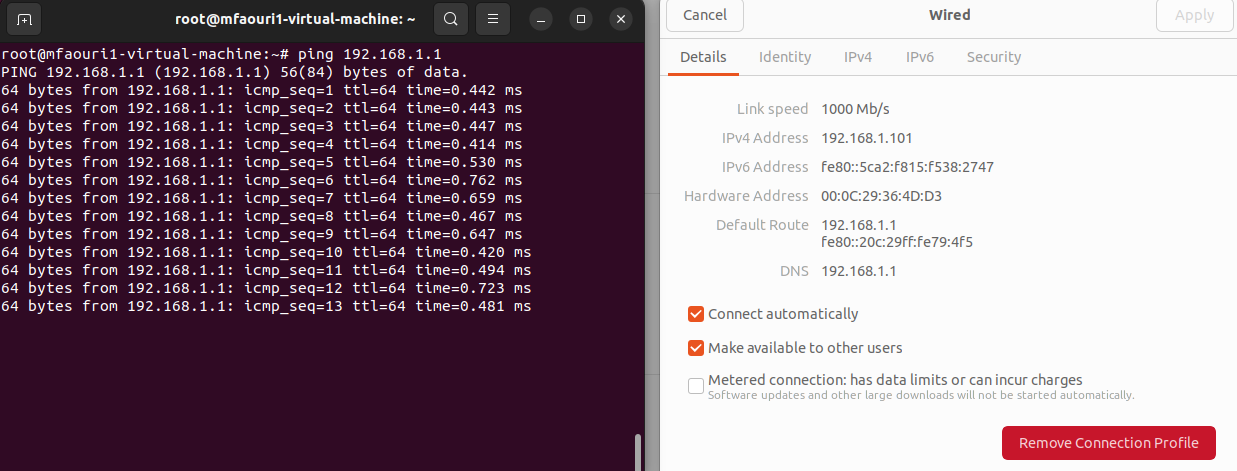
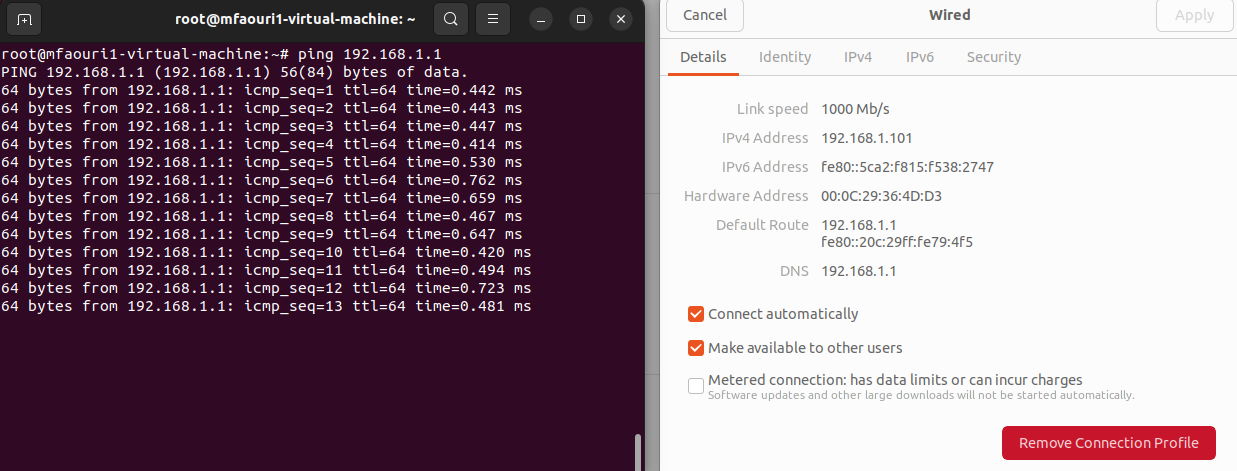
ubuntuserver2 with ipv4192.168.1.101pinging192.168.1.1
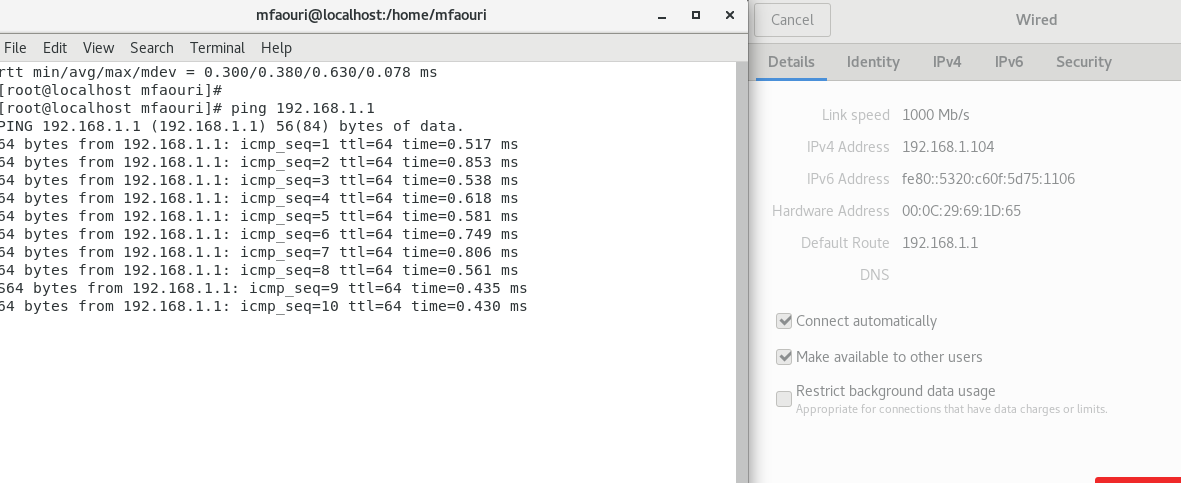
Centos7server3 with ipv4192.168.1.104pinging192.168.1.1
#!/bin/bash

#Disable unnecessary services
systemctl disable avahi-daemon.service
systemctl disable cups.service
systemctl disable isc-dhcp-server.service
systemctl disable slapd.service
systemctl disable nfs-server.service

#Configure user accounts and groups
passwd -d root
useradd -m -s /bin/bash user1
usermod -aG sudo user1
useradd -m -s /bin/bash user2
usermod -aG sudo user2
useradd -m -s /bin/bash user3
usermod -aG sudo user3

#Enforce strong password policies
sed -i 's/password    requisite     pam_cracklib.so retry=3 minlen=8 difok=3 ucredit=-1 lc>

#Restrict access to sensitive files and directories
chmod 600 /etc/shadow
chmod 600 /etc/gshadow
chmod 644 /etc/passwd
chmod 644 /etc/group
chmod 644 /etc/security/access.conf
chmod 644 /etc/security/group.conf
chmod 644 /etc/security/passwd
chmod 600 /etc/ssh/sshd_config

# Configure logging and auditing
sed -i 's/#SyslogFacility AUTH/SyslogFacility AUTH/g' /etc/ssh/sshd_config
sed -i 's/#LogLevel INFO/LogLevel INFO/g' /etc/ssh/sshd_config
systemctl restart sshd.service
#!/bin/bash

#Disable unnecessary services
systemctl disable avahi-daemon.service
systemctl disable cups.service
systemctl disable dhcpd.service
systemctl disable slapd.service
systemctl disable nfs-server.service

#Configure user accounts and groups
passwd -d root
useradd -m -s /bin/bash user1
usermod -aG wheel user1
useradd -m -s /bin/bash user2
usermod -aG wheel user2
useradd -m -s /bin/bash user3
usermod -aG wheel user3

#Enforce strong password policies
sed -i 's/password    requisite     pam_cracklib.so retry=3 minlen=8 difok=3 ucredit=-1 lcredit=-1 dcredit=-1 ocredit=-1/password    requisite     pam_cracklib.so retry=3 minlen=12 difok=4 ucredit=-1 lcredit=-1 dcredit=-1 ocredit=-1 enforce_for_root/g' /etc/pam.d/system-auth

#Restrict access to sensitive files and directories
chmod 600 /etc/shadow
chmod 600 /etc/gshadow
chmod 644 /etc/passwd
chmod 644 /etc/group
chmod 644 /etc/security/access.conf
chmod 644 /etc/security/group.conf
chmod 644 /etc/security/passwd
chmod 600 /etc/ssh/sshd_config

#Configure logging and auditing
sed -i 's/#SyslogFacility AUTH/SyslogFacility AUTH/g' /etc/ssh/sshd_config
sed -i 's/#LogLevel INFO/LogLevel INFO/g' /etc/ssh/sshd_config
systemctl restart sshd.service
docker-compose.yml
version: '3'
services:
  grafana:
    image: grafana/grafana:latest
    ports:
      - "3001:3000"
    restart: always
  prometheus:
    image: prom/prometheus:latest
    ports:
      - "9901:9090"
    command:
      - '--config.file=/etc/prometheus/prometheus.yml'
    volumes:
      - ./prometheus.yml:/etc/prometheus/prometheus.yml
    restart: always
prometheus.yml
global:
  scrape_interval:     15s
  evaluation_interval: 15s

scrape_configs:
  - job_name: 'prometheus'
    static_configs:
      - targets: ['localhost:9090']

  - job_name: 'node-exporter'
    scrape_interval: 5s
    static_configs:
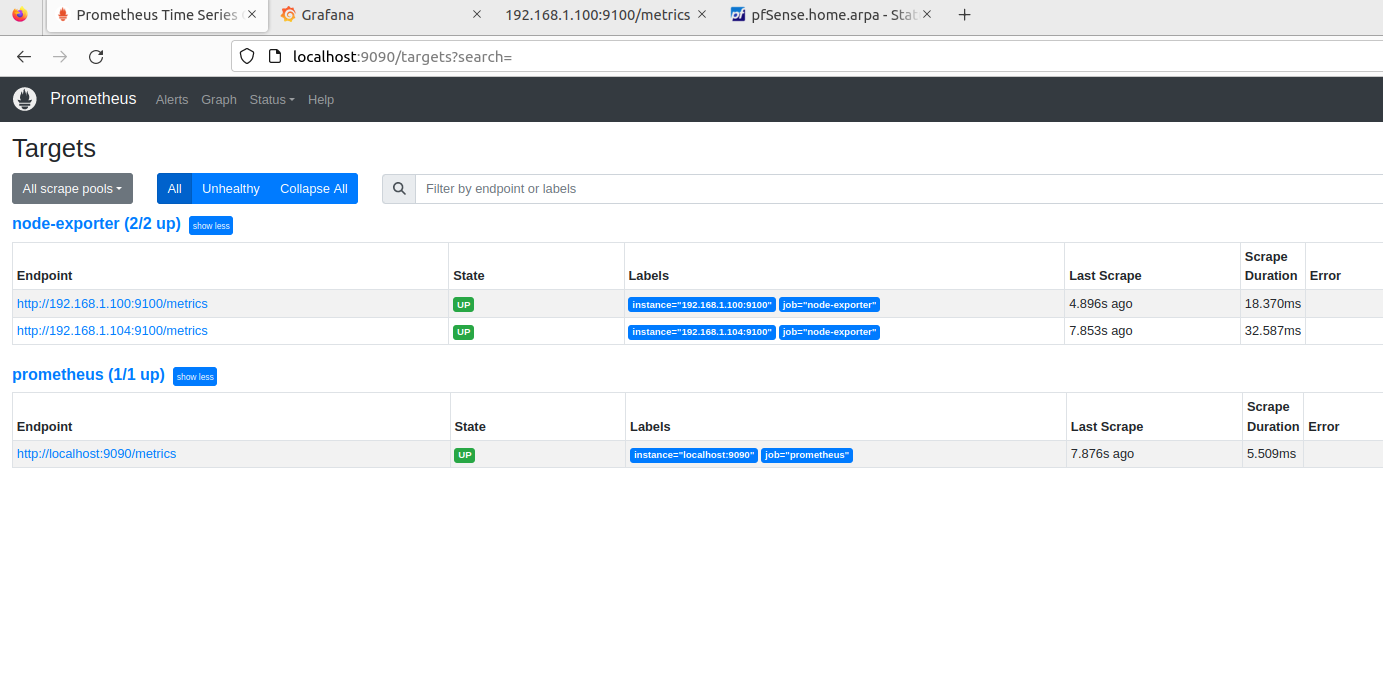
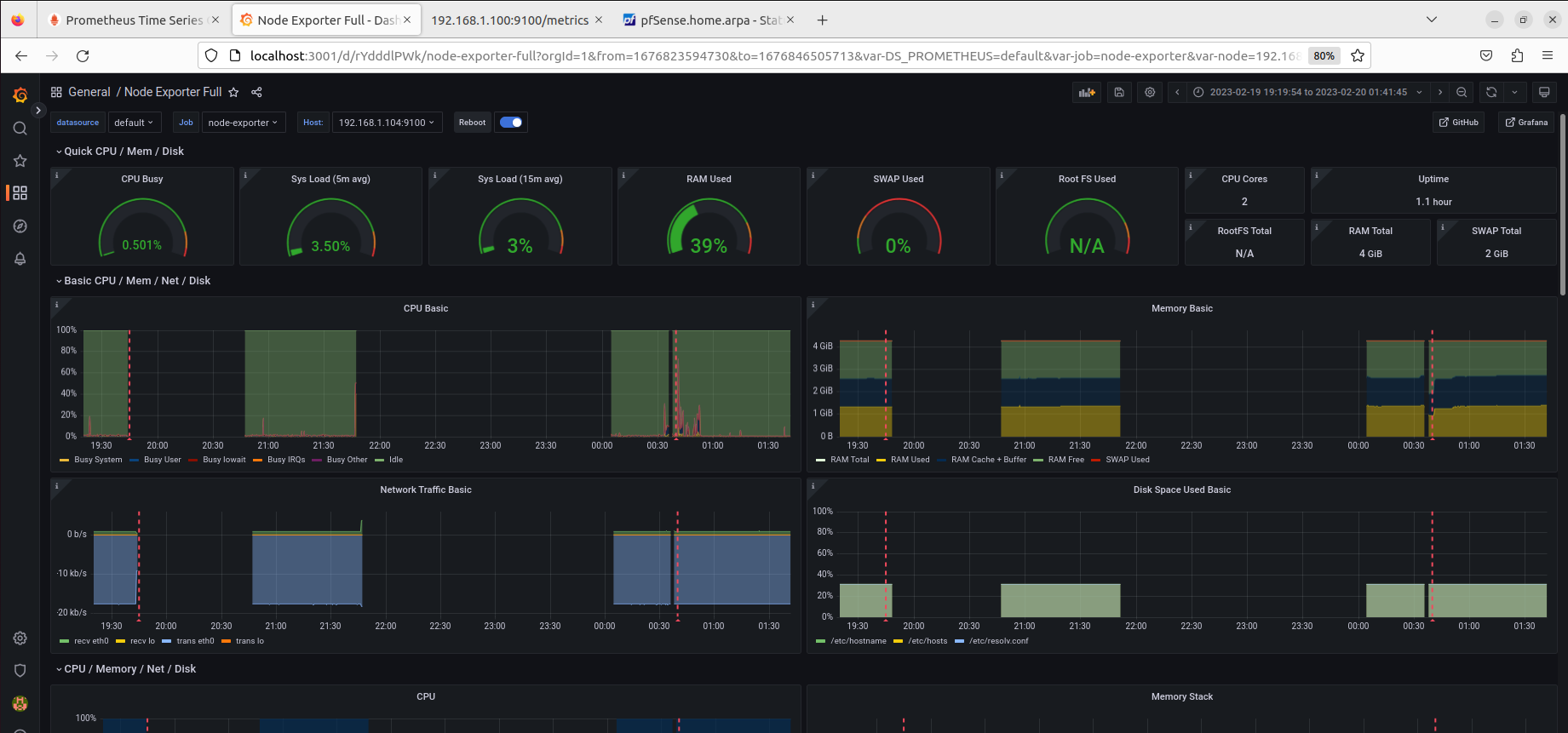
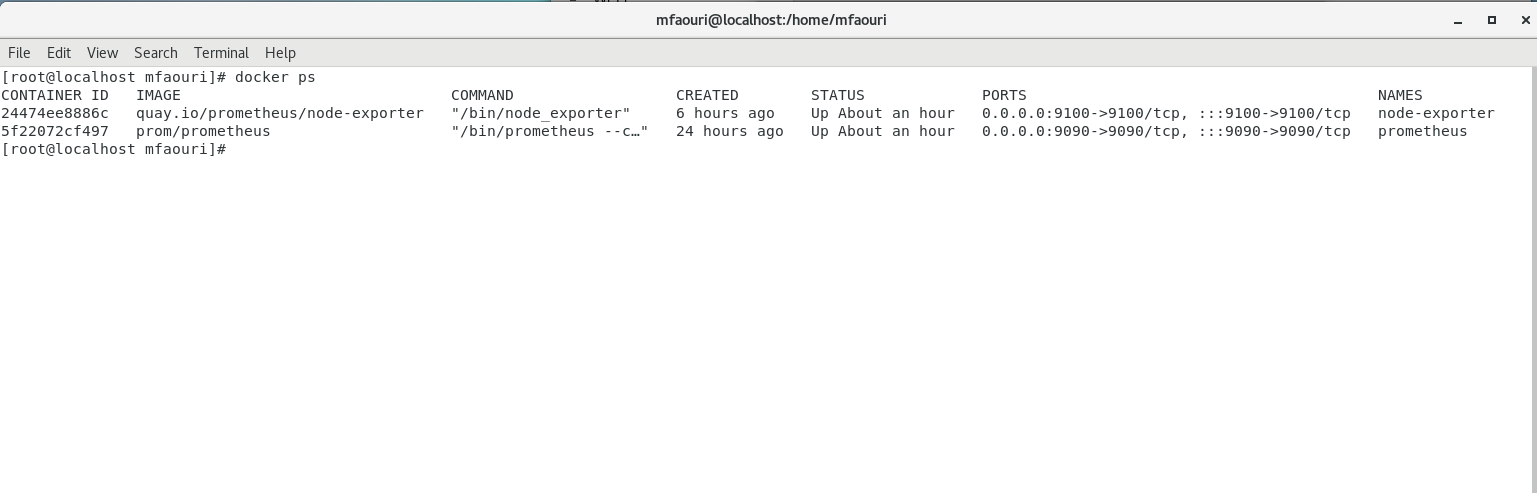
      - targets: ['192.168.1.100:9100', '192.168.1.104:9100']
FROM nginx:alpine

# Copy index.html to the container
COPY index.html /usr/share/nginx/html

# Expose port 1309
EXPOSE 1309

# Start nginx
CMD ["nginx", "-g", "daemon off;"]

Create Dockerfile that writes the numbers from 1 to 10 on a text file named numbers.txt and maps the file to the host directory /opt when the docker-compose up command is run:
FROM alpine:latest

RUN apk add --no-cache bash

CMD ["bash", "-c", "seq 1 10 > /data/numbers.txt && tail -f /dev/null"]
Create docker-compose.yml file that maps the /data/numbers.txt file in the container to the /opt directory on the host:
version: '3'

services:
  numbers:
    build: .
    volumes:
      - type: bind
        source: /opt
        target: /data