https://mmmphoto.github.io/Event-Finder/
We created this application as a way to find local events or events in major cities, using APIs calls to two different APIs.
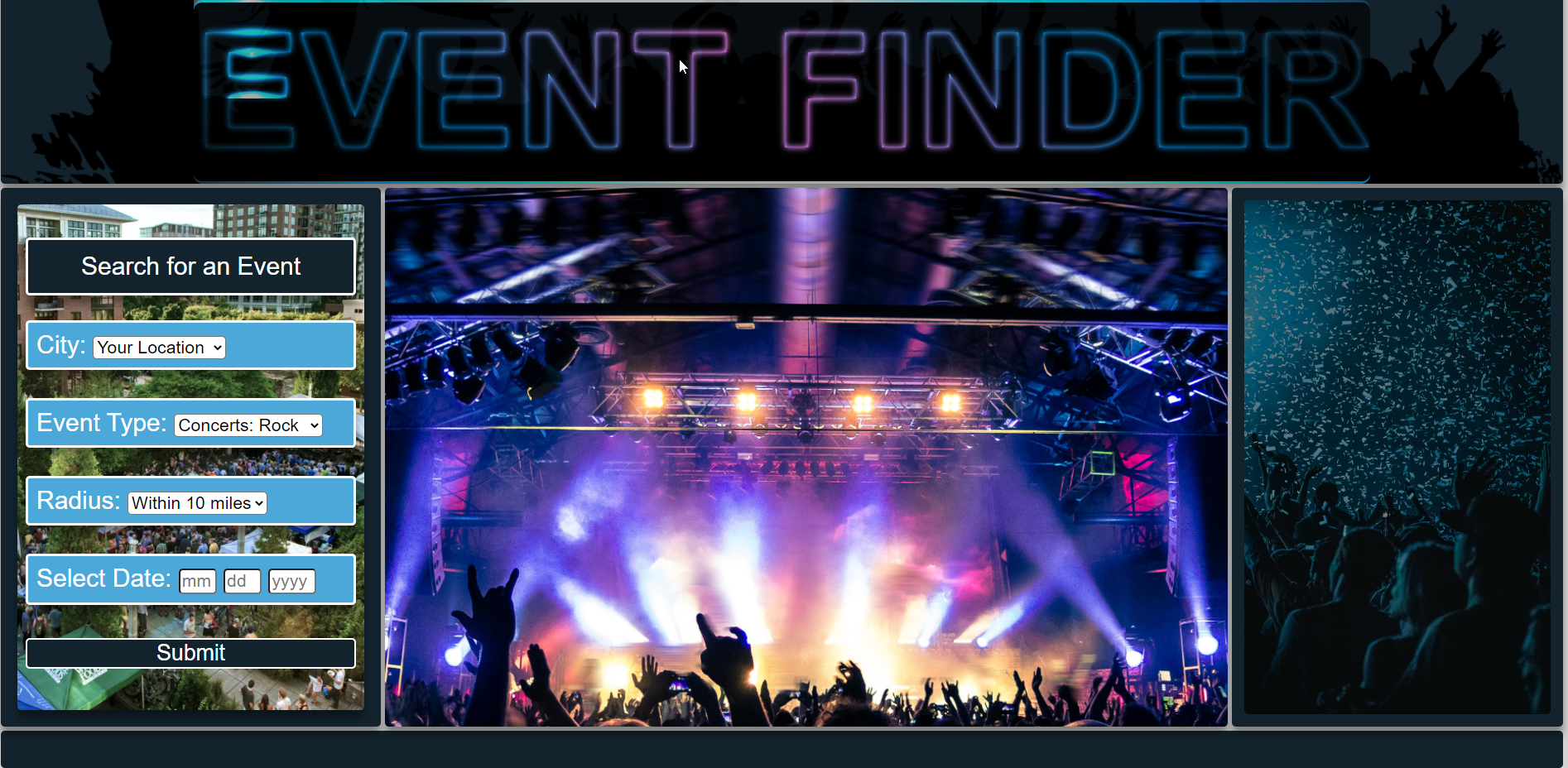
This applications allows you to search for events. Based on your current location or from the pre-populated list of cities in the drop down menu. Based on event type. The radius from you location, and the date you wish to go to an event.
This application uses the ticketmaster api and pulls the event data for the events searched.
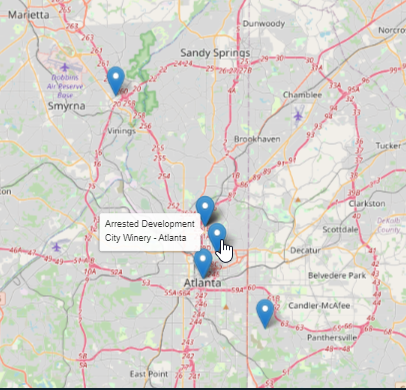
This application also uses the leaflet api to generated a map. This map will pinpoint your current location and will also populate the map with the location of the events that came from the search.
Events that you are able to search for are:
- Concerts: Rock
- Concerts: Pop
- Concerts: Rap
- Concerts: Metal
- Musicals
- Sports: Baseball
- Sports: Soccer
- Sports: Football
- Festivals
HTML
JavaScript
CSS
Ticketmaster API https://developer.ticketmaster.com/products-and-docs/apis/discovery-api/v2/
Leaflet API https://leafletjs.com/index.html Documentation: https://leafletjs.com/reference.html
1 - City: Select either your location or a city from the pre-populated list.
2 - Event Type: choose an event from the pre-populated list.
3 - Radius: Select you current search radius.
4 - Select Date: Enter an upcoming date in the following format (mm dd yyyy).
5 - Click the on the submit button.
This initial search uses an API call to get JSON data.
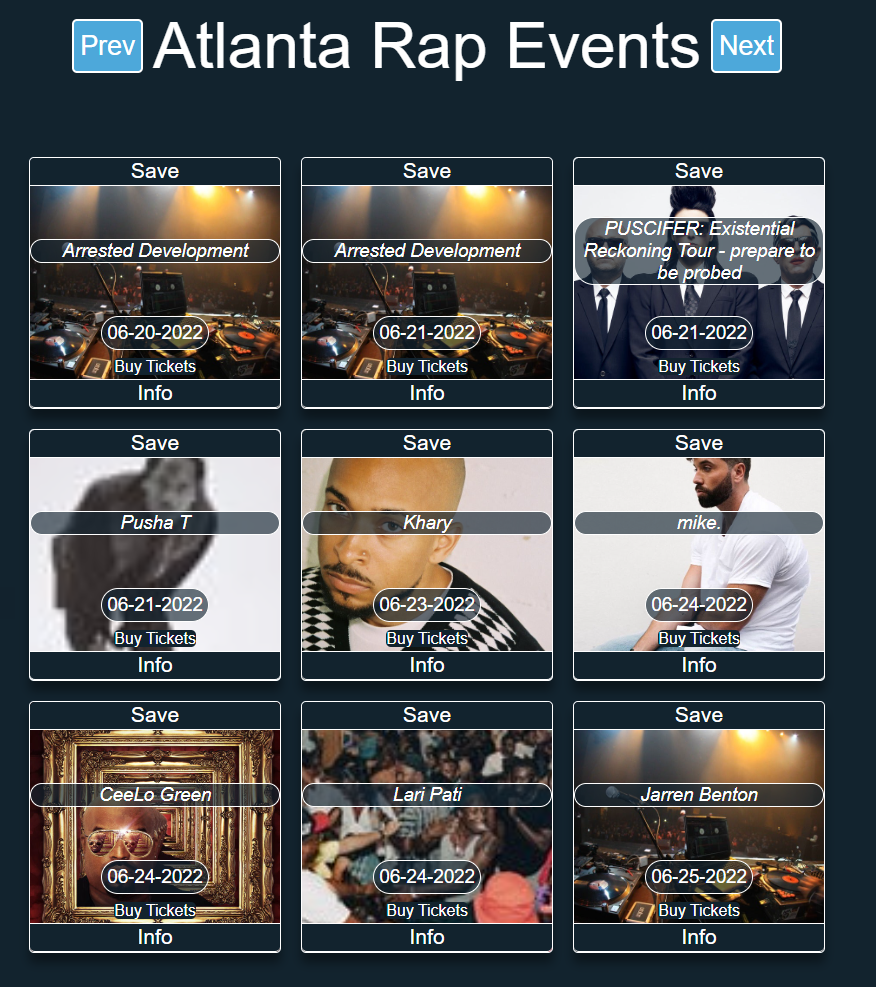
This will populate a list of events on the page. You have an option to save your searched event, by clicking on the 'Save button' at the top of the tiles. Each event that you click the save button for will create a new button, that will display on the left panel. This information is stored in session storage so you want lose your saved events. This button also gives you the option to purchase a ticket for that event.
The page will show a max of 9 events. You can click the 'Next button' to see the next 9 upcoming events, which are sorted by date.
By clicking on the 'Buy Tickets button' you have the option to buytickets for this event. This will open a new window to purchase tickets.
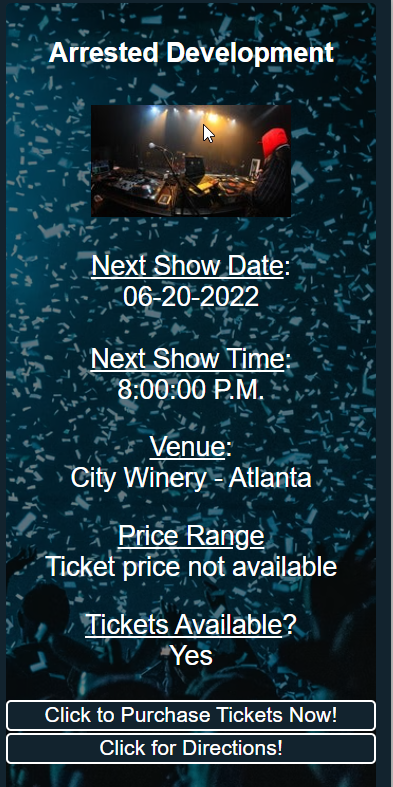
By clicking on the 'Info button', it will show information about the current event on the right panel of the page. You also have the option to purchase tickets, but clicking on 'Click to Purchase Tickets Now! button'. The 'Click for Directions! button' will open a new window to google maps with driving directions from your location.
Page load screen screenshot
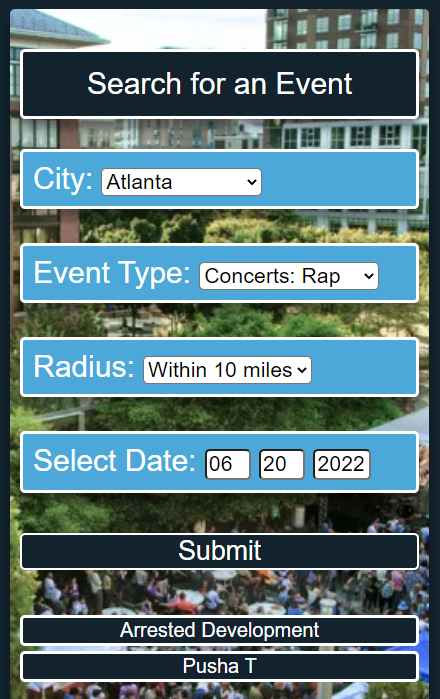
Left panel screenshot with search criteria
Search results screenshot
Right Panel event information screenshot
Map with populated events after search screenshot