
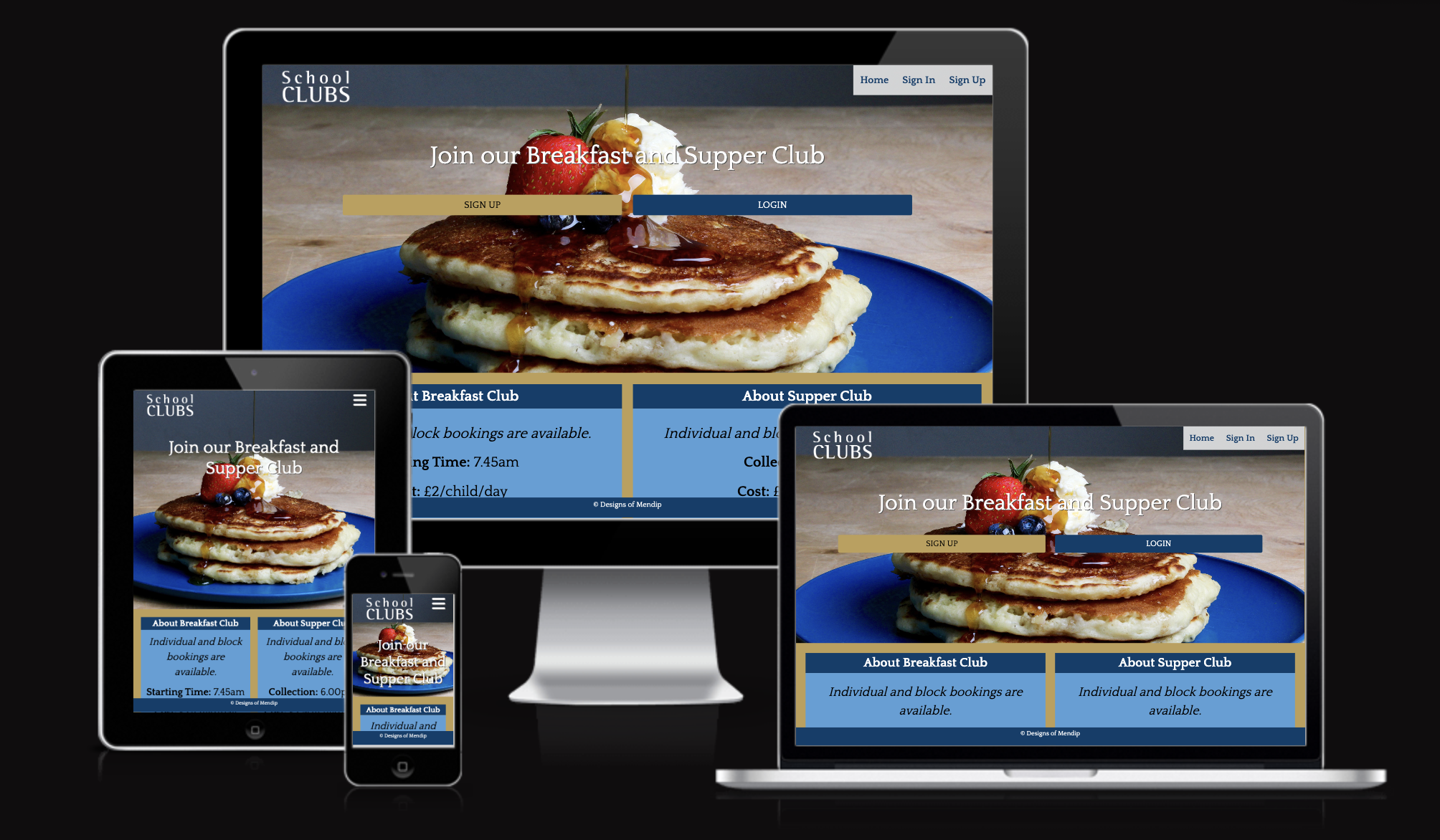
This responsive website is designed based on requirements of a particular independent prep school in the UK who offer a Breakfast and Supper Club, to give the necessary functionality for both parents and school administrators. Parents are able to book their child/children onto regular sessions (eg every Monday morning), edit their contact details as well as request one-off additions or cancellations. Administrators are able to see who has recently requested a change requiring approval, edit details if needed, approve/deny requests and see who is signed up to attend a particular session.
For the purpose of this project, all references to the name of the school have been removed although their overall branding has been used. In a real-world scenario, the school’s logo would be used in the main menu to reassure the users that it is a legitimate website and their contact details would be on the website.
Link to deployed site: https://school-clubs.herokuapp.com/
- HTML
- CSS
- Javascript
- Lighthouse
- Python
- Colour Contrast
- User Story: Experience Testing
- Feature Testing
- Further Testing
- Fixed bugs
- Known bugs
Deployment and Local Development
- User Stories
- Site Users
- As a Site User, I would like to be able to create an account so I can view/amend my bookings.
- As a Site User, I would like to be able to block book specified days so that I don’t have to select dates individually.
- As a Site User, I would like to be able to add/amend my details so that I can manage how I am contacted.
- As a Site User, I would like my child’s year to be automatically updated at the start of the next academic year so that I don't have to do it manually.
- As a Site User, I would like past dates to automatically disappear from the booking option so that it is easier to find the date that I want.
- As a Site User I would like to know the status of my requests so I know whether or not the sessions have been successful booked.
- Site Administrators
- As a Site Admin, I would like to be able to see who is signed up for a particular date so that I can prepare resources accordingly.
- As a Site Admin, I would like to easily move pupils up a Year Group at the start of the next academic year and not allow parents to amend this field so that I know the Year Groups remain accurate.
- As a Site Admin, I would like to know if someone makes an amendment so that I can update my record for who is attending each session.
- As a Site Admin, I would like to be able to add / remove a particular pupil from a club on a specified date so that an approved last minute cancellation or a pupil who showed up without booking can be accounted for.
- As a Site Admin, I would like to restrict users’ ability to amend a booking so that they can only cancel bookings that are more than one day in the future.
- As a Site Admin, I would like to be able to limit the dates so that people can only book dates where the club is available.
- As a Site Admin, I would like users to confirm the cost that is added to their school bill so that they can’t refute the charge later.
- Accessibility
- Designed to assist users with screenreaders
- Images (not background images) have an alt tag label
- Links have an aria label
- Semantic elements used
- Design
- Typography
- Quattrocento, a serif font available on Google Font, (used throughout the site) and Rotis Sans Serif, a semi-serif font, (logo only) were chosen based on the brand guidelines of the Independent Prep School that inspired this project. They convey the quality and prestige provided by the school, which (whilst historic) still embraces modern ideas. By following the brand guidelines of the school used on their other sites, it reassures users of authenticity.
- Colour Scheme
- The colours were chosen based off of brand guidelines of the Independent School who inspired this project. Again, these specific colours were chosen to convey the quality and prestige the historic yet modern school has to offer and by following the brand guidelines of the school used on their other sites, it reassures users of authenticity.
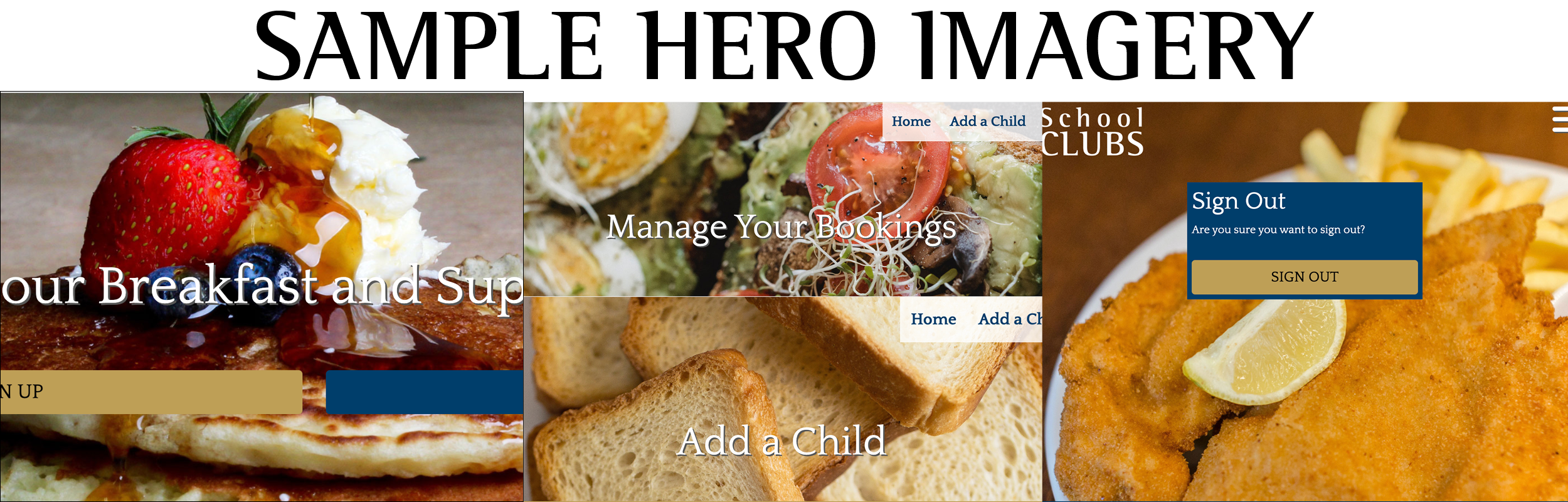
- Imagery
- The images at the top were chosen to reassure parents and their children about the delicious and nutritious food that is on offer at the clubs. The images are large and prominent to entice people new to the clubs and also remind them why they like going.
- In an ideal scenario, these would be pictures of food served at the actual club. However, given the fictional nature of this project, images were sourced with thanks from the Pexel website.


- Responsive on all device sizes
- Login authentication
- Linked to a database that users can amend/delete/create content to
- Admin control panel for superusers
- Accessible for screenreaders
- HTML5
- CSS
- Javascript
- Python
- Bootstrap 5.0: used to assist with the responsiveness and styling of the website.
- J Query: used alongside Bootstrap.
- Google Fonts: used to import the 'Quattrocento' font into the base.html file which is used on all pages.
- Font Awesome: used in the navigation (mobile view).
- Git: used for version control by utilizing the Gitpod terminal to commit to Git and Push to GitHub.
- GitHub: used to store the projects code after being pushed from Git.
- Adobe Photoshop: used to resize images for the website.
- Adobe InDesign: used to create the wireframes during the design process.
- Adobe Illustrator: used to create the logo.
- Django: used to help make the website more quickly and with less code.
- Cloudinary: used to store photographs for the project
- ICO Converter: used to create a favicon from an image created in Illustrator ICO Converter website
- ElephantSQL: used to host the database
HTML: Tested the following pages with W3C Markup Validator (I initially had some errors due to location of div elements in relation to python if / for statements, which I subsequently modified so they now pass)
- account/login.html: https://school-clubs.herokuapp.com/accounts/login/
- account/signup.html: https://school-clubs.herokuapp.com/accounts/signup/
- account/logout.html: https://school-clubs.herokuapp.com/accounts/logout/
- add_pupil.html: https://school-clubs.herokuapp.com/add_pupil/
- amend_pupil.html: https://school-clubs.herokuapp.com/amend_pupil/2 (chose pupil at random)
- date_request.html: https://school-clubs.herokuapp.com/date_request/2 (chose request at random)
- index.html: https://school-clubs.herokuapp.com/
- manage_bookings.html: https://school-clubs.herokuapp.com/manage_bookings/
CSS: Tested static/css/style.css with W3C CSS Validator using the direct input method (no errors found)
Javascript: Tested static/javascript/script.js with Jshint website (no errors found)
Python: Tested the pages I created/used with Pycode Style (no errors found). See steps below:
- In the terminal, check you have pycodestyle installed by running: pip install pycodestyle
- In the terminal, run pycodestyle --first *ADD RELATIVE FILEPATH HERE* for each of the pages you wish to check until no errors are found (see examples below)
- pycodestyle --first pupils/models.py
- pycodestyle --first pupils/admin.py
- pycodestyle --first pupils/forms.py
- pycodestyle --first pupils/views.py
- pycodestyle --first schoolclubs/urls.py
- pycodestyle --first schoolclubs/settings.py (Please note that some pre-existing code from Django on settings.py failed due to line length, but all code that I added passed)
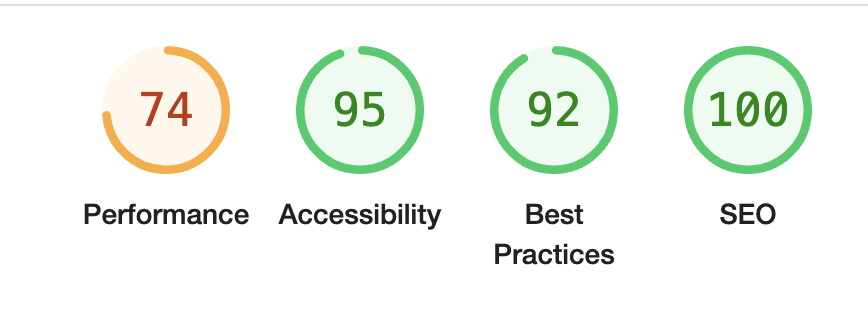
Lighthouse: Overall good although I'd recommened exploring the performance recommendations in a future release, but left for now due to time constraints
Colour contrast: Tested using Webaim Contrast Checker Website
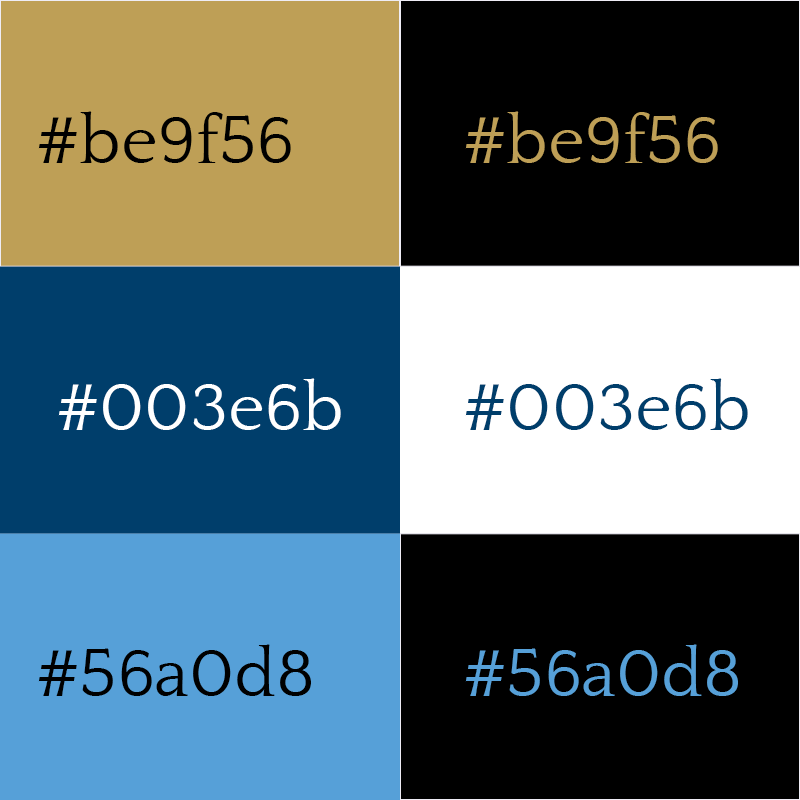
- #be9f56 (gold) passed with black on gold / vice versa
- #003e6b (navy) passed with white on navy / vice versa
- #56a0d8(light blue) passed with black / vice versa
| Goals | How are they achieved? | Image |
|---|---|---|
Site Users |
||
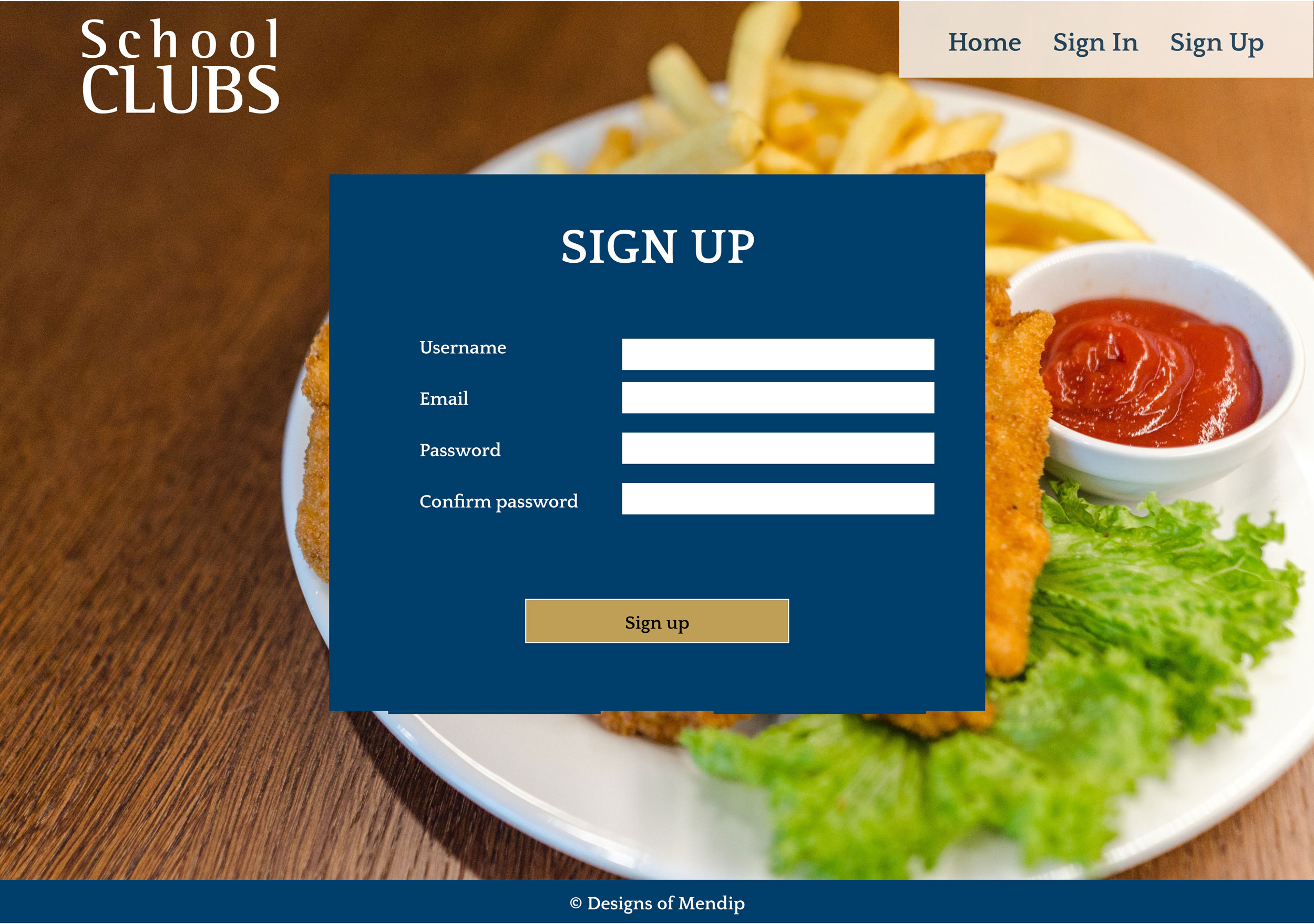
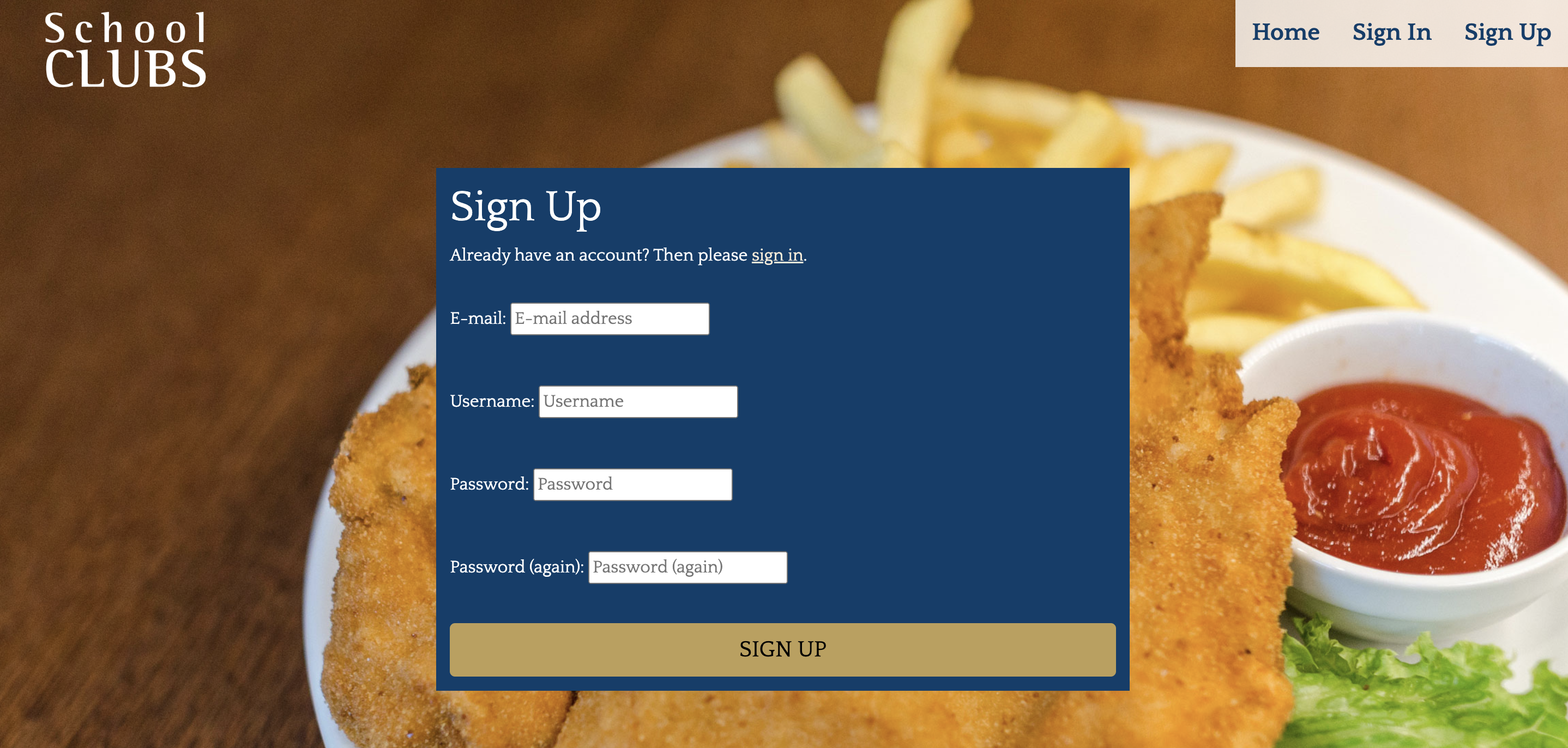
| Account facility to add/view/amend bookings | If a user isn't currently signed in, they are given very limited options as to what they are able to do when they get to the homepage (either sign in or sign up) so that they are aware that they can create an account. Once signed in, they have two other options: Add a child or manage bookings so they can easily see by the buttons/menu that they have the facility to add and amend bookings | 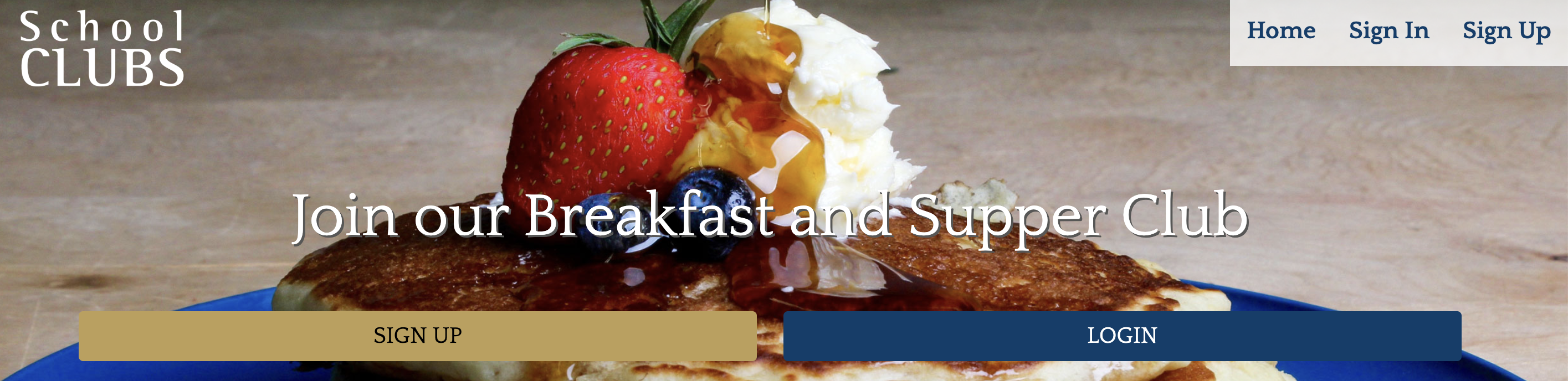 |
| Block bookings for specified days | When adding a child, users have the option to tick which session(s) they'd like the child to have each week (for example, Breakfast on Mondays and Supper on Tuesdays) rather than requesting a series of dates. | 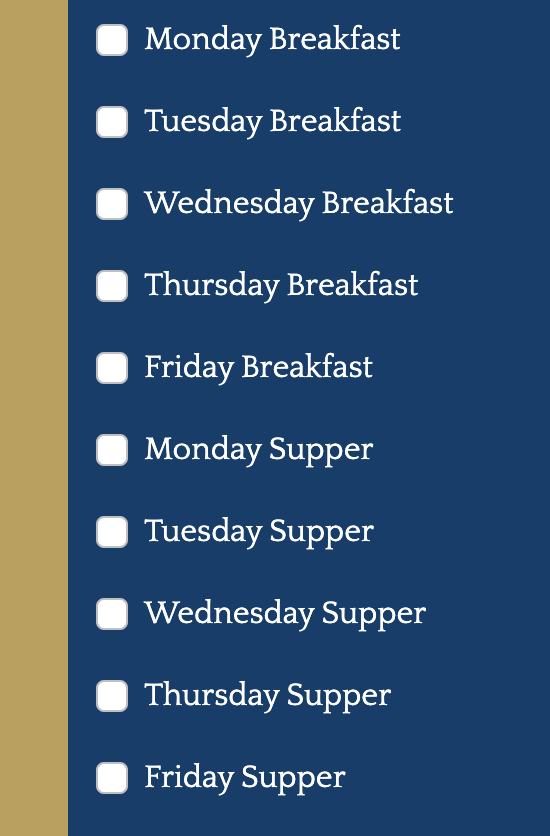 |
| Add/amend contact details | Users aren't asked to provide an email when initially adding a child as the information is pulled from their user login information (they are required to add an email when creating an account). However, they have the option to update their email when they amend their child in case it changes in future. They can also add/amend a contact number when adding/amending a child. Both are required fields | 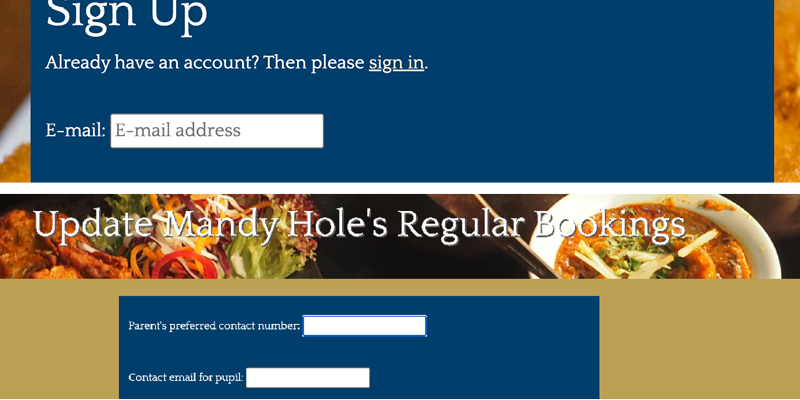 |
| Automatic updates for child's year | Admininstrators can make the Year Group go up a year in the admin panel (using the pupil model) by selecting all pupils and using the action "Advance year". After Year 6, the clubs would no longer be available so those pupils' records would be deleted during the advancement process. I didn't give users the ability to amend a pupil's year as it isn't something that would need to be changed apart from during the summer when the admins will run the action. By allowing users this ability, there would be a risk that parents would advance it in the summer before the admins had a chance, which would then make it inaccurate when the admin ran the function. | 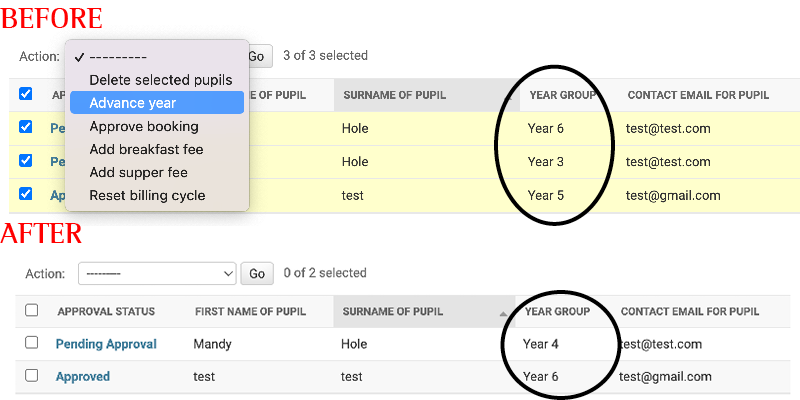 |
| Past dates to automatically disappear from the booking option | The date request form has been designed using a date picker that defaults to the current date. Should they select a date that is in the past or doesn't give the 48 hours required notice, the admins will have the opportunity to deny the request based on insufficient notice. Once the term has ended, admins would delete all the requested dates for that term. | 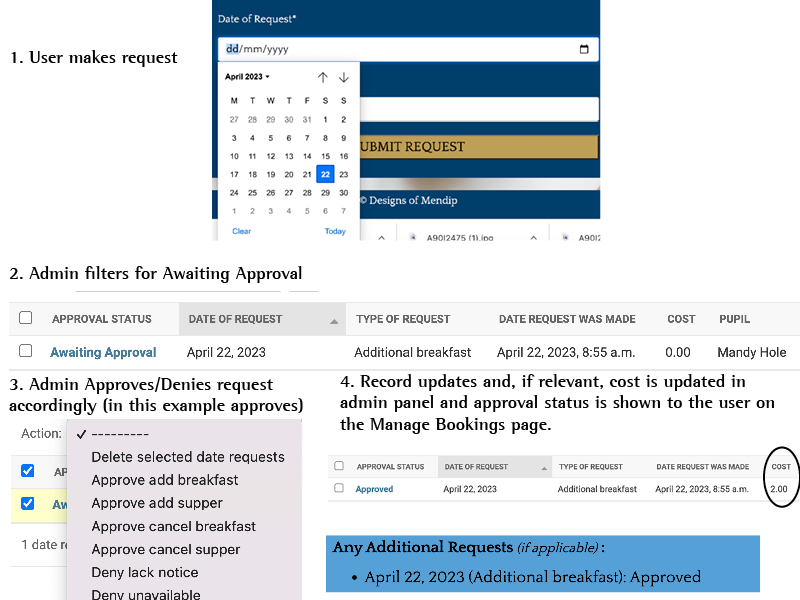 |
| Know approval status for bookings | Messages appear that show when a form is successfully submitted. On the "Manage Booking" page, you can see the status of any requests and whether they are pending approval, declined (with a reason) or approved. Admins should review requests at a set time each workday to approve/deny in a timely manner. | 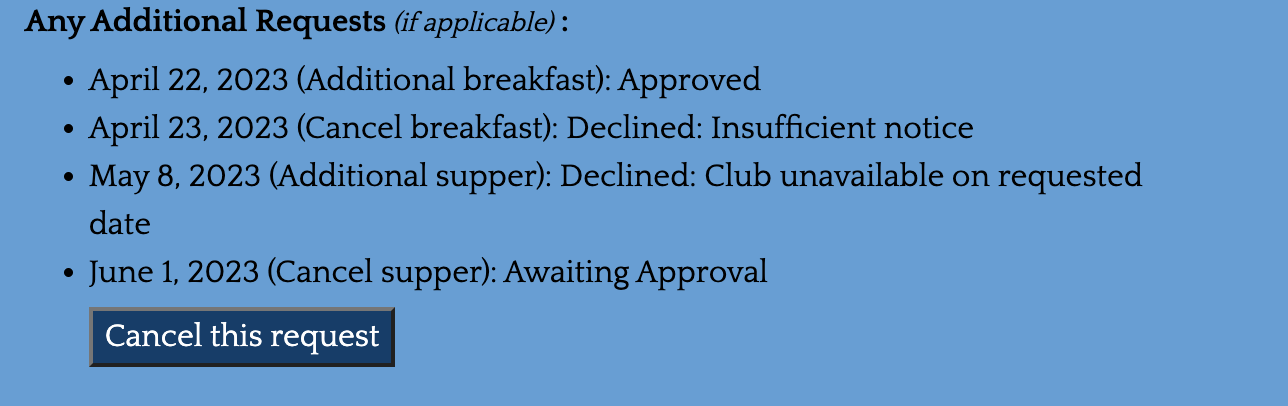 |
Site Admins |
||
| See who has signed up to attend a session | In the admin area, under the Date Request model, admins can order the list based on the date of the request to see if there are any approved cancellations/additional date requests for any particular date. That, in conjunction with the regular attendees, which can be found in the pupil model by filtering by session, will provide all of the pupils who should be at a particular session. In an ideal world, this would be streamlined better and cause less administrative work. | 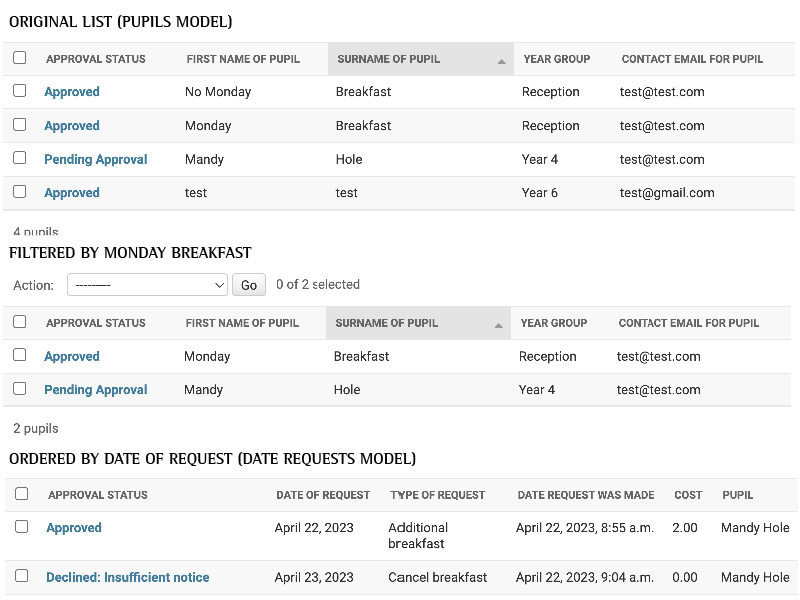 |
| Move pupils up a Year Group / keep records accurate | Admininstrators can make the Year Group go up a year in the admin panel (using the pupil model) by selecting all pupils and using the action "Advance year". After Year 6, the clubs would no longer be available so those pupils' records would be deleted during the advancement process. I didn't give users the ability to amend a pupil's year as it isn't something that would need to be changed apart from during the summer when the admins will run the action. Giving them the ability would create a risk that parents would advance it in the summer before the admins had a chance. | |
| Know about amendments | When a user adds / amends their details or requests a one-off request, the approval status is set at either 'Pending Approval' / 'Awaiting Approval' respectively. The admin can use these as a filter and then approve/decline the request as required and update their records for that session. The approval status is conveyed to the user on the "Manage Bookings" page. This system requires admins to regularly check the admin panel and could be improved if they were instead notified by email or an alert (a potential enhancement in future). | 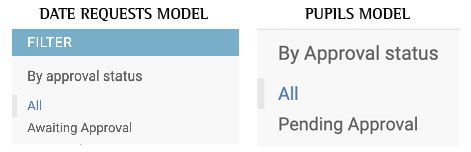 |
| Add / remove pupil from session | Site Admins can add/remove pupils using the Date Request Model in the admin section of the website. | 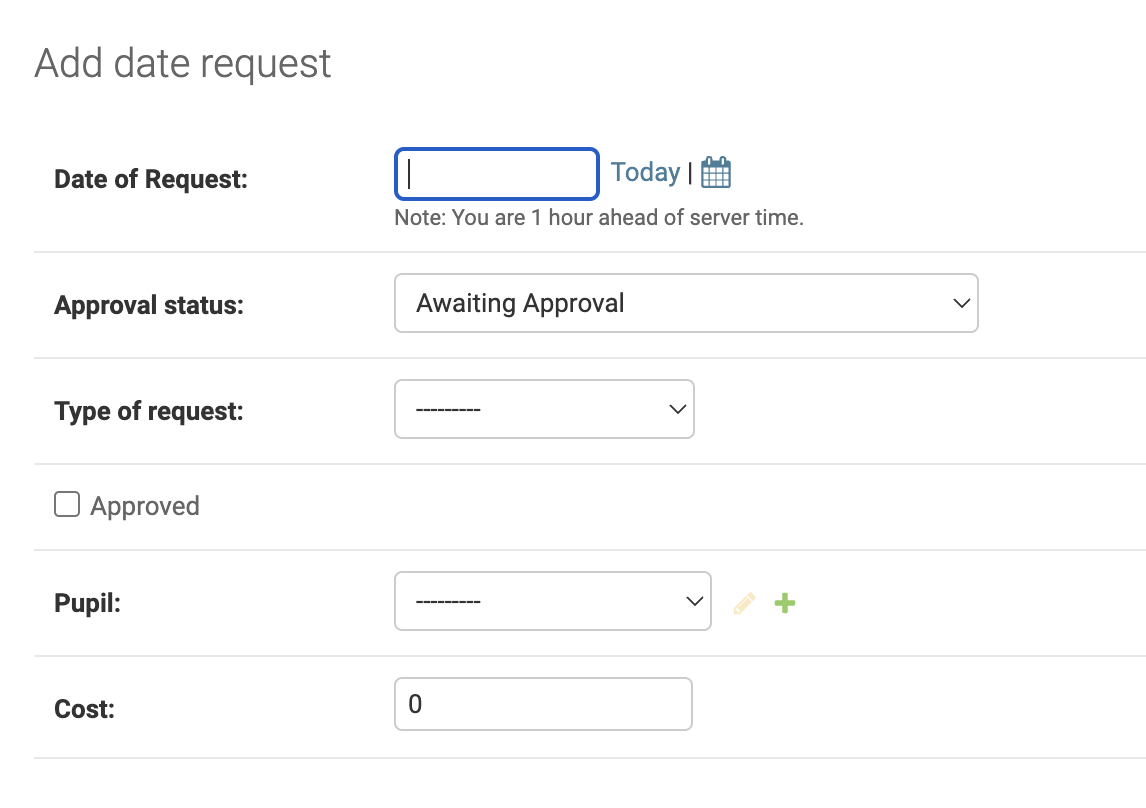 |
| Restrict users’ ability to amend a booking: Insufficient notice | Site Admins have the ability to decline/approve any requests that are made. A 'pending' notice will be shown on the Manage Booking page until an admin declines the request, siting a reason of insufficient notice. | |
| Limit the dates booked | Site Admins have the ability to decline/approve any requests that are made. A 'pending' notice will be shown on the Manage Booking page until an admin declines the request, siting a reason of unavailable date if the date requested falls on a day when the club isn't running. | |
| Costs confirmed before booking | Site Admins know that users will have confirmed they know about the costs for the club before they make a request because the forms cannot be submitted unless the confirmation box is ticked so the fee can't be disputed later. | 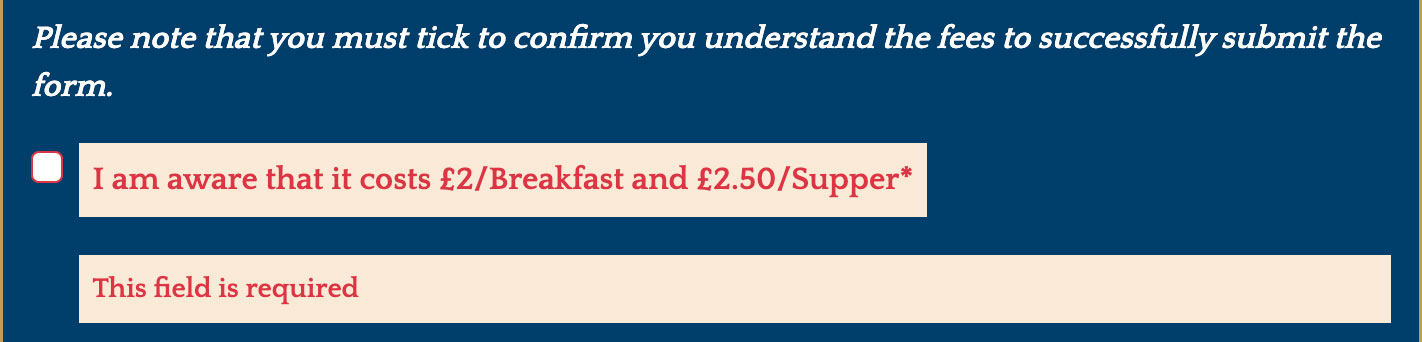 |
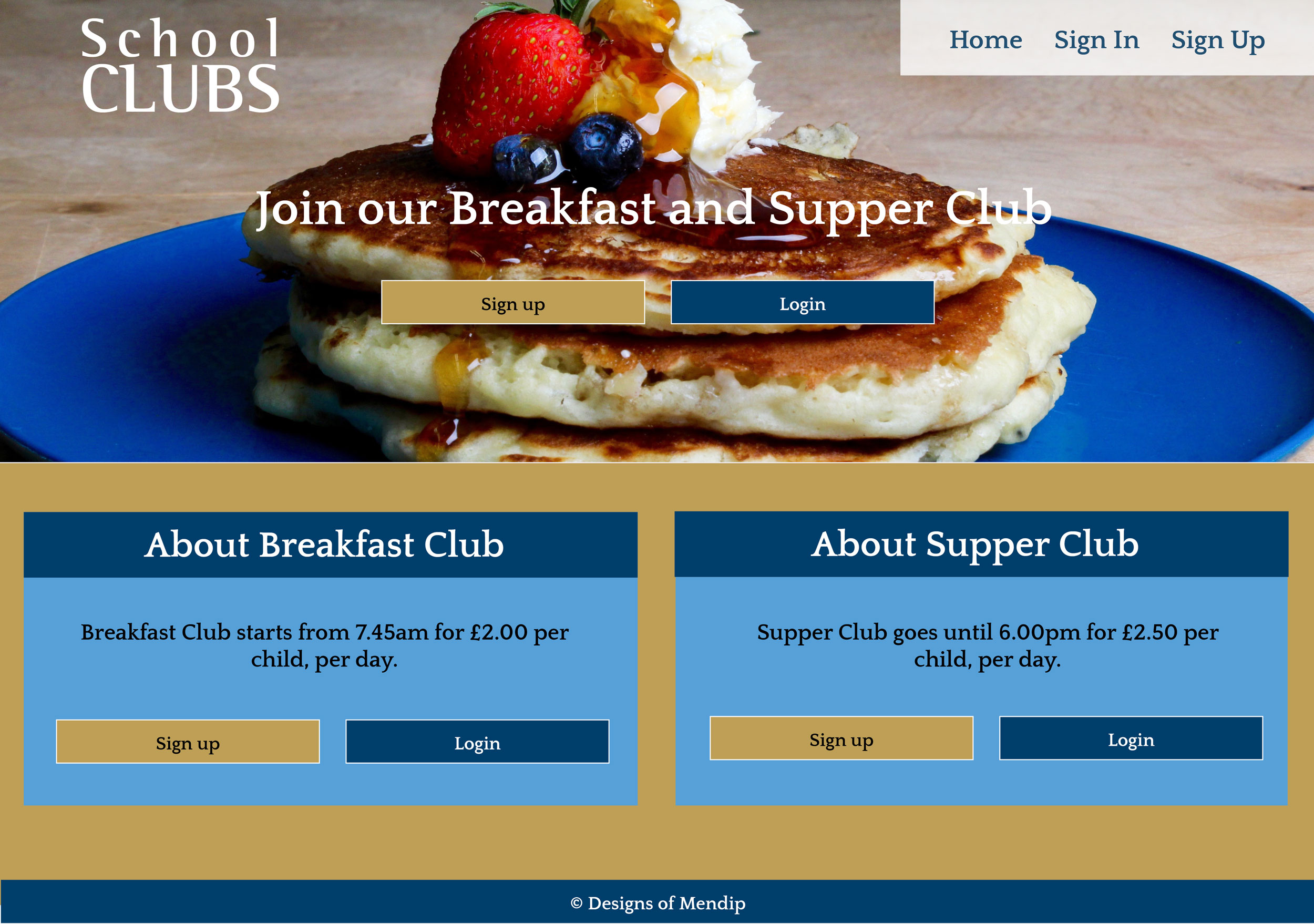
Home Page - not logged in
| Feature | Expected Outcome | Testing Performed | Result | Pass/Fail |
|---|---|---|---|---|
| Logo Image | Reloads Home page | Clicked logo image | Home page reloads | Pass |
| Home Link in Navbar | Reloads Home page | Clicked link | Home page reloads | Pass |
| Sign In link in Navbar | Takes to Login form | Clicked Sign In | Opens /accounts/login/ | Pass |
| Sign Up link in Navbar | Takes to sign up form | Clicked Sign Up | Opens /accounts/signup/ | Pass |
| Hero Sign Up Button | Takes to sign up form | Clicked Sign Up button | Opens /accounts/signup/ | Pass |
| Hero Login Button | Takes to Login form | Clicked Login button | Opens /accounts/login/ | Pass |
| Breakfast Sign Up Button | Takes to sign up form | Clicked Sign Up button | Opens /accounts/signup/ | Pass |
| Breakfast Login Button | Takes to Login form | Clicked Login button | Opens /accounts/login/ | Pass |
| Supper Sign Up Button | Takes to sign up form | Clicked Sign Up button | Opens /accounts/signup/ | Pass |
| Supper Login Button | Takes to Login form | Clicked Login button | Opens /accounts/login/ | Pass |
| All buttons - hover effect | All buttons should go to a white background with navy text and a coloured border (the border becomes the same colour as the button in the normal state) when hovered over. | Hover over each button on the page | Each button displayed the correct styling when hovered over | Pass |
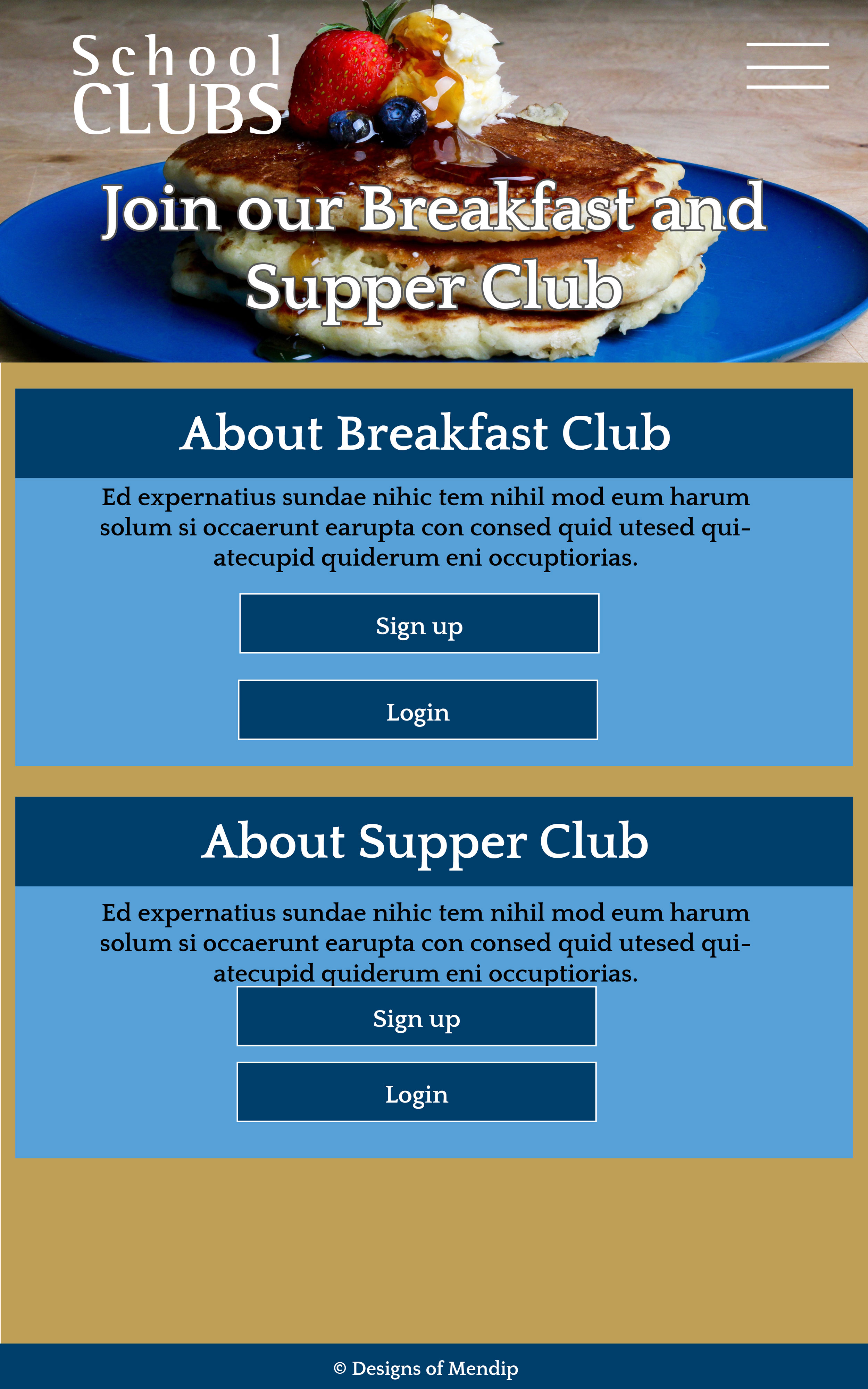
| Responsive Design | The 'hamburger' menu and one column design should appear in smaller screen sizes. The buttons in the hero image should disappear. The buttons in the Breakfast/Supper Club should appear on separate lines. | Reduced the width of the screen | Hamburger menu appeared, buttons in hero disappeared, buttons in body sections went onto separate lines | Pass |
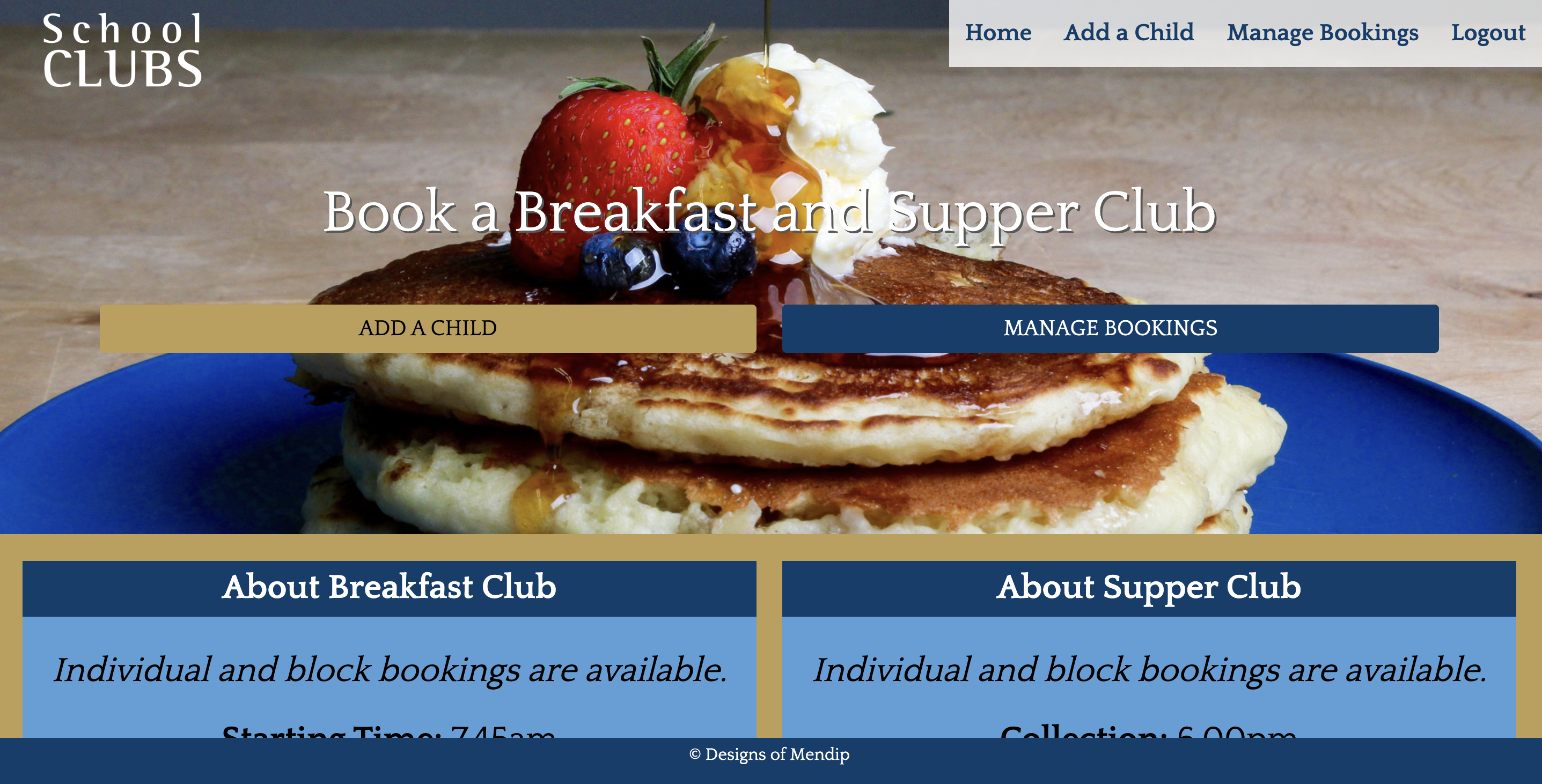
Home Page - logged in
| Feature | Expected Outcome | Testing Performed | Result | Pass/Fail |
|---|---|---|---|---|
| Logo Image | Reloads Home page | Clicked logo image | Home page reloads | Pass |
| Home Link in Navbar | Reloads Home page | Clicked link | Home page reloads | Pass |
| Add a Child link in Navbar | Takes to a form to add new pupil's info | Clicked Add a Child | Opens /add_pupil/ | Pass |
| Manage Bookings link in Navbar | Takes to page with info on previously made bookings | Clicked Manage Bookings | Opens /manage_bookings/ | Pass |
| Logout link in Navbar | Takes to page to logout | Clicked Logout | Opens /accounts/logout/ | Pass |
| Hero Add a Child Button | Takes to a form to add new pupil's info | Clicked Add a Child | Opens /add_pupil/ | Pass |
| Hero Manage Bookings Button | Takes to page with info on previously made bookings | Clicked Manage Bookings | Opens /manage_bookings/ | Pass |
| Breakfast Add a Child Button | Takes to a form to add new pupil's info | Clicked Add a Child button | Opens /add_pupil/signup/ | Pass |
| Breakfast Manage Bookings Button | Takes to page with info on previously made bookings | Clicked Manage Bookings button | Opens /manage_bookings/ | Pass |
| Supper Add a Child Button | Takes to a form to add new pupil's info | Clicked Add a Child button | Opens /add_pupil/signup/ | Pass |
| Supper Manage Bookings Button | Takes to page with info on previously made bookings | Clicked Manage Bookings button | Opens /manage_bookings/ | Pass |
| All buttons - hover effect | All buttons should go to a white background with navy text and a coloured border (the border becomes the same colour as the button in the normal state) when hovered over. | Hover over each button on the page | Each button displayed the correct styling when hovered over | Pass |
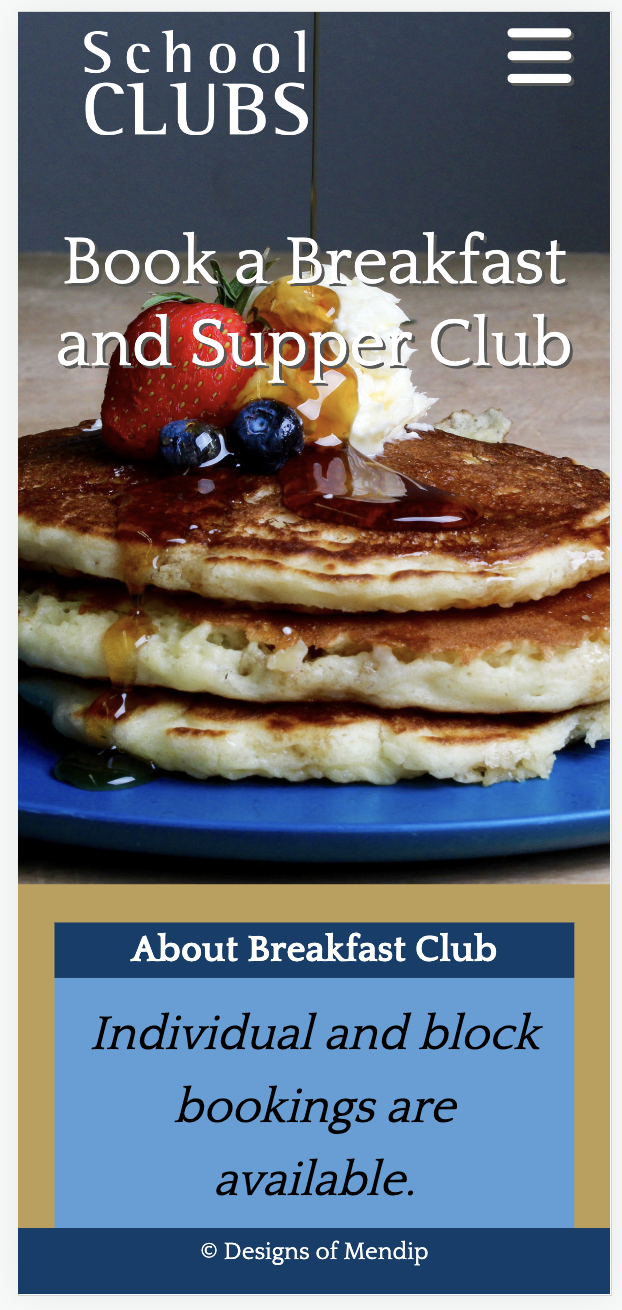
| Responsive Design | The 'hamburger' menu and one column design should appear in smaller screen sizes. The buttons in the hero image should disappear. The buttons in the Breakfast/Supper Club should appear on separate lines. | Reduced the width of the screen | Hamburger menu appeared, buttons in hero disappeared, buttons in body sections went onto separate lines | Pass |
Sign In Page
| Feature | Expected Outcome | Testing Performed | Result | Pass/Fail |
|---|---|---|---|---|
| Logo Image | Loads Home page | Clicked logo image | Home page loads | Pass |
| Home Link in Navbar | Loads Home page | Clicked link | Home page Loads | Pass |
| Sign In link in Navbar | Reloads page | Clicked Sign In | /accounts/login/ reloaded | Pass |
| Sign Up link in Navbar | Takes to sign up form | Clicked Sign Up | Opens /accounts/signup/ | Pass |
| Sign Up link in navy box | Takes to sign up form | Clicked Sign Up | Opens /accounts/signup/ | Pass |
| Form validation: no blank fields | Get error | Submitted form without filling in fields | Saw message to fill in required field | Pass |
| Form validation: check details in database | Get error | Submitted form with incorrect information | Saw message 'The username and/or password you specified are not correct.' | Pass |
| Form validation: successful submission | Get success message and return to homepage with new options | Submitted form with correct info in full | Saw message stating I was successfully signed in and returned to homepage with options to manage bookings/add a child | Pass |
| Submit button - hover effect | Submit button should go to a white background with navy text and a gold border when hovered over. | Hover over the button on the page | The button displayed the correct styling when hovered over | Pass |
| Responsive Design | The 'hamburger' menu should appear in smaller screen sizes, and the proportion of the sign up box width to screen should increase. | Reduced the width of the screen | Hamburger menu appeared, sign up box took up relatively more width | Pass |
| Redirects if already logged in | If a user is already logged in, they should be automatically redirected to the homepage with the options for logged in users if they go to /accounts/login/ . | Visited /accounts/login/ when logged in | Took me to homepage with logged in options | Pass |
Sign Up Page
| Feature | Expected Outcome | Testing Performed | Result | Pass/Fail |
|---|---|---|---|---|
| Logo Image | Loads Home page | Clicked logo image | Home page loads | Pass |
| Home Link in Navbar | Loads Home page | Clicked link | Home page Loads | Pass |
| Sign In link in Navbar | Takes to Login form | Clicked Sign In | Opens /accounts/login/ | Pass |
| Sign Up link in Navbar | Reloads page | Clicked Sign Up | /accounts/signup/ reloaded | Pass |
| Sign In link in navy box | Takes to Login form | Clicked Sign In | Opens /accounts/login/ | Pass |
| Form validation: no blank fields | Get error | Submitted form without filling in fields | Saw message to fill in required field | Pass |
| Form validation: check existing username | Get error | Submitted form with a username already in use | Saw message 'A user with that username already exists.' | Pass |
| Form validation: check existing email address | Get error | Submitted form with an email already in use | Saw message 'A user is already registered with this e-mail address.' | Pass |
| Form validation: check passwords match | Get error | Submitted form with two different passwords | Saw message 'You must type the same password each time.' | Pass |
| Form validation: check password length | Get error | Submitted form with short password | Saw message 'This password is too short. It must contain at least 8 characters.' | Pass |
| Form validation: correct details | Get success message and return to homepage with new options | Submitted form with correct info in full | Returned to homepage with options to manage bookings/add a child and saw message stating I was successfully signed in and | Pass |
| Submit button - hover effect | Submit button should go to a white background with navy text and a gold border when hovered over. | Hover over the button on the page | The button displayed the correct styling when hovered over | Pass |
| Responsive Design | The 'hamburger' menu should appear in smaller screen sizes, and the proportion of the sign up box width to screen should increase. | Reduced the width of the screen | Hamburger menu appeared, sign up box took up relatively more width | Pass |
| Redirects if already logged in | If a user is already logged in, they should be automatically redirected to the homepage with the options for logged in users if they go to /accounts/signup/ . | Visited /accounts/signup/ when logged in | Took me to homepage with logged in options | Pass |
Add a Child Page
| Feature | Expected Outcome | Testing Performed | Result | Pass/Fail |
|---|---|---|---|---|
| Logo Image | Loads Home page | Clicked logo image | Home page loads | Pass |
| Home Link in Navbar | Loads Home page | Clicked link | Home page loads | Pass |
| Add a Child link in Navbar | Reloads page | Clicked Add a Child | reloaded /add_pupil/ | Pass |
| Manage Bookings link in Navbar | Takes to page with info on previously made bookings | Clicked Manage Bookings | Opens /manage_bookings/ | Pass |
| Logout link in Navbar | Takes to page to logout | Clicked Logout | Opens /accounts/logout/ | Pass |
| Restricted access | Form only available to logged in users | visited /add_pupil/ when logged out | Only see message "Please login to add a pupil" and a button to login page | Pass |
| Login button | Login button takes you to /accounts/login/ | when logged out, I clicked on login button | opens /accounts/login/ | Pass |
| Form validation: required fields aren't blank | Get error | Submitted form without filling in all required fields | Saw message to fill in field(s) | Pass |
| Form validation: confirmation of charges required | Get error | Submitted form correctly apart from ticking confirmation | Saw message " Please confirm you understand the charges" and "This field is required" in red | Pass |
| Form validation: correct details | Get success message and return to manage bookings with details showing that the booking is pending approval | Submitted form with correct info in full | Automatically redirected to /manage-bookings and saw message "Your child has been added successfully." Newly added info shows message "Booking Status: Pending Approval" | Pass |
| All buttons - hover effect | All buttons should go to a white background with navy text and a coloured border (the border becomes the same colour as the button in the normal state) when hovered over. | Hover over each button on the page | Each button displayed the correct styling when hovered over | Pass |
| Responsive Design | The 'hamburger' menu should appear in smaller screen sizes, and the proportion of the sign up box width to screen should increase. | Reduced the width of the screen | Hamburger menu appeared, sign up box took up relatively more width | Pass |
Manage Bookings Page
| Feature | Expected Outcome | Testing Performed | Result | Pass/Fail |
|---|---|---|---|---|
| Logo Image | Loads Home page | Clicked logo image | Home page loads | Pass |
| Home Link in Navbar | Loads Home page | Clicked link | Home page loads | Pass |
| Add a Child link in Navbar | Takes to a page with a form to add a child | Clicked Add a Child | /add_pupil/ loads | Pass |
| Manage Bookings link in Navbar | Reloads page | Clicked Manage Bookings | reloaded /manage_bookings/ | Pass |
| Logout link in Navbar | Takes to page to logout | Clicked Logout | Opens /accounts/logout/ | Pass |
| Restricted access | page only available to logged in users | visited /manage_bookings/ when logged out | Only see message "Please login to see this page" and a button to login page | Pass |
| Login button | Login button takes you to /accounts/login/ | when logged out, I clicked on login button | opens /accounts/login/ | Pass |
| Content restricted by user | user should only see details of pupils added by them | visited /manage_bookings/ when logged in | Only see pupils associated with the current user | Pass |
| Page shows pupil's regular and requested slots | user should see their name, Year Group, Booking status and what they have booked | added/updated slots and added date requests | Saw all relevant details for the pupil as expected | Pass |
| Edit button | Should take to a page to edit details for the pupil named in the same box | Clicked button | Correct edit page appeared | Pass |
| Request button | Should take to a page to request a specific session change for the pupil named in the same box | Clicked button | Correct date request page appeared | Pass |
| Cancel button | Should only appear when status for a one-off date is 'Awaiting approval' | Approved / Denied requests as an admin | Cancel button disappeared | Pass |
| Cancel button | Should open modal to confirm deletion | Clicked cancel button | modal appeared | Pass |
| Modal - Cancel button | Should close modal without deleting request | Clicked cancel button on modal | modal disappeared | Pass |
| Modal - x button | Should close modal without deleting request | Clicked cancel button on modal | modal disappeared | Pass |
| Modal - Delete button | Should close modal and delete relevant request | Clicked delete button on modal | modal disappeared and relevant request was gone | Pass |
| Modal buttons - hover effect | Should turn gold and black text (if not black already) | Hovered over buttons | buttons turned gold and had black text | Pass |
| All buttons on page (not modal) - hover effect | All buttons should go to a white background with navy text and a coloured border (the border becomes the same colour as the button in the normal state) when hovered over. | Hover over each button on the page | Each button displayed the correct styling when hovered over | Pass |
| Responsive Design | The 'hamburger' menu and one column design should appear on smaller screen sizes. | Reduced the width of the screen | Hamburger menu appeared, went to one column | Pass |
Amend Pupil Page
| Feature | Expected Outcome | Testing Performed | Result | Pass/Fail |
|---|---|---|---|---|
| Logo Image | Loads Home page | Clicked logo image | Home page loads | Pass |
| Home Link in Navbar | Loads Home page | Clicked link | Home page loads | Pass |
| Add a Child link in Navbar | Takes to a page with a form to add a child | Clicked Add a Child | /add_pupil/ loads | Pass |
| Manage Bookings link in Navbar | Takes to a page with info on previous bookings | Clicked Manage Bookings | loaded /manage_bookings/ | Pass |
| Logout link in Navbar | Takes to page to logout | Clicked Logout | Opens /accounts/logout/ | Pass |
| Restricted access | page content only available to logged in users | visited /amend_pupil/4 when not logged in | Only see message "Login to edit this booking." with a Login button" | Pass |
| Restricted access | page content only available to logged in users associated with the particular child | visited /amend_pupil/4 when logged in as the wrong user (not admin) | Only see message "You need to login to the correct account before you can edit this booking." | Pass |
| Login button | Login button takes you to /accounts/login/ | when logged out, I clicked on login button | opens /accounts/login/ | Pass |
| Content restricted by user | user should only see details of pupils added by them | visited /manage_bookings/ when logged in | Only see pupils associated with the current user | Pass |
| Error if no pupil found | If the slug doesn't have a current pupil's id, then get a 404 | visited amend_pupil/400 | generates 404 error | Pass |
| Form validation: required fields aren't blank | Get error | Submitted form without filling in all required fields | Prompted to fill in field(s) | Pass |
| Form validation: confirmation of charges required | Get error | Submitted form correctly apart from ticking confirmation | Saw error message and "This field is required" in red | Pass |
| Form validation: correct details | Get success message and return to manage bookings with details showing that the booking is pending approval | Submitted form with correct info in full | Automatically redirected to /manage-bookings and saw message "Your requested amendments have been received successfully." Newly updated info shows message "Booking Status: Pending Approval" | Pass |
| Submit button - hover effect | Submit button should go to a white background with navy text and a gold border when hovered over. | Hover over the button on the page | The button displayed the correct styling when hovered over | Pass |
| Responsive Design | The 'hamburger' menu and one column design should appear on smaller screen sizes. | Reduced the width of the screen | Hamburger menu appeared, went to one column | Pass |
Date Request Page
| Feature | Expected Outcome | Testing Performed | Result | Pass/Fail |
|---|---|---|---|---|
| Logo Image | Loads Home page | Clicked logo image | Home page loads | Pass |
| Home Link in Navbar | Loads Home page | Clicked link | Home page loads | Pass |
| Add a Child link in Navbar | Takes to a page with a form to add a child | Clicked Add a Child | /add_pupil/ loads | Pass |
| Manage Bookings link in Navbar | Takes to a page with info on previous bookings | Clicked Manage Bookings | loaded /manage_bookings/ | Pass |
| Logout link in Navbar | Takes to page to logout | Clicked Logout | Opens /accounts/logout/ | Pass |
| Restricted access | page content only available to logged in users | visited /date_request/4 when not logged in | Only see message "Login to make a request." with a Login button" | Pass |
| Login button | Login button takes you to /accounts/login/ | when logged out, I clicked on login button | opens /accounts/login/ | Pass |
| Restricted access | page content only available to logged in users associated with the particular child | visited /date_request/5 when logged in as the wrong user (admin) | Only see message "You need to login to the correct account before you can make this request." | Pass |
| Error if no pupil found | If the slug doesn't have a current pupil's id, then get a 404 | visited date_request/400 | generates 404 error | Pass |
| Manage Bookings link in form box | Takes to a page with info on previous bookings | Clicked Manage Bookings page | loaded /manage_bookings/ | Pass |
| Form validation: required fields aren't blank | Get error | Submitted form without filling in all required fields | Prompted to fill in field(s) | Pass |
| Form validation: date format | Get error | Submitted form without year and tried typing a number higher than 12 in months | returned error / wouldn't allow | Pass |
| Form validation: confirmation of charges required | Get error | Submitted form correctly apart from ticking confirmation | Saw error message and form didn't submit | Pass |
| Form validation: correct details | Get success message and return to manage bookings with details showing that the request is pending approval and option to cancel request | Submitted form with correct info in full | Automatically redirected to /manage-bookings and saw message "Your date request has been submitted successfully." Date request in relevant box with Awaiting Approval status and a cancel button | Pass |
| Submit button - hover effect | Submit button should go to a white background with navy text and a gold border when hovered over. | Hover over the button on the page | The button displayed the correct styling when hovered over | Pass |
| Responsive Design | The 'hamburger' menu and one column design should appear on smaller screen sizes. | Reduced the width of the screen | Hamburger menu appeared, went to one column | Pass |
Logout Page
| Feature | Expected Outcome | Testing Performed | Result | Pass/Fail |
|---|---|---|---|---|
| Logo Image | Loads Home page | Clicked logo image | Home page loads | Pass |
| Home Link in Navbar | Loads Home page | Clicked link | Home page loads | Pass |
| Add a Child link in Navbar | Takes to a page with a form to add a child | Clicked Add a Child | /add_pupil/ loads | Pass |
| Manage Bookings link in Navbar | Takes to a page with info on previous bookings | Clicked Manage Bookings | loaded /manage_bookings/ | Pass |
Javascript Testing
| Feature | Expected Outcome | Testing Performed | Result | Pass/Fail |
|---|---|---|---|---|
| Messages disappear after set time | Message disappears without dismissing it | Wait once message appears without clicking to dismiss | Message disappeared | Pass |
| 'Hamburger' menu changes to X and back | In mobile view, if you open the menu, the 'hamburger' turns into an 'x'. Once closed again, it turns back into a 'hamburger' | Clicked hamburger, opened menu, turned to x; clicked x, closed menu and turned back to hambuger | switched back and forth as expected | Pass |
The website was viewed on a variety of devices including Laptop, iPhone, android phone and iPad tablet.
Testing was done to ensure that all database additions/updates were working correctly.
Testing was done to ensure that the site deployed by Heroku matched the local version on Gitpod.
Friends and family members were asked to review the site and documentation to point out any bugs and/or user experience issues.
The modal to confirm deletion was deleting the wrong record. This was because it was based on an ID that wasn't unique so it would delete the first record each time. Adding the variable for the date request id to the Modal's name and reference in the for loop fixed this issue (with thanks to my mentor for the support) with this.
The form to submit the date request would reject dates in an incorrect format without giving the user any feedback as to why their submission didn't work. Adding a date picker put the date in the correct format to make it user friendly and obvious to the user.
An incorrectly submitted form would return a blank form instead of keeping the entered details. This was fixed by updating the context to the instance of the form rather than the form itself.
Changing the models resulted in errors as they had already been migrated. I ultimately reset the database by following these steps (with thanks to the Code Institute's Tutor team):
- Deleted everything in the app's migration folder except the init__.py file.
- Went to the Elephant SQL dashboard, selected the database, and selected the reset button.
- Run the commands
- python3 manage.py makemigrations
- python3 manage.py migrate
On mobile devices, the hamburger/x menu icons move slightly when clicked. and on iPhone / portrait iPad, the bottom part of the icon gets slightly cut off.
Pupils with particularly long surnames may make the text overflow off of hero area on the Amend Pupil page.
There is no authentication required (ie email to approve account) when creating an account or facility to request password. A social login would be another area to make this better, but the ideal solution would be to link this with the school's CRM and have a single sign on with their intranet. Due to time constraints and wanting to keep this fictional, I didn't pursue these at this point.
A solution that would enable site users to requests for multiple dates at a time and for changes to be made across multiple children would be more user friendly, but for the scope of this project I kept it simple.
A reporting system that can be generated for each pupil at the end of each term as a type of invoice to be added to the school bill would help administrators lessen their workload. I briefly explored exporting records and totaling data, but neither seemed ideal solutions so I ultimately left it due to time constraints and the scope of the project.
An alert of some sort or an automatically generated email to administrators when someone added a child, made a date request or amended their child's sessions would also help administrators lessen their workload so they don't have to check each date for requests awaiting approval.
This project was deployed through Heroku (live link found here: https://school-clubs.herokuapp.com/) using the following steps:- Login / Sign up to Heroku
- Click New -- Create New App
- Name your app (must be unique), select your nearest revious and click “Create app” to confirm.
- Go to settings and add the following Key/Data information (which match the information in your env.py file that should be set up to be ignored by git), to the config vars:
- DATABASE_URL (from your database, eg elephant sql)
- SECRET_KEY
- CLOUDINARY_URL (from your Cloudinary account)
- PORT (8000)
- DISABLE_COLLECTSTATIC (1) if you haven't added static files yet. NB This can be removed once you deploy your site
- Add your Heroku app and local host to the 'Allowed Hosts' section of the settings.py file (example below)
- ALLOWED_HOSTS = ["school-clubs.herokuapp.com", "localhost"]
- Create a Profile in the main directory with the following info: web: gunicorn schoolclubs.wsgi where 'schoolclubs' is the name of your project
- Add/Commit/Push all changes to Github
- Click Deploy in the Heroku App dashboard - then deploy via Github - connect to the repository, scroll down and click on deploy branch
Visit the repo (https://github.com/MandyHole/school-clubs) and click the 'Fork' button in the top right part of the screen. You may need to sign in to Github.
Visit the repo (https://github.com/MandyHole/school-clubs) and click the green 'Code' button above the list of files. Click on the 'local' and select from the following options: HTTPS, SSH and GitHub CLI. Copy the link. Open the terminal in your code editor, ensuring the current working directory is where you want the files, and type git clone and paste in the copied URL before clicking enter.
The Modal to confirm before deleting: https://www.tutorialrepublic.com/codelab.php?topic=bootstrap&file=delete-confirmation-modal
Bootstrap5: Bootstrap was used throughout the project mainly to make site responsive using the Bootstrap Grid System, the nav bar as well as for minor styling (e.g. message formats).
Django: Django was used throughout the project to help make the website more quickly and with less code.
Getting a datepicker in the Date Request form: https://stackoverflow.com/questions/3367091/whats-the-cleanest-simplest-to-get-running-datepicker-in-django
Getting custom messages to appear upon form submissions: https://www.csestack.org/display-messages-form-submit-django/
Inspiration for the project, getting started with Django and in particular for displaying messages and working with views/databases: Code Institute Django walkthrough examples
All content was written by the developer. All Images were sourced from Pexels. I'd like to give a particular thanks to the following photographers:- pexels-alexander-mils-2103949
- pexels-chan-walrus-958545
- pexels-elviss-railijs-bitans-1448665
- pexels-jer-chung-2116094
- pexels-nicola-barts-7937469
- pexels-lukas-1352270
- pexels-sydney-troxell-718739