Creating a Simple Sign Language Neural Net
To set up your python environment to run the code in this repository, follow the instructions below.
-
Create (and activate) a new environment with Python 3.6.
- Linux or Mac:
conda create --name signla python=3.7
conda  activate signla
- Windows:
conda create --name signla python=3.7
conda activate signla
-
Clone the repository (if you haven't already!), and navigate to the
python/folder. Then, install several dependencies.
git clone https://github.com/Markorito/Sign-Language.git
cd Sign-Language/python
pip install -r requirements.txt .- Create an IPython kernel for the
signlaenvironment.
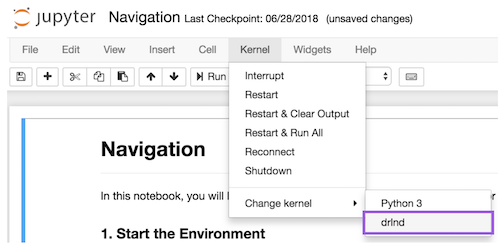
python -m ipykernel install --user --name signla --display-name "signla"- Before running code in a notebook, change the kernel to match the
signlaenvironment by using the drop-downKernelmenu.