
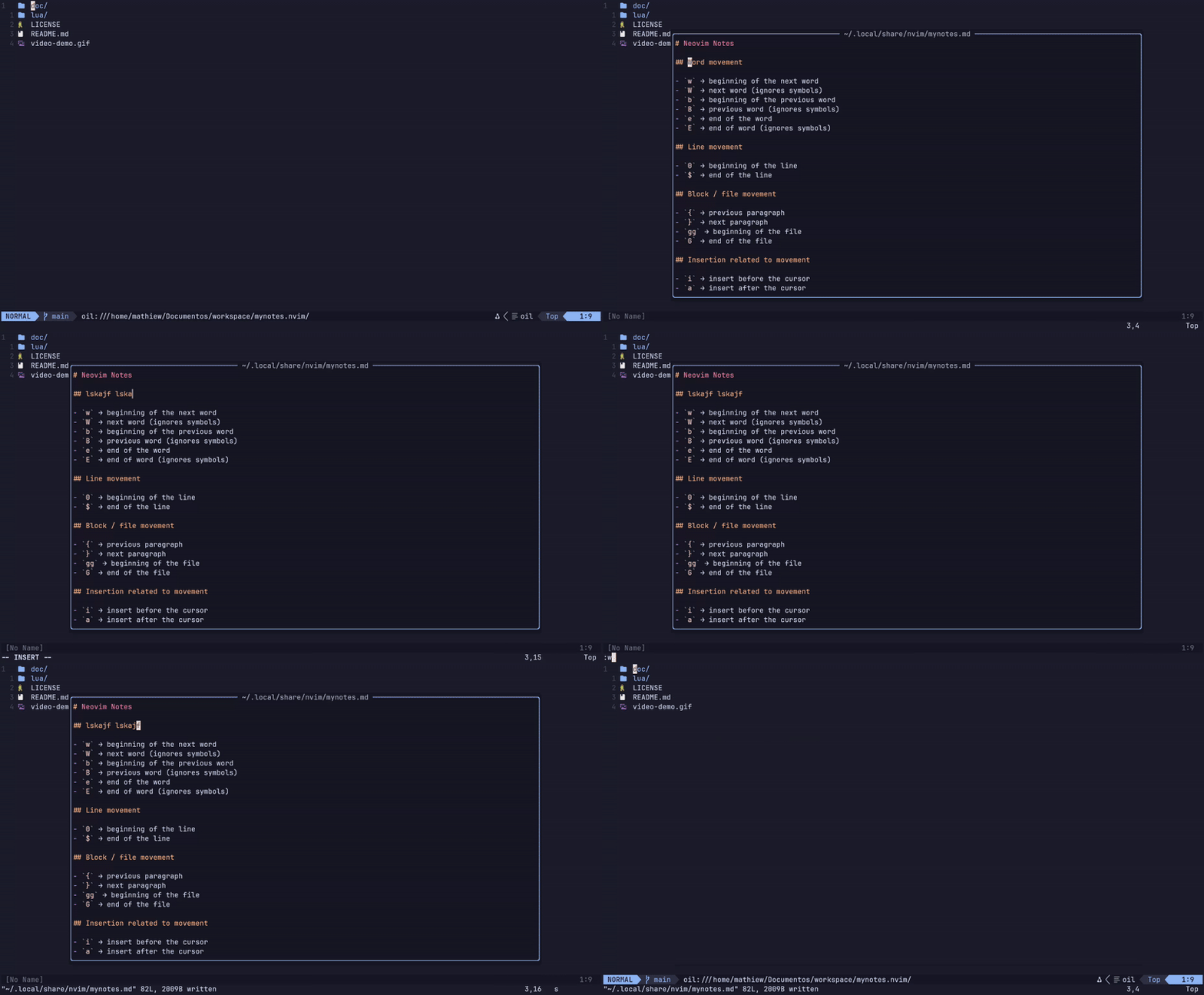
A minimal Neovim plugin to open your personal notes in a floating window.
- Neovim >= 0.11.0
- Opens a persistent Markdown file (
mynotes.md) - Floating window UI
- Editable like a normal buffer
- Shows the real file path centered at the top
- Cross-platform (Linux, macOS, Windows)
- No dependencies
{
  "Mathiew82/mynotes.nvim",
  config = function()
    require("mynotes").setup({})
  end,
}
Then run:
:Lazy sync
For more information about this plugin, see also:
:help mynotes
Open notes:
<leader>\:MyNotes
Close window:
q<Esc>
Default config:
require("mynotes").setup({
  filepath = vim.fn.stdpath("data") .. "/mynotes.md",
  width_ratio = 0.78,
  height_ratio = 0.78,
  border = "rounded",
  keymap_open = "<leader>\\",
})
You can customize the plugin by passing options to setup():
require("mynotes").setup({
  -- Path to your notes file
  -- Default: stdpath("data") .. "/mynotes.md"
  filepath = vim.fn.stdpath("data") .. "/mynotes.md",

  -- Reuse the buffer if already opened
  -- true  = reuse existing buffer
  -- false = always create a new one
  reuse_existing_buffer = true,

  -- Floating window width (percentage of screen)
  -- Example: 0.5 = 50% width
  width_ratio = 0.78,

  -- Floating window height (percentage of screen)
  height_ratio = 0.78,

  -- Window border style
  -- Options:
  -- "single", "double", "rounded", "solid", "shadow", nil
  border = "rounded",

  -- Keymap to open the notes
  keymap_open = "<leader>\\",
})Warning
Your notes file is stored inside Neovim's data directory.
If you delete that folder, you will lose your notes.
It is highly recommended to make regular backups.
Example backup command:
mv ~/.local/share/nvim/mynotes.md{,.bak}This will create a backup file before any risky operation.