Meditracker is an application which helps the user to predict the diseases based on the symptoms they provide. Also after predicting the disease,the application recommends doctors treating the predicted disease based on the real time location of the user. The application also has a mediciton reminder ,which reminds the users to take their medicines on time and not forget them. An admin panel is developed which give us details about the trending symptoms ,medicines based upon the location in the form of a pie chart.
Application demonstration

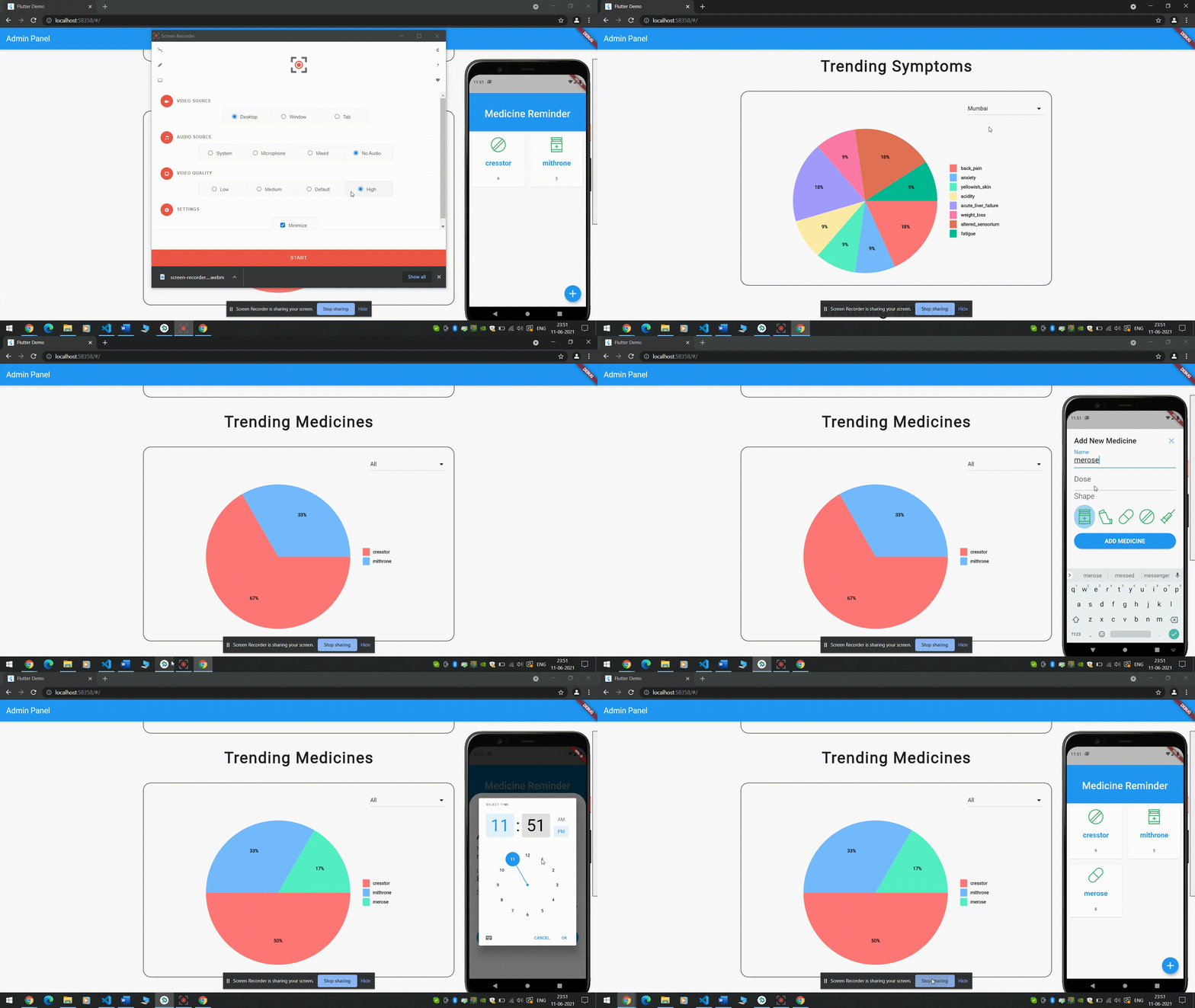
Admin Panel Demonstration
technology Stack: 1.Flutter - develop cross platform applications 2.flask -create a resuful api 3.firebase -authenticaiton , database 4.android emulator- simulator for android device.
The following are the step to install and run the application in your local environment.
1.Clone the project in your local environment from https://github.com/Meet-05/MeditrackerApp. 2. after clonning the code will not directly run,because you need to integrate it with you firebase account. 3.Login to your firebase console and create a new project. 4.While creating a new project on firebase firebase. 5.click on the android logo button to create a new android project.(while creating the new android project firebase will ask for the applicaiton id which you can find it in the app_frontend folder.) 6.Firebase will instruct you to do some simple operaitons to add the android project. 7.add the sha1 fingerprint of your local system in the project settings.(for google signin). 8.open the app_frontend/main.dart file and run the command "flutter run" to run the project. 9. Create a new web project by clicking on the web icon button in the firebase project console. 10.open the admin_panel/main.dart file and run the command "flutter run" to run the project.