Shutting down IntelliSense server on MacOs #3225

Description

Type: LanguageService
Describe the bug
- OS and Version: MacOS Mojave 10.14.3
- VS Code Version: 1.31.1
- C/C++ Extension Version: 0.22.0 (Insiders). I only tried Insiders because of this problem in the default release
- Other extensions you installed (and if the issue persists after disabling them): Cortex-Debug, FreeMarker, Python. The problem persists even when I disable these.
- A clear and concise description of what the bug is.
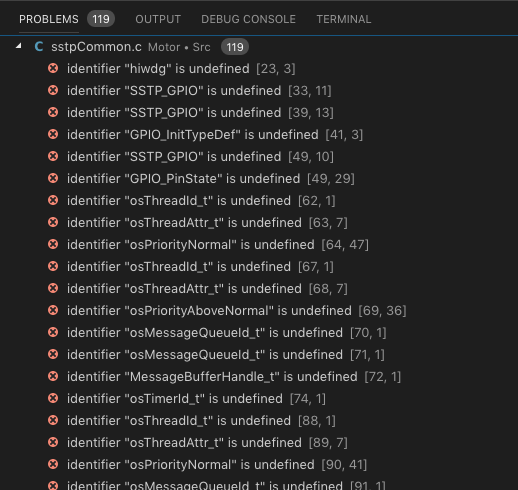
I get a large number of "Problems" flagged by IntelliSense. My c_cpp_properties file config works well and even allows me to build and debug, so I don't think the problem lies with my code/config (although experience suggests anything is possible ... lol)
When I turn on logging ("Debug" level) for the C extension, I get the error "Shutting down IntelliSense server:" when I try to open .c files in my project.
To Reproduce
- Go to ' Command Palette, and >Reload Window'
- Click on 'any .c file'
- See error: Many "Problems" and the error message of this issue in the "Output" for the extension
Expected behavior
Screenshots

Additional context