


Legacy style of Chatty: a customizable sleek-looking Discord theme with rounded borders, transparency and a custom background.

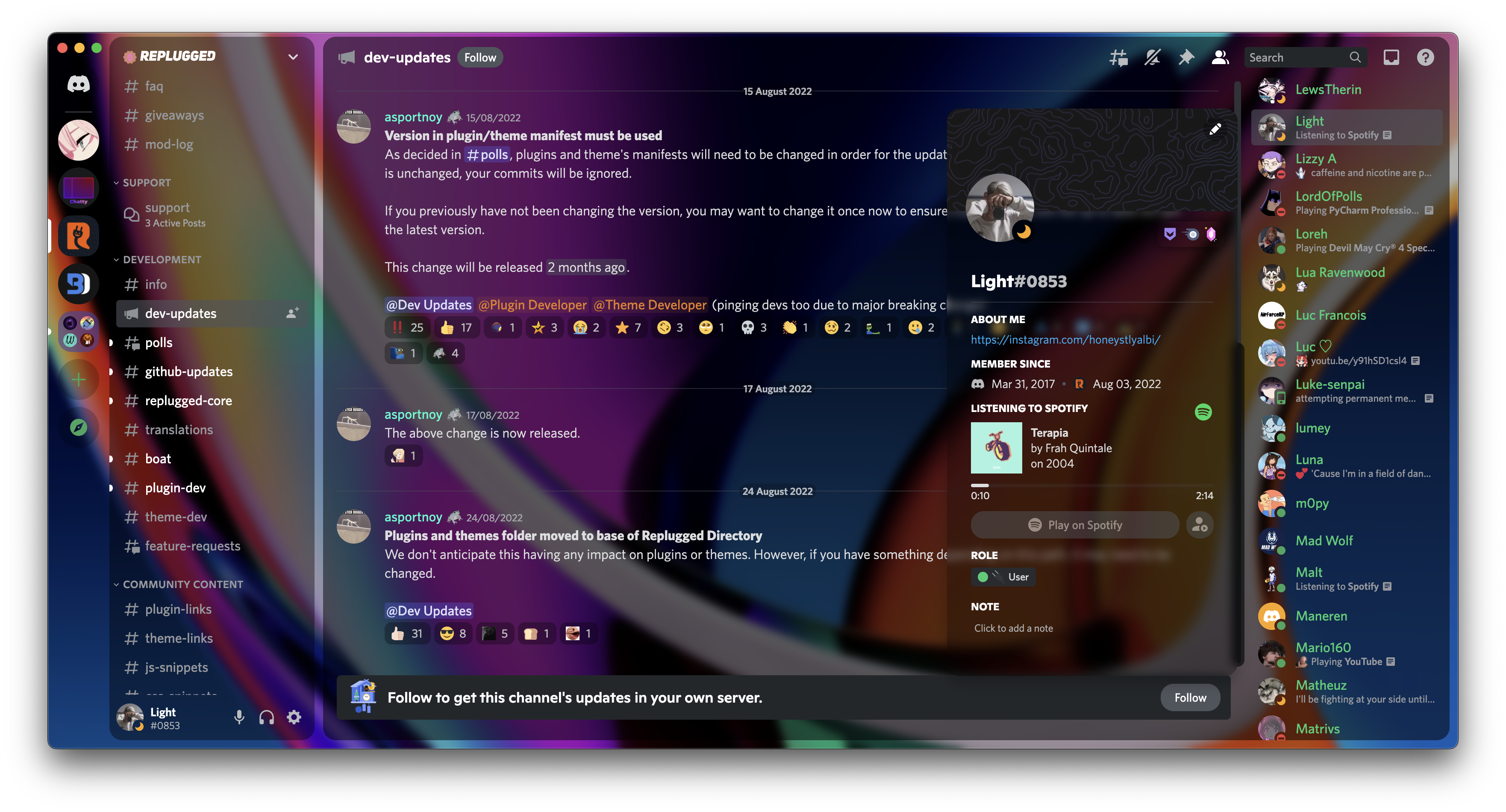
Click to expand
- Download
LegacyChatty.theme.css: - Place the file in the themes folder:
Settings>BetterDiscord>Themes>Open Themes Folder
- Toggle on the theme card.
Click to expand
- Click to install:
- Download
net.saltssaumure.LegacyChatty.asar: - Place the file in the themes folder:
Settings>Replugged>Themes>Open Themes Folder
- Click
Load Missing Themesand toggle on the theme card.
Click to expand
- Download
LegacyChatty.theme.css: - Place the file in the themes folder:
Settings>Vencord>Themes>Local Themes>Open Themes Folder
- Click
Load missing Themesand toggle on the theme card.
- Paste the link in
Settings>Vencord>Themes>Online Themes:https://minidiscordthemes.github.io/Chatty/LegacyChatty.theme.css
| Variable name | Description | Valid values | Default value |
|---|---|---|---|
--chattyBackgroundImage |
Background image | Any image link encased in url(). |
url(https://source.unsplash.com/daily) |
--chattyBorderRadius |
Chat corner roundness | Any length. | 15px |
--chattyPadding |
Chat padding | Any length. | 10px |
--chattyBlur |
Chat blur size | Any length. | 5px |
--interactive-muted |
Muted interactive item colour | Any colour. | #D08770 |
--background-primary |
Primary background colour | Any colour. | rgba(0, 0, 0, 0.2) |
--background-secondary |
Secondary background color | Any colour. | rgba(0, 0, 0, 0.3) |
--background-secondary-alt |
Secondary alt background colour | Any colour. | rgba(0, 0, 0, 0.3) |
--background-tertiary |
Tertiary background colour | Any colour. | #23272a |
Click to expand
- Open
Settings>BetterDiscord>Themes. - Click the pencil icon on this theme.
- Edit the variable values and save changes.
Click to expand
- Enable
Automatically Apply Quick CSSinSettings>Replugged>General. - Open
Settings>Replugged>Quick CSS. - Copy and paste lines 15-26 of
LegacyChatty.theme.css. - Edit the variable values and save.
Click to expand
Open Themes FolderinSettings>Vencord>Themes>Local Themes- Open
LegacyChatty.theme.csswith your favourite text editor. - Edit the variable values and save.
Enable Custom CSSinSettings>Vencord>Vencordand clickOpen QuickCSS File.- Copy and paste lines 15-26 of
LegacyChatty.theme.css. - Edit the variable values.
- Chatty Edit by Alex and Light - MIT license
- Post an issue on GitHub.
- Post in
#theme-supporton my support server.