This is a program for changing temperature between Celsius, Fahrenheit and Kelvin build in IAR Embedded Workbench using Assembly for a MSP430FR6989 Microcontroller. This project was part of the course CIIC4082 - Computer Arquitecture 2 at the University of Puerto Rico Mayaguez.
"TMPCHG" will be displayed on screen to indicate the start of the program.
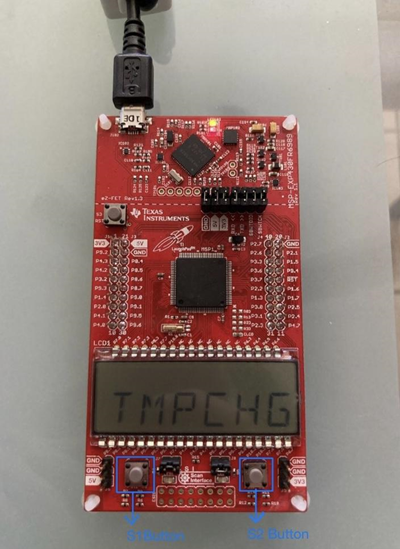
- Press the S1 Button repeatedly to cycle through the names of each member of the team.
- After the LCD displays one of the names, press the S2 button to enter the FROM menu.
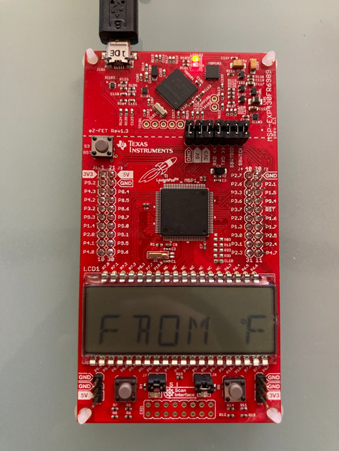
- Press the S1 button repeatedly to cycle through the 3 temperature units. F for Fahrenheit , C for Celsius, and K for Kelvin.
- Press the S2 button to confirm the temperature unit selection and move on to the TO menu.
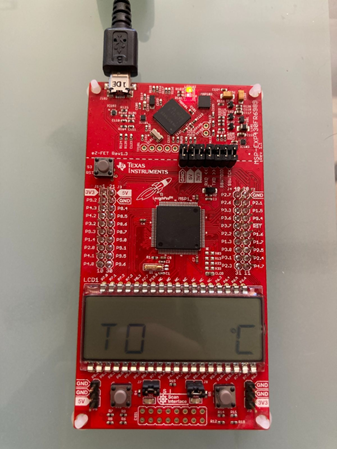
- Press the S1 button repeatedly to cycle through the remaining temperature units. For example, if F was selected in the FROM menu only C and K will appear as available options in the TO menu.
- Press the S2 button to confirm selection and move on to the TMP Input menu.
Values in the Input menu are selected from left to right.
- For Celsius and Fahrenheit temperature units, press the S1 button to cycle through negative symbol (-) and no symbol for nonnegative.
- Then press the S2 button to confirm whether the value is negative or nonnegative. NOTE: for Kelvin temperature units the value is always positive therefore there is no sign selection.
- Press the S1 button to cycle through values from 0 to 9. Press the S2 button to confirm selection and move on to the next digit to the right.
- Repeat the previous step until the final digit is confirmed.
The conversion result will be displayed on screen.
- Press the S1 or S2 button to return to the From menu.