Before opening the issue, have you...?
Describe the issue
Hi there,
I'm having a few issues with the volume control on my LG 34WN80C-B UltraWide Monitor. Using the Mac keyboards to turn the sound up & down does work but it brings up the LG volume indicator overlay on the screen which is a bit in the way & not as sleek as the Mac volume indicator. While the Mac volume indicator still shows up, it is hidden b
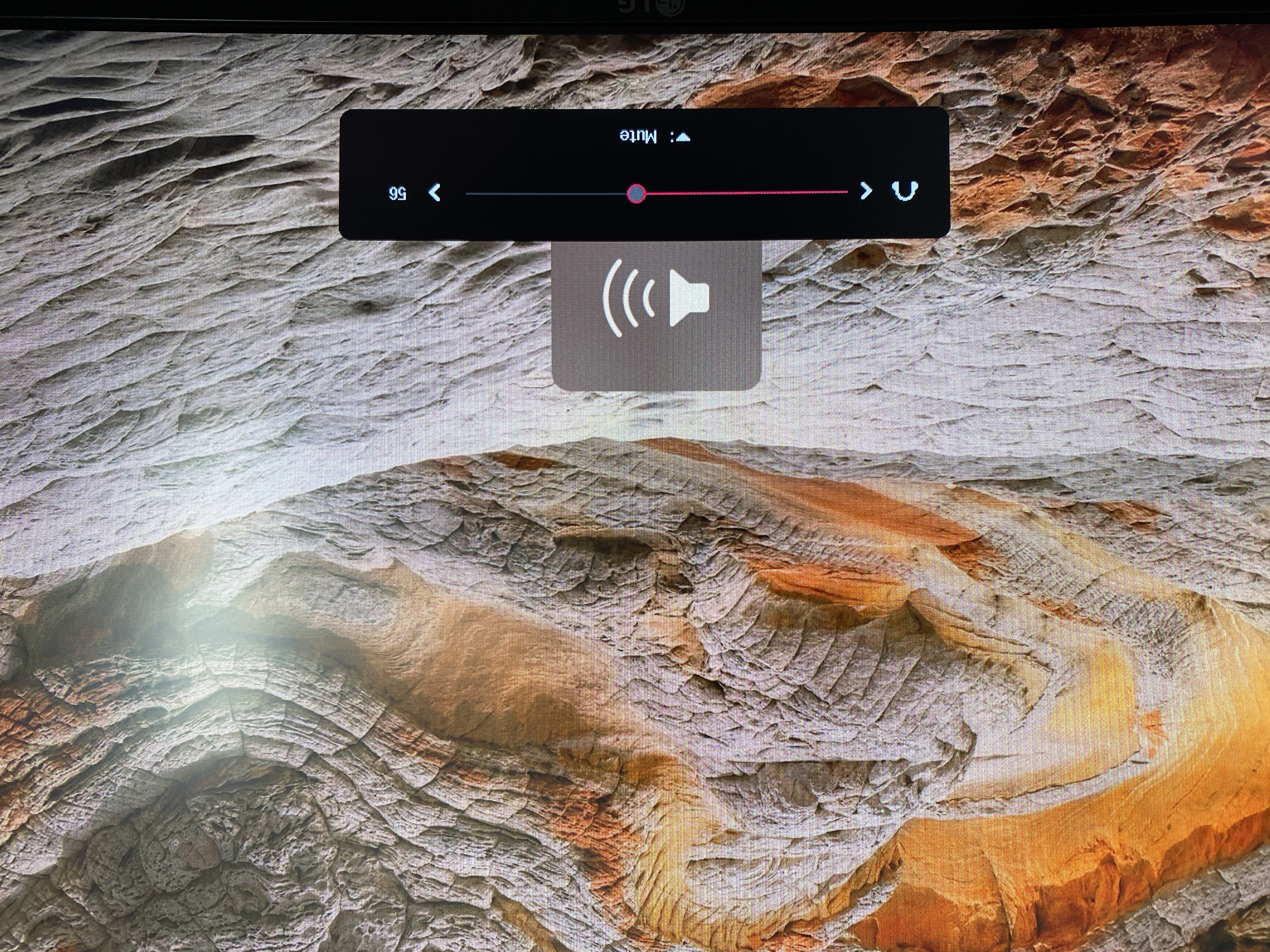
ehind the LG volume indicator. Photo attached.
The other issue is that when I mute the system audio (via the Mac keyboard button) it does mute however, when I unmute, the LG monitor stays muted. The only want to unmute is to toggle the nob below the monitor.
Otherwise, this app is awesome & does a great job.
Expected behavior
I'd love for the volume indicator on the Mac to only show up & the LG volume indicator remain inactive. I've tried SoundSource & it works in that regard. Also MonitorControl does work perfectly when adjusting the brightness (no LG monitor overlays).
I'm also hoping muting & unmuting would work as expected without having to toggle LG monitor settings.
Anything else?
No response
Environment Information (please complete the following information)
- macOS version: 11.6.1
- Mac model: 15-inch, 2019
- MonitorControl version: 4.0.2
- Monitor(s): LG 34WN80C-B UltraWide Monitor
- Monitor Cable(s)/Connection(s): USB-C
- Apple Silicon/M1 (yes or no): no

Before opening the issue, have you...?
Describe the issue
Hi there,
I'm having a few issues with the volume control on my LG 34WN80C-B UltraWide Monitor. Using the Mac keyboards to turn the sound up & down does work but it brings up the LG volume indicator overlay on the screen which is a bit in the way & not as sleek as the Mac volume indicator. While the Mac volume indicator still shows up, it is hidden b

ehind the LG volume indicator. Photo attached.
The other issue is that when I mute the system audio (via the Mac keyboard button) it does mute however, when I unmute, the LG monitor stays muted. The only want to unmute is to toggle the nob below the monitor.
Otherwise, this app is awesome & does a great job.
Expected behavior
I'd love for the volume indicator on the Mac to only show up & the LG volume indicator remain inactive. I've tried SoundSource & it works in that regard. Also MonitorControl does work perfectly when adjusting the brightness (no LG monitor overlays).
I'm also hoping muting & unmuting would work as expected without having to toggle LG monitor settings.
Anything else?
No response
Environment Information (please complete the following information)