Elevator Simulation
Overview There are 2 elevators that are available to take passengers from the floor 0 to floor 7 (an 8 storey building). Our code is written in C.
The Purpose The aim of the project is to simulate the movement of passengers from one floor to another in a building using the elevators. It is designed in such a way that passengers can request for an elevator from their floor to any other floor of their choice.
Simulation Mechanics There are 2 elevators available to take passengers up and down the 8 storey building Each elevator can move up, move down, stopped at any floor, open door and close door, carry a maximum of 5 passengers at a time. It takes the elevator 2 seconds to move one floor to the next floor. Each elevator can hold a maximum of 5 passengers at a go. Passengers can only enter the elevator if there are less than 5 people in the elevator. When stopped at a floor, if there are any passengers in the elevator with that end Floor as a destination, it discharges the passengers. Then, if there are any passengers with that floor as their start Floor it picks up passengers up to the capacity of the elevator. If moving up or moving down and there are one or more passengers waiting at a floor along the way, or if there are current passengers with end floor being the current floor, it begins stopping. There is no central controller of elevators as each elevator is making its own decisions as to which passengers to pick up and discharge, therefore there are no conflicts.
About our Files Our folder is made up of 3 files, a header file titled elevator.h and two c files, main.c and elevator.c The header file helped us so we didn't have to write every single line of code in our main file.It also helped us to be able to reuse some functions hrough out our code. Our header file also contains macro definitions that is shared between the two source files.
How to run/ Running from your terminal To be able to run our code, follow the steps below -Download the zip folder -To view the source codes, open the different files that is elevator.h, elevator.c, and main.c in your text editor to open the terminal from the folder that has the codes. -To compile the code, type gcc main.c -o main this compiles the code and then you can now run the code by typing ./main You can then see the outcome of the code and how the elevator works. Once the program starts executing, the user is prompted to input the destination floor for each passenger.
What to do when running
When ruuning our file, you are expected to input the floor number of each passenger when prompted to.
To enter the destination floor of the first passenger, enter any number from 0 to 7 after seeing the statement saying "starting elevator 1" like below
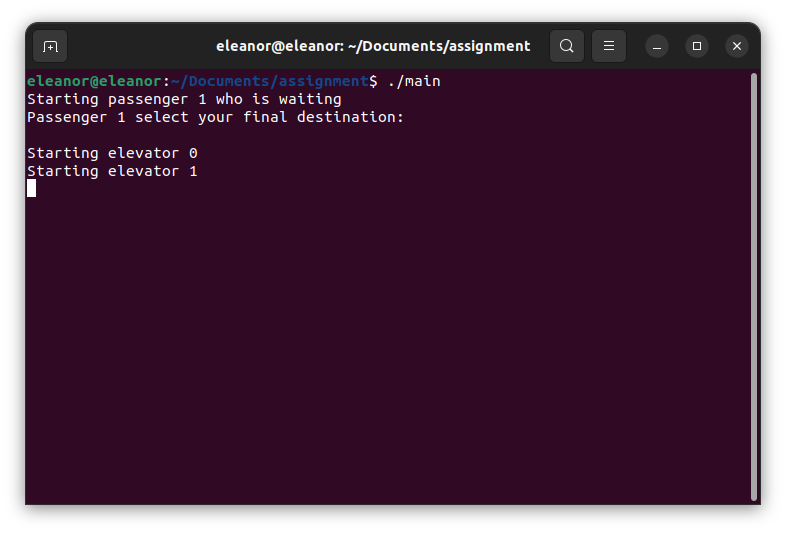
To continue entering the passenger destination floor, you are required to input the destination floor after seeing the statement "elevator door closes.
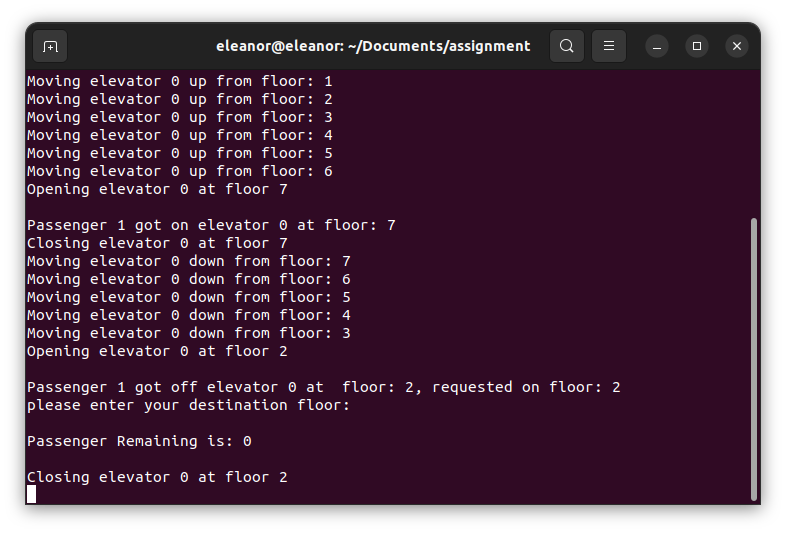
More screenshots of our code
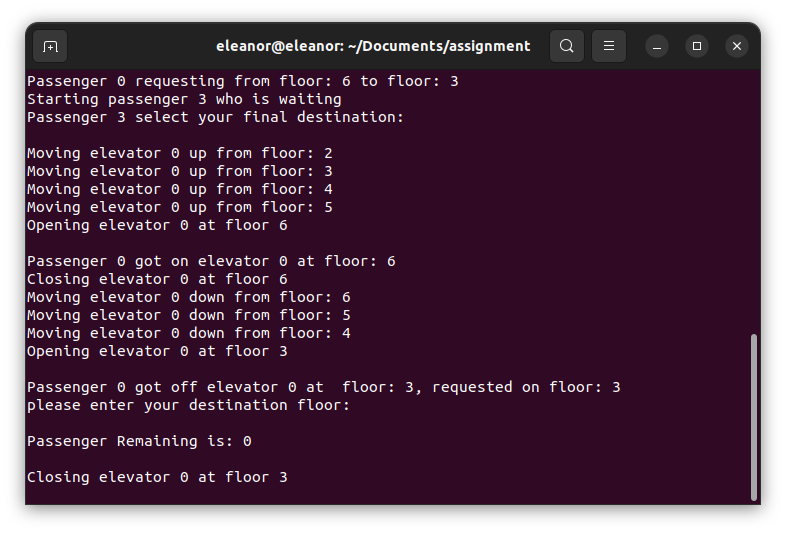
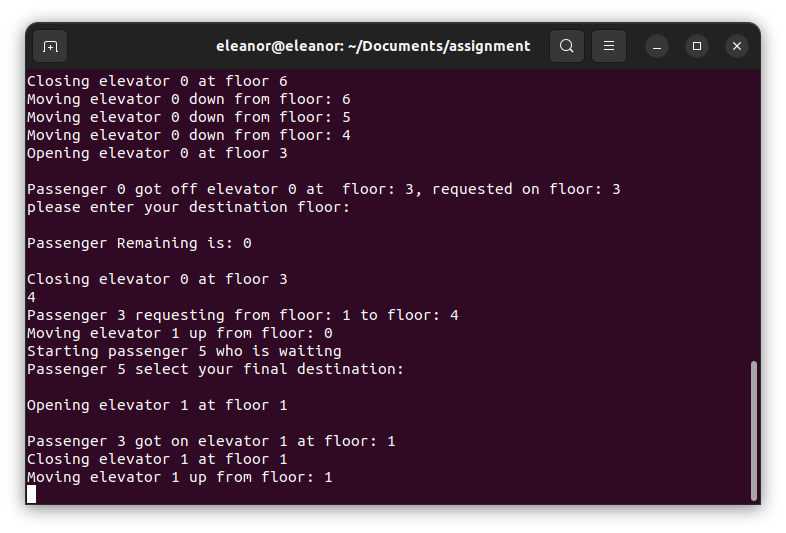
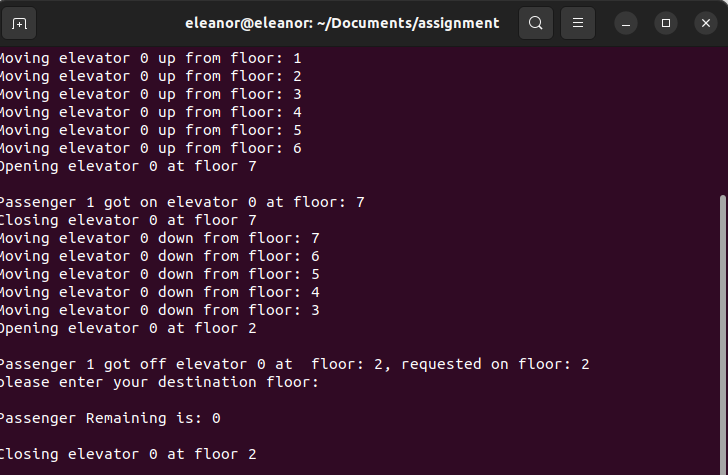
NOTE The elevator only stops when you the user inputs a digit outside the range of 0 amd 7, so in the case you input maybe 9, you get an error message and to continue accessing the elevator, you have to rerun the program again using ./main THe elevator is not in session unless you input a destination floor and it continues to run so long the floor number entered is not outside the range of 0 and 7. If you would like to stop the running of the elevator, simply type Ctrl c and press enter.
Authors: Moyosoreoluwa Weke, Ghea Sandrine, Maikem Victorine, Eleanor Wepngong