

AVAudioRecord&AVAudioPlayer Controller
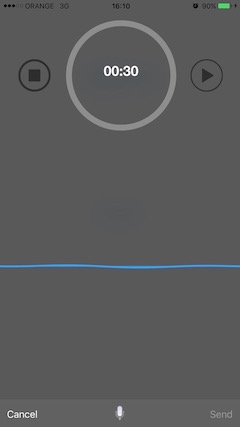
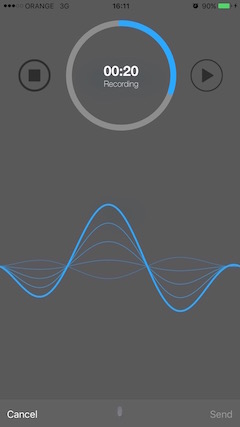
####### Swift create new objc header and add:
#import "ISHeader.h" // import all the Dependencies####### Objc
#import "ISHeader.h" // import all the Dependencies####### Swift
and then its simple use, just create an instance:
let rvc = ISAudioRecorderViewController()then just call
rvc.prepareViewForLoading(self)if you want delegate add:
class YourViewController: UIViewController,ISAudioRecorderViewDelegatethen :
rvc.recorderDelegate = selfand implement :
func ISAudioRecorderViewWillDismiss(fileName: String, audioDuration: Int)its saves all the audio to App Documents so to get the audio by file name use:
let docDir = NSFileManager.defaultManager().URLsForDirectory(.DocumentDirectory, inDomains: .UserDomainMask)[0] as NSURL
let url = docDir.URLByAppendingPathComponent(fileName)
#Update:
- delegate that pass the data to parent controller.
var recorderDelegate:ISAudioRecorderViewDelegate?- blure effect style (ExtraLight,light,Dark) - default is Dark.
var blurEffectType:UIBlurEffectStyle?- left UIBarButtonItem Label title - default is Cancel.
var leftToolBarLabelText:String?- right UIBarButtonItem Label title - default is Send.
var rightToolBarLabelText:String?- title for recorded file that adds this title to the name of the file, (record_title_NSDate().m4a) - default is (record_NSDate().m4a)
var soundFileTitle:String?- recorder limit time - default is 30 secend (00:30).
var recorderLimitTime:Double?- the tool bar color you desire - default is darkGrayColor.
var toolBarTintColor:UIColor?- the tool bar color you desire - default is whiteColor.
var timeLimitLabelColor:UIColor?- the inner line color of the circle line
var innerCircleColor:UIColor?rvc.blurEffectType = UIBlurEffectStyle.DarkThanks To Stefan Ceriu for:
Thanks to Carlos Eduardo Arantes Ferreira for:
ISAudioRecorderController is released under an MIT License. See LICENSE for details.
Copyright © 2015-present Igor Sokolovsky.
Please provide attribution, it is greatly appreciated.