A terminal tool that helps developers learn continuously by showing bite-sized technical tips — right in the terminal, between commands.
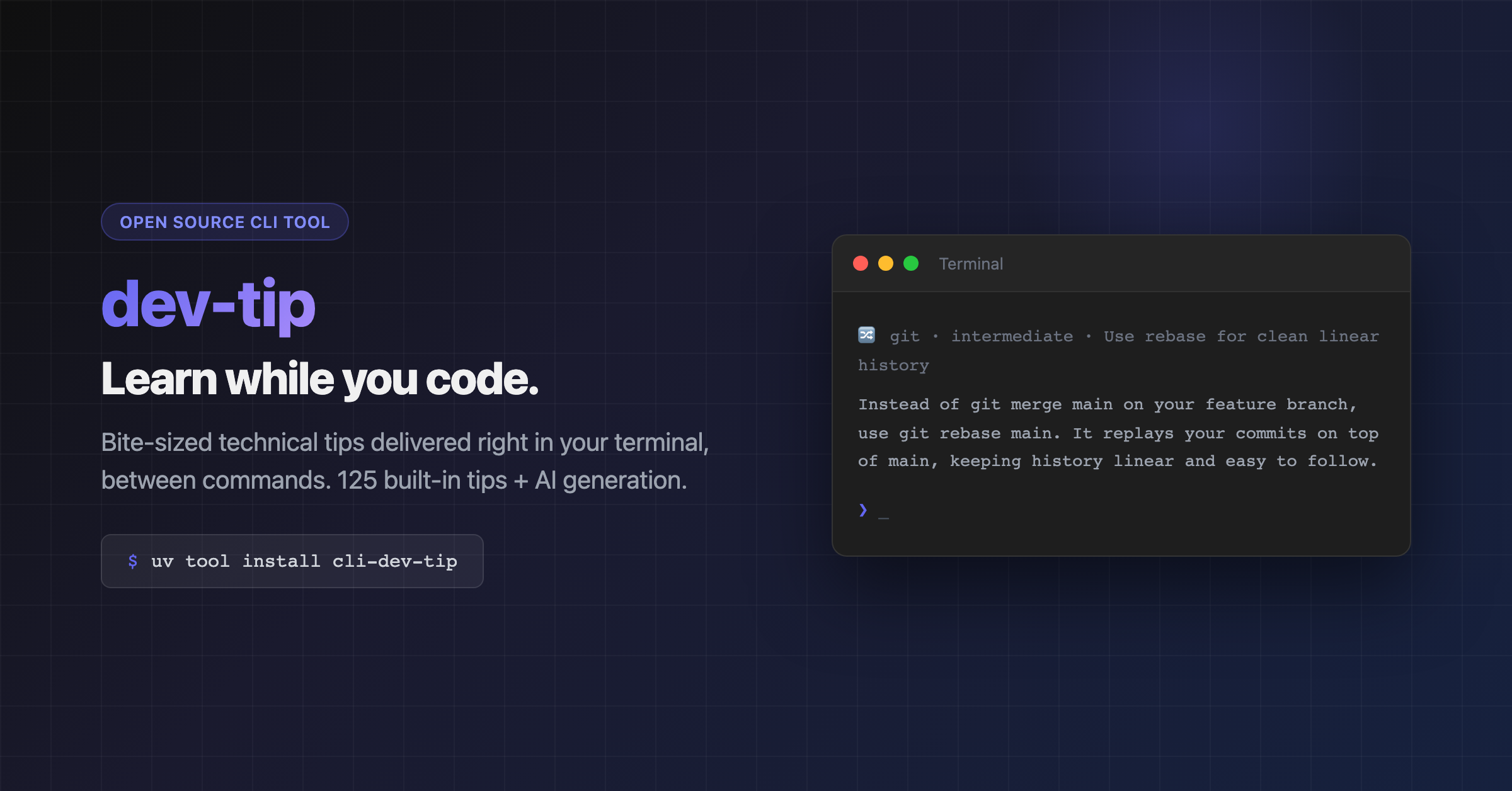
- Shows tips periodically during your shell session (every N commands or M minutes)
- First tip appears immediately when you open a terminal
- Covers general IT topics by default — Python, Git, Docker, Linux, Kubernetes, and more
- Filters by topic or difficulty level
- Remembers what you've seen so you don't get repeats
- Optional AI-powered tip generation via Gemini or OpenRouter (free, no extra packages needed)
- Zero prompt latency — all periodic logic runs as pure shell code, Python only invoked when showing a tip
- Pause/resume tips without removing the hook
uv tool install cli-dev-tipAlso works with pip or pipx:
pip install cli-dev-tip
# or
pipx install cli-dev-tip
This makes dev-tip available globally from any terminal.
uv tool install cli-dev-tip --upgrade
# or
pip install cli-dev-tip --upgradeThe recommended setup — AI-generated tips covering general IT topics, appearing every 15 commands or 30 minutes:
dev-tip enable --provider gemini --key YOUR_GEMINI_API_KEY

Get a free Gemini API key at https://aistudio.google.com or a free OpenRouter key at https://openrouter.ai/keys.
More examples:
# Static tips only (125 built in, works offline)
dev-tip enable

# AI tips, focused on Python, advanced level
dev-tip enable --provider gemini --key YOUR_KEY --topic python --level advanced

# Show tips more frequently — every 5 commands or every 10 minutes
dev-tip enable --provider gemini --key YOUR_KEY --every-commands 5 --every-minutes 10

# Quiet mode — body only, no header/emoji
dev-tip enable --quiet

# Disable
dev-tip disable| Option | Short | Description | Default |
|---|---|---|---|
--provider |
-p |
AI provider (gemini, openrouter) | None (static tips) |
--key |
-k |
API key for the AI provider | Config or env var |
--topic |
-t |
Filter tips by topic | General IT topics |
--level |
-l |
Filter tips by difficulty | All levels |
--every-commands |
Show a tip every N commands | 15 | |
--every-minutes |
Show a tip every N minutes | 30 | |
--quiet |
-q |
Show tip body only, no header | false |
Tips appear when either threshold is reached — whichever comes first. The first tip always shows immediately on shell startup.
One-off tips from the command line:
# Show a random tip (general IT topics, all levels)
dev-tip

# Filter by topic
dev-tip --topic python
dev-tip -t git

# Filter by difficulty level
dev-tip --level beginner
dev-tip -l advanced

# Combine filters
dev-tip --topic docker --level intermediate

# Quiet mode — body only, no header
dev-tip --quiet

# Use AI provider for a one-off tip
dev-tip --provider gemini --key YOUR_KEY| Option | Short | Description | Default |
|---|---|---|---|
--topic |
-t |
Filter tips by topic | General IT topics |
--level |
-l |
Filter tips by difficulty | All levels |
--provider |
-p |
AI provider (gemini, openrouter) | None |
--key |
-k |
API key for the AI provider | Config or env var |
--quiet |
-q |
Show tip body only, no header | false |
Unknown topics produce a warning when using static tips (AI can handle any topic). Unknown levels always warn.
| Topic | Count |
|---|---|
python |
15 |
git |
15 |
docker |
15 |
sql |
15 |
linux |
15 |
kubernetes |
10 |
vim |
10 |
javascript |
10 |
terraform |
10 |
rust |
10 |
125 tips built in. With AI enabled, any topic works and tips are generated fresh.
| Level | Description |
|---|---|
beginner |
Fundamentals and common patterns |
intermediate |
Deeper concepts and useful tricks |
advanced |
Expert techniques and edge cases |
Temporarily stop tips without removing the hook:

This creates/removes a .paused file in ~/.dev-tip/. The shell hook checks for it with a fast [ -f ] test — no Python invoked when paused.
Show current configuration and diagnostics:
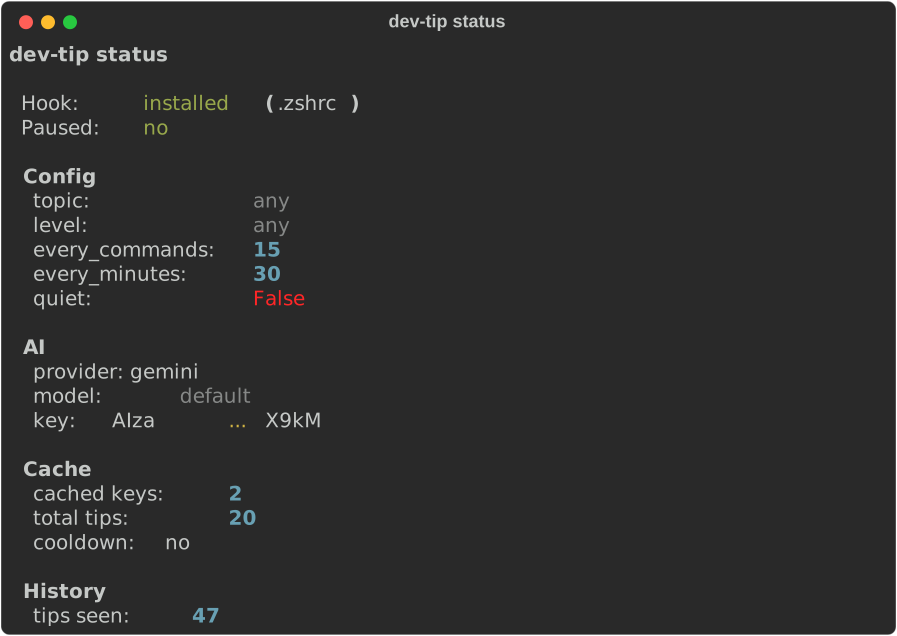
Displays hook state, pause status, config values, AI provider info, cache stats, and tip history count.
Clear cached AI tips to force fresh generation:
dev-tip clear-cacheGenerate fresh tips dynamically instead of using the built-in collection. Both providers are free.
| Provider | Default model | Free key |
|---|---|---|
gemini |
gemini-2.0-flash |
https://aistudio.google.com |
openrouter |
google/gemini-2.0-flash-exp:free |
https://openrouter.ai/keys |
- Generates 10 tips per API call and caches them locally (
~/.dev-tip/ai_cache.json) - Cache never expires — use
dev-tip clear-cacheto force refresh - Cache is keyed by topic+level combination
- Falls back to static tips silently on any error (bad key, network failure, rate limit)
Settings are stored in ~/.dev-tip/config.toml:
# topic = "python"
# level = "beginner"
# ai_provider = "gemini"
# ai_model = "gemini-2.0-flash"
# every_commands = 15
# every_minutes = 30
# quiet = false
Values passed via dev-tip enable flags are saved here automatically. Comments in the config file are preserved when values are updated.