Fonts
Myra uses FontStashSharp for the text rendering.
Sample code for setting font:
// Ordinary DynamicSpriteFont
FontSystem ordinaryFontSystem = FontSystemFactory.Create(GraphicsDevice, 1024, 1024);
ordinaryFontSystem.AddFont(ttfData);
_label1.Font = ordinaryFontSystem.GetFont(32);

// Stroked DynamicSpriteFont
FontSystem strokedFontSystem = FontSystemFactory.CreateStroked(GraphicsDevice, 1024, 1024, 1);
strokedFontSystem.AddFont(ttfData);
_label2.Font = strokedFontSystem.GetFont(24);

// Blurry DynamicSpriteFont
FontSystem blurryFontSystem = FontSystemFactory.CreateBlurry(GraphicsDevice, 1024, 1024, 2);
blurryFontSystem.AddFont(ttfData);
_label3.Font = blurryFontSystem.GetFont(48);

// StaticSpriteFont in AngelCode BMFont Format(https://www.angelcode.com/products/bmfont/)
string fntData = File.ReadAllText("comicSans48.fnt");
_label4.Font = StaticSpriteFont.FromBMFont(fntData, atlasFileName => File.OpenRead(atlasFileName), GraphicsDevice);
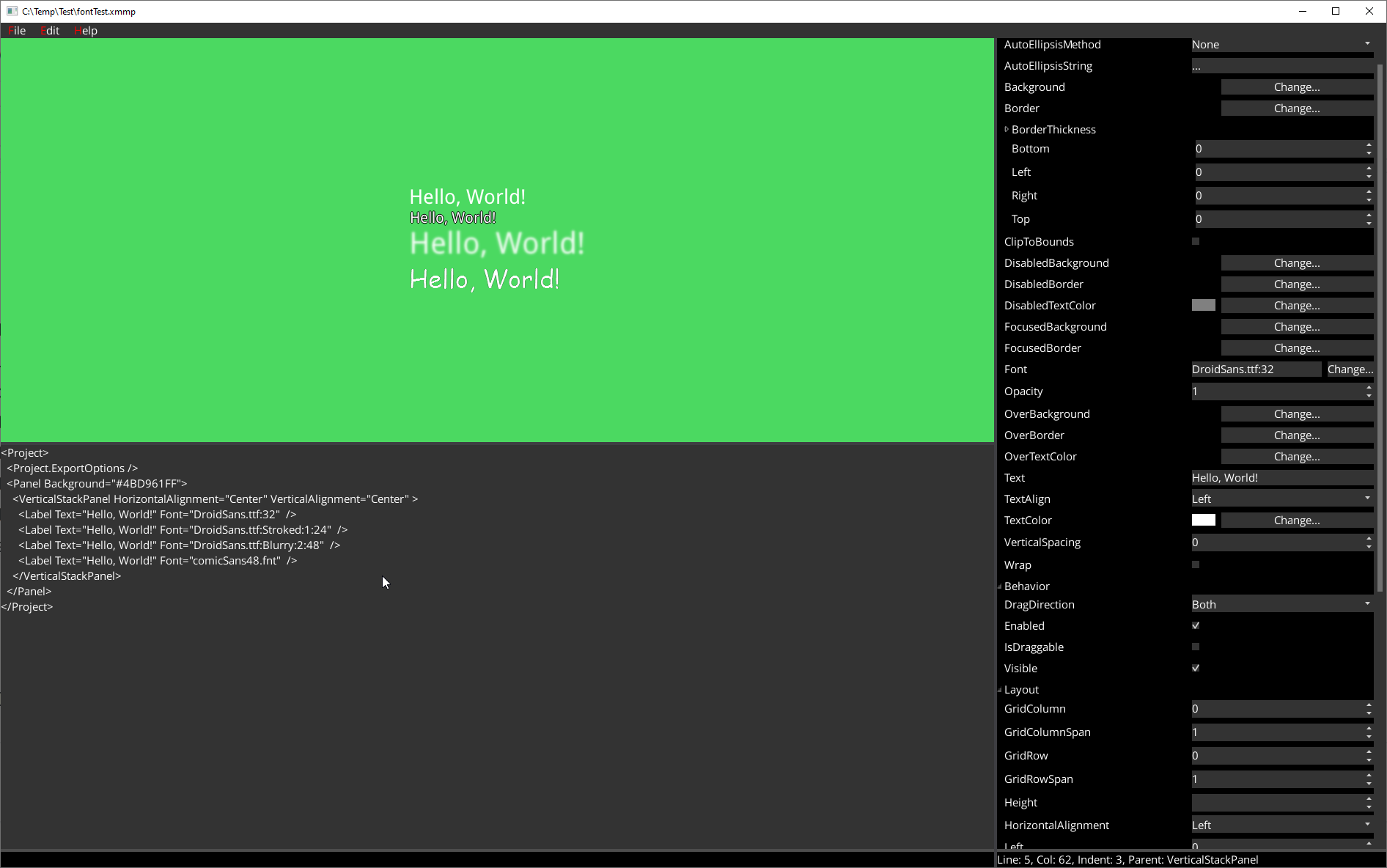
It is equivalent to the following MML:
<Project>
  <Project.ExportOptions />
  <Panel Background="#4BD961FF">
    <VerticalStackPanel HorizontalAlignment="Center" VerticalAlignment="Center" >
      <Label Text="Hello, World!" Font="DroidSans.ttf:32"  />
      <Label Text="Hello, World!" Font="DroidSans.ttf:Stroked:1:24"  />
      <Label Text="Hello, World!" Font="DroidSans.ttf:Blurry:2:48"  />
      <Label Text="Hello, World!" Font="comicSans48.fnt"  />
    </VerticalStackPanel>
  </Panel>
</Project>
Which would result to the following: