Grid Layout
Grid is a container. It partitions the available space into cells and places the child widgets there. The partitioning configuration should be explicity set by creating Grid.Proportion objects, setting their properties and adding to either RowsProportions or ColumnsProportions property.
Every child Widget should also explicity specify which cell(s) it would occupy by setting properties GridPositionX, GridPositionY, GridSpanX and GridSpanY.
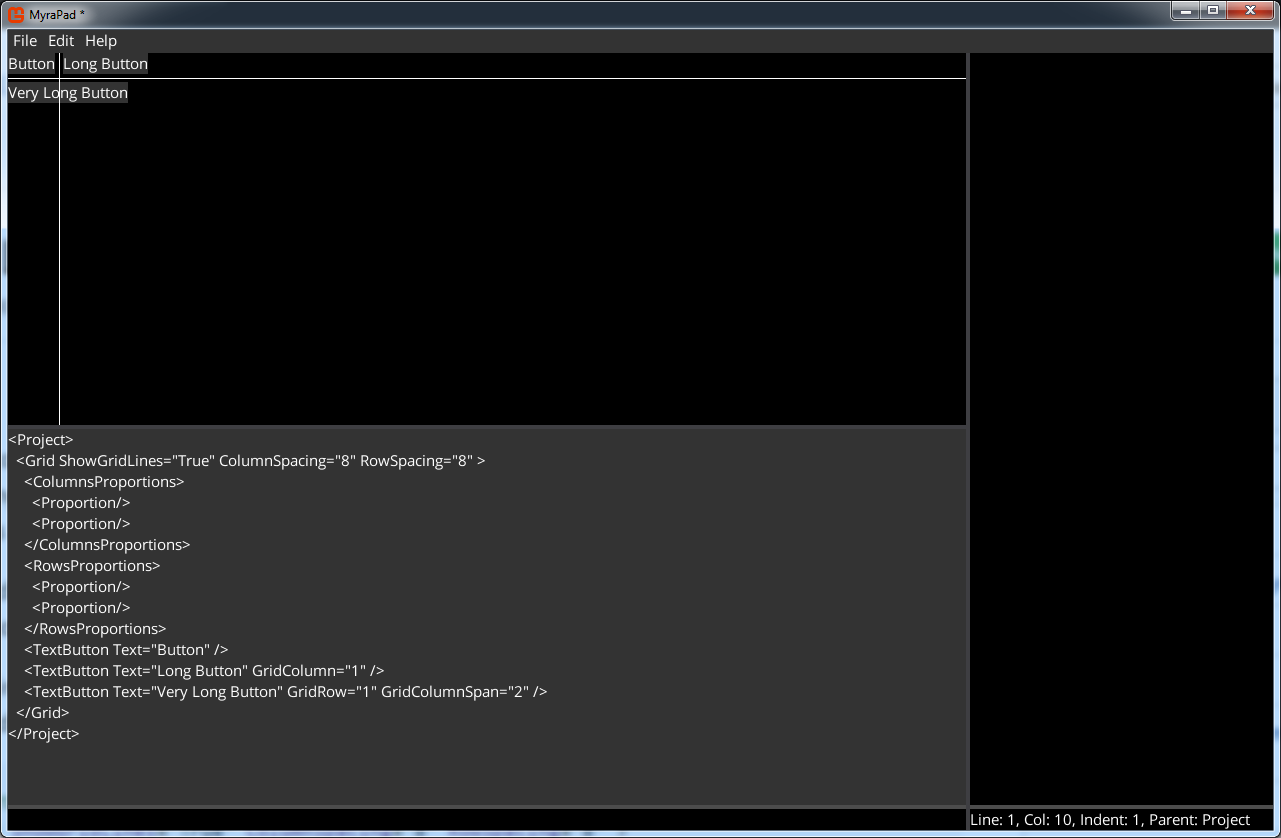
I.e. following MML describes simple 2x2 grid with 8 pixels spacing beetween rows and columns, and 3 child widgets:
<Project>
  <Grid ShowGridLines="True" ColumnSpacing="8" RowSpacing="8" >
    <ColumnsProportions>
      <Proportion/>
      <Proportion/>
    </ColumnsProportions>
    <RowsProportions>
      <Proportion/>
      <Proportion/>
    </RowsProportions>
    <TextButton Text="Button" />
    <TextButton Text="Long Button" GridColumn="1" />
    <TextButton Text="Very Long Button" GridRow="1" GridColumnSpan="2" />
  </Grid>
</Project>
It would result in following:
Grid.Proportion class contains two properties: Type(enum) and Value(float). The Type could have following values:
| Name | Description |
|---|---|
| Auto(default) | The column/row is sized automatically based on the widget with the biggest width/height |
| Pixels | The column/row has fixed size in pixels specified by the Value property |
| Part | The column/row size is calculated by following formula: size=(Value*availableSpace)/totalParts. Where availableSpace is space left after processing Auto and Pixels columns/rows. And totalParts is sum of all columns/rows' Value where Type is Part. totalParts could be explicity set by setting Grid.TotalColProportionPart/Grid.TotalRowProportionPart |
| Fill | The column/row takes all unused space |
The following MML demonstrates different proportion types:
<Project>
  <Grid ShowGridLines="True" ColumnSpacing="8" RowSpacing="8">
    <ColumnsProportions>
      <!-- First column uses default proportion type(Auto) -->
      <Proportion />
      <!-- Second column width is 200 pixels -->
      <Proportion Type="Pixels" Value="200" />
      <!-- Third column will occupy rest of available space -->
      <Proportion Type="Fill" />
    </ColumnsProportions>
    <RowsProportions>
      <!-- First row will take 1/3 of available height -->
      <Proportion Type="Part" />
      <!-- Second row will take 2/3 of available height -->
      <Proportion Type="Part" Value="2" />
    </RowsProportions>
    <TextButton Text="Button" />
    <TextButton Text="Long Button" Width="150" GridColumn="1" />
    <TextButton Text="Very Long Button" Left="-10" Top="-10" HorizontalAlignment="Right" VerticalAlignment="Bottom" GridRow="1" GridColumnSpan="2" />
    <TextButton Text="The Longest Button" HorizontalAlignment="Center" VerticalAlignment="Center" GridColumn="2" GridRow="1" />
  </Grid>
</Project>
This code would render following:
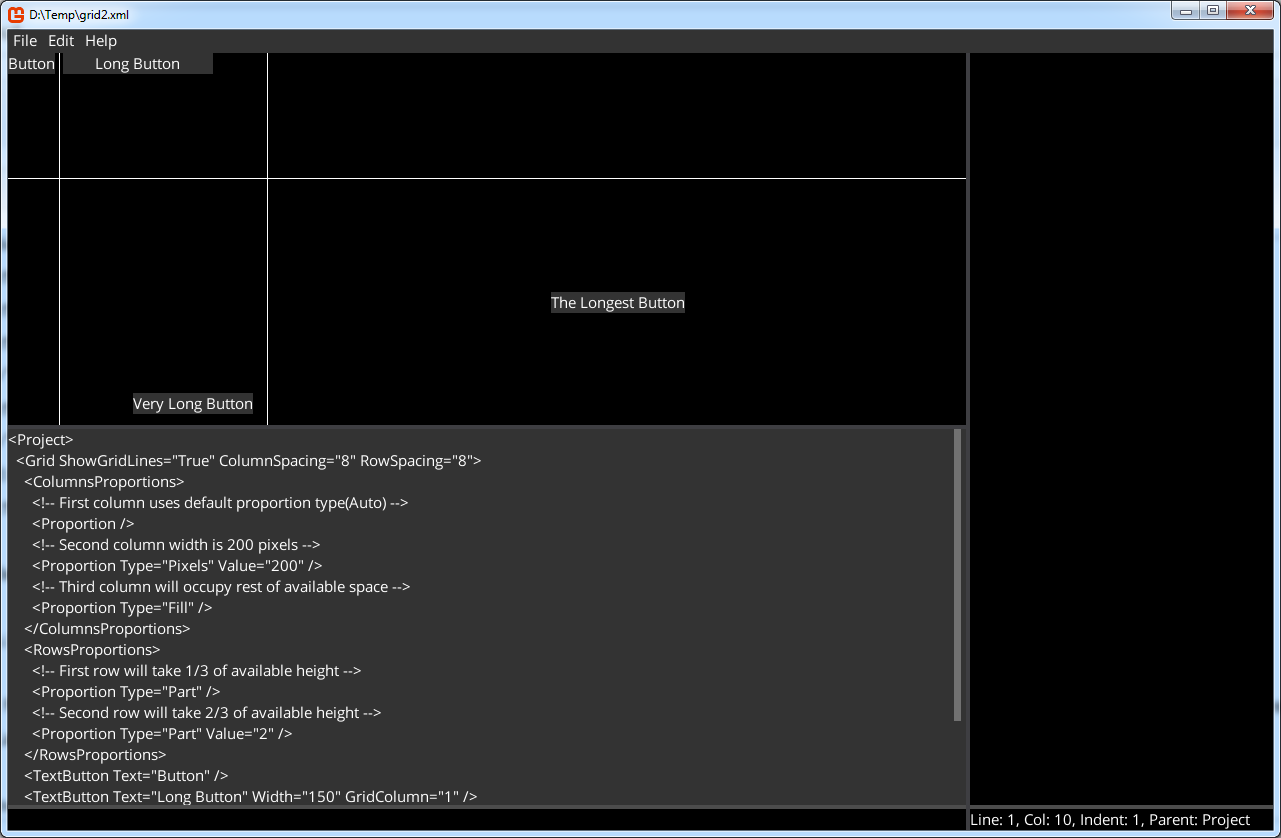
Note. First column uses default proportion type(Auto). Second column width is 200 pixels. Third column will occupy rest of available space.
First row will take 1/3 of available height