





Point your camera at any place. Speak any question. LORE generates a living documentary — narrated, illustrated, cinematic — in real time. History has never been this immersive.
Built for the Gemini Live Agent Challenge 2026.
LORE offers four distinct ways to experience the world as a documentary.
Camera AND voice simultaneously. LORE sees where you are AND hears your question — then generates a response that fuses both. This unlocks Alternate History scenarios grounded in your real location.
- Simultaneous camera + voice input
- Gemini fuses visual context with spoken intent
- Alternate history scenarios grounded in your real backdrop
- The signature LORE experience
Speak any topic and receive a fully interleaved documentary — narration, generated illustrations, and cinematic video clips — flowing together as a single coherent stream. Interrupt at any time to ask follow-up questions.
- Natural voice conversation with Gemini Live
- Automatic image generation after every visually rich narration
- Veo 3.1 cinematic video clips on demand
- Full session history with persistent chat
Point your camera at any monument or building and LORE instantly recognises it via Gemini Live vision and GPS grounding. It begins generating a narrated documentary with high-fidelity illustrations streaming in real time.
- Camera captures live frames at 1fps
- GPS context grounds the model to your exact location
- Gemini Live streams narration audio
- Gemini 3.1 Flash Image generates documentary-style illustrations
Experience the history of your city as you walk through it. LORE tracks your position and auto-triggers narrations when you approach a landmark. The live map view is screen-shared with Gemini every 5 seconds so it can see your route, surroundings, and active navigation. Includes full Google Directions navigation.
- Real-time GPS tracking with landmark detection
- Live map screen sharing with Gemini
- Auto-triggered narrations on significant movement
- Google Directions API for walking navigation
- Hands-free — the world narrates itself as you move

| Service | Description | Port |
|---|---|---|
lore-gemini-proxy |
WebSocket proxy to Gemini Live API — used by all 4 modes | 8090 |
lore-nano-illustrator |
HTTP image generation via Gemini 3.1 Flash Image | 8091 |
lore-veo-generator |
HTTP video generation via Veo 3.1 | 8092 |
lore-landing-page |
Static landing page served via nginx | 8080 |
- Multimodal Capture — Real-time camera frames and audio stream via WebSocket to the Gemini Live Proxy. Vision and voice are processed concurrently.
- Spatial Grounding — GPS coordinates and reverse-geocoding provide location context, ensuring narration is grounded in physical reality.
- Tool Call Orchestration — Gemini Live API triggers
generate_imageandgenerate_videotools, executed by the specialized backend servers. - Real-time Delivery — Interleaved audio, text, images, and video stream back to the mobile app.
screens/
  home_screen.dart           — mode selection
  lore_mode_screen.dart      — camera + voice + GPS → Gemini Live
  new_voice_mode_screen.dart — voice + image/video generation
  sight_mode_screen.dart     — live camera + audio → Gemini Live
  new_gps_mode_screen.dart   — GPS tracking + map screen sharing + Directions API

services/
  camera_service.dart        — camera frame capture
| Model | Role |
|---|---|
gemini-2.5-flash-native-audio-preview-12-2025 (AI Studio) |
Real-time narration — vision + audio + session memory |
gemini-live-2.5-flash-native-audio (Vertex AI) |
Same, production grade with audio output |
| Model | Role |
|---|---|
veo-3.1-generate-preview |
1080p cinematic video generation |
gemini-3.1-flash-image-preview |
Rapid high-fidelity image generation |
| Service | Role |
|---|---|
| Google Maps SDK | Landmark visualisation and route rendering |
| Google Directions API | Walking navigation for GPS Walking Tours |
| Service | Role |
|---|---|
| Google Cloud Run | Serverless compute hosting proxy and generation servers |
| Vertex AI | Production AI platform with ADC-based auth |
| Google Cloud Build | Container image builds |
- Python 3.11+
- Flutter 3.x
- Google Cloud SDK (
gcloud) - A
GEMINI_API_KEYfrom AI Studio - A Google Maps API key (for GPS mode)
cp .env.example .env
# Fill in GEMINI_API_KEY and GOOGLE_MAPS_API_KEY# Terminal 1 — Gemini Live proxy (required for all modes)
python backend/services/gemini_live_proxy/server.py
# Terminal 2 — Image server (SightMode, VoiceMode, LoreMode)
python backend/services/nano_illustrator/image_server.py
# Terminal 3 — Video server (VoiceMode)
python backend/services/veo_generator/video_server.pyCreate mobile/dart-defines.json:
{
  "GEMINI_PROXY_URL": "ws://10.0.2.2:8090",
  "GOOGLE_MAPS_API_KEY": "<your-maps-api-key>"
}
Use your machine's LAN IP instead of
10.0.2.2when running on a physical device.
cd mobile
flutter pub get
flutter run --dart-define-from-file=dart-defines.jsonAll backend services are live on Cloud Run. The APK connects to them automatically — no API keys or backend setup required.
- Download
lore-v1.0.apkfrom the GitHub Releases page. - On your Android device, enable Settings → Install unknown apps for your browser.
- Open the downloaded APK and install.
- Grant camera, microphone, and location permissions when prompted.
- Open LORE and select any mode.
GPS Tracking mode requires a physical device — emulator GPS is not reliable enough for landmark detection.
| Mode | What to try |
|---|---|
| VoiceMode | Tap the mic and say "Tell me about the Roman Colosseum" — narration + illustrations + video should follow |
| SightMode | Point camera at any building and speak "What is this place?" |
| LoreMode | Point camera at any backdrop, speak "What would this place look like in ancient Rome?" |
| GPS Mode | Walk near any landmark — narration auto-triggers; tap a destination for walking directions |
If you prefer to build locally against the live backend:
# 1. Clone and install Flutter dependencies
cd mobile && flutter pub get

# 2. Create mobile/dart-defines.json pointing to live services:
cat > mobile/dart-defines.json << 'EOF'
{
  "GEMINI_PROXY_URL": "wss://lore-gemini-proxy-2we3jhrqzq-uc.a.run.app",
  "NANO_ILLUSTRATOR_URL": "https://lore-nano-illustrator-2we3jhrqzq-uc.a.run.app/generate",
  "VEO_GENERATOR_URL": "https://lore-veo-generator-2we3jhrqzq-uc.a.run.app/generate",
  "GCP_PROJECT_ID": "geminiliveagent-487800",
  "GOOGLE_MAPS_API_KEY": "<your-maps-api-key>",
  "GOOGLE_GENAI_USE_VERTEXAI": "true"
}
EOF

# 3. Run on a connected device
flutter run --dart-define-from-file=dart-defines.json
A
GOOGLE_MAPS_API_KEYis only required for GPS Tracking mode. The other three modes work without it.

.\infrastructure\scripts\bootstrap.ps1 -ProjectId <your-project-id>.\infrastructure\scripts\deploy.ps1 -ProjectId <your-project-id> -Vertex.\landing-page\deploy-landing.ps1 -ProjectId <your-project-id>lore-gemini-proxy wss://lore-gemini-proxy-2we3jhrqzq-uc.a.run.app
lore-nano-illustrator https://lore-nano-illustrator-2we3jhrqzq-uc.a.run.app/generate
lore-veo-generator https://lore-veo-generator-2we3jhrqzq-uc.a.run.app/generate
lore-landing-page https://lore-landing-page-2we3jhrqzq-uc.a.run.app
After deploying, rebuild the app:
cd mobile && flutter build apk --dart-define-from-file=dart-defines.json# Deletes Cloud Run services and service account
.\infrastructure\scripts\cleanup.ps1 -ProjectId <your-project-id>
# Full teardown including GCR images and Cloud Build bucket
.\infrastructure\scripts\cleanup.ps1 -ProjectId <your-project-id> -NukeLORE supports both modes. Switch by editing two files:
mobile/dart-defines.json
{
  "GOOGLE_GENAI_USE_VERTEXAI": "true",
  "GCP_PROJECT_ID": "your-project-id"
}
.env
GOOGLE_GENAI_USE_VERTEXAI=trueAfter changing
dart-defines.jsonyou must do a full rebuild:flutter run --dart-define-from-file=dart-defines.json
| Feature | AI Studio | Vertex AI |
|---|---|---|
| Veo video with audio | ✗ | ✓ |
| Free tier | ✓ | ✗ |
| Production scale | ✗ | ✓ |
| Auth | API key | ADC / Service Account |
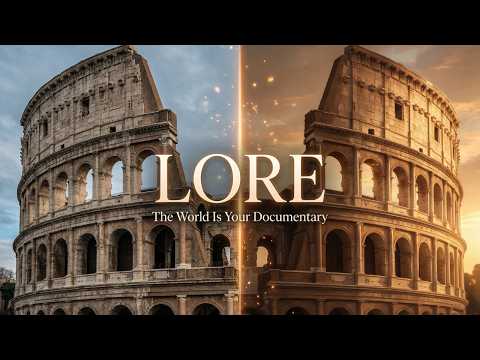
(Click above to watch the video demo on YouTube)

- Branch Documentaries — Tap any claim during narration to instantly branch into a sub-documentary on that topic, up to 3 levels deep.
- Historical Character Encounters — Converse with AI-powered historical figures at relevant locations (Marcus Aurelius at the Colosseum, da Vinci in Florence).
- Chronicle Export — Generate illustrated PDFs of any documentary session with citations, timestamps, and generated imagery.
- Depth Dial — Adjust content complexity from Explorer (casual) to Scholar to Expert (academic depth).
- Multilingual support — 24 languages with cultural adaptation.
- App Store & Play Store release — Bringing immersive history to everyone.
This project is licensed under the MIT License - see the LICENSE file for details.
- GPS Tracking mode requires a physical device — emulator GPS is unreliable.
- Local dev uses AI Studio by default. Do not set
GCP_PROJECT_IDindart-defines.jsonfor local dev. - The Maps API key appears in
AndroidManifest.xmlby design (required by Maps SDK) — restrict it by Android app signature in GCP Console. - See
SETUP.mdfor the full deployment guide including Secret Manager setup and pre-publish checklist.