Repository navigation
Load Cell Calibration
The KE measures the Z offset by gently touching the bed with the nozzle. The touch is felt by a load cell under the front-left bed screw. Once, the printer has to learn how much force that sensor measures. That is this calibration. It takes about 2 minutes. Nothing moves or heats.

Load cell calibration, before it starts.

Entering the weight of your bottle.
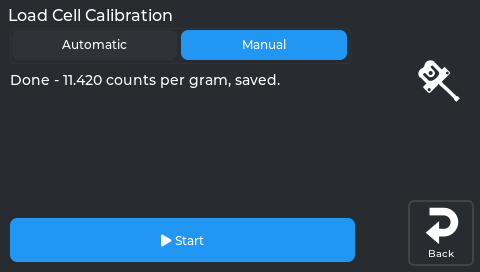
Calibration complete.
You need:
- a 1.5 L bottle, full of water;
- a kitchen scale.
Start it from Calibration → 3 Load Cell on the screen, or run the
NEBULAOS_LOAD_CELL_CALIBRATE macro in Mainsail. If the Z offset ever needs a
calibration that is missing, a popup offers it.
-
Empty bed. Remove everything from the bed. The nozzle must not touch it. Tap Check. The printer checks the sensor and takes the empty reading.
-
Bottle on. Weigh the full bottle on the kitchen scale. Stand it with its centre roughly above the front-left screw head of the bed. Set the weight from the scale:
- on the screen, type it;
- in Mainsail, use the -100 … +100 buttons. 1500 g is pre-filled.
Tap Weigh.
-
Lift it and put it back in the same place, then tap Continue. The printer shows "Printer measures N g, your scale said M g". They should agree.
-
Remove the bottle, then tap Continue. The reading must return to zero.
-
Optional finger test. Press the front-left corner gently and tap Measure. The printer shows the force. Tap Continue when done.
-
Apply & Save. Klipper restarts with the new calibration.
Nothing is saved before step 6. Cancel works at every step.
The step stays where it is. Fix the cause and tap the same button again.
| Message | What to do |
|---|---|
| The load cell sensor is not working properly | Check the cable under the front-left corner. |
| The reading is not stable | Don't touch the printer. Wait until the bottle stands still. |
| Enter the weight in grams, between 1000 and 5000 | You typed a wrong number (for example 150 instead of 1500). |
| The printer barely felt the weight | Put the bottle centred above the front-left screw head, or use two bottles. |
| The weight is too heavy | Use a lighter weight. |
| The printer measures … your scale said … | The bottle moved or touches something. Put it back and try again. |
| The bed does not return to zero | Something is stuck on or under the bed. |
- The Z offset itself does not depend on this calibration. The calibration only sets how hard the nozzle may press (75 g) and the safety limit (2 kg).
- A bottle a little off the screw reads low. The printer then stops a touch a little earlier, which is the safe side.
- A typed weight that is far too low would be unsafe, so only 1000–5000 g is accepted.
If you shim, replace or adjust the front-left bed corner (see Bed tramming), calibrate the load cell again.