Releases: NoCoderRandom/netsentinel11
Releases · NoCoderRandom/netsentinel11
NetSentinel11 v0.1.1 - GUI reset portable release

NetSentinel11 v0.1.1 - GUI reset portable release
This release supersedes v0.1.0. The old GUI package was not good enough and did not expose the real scanner workflow clearly.
What changed
- Rebuilt the Qt 6 Windows GUI around a real scanner workflow.
- Added a modern dark Windows-style layout with sidebar navigation and dashboard cards.
- Wired Scan Network to the real authorized-LAN scanner backend.
- Wired device selection and Scan Ports to the real safe TCP connect service scanner.
- Added real report generation from current scan results.
- Added pages for Dashboard, Devices, Port Scanner, Security, Timeline, Bandwidth, Router/DNS/DHCP, Wi-Fi, Reports, and Settings.
- Corrected the portable ZIP so
NetSentinel11.exeis in the root folder. - Replaced old GitHub screenshots with screenshots from the rebuilt GUI.
Screenshots
Dashboard
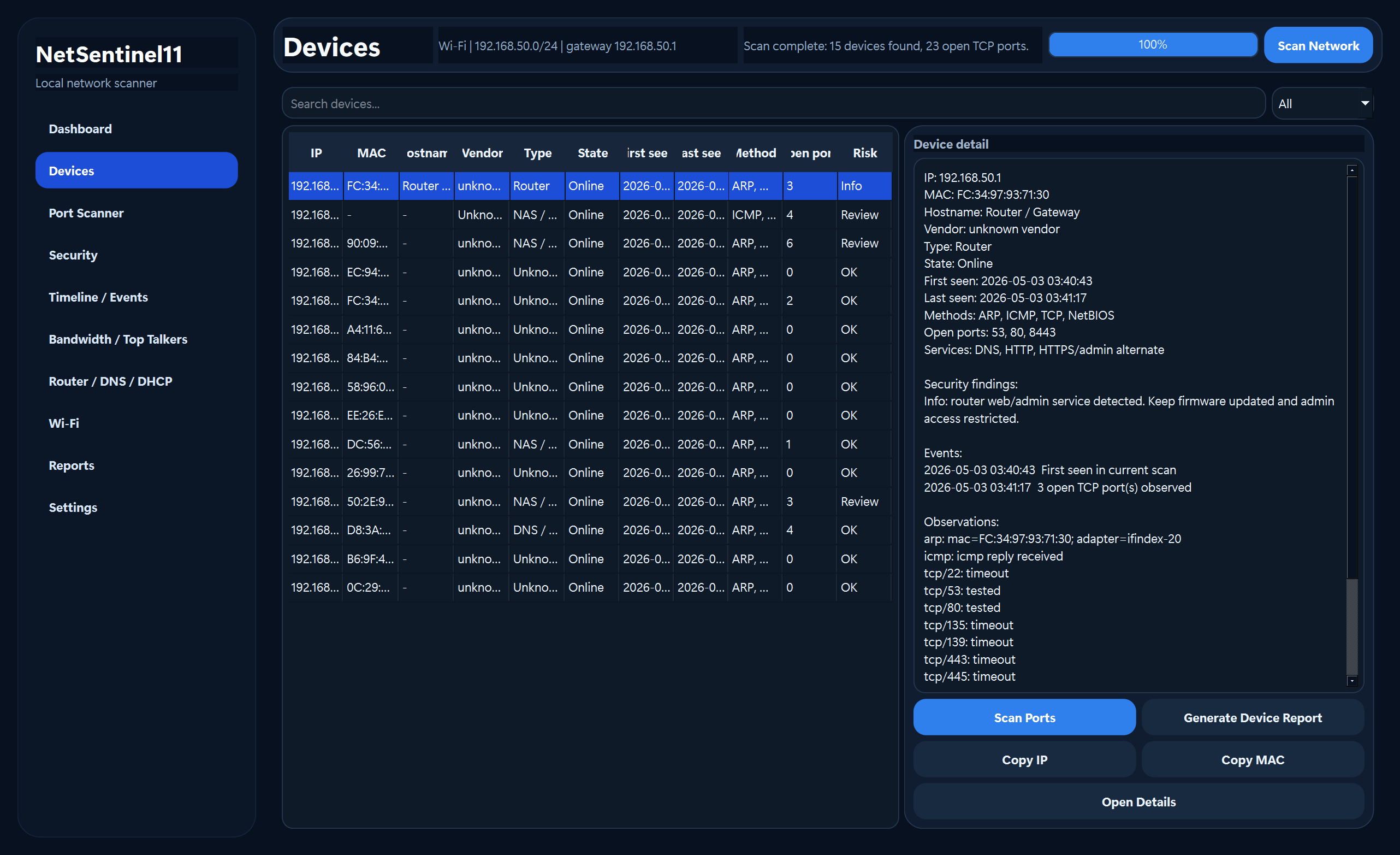
Devices
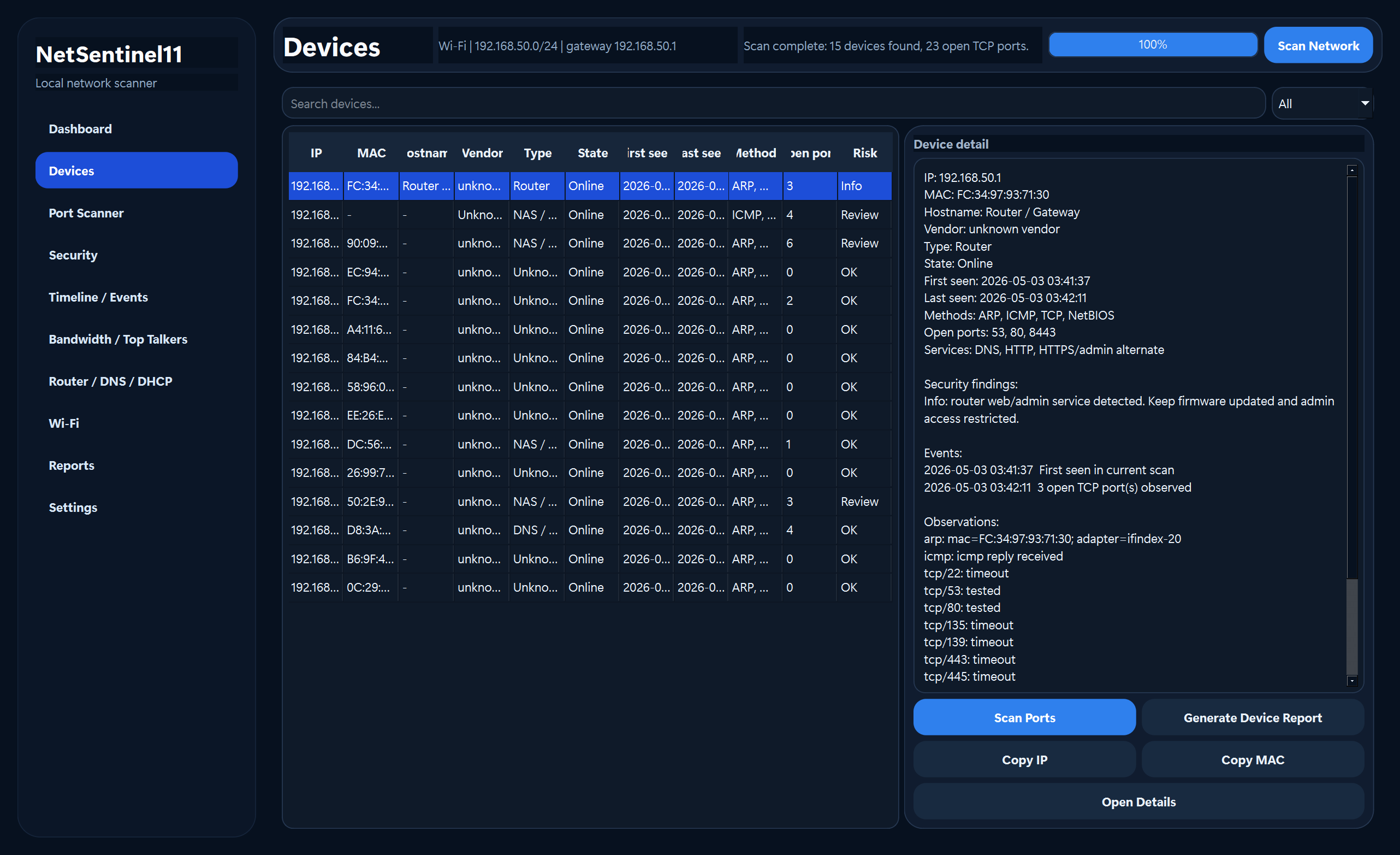
Port scanner
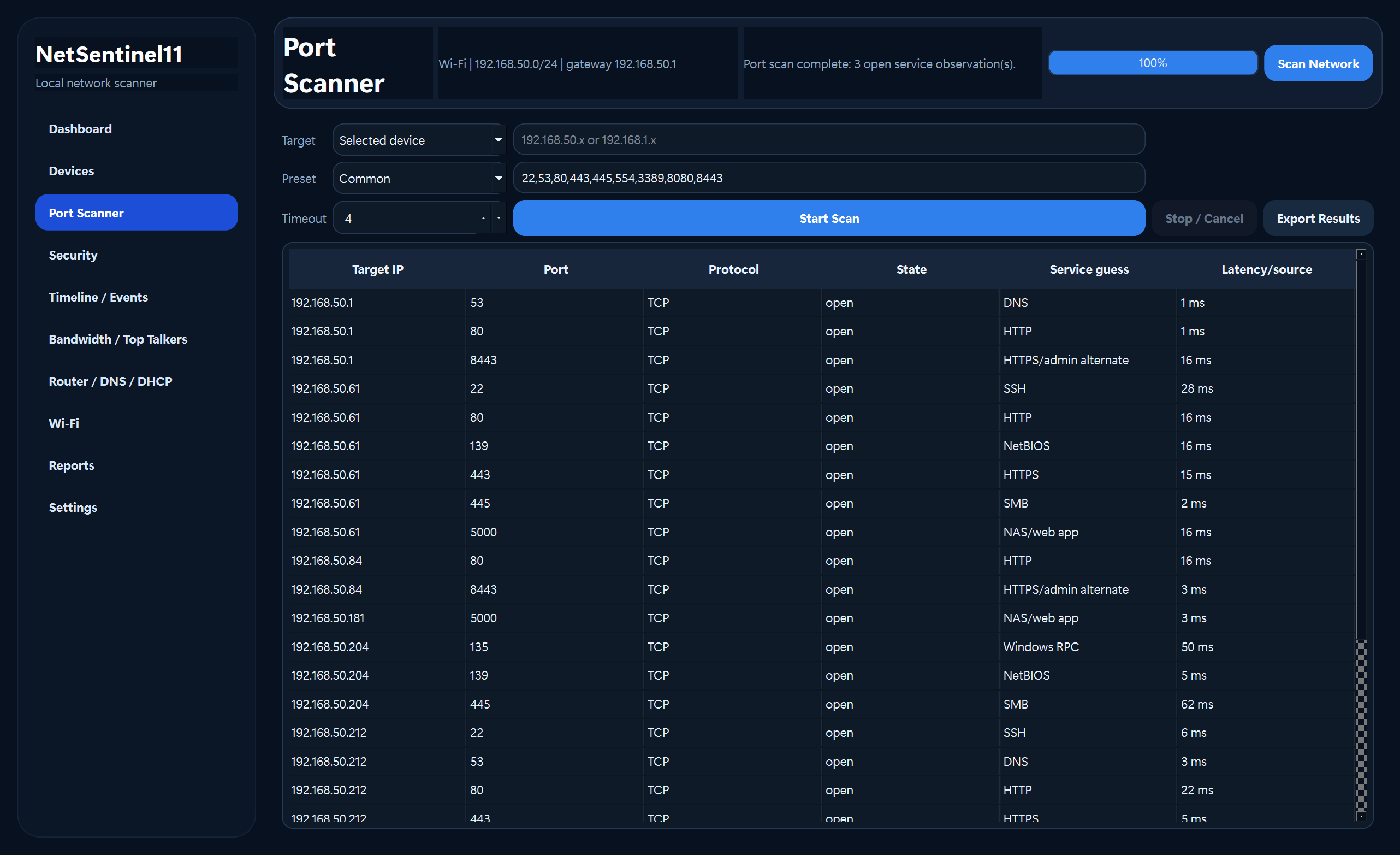
Security findings
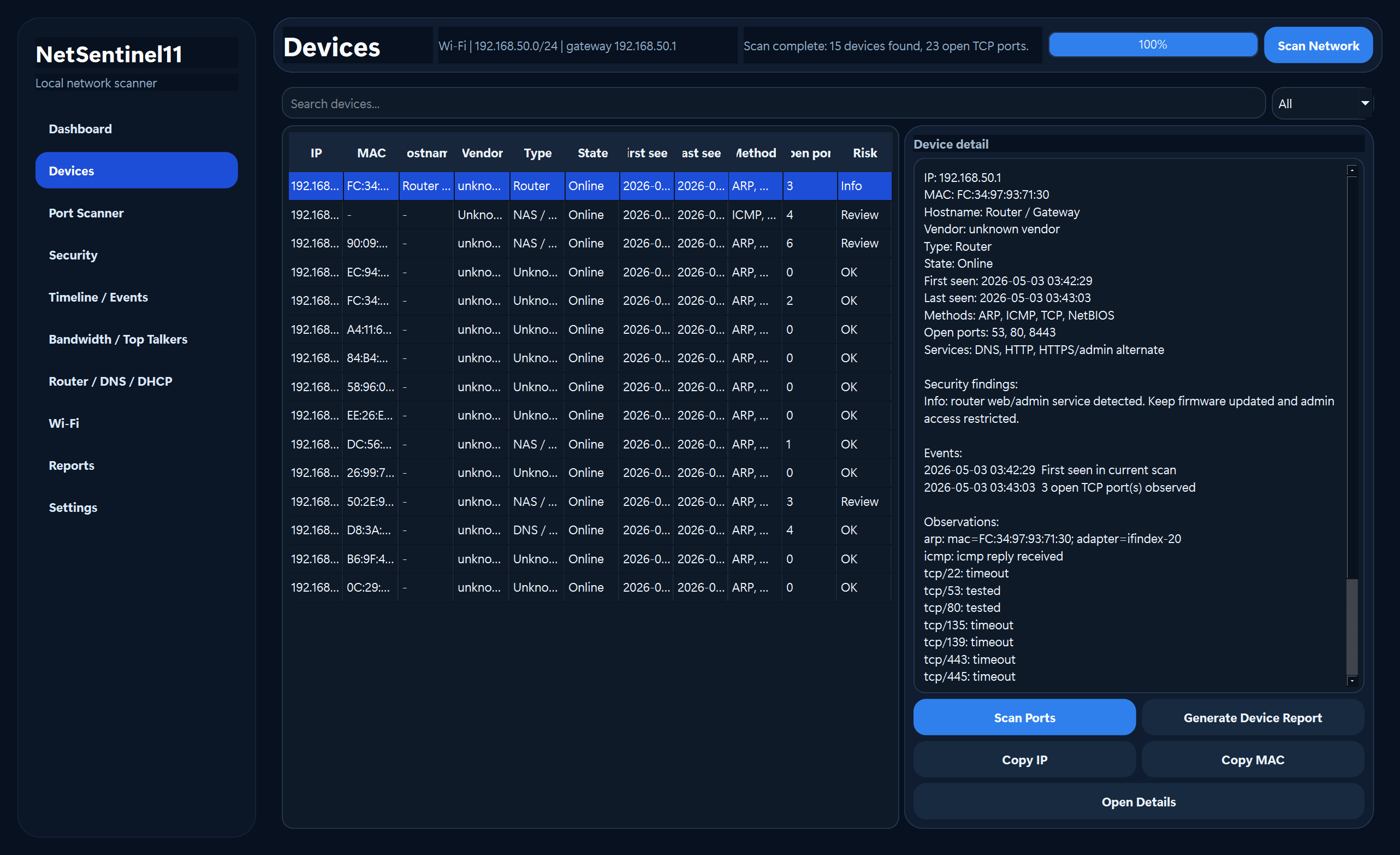
How to run
- Download
NetSentinel11-v0.1.1-portable.zip. - Extract it.
- Double-click
NetSentinel11.exe.
Safety
Use only on networks you own or are authorized to test. This release is intended for safe local LAN discovery and TCP connect service identification, not exploit testing.
Known limitations
- Bandwidth/top-talkers requires a real data source and does not fake traffic.
- Some vendors may show as unknown if the OUI cache is unavailable.
- This is a portable release, not a signed MSI installer.
NetSentinel11 v0.1.0 - Windows portable and installer-style release
NetSentinel11 v0.1.0
Windows 11 local-first network scanner and monitoring app with a Qt 6 C++ GUI.
Download
Choose one of these files:
- Portable ZIP: NetSentinel11-v0.1.0-portable-windows-x64.zip
- Installer-style ZIP: NetSentinel11-v0.1.0-installer-windows-x64.zip
Which one should I use?
- Use the portable ZIP if you want to unzip a folder and double-click NetSentinel11.exe directly.
- Use the installer-style ZIP if you want setup and uninstall scripts.
How to start the portable app
- Download NetSentinel11-v0.1.0-portable-windows-x64.zip.
- Unzip it.
- Double-click NetSentinel11.exe in the unzipped folder.
Optional command-line tool: netsentinel11-cli.exe.
What is included
- Modern Windows 11-style Qt 6 GUI.
- Dashboard, scan progress, device list, network map, security, timeline, bandwidth, reports, settings, and Wi-Fi views.
- Safe local LAN discovery and service-identification actions.
- Portable release for unzip-and-run testing.
- Installer-style release with setup/uninstall scripts.
Safety
NetSentinel11 is for authorized local networks only.
- No exploit payloads.
- No credential brute force.
- No MITM, ARP spoofing, deauth, stealth, or destructive behavior.
- No public Internet scanning by default.
Checksums
- NetSentinel11-v0.1.0-portable-windows-x64.zip
- SHA256: E9964B4373E23791890C5633B32CC5ABA8D79A45BD5B8084B1B1C7B517EF1F51
- NetSentinel11-v0.1.0-installer-windows-x64.zip
- SHA256: B65DFCEFCD70A8436BD3CD684790EC572F812365936E8E911C544E060F021C9B
Notes
This is the first public release. The portable build is the easiest option for most testers. The installer-style package is not a signed MSI yet.