
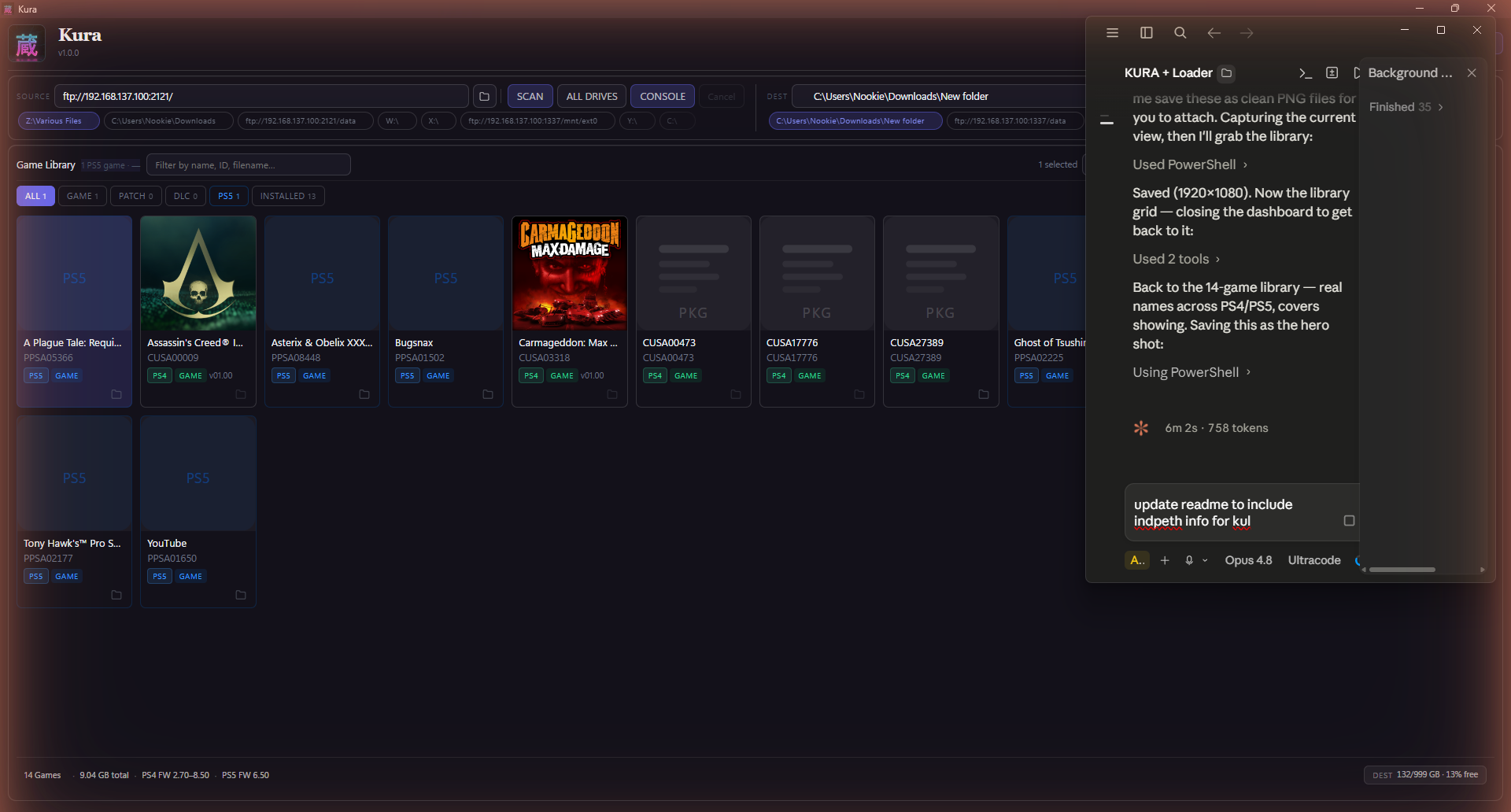
Kura is a free application that scans your drives, identifies every PlayStation game you own, and helps you organise, transfer, and install them — across PS1, PS2, PSP, PS3, PS4, PS5, and PS Vita, in a single library. It reads inside each file for the real title, cover art, and metadata (not the filename), finds duplicates, organises for any console layout, and installs straight to your console.
No installer. No login. No account. Native builds for Windows, macOS (Apple Silicon + Intel), and Linux — plus the kura-loader.elf PS5 payload.
What's new in 1.0.4 — privacy & security hardening
A focused pass on how Kura stores and shares sensitive data. Nothing here changes how you use the app — it just keeps your console credentials safer at rest. (1.0.4 completes the 1.0.3 security pass.)
- Console auth tokens are now encrypted at rest using your OS keychain (Windows DPAPI / macOS Keychain / Linux libsecret) instead of being stored in plaintext. Existing tokens are upgraded automatically on next save.
- Diagnostic / incident bundles are now safe to share. They no longer include your console's dashboard auth token, secret-shaped values in config/logs are masked, and a reminder is added before you share.
- Exported settings no longer contain auth tokens.
- Tighter transfer firewall rule — the temporary file server used during game installs is now scoped to your local network only.
- Anonymous/empty FTP passwords are no longer saved.
Downloads
| Platform | File |
|---|---|
| Windows | kura.exe |
| macOS · Apple Silicon | Kura-1.0.4-arm64.dmg |
| macOS · Intel | Kura-1.0.4-x64.dmg |
| Linux | Kura-1.0.4.AppImage |
| PS5 payload | kura-loader.elf |
macOS first launch: if you see "Kura is damaged and can't be opened", open Terminal and run
xattr -cr /Applications/Kura.apponce — that's just Gatekeeper blocking an unsigned app, not real damage.
Free · portable · no account. Built and maintained by Nookie. If you like it, tell a friend.