Skip to content

[ADD] spreadsheet_oca & spreadsheet_dashboard_oca#2

Closed
etobella wants to merge 33 commits into
OCA:16.0from
tegin:16.0-add-spreadsheet_oca
Closed

[ADD] spreadsheet_oca & spreadsheet_dashboard_oca#2
etobella wants to merge 33 commits into
OCA:16.0from
tegin:16.0-add-spreadsheet_oca

Conversation

@etobella
Copy link
Copy Markdown
Member

@etobella etobella commented Dec 30, 2022

This PR contains two modules:

  • spreadsheet_oca: allows to edit spreadsheets using a new model
  • spreadsheet_dashboard_oca: allows to edit spreadsheet dashboards using the code implemented on the first module

TODO:

  • Add a button on pivot table for exporting
  • Save Spreadsheet on exit (on first option is only saved when we select it)
  • Allow multiple people to edit at the same time
  • Improve security and allow to edit / share
2022-12-30.20-00-19.mp4

@pedrobaeza

@etobella etobella force-pushed the 16.0-add-spreadsheet_oca branch from c968cde to e68ac1c Compare December 30, 2022 23:14
Copy link
Copy Markdown
Contributor

@legalsylvain legalsylvain left a comment

Choose a reason for hiding this comment

The reason will be displayed to describe this comment to others. Learn more.

Well.
First, thanks a lot @etobella for this nice OCA christmas gift !

just tested very quickly on runboat :

  • going in spreadsheet spreadsheet, the "create" button doesn't work. Do you face the same issue ?
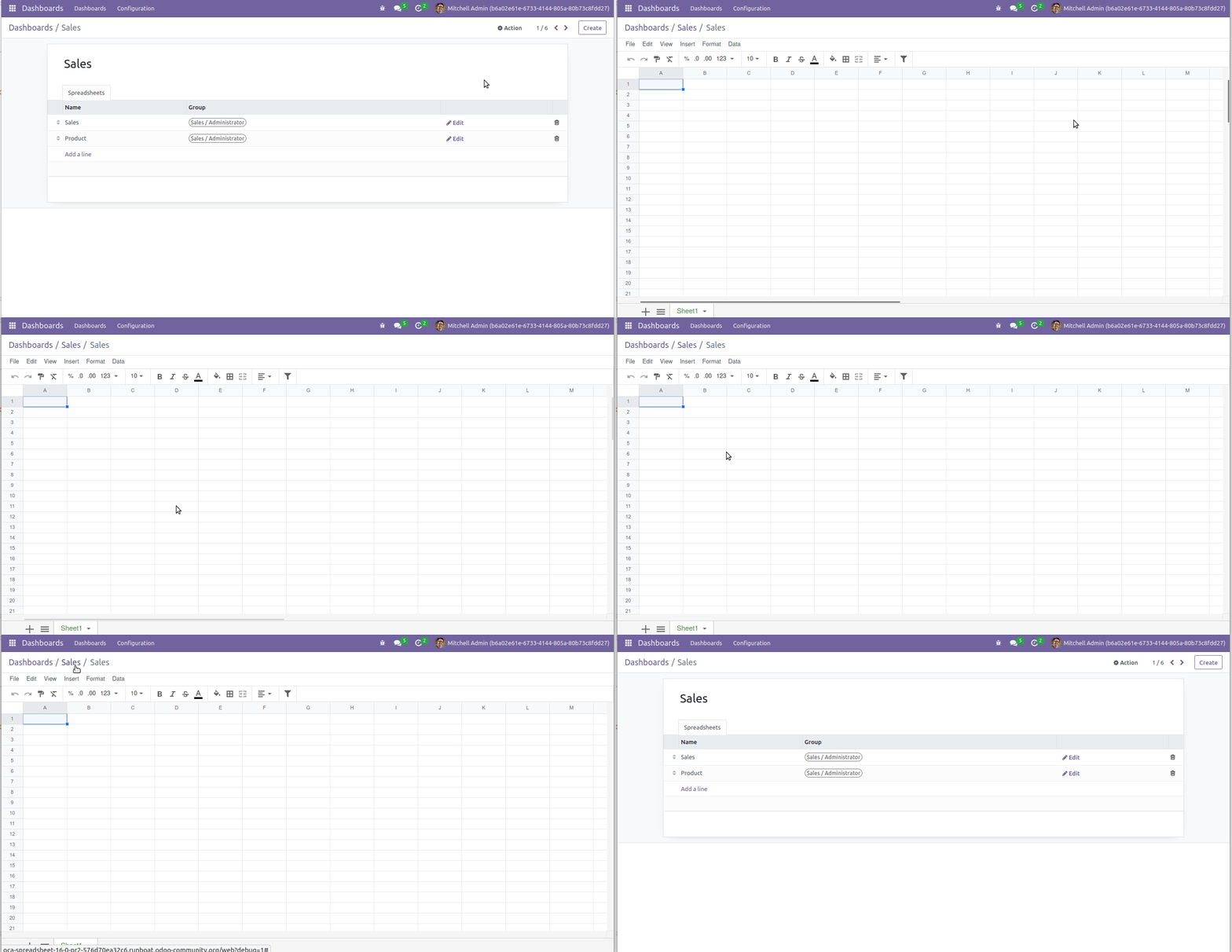
  • when I go in Dashboard > configuration > Sale (for exemple) > and I edit the sale dashboard :
    -> The editor is well opened : OK
    -> When I edit in multi browser with demo and admin, I don't see direct changes : KO. Edit : did'nt see your roadmap point.
    -> when I try to save the changes (I click on save), It doesn't work : KO

@etobella
Copy link
Copy Markdown
Member Author

etobella commented Dec 31, 2022

Saving on dashboards now works. About the create, I forgot about it. At the begining I tried to do it with a Form JS Class, but at the end I had to find another way. I need to modify tree view. I will do ASAP 😉

@legalsylvain
Copy link
Copy Markdown
Contributor

Thanks for your answer ! Please ping me when you want review.
Happy new years !

@etobella
Copy link
Copy Markdown
Member Author

Tree modified. Creation is allowed properly 🎉

@etobella etobella force-pushed the 16.0-add-spreadsheet_oca branch from 4dc53b3 to 488d9e3 Compare December 31, 2022 14:50
@etobella
Copy link
Copy Markdown
Member Author

etobella commented Jan 1, 2023

Just one thing. Should we use dms functionality in order to avoid to redo folders and permissions?

Next step would be to improve views on DMS. But it might be achieved 😄

@pedrobaeza
Copy link
Copy Markdown
Member

Yeah, I was thinking in a spreadsheet_dms_oca module. For this one, I think we should set a basic security without folders, having groups per spreadsheet. Forcing to use DMS for a basic security seems too much for me.

Copy link
Copy Markdown
Contributor

@legalsylvain legalsylvain left a comment

Choose a reason for hiding this comment

The reason will be displayed to describe this comment to others. Learn more.

Hi @etobella. Thanks for your work ! Saving works now.

remarks :

  • Nice to fix : minor remarks inline, regarding the name of "spreadsheets" menu.
  • Question : I don't find a way to add a new spreadsheet to a spreadsheet group. Is it possible ? forecast ?
  • UI remarks : I see the current UI in spreadsheet spreadsheet list very limited. It is only possible to create and edit via [o-spreadsheet](https://github.com/odoo/o-spreadsheet) the spreadsheet. but it's not possible to open the form. As a result, if OCA or custom module want to add some field, it will not be possible to edit them. Why not having a classic "tree" and "form" views here, with a simple button "Open" or "Edit" when we want to edit the content ?

thanks !

Comment thread spreadsheet_oca/views/spreadsheet_spreadsheet.xml Outdated
@etobella
Copy link
Copy Markdown
Member Author

etobella commented Jan 1, 2023

Hi @legalsylvain

Just a few things:

  • multi-editing should be working now
  • Menu names, fixed
  • About your questions, I am not sure what are you asking. Do you mean to access another spreadsheet? Might be possible, but don't know how. Using the same logic from ODOO.BALANCE. It might be possible.
  • About opening the form, I was thinking on something different. IMO the main option should be to use the spreadsheet and adding a button to access the form on the spreadsheet view (near the name using a +config or something like that)

Multi edit video 😄

2023-01-01.19-27-30.mp4

@legalsylvain
Copy link
Copy Markdown
Contributor

Menu names, fixed

The last instance on runboat have the same "spreadsheet spreasheet" title.

About your questions, I am not sure what are you asking. Do you mean to access another spreadsheet? Might be possible, but don't know how. Using the same logic from ODOO.BALANCE. It might be possible.

I mean : Go to "Dashboard" > "Configuration" > Click on a group (like "Sale") and here, have the possibility to "Add a line".

image

Does it makes sense ?

IMO the main option should be to use the spreadsheet and adding a button to access the form on the spreadsheet view

As you wish. I guess, that having a "classic" tree / form view structure and just add a button "Open" in the tree view (and in the form view) could be the more simple to implement and the UI the most "awaited". (I mean, all the rest of odoo works the same, when you click on a line of a tree view, the form view is opened).
Anyway, implementing a form view is a must have, because otherwise, no "duplicate" function is available.
Not a blocking point, thought.

Multi edit

  1. Tested in spreadsheet spreadsheet entry. Work like a charm ! Nice ! Wow effect !

  2. Regression : go to Dashboard / configuration / open a sheet : You have an error :

AttributeError: type object 'spreadsheet.dashboard' has no attribute 'send_spreadsheet_message'

I guess you should implement send_spreadsheet_message in this model too.

Side questions :

  • I see that it's possible to have spreadsheets with no name. (when creating a new one, by default). Maybe having a default "Untitled" or "No name" could be more appropriate.

@etobella
Copy link
Copy Markdown
Member Author

etobella commented Jan 1, 2023

I mean : Go to "Dashboard" > "Configuration" > Click on a group (like "Sale") and here, have the possibility to "Add a line".
Does it makes sense ?
Yes! Fixed 😄

IMO the main option should be to use the spreadsheet and adding a button to access the form on the spreadsheet view

As you wish. I guess, that having a "classic" tree / form view structure and just add a button "Open" in the tree view (and in the form view) could be the more simple to implement and the UI the most "awaited". (I mean, all the rest of odoo works the same, when you click on a line of a tree view, the form view is opened). Anyway, implementing a form view is a must have, because otherwise, no "duplicate" function is available. Not a blocking point, thought.

After a second thought, I think you are right. Changes applied 😄

Multi edit

  1. Tested in spreadsheet spreadsheet entry. Work like a charm ! Nice ! Wow effect !
  2. Regression : go to Dashboard / configuration / open a sheet : You have an error :

AttributeError: type object 'spreadsheet.dashboard' has no attribute 'send_spreadsheet_message'

I guess you should implement send_spreadsheet_message in this model too.

I passed the logic to an abstract in order to avoid the same error on the future 😉

Side questions :

  • I see that it's possible to have spreadsheets with no name. (when creating a new one, by default). Maybe having a default "Untitled" or "No name" could be more appropriate.

🤔 Maybe we need to make it required

@legalsylvain
Copy link
Copy Markdown
Contributor

Thanks for all the changes. Nice refactoring with the abstract btw !

Copy link
Copy Markdown
Member

@chienandalu chienandalu left a comment

Choose a reason for hiding this comment

The reason will be displayed to describe this comment to others. Learn more.

Awesome work @etobella ! Thanks!

Some features that won't be hard to implement in a near future:

@etobella
Copy link
Copy Markdown
Member Author

etobella commented Jan 2, 2023

We can now export from Pivot Tables 🎉

2023-01-02.21-35-45.mp4

@chienandalu
Copy link
Copy Markdown
Member

Bravo!

Copy link
Copy Markdown
Member

@pedrobaeza pedrobaeza left a comment

Choose a reason for hiding this comment

The reason will be displayed to describe this comment to others. Learn more.

Thank you very much for this.

Several things to finish the modules:

  • The dashboard edition doesn't work:

Peek 03-01-2023 16-28

  • On this matter, I prefer that the dashboards with XML-ID can't be overwritten, and only allows to save a copy.

  • I also misses the possibility to save a spreadsheet as a dashboard.

  • About security, I would create 2 groups:

Spreadsheets / User
Spreadsheets / Manager

You may want that your users don't access spreadsheets at all, so not putting any of them, the main menu is not shown, as well as the button on the pivot views. If you put user, then you will be able to see those spreadsheets that you are owner, contributor or reader, and edit the first 2. Being manager, you see and edit all.

  • From the pivot view, is there any possibility of adding it to an existing spreadsheet? It would be a very nice feature.

  • Spreadsheets can be saved with no name, so please put it as required.

Maybe it's better to split the pull request in 2 parts and let this one for the base module and handle the dashboard thing in another.

Thanks again.

Comment thread spreadsheet_oca/views/spreadsheet_spreadsheet.xml Outdated
Comment thread spreadsheet_oca/security/security.xml Outdated
Comment thread spreadsheet_oca/models/spreadsheet_spreadsheet.py
@pedrobaeza pedrobaeza added this to the 16.0 milestone Jan 3, 2023
@pedrobaeza
Copy link
Copy Markdown
Member

Please add also this icon, and put it on the menu (it can directly be the SVG I think).

icon

@etobella
Copy link
Copy Markdown
Member Author

etobella commented Jan 3, 2023

Hi @pedrobaeza Your inline comments have been attended

About your main comment 😄

  • The dashboard edition doesn't work:

True, should be fixed now.

  • On this matter, I prefer that the dashboards with XML-ID can't be overwritten, and only allows to save a copy.

Well, I understand your concern, but I am not sure if it is the right approach 🤔 Also, the system checks who can edit it, and it is only editable by the right users, so only administrator users are allowed to edit spreadsheet dashboards.

  • I also misses the possibility to save a spreadsheet as a dashboard.

The idea is to create it directly there on the dashboard configuration.

  • About security, I would create 2 groups:

Spreadsheets / User Spreadsheets / Manager
You may want that your users don't access spreadsheets at all, so not putting any of them, the main menu is not shown, as well as the button on the pivot views. If you put user, then you will be able to see those spreadsheets that you are owner, contributor or reader, and edit the first 2. Being manager, you see and edit all.

It makes sense, I will do it ASAP

  • From the pivot view, is there any possibility of adding it to an existing spreadsheet? It would be a very nice feature.

It is already done 😄

  • Spreadsheets can be saved with no name, so please put it as required.

Yes, ASAP 😉

Maybe it's better to split the pull request in 2 parts and let this one for the base module and handle the dashboard thing in another.

I will close this one when it is ready in order to keep the history in this PR. then I will create two new ones with only one commit

Also, thanks for the icon, it is already here 😄

@pedrobaeza
Copy link
Copy Markdown
Member

OK, tested. The Edit button still appears when you don't have any Spreadsheet group, but then it appears an error when you click it. Maybe it's better to hide such button. About having that edit button on standard dashboards, it seems it's still usable for spreadsheet / user.

You can now proceed to clean the commit history and let only the main module here.

@etobella etobella mentioned this pull request Jan 6, 2023
@etobella etobella closed this Jan 6, 2023
@etobella
Copy link
Copy Markdown
Member Author

etobella commented Jan 6, 2023

Done!

Sign up for free to join this conversation on GitHub. Already have an account? Sign in to comment

Labels

None yet

Projects

None yet

Development

Successfully merging this pull request may close these issues.

4 participants