Repository navigation
Overlay
The overlay shrinks ORQWA to just your HUD, small and on top of other windows, so you can watch a video or stream while you ride. The ride carries on and is saved as usual.
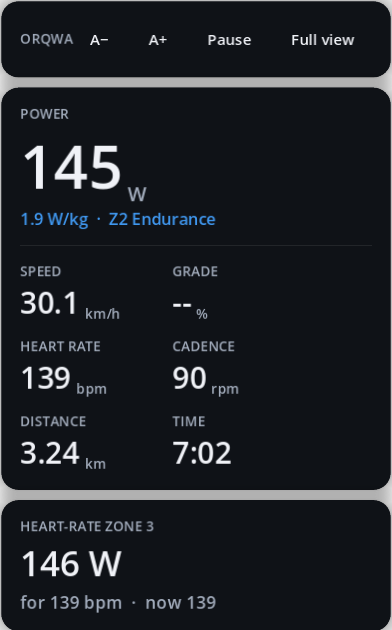
| To… | Do this |
|---|---|
| Open it | Overlay button or O during a ride, or Start as overlay on the Workouts tab |
| Go back | Full view, or O / Esc |
| Pause | Pause, or P / space |
| Move it | Drag the top bar |
| Resize it | A+ / A−, + / −, or drag the bottom-right corner |
It reopens where and as large as you left it, for each rider. Clicks beside the HUD go to the window below.
Limits: it stays on top of normal windows, but not of full-screen apps — use a maximised browser window rather than full-screen video. The 3D world is paused while the overlay shows. On Wayland (Linux), staying on top depends on the compositor.
On an Android tablet the overlay is picture-in-picture: ORQWA becomes a small window of your figures on top of other apps, as a video app does. Android looks after that window:
| To… | Do this |
|---|---|
| Open it | Overlay button during a ride |
| Go back | Tap the window, then Android's full-screen button |
| Move it | Drag it |
| Resize it | Pinch it, or drag its edge |
There is no top bar: Android keeps taps on the window for its own buttons. Pause from the full view.