Rework on the WBS Task actions and fixing task deletion #559
Conversation


Changed the EDIT button within WBS task to now display the controller buttons for the task(This was hidden before and visible by selecting the 1 under #)

|
Great job @Red4lpha !! I really like the toggle "Edit" button. ✅ Verified changes:
💡 Things can be improved:
|


|


|
Looks good.
Hold up there pally, you sure you want to delete this!?! Deleting this cannot be undone and the process deletes all the tasks within this folder too. If you want to keep those and still delete this folder, you first need to drag the ones you want to keep to another folder. Easy peasy, then you can destroy this folder forever and feel good about it.
Whoa tiger, you sure you want to delete this!?! Deleting this cannot be undone and removes the item from this WBS and the Tasks list of anyone listed on it as a Resource. The data remains for people, project, etc. reports functions but that's it! If this WBS will be used in the future by others AND this task is one that is important to still be a part of this WBS for them (or any other reason you can think of), consider just marking it "Complete" instead: Edit --> Status --> Complete --> Save If this task was a "one-off" or other non-useful WBS task, then delete with confidence, nobody wants to see it here anymore anyway. |
|
I've merged this but am not seeing changes like the little dropdown arrow on the Main... Any idea why this might be? |
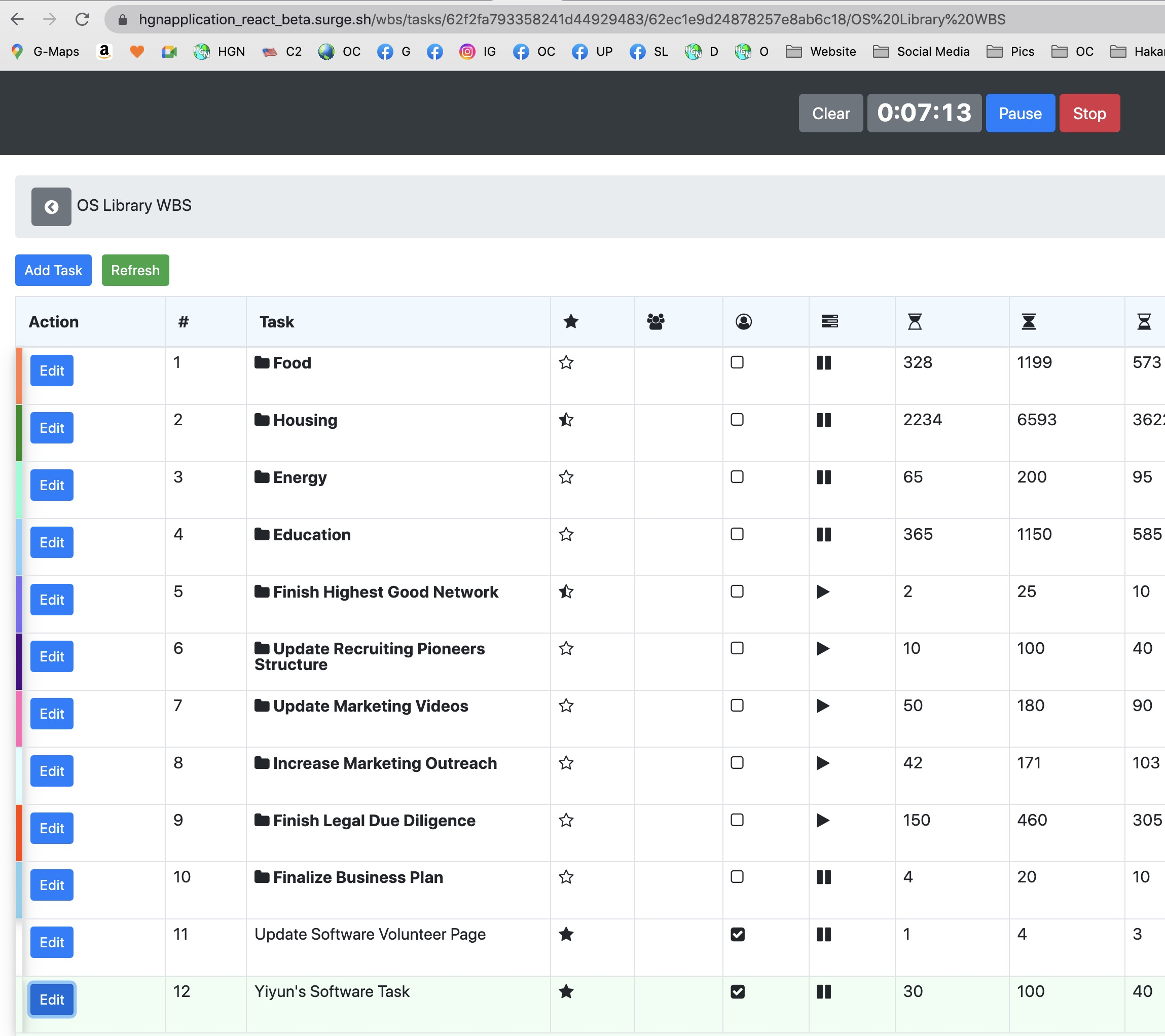


Originally my task was to implement a delete button for deleting tasks on the WBS task table. After diving into the code I noticed there was already functionality and UI for this, it was just hidden and didn't work very well.
After talking to Jae, my task changed to:
So, with this PR, the changes include:
Image of new UI