fix(frontend): render Settings icon as a link so it supports Open in new tab#802
Conversation


|
The latest updates on your projects. Learn more about Vercel for GitHub.
|



 all-hands-bot
left a comment
all-hands-bot
left a comment
all-hands-bot
left a comment
There was a problem hiding this comment.
Good fix for a real UX issue. The code changes are clean and use the correct component pattern.
🟠 Important - Test needs updating:
The test at __tests__/components/features/sidebar/sidebar.test.tsx:313 expects navigate to be called with one argument:
expect(navigate).toHaveBeenCalledWith("/settings");But NavigationLink (which replaced the button in this PR) calls navigate(to, { replace }) with two arguments. Update to:
expect(navigate).toHaveBeenCalledWith("/settings", { replace: false });This test will fail in CI until fixed.
Was this automated review useful? React with 👍 or 👎 to this review to help us measure review quality.
Workflow run: https://github.com/OpenHands/agent-canvas/actions/runs/26504976910


|
✅ Review complete. This review was performed through OpenHands Cloud Automation. You can log in and view the conversation here. |

all-hands-bot
left a comment
all-hands-bot
left a comment
There was a problem hiding this comment.
Clean fix for a real UX issue. The implementation correctly uses NavigationLink (which renders <a href>) to enable browser link behaviors (right-click context menu, Cmd/Ctrl-click, middle-click) while preserving SPA navigation on plain clicks.
[RISK ASSESSMENT]
- [Overall PR]
⚠️ Risk Assessment: 🟢 LOW
Isolated UX fix that replaces buttons with proper link elements. Uses an existing, well-tested component (NavigationLink) that other sidebar items already rely on. No breaking changes to API surface or data flow. Test coverage updated correctly.
Was this automated review useful? React with 👍 or 👎 to this review to help us measure review quality.
Workflow run: https://github.com/OpenHands/agent-canvas/actions/runs/26505658240
all-hands-bot
left a comment
all-hands-bot
left a comment
There was a problem hiding this comment.
Clean, minimal fix for a genuine UX limitation — replacing <button onClick={navigate(...)}> with NavigationLink is exactly the right approach since browsers only expose link context menus and honor modifier/middle-clicks for <a href> elements.
What I reviewed:
backend-selector.tsx— Settings gear in the expanded sidebar.NavigationLink to="/settings"correctly renders an<a href="/settings">. Active styling is preserved via the existingisSettingsActiveconditional className anddata-activeattribute.sidebar-rail-body.tsx— Settings icon in the collapsed rail. Clean replacement;navigateprop correctly removed from both the interface and the parent (sidebar.tsx) since it is no longer needed.sidebar.tsx—navigateproperly dropped from theuseNavigation()destructure and theSidebarRailBodyprop spread.- Test —
expect(navigate).toHaveBeenCalledWith("/settings", { replace: false })correctly matchesNavigationLink's actual call site (navigate(to, { replace } satisfies NavigationOptions)withreplacedefaulting tofalse).
Minor observation (non-blocking): In backend-selector.tsx, active state is now tracked twice — isSettingsActive (via useMatch) drives the conditional className string, while NavigationLink also computes its own isActive internally (used only for aria-current). Both should always agree for /settings, so this is not a correctness issue. If the useMatch hooks are cleaned up in a future pass, NavigationLink's className function prop (className={({ isActive }) => ...}) could take over the active-class decision — but that would also require preserving data-active separately. Fine to leave as-is.
This review was generated by an AI agent (OpenHands) on behalf of the user through OpenHands Automation. View conversation


📸 Snapshot Test Report✅ No baseline found on main — all 1 snapshot are new and will become the baseline once this PR merges.
🆕 New snapshots (1)These snapshots have no baseline on main and will become the new baseline once this PR merges.
|
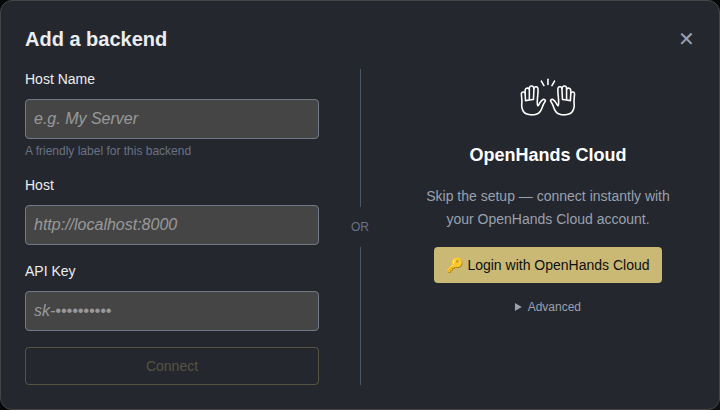

2 participants


Why
Summary
Right-clicking the Settings (gear) icon in the sidebar shows the browser's generic page context menu — there's no "Open Link in New Tab" option. Cmd/Ctrl-click and middle-click also fail to open Settings in a new tab. This affects both the expanded sidebar (gear next to the "Local" backend status) and the collapsed sidebar (gear at the bottom of the rail).
Steps to reproduce
agent-canvasand runnpm run dev.http://localhost:3001and ensure the sidebar is visible.Actual behavior
The browser shows the generic page context menu (Back, Forward, Reload, Save As…, Print…, etc.). "Open Link in New Tab" is not present. Cmd/Ctrl-click and middle-click do nothing useful either.
Expected behavior
Right-clicking the Settings icon should expose the standard link context menu, including "Open Link in New Tab". Cmd/Ctrl-click and middle-click should open
/settingsin a new tab, matching the behavior of the other sidebar entries (New Chat, Customize, Automate).Root cause
Both Settings entry points were rendered as
<button onClick={() => navigate("/settings")}>. Browsers only expose link-style context menu options and honor modifier-clicks for<a>elements with anhref. Other sidebar items don't have this issue because they go throughSidebarNavLink→NavigationLink, which renders a proper<a href="…">while still intercepting plain left-clicks for SPA navigation.Affected elements:
src/components/features/backends/backend-selector.tsx— Settings gear shown next to the backend dropdown (expanded sidebar).src/components/features/sidebar/sidebar-rail-body.tsx— Settings icon at the bottom of the collapsed sidebar.Acceptance criteria
/settingsin a new tab without disrupting the current tab./settingsin a new tab./settingsvia SPA routing (no full reload)./settingsand its sub-routes is preserved.NavigationLink's(to, { replace })shape).Summary
<button onClick={navigate(...)}>. Browsers only treat<a href>elements as links for context-menu and modifier-click purposes.NavigationLinkcomponent (already used by New Chat / Customize / Automate). It renders a real<a href="/settings">while intercepting plain left-clicks for SPA navigation, so the click-to-navigate behavior, active styling, and tooltip wrapping are unchanged — only right-click / modifier-click / middle-click now do the right thing.navigateprop fromSidebarRailBody(and the pass-through inSidebar).Files changed
src/components/features/backends/backend-selector.tsxsrc/components/features/sidebar/sidebar-rail-body.tsxsrc/components/features/sidebar/sidebar.tsxIssue Number
Resolves #801
How to Test
agent-server-guirepository and start the development server usingnpm run dev.Video/Screenshots
Type
🐳 Docker images for this PR
• GHCR package: https://github.com/OpenHands/agent-canvas/pkgs/container/agent-canvas
ghcr.io/openhands/agent-canvasghcr.io/openhands/agent-server:1.23.1-pythonopenhands-automation==1.0.0a5be4a38b0fcb04aaee681e7861c6ff6b7495825b8Pull (multi-arch manifest)
# Multi-arch manifest — Docker automatically pulls the correct architecture
docker pull ghcr.io/openhands/agent-canvas:sha-be4a38b
Run
All tags pushed for this build
About Multi-Architecture Support
sha-be4a38b) is a multi-arch manifest supporting both amd64 and arm64sha-be4a38b-amd64) are also available if needed