This repository was archived by the owner on Oct 20, 2022. It is now read-only.
Home
Datavenue Android - Sample
Screenmap below.
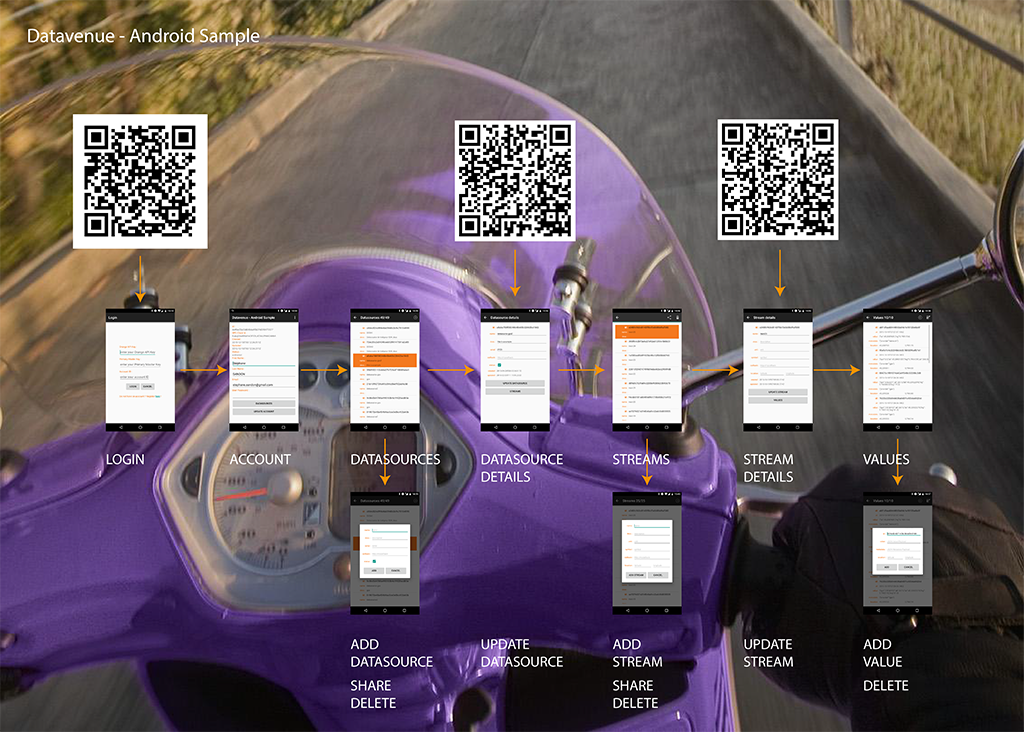
Login Screen On this screen enter your credentials (mainly your API Keys).
Account Screen Basic information about your account. You can change your portal's password on this screen and access your datasources.
Datasources Screen This screen basically lists your Datasources. You can add, share or delete a datasource.
Datasource Details Details information on a datasource. This screen lets you change Datasource settings and access the associated streams.
Streams Screen Same as Datasources Screen except for Streams.
Stream Details Stream details with update possibility. You can access Values of the stream.
Values Shows values of the streams. You can add or delete values.