-
Notifications
You must be signed in to change notification settings - Fork 0
Technical Implementation
Orphadata.com https://www.orphadata.com give access to the ORPHAcodes nomenclature pack files. Go to https://www.orphadata.com/pack-nomenclature/ page
Github is used to store current and previous version of ORPHAcodes nomenclature pack https://github.com/orphanet-rare-diseases-issues/RD-CODE and includes changelog between versions
the API dedicated to ORPHAcodes nomenclature pack is accessible from https://api.orphacode.org and https://api.gouv.fr/les-api/api-orphacode (French governement official directory of APIs services) See the technical description of this API below.
Services build around the ORPHAcodes nomenclature pack API and dataset are accessible from : https://www.orphadata.com/orphanet-nomenclature-for-coding/
Other datasets available from Orphadata.com ARE NOT part of the ORPHAcodes nomenclature pack annual release. Orphanet provides also the Orphanet Rare Diseases Ontology (ORDO), which is not the ORPHAcodes nomenclature pack and is used for different purposes based on semantic technologies. See "what-is-the-difference-between-the-orphanet-nomenclature-files-and-ordo"
The Orphanet nomenclature files for coding are delivered on an annual basis, in July. The previous versions stay available on the RD-CODE GitHub project as well as the change logs.
(https://www.orphadata.com/pack-nomenclature/)
The Orphanet nomenclature pack compiles various files (listed below) which provide the computable information necessary to achieve implementation of ORPHAcodes in health information systems, and ensure easier and accurate coding. These files are updated once a year, in 9 different languages: Czech, Dutch, English, French, German, Italian, Polish, Portuguese and Spanish. Excel and PDF files are available in English and are common to all Orphanet nomenclature pack.
The main format is XML which could be parsed or used with Xpath queries
Each year the Orphanet nomenclature pack includes :
- Orphanet nomenclature file ( XML Schema Definitions and JPEG representations for this file).
- Orphanet to ICD-10 ( XML Schema Definitions and JPEG representations for this files) and ICD-11 mapping files ( XML Schema Definitions and JPEG).
- Orphanet classifications files by medical specialities ( XML Schema Definitions and JPEG representations for these files).
- Linearisation file attributing one preferential medical specialty to every clinical entity ( XML Schema Definitions and JPEG representations for this file).
- Master file (Excel file), the minimal set of ORPHAcodes, aligned with ICD-10 codes, that should be used for data sharing and statistical purposes at EU-level. More information about the Master file can be found here.
- Orphanet nomenclature differential file (Excel file) which provides the key changes made to the nomenclature compared to the previous version.
- Description file ( PDF file describing the xml files enclosed in the Orphanet nomenclature pack for coding).
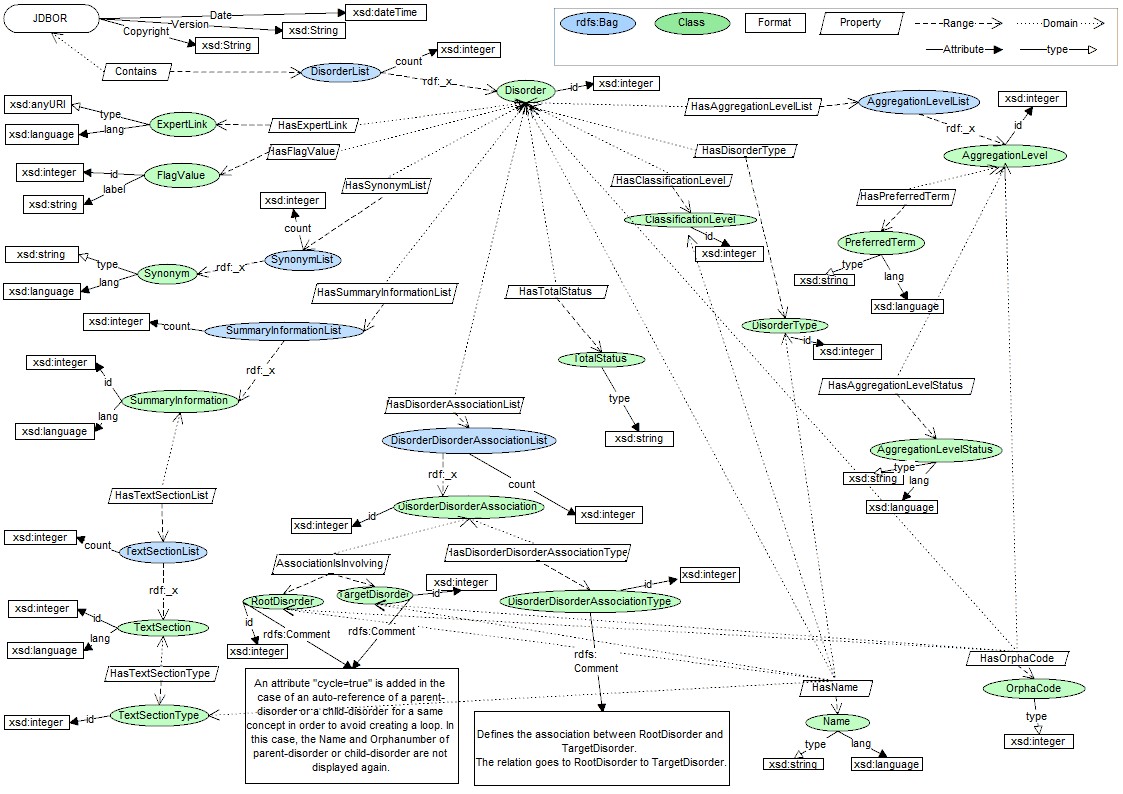
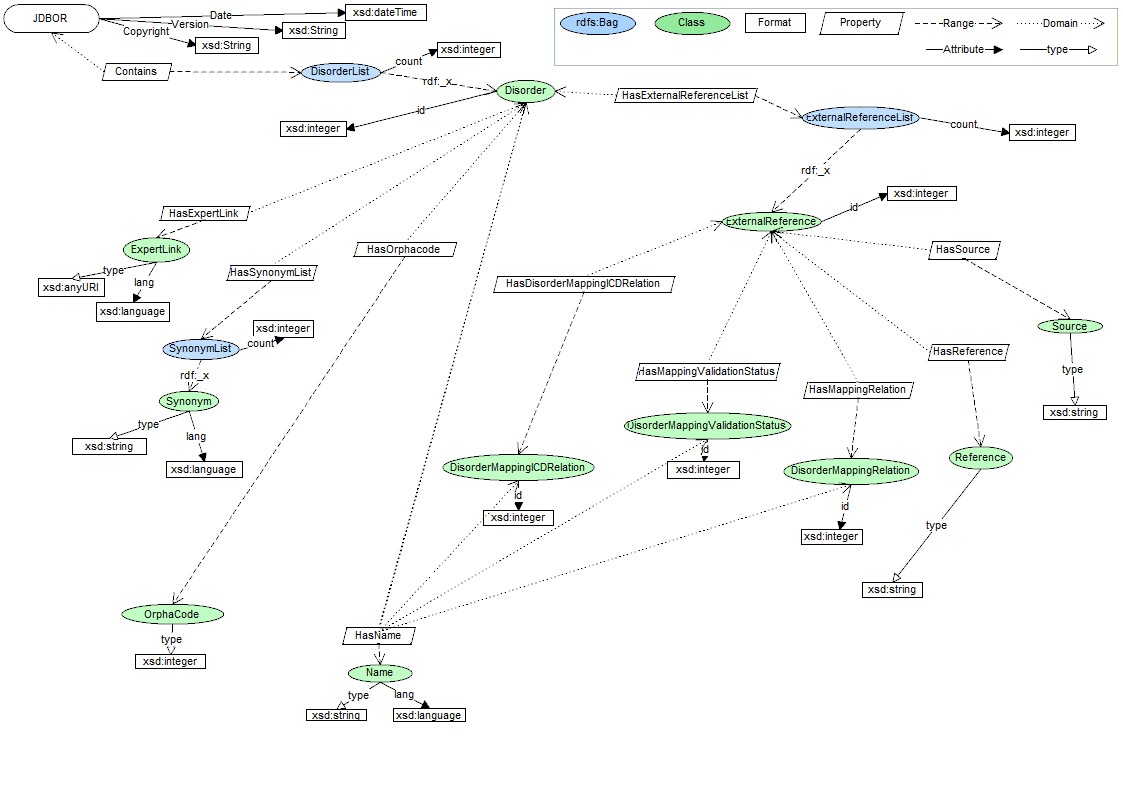
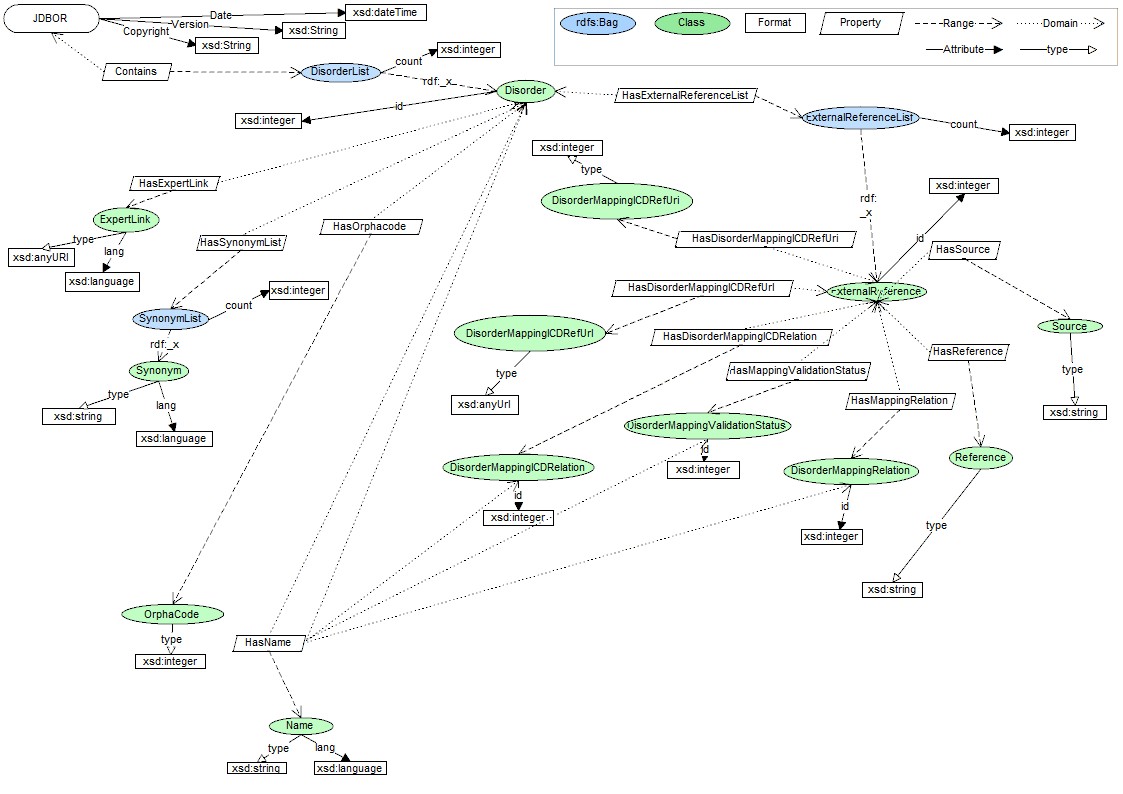
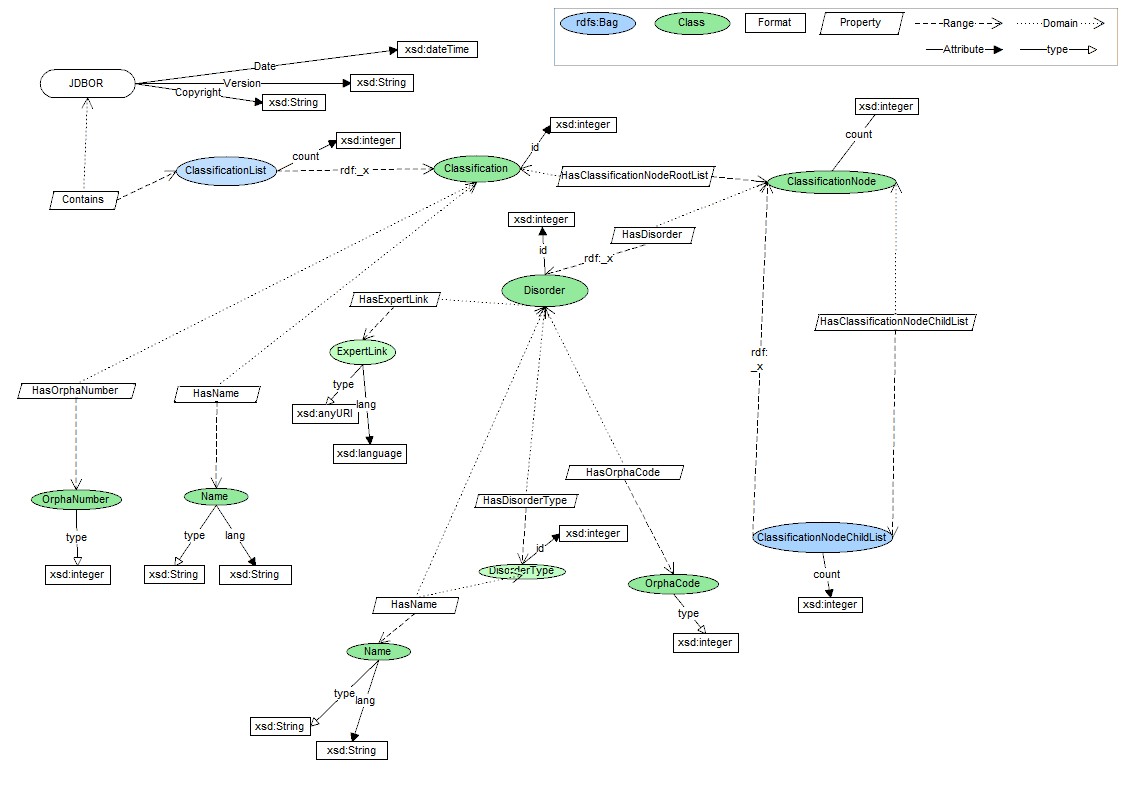
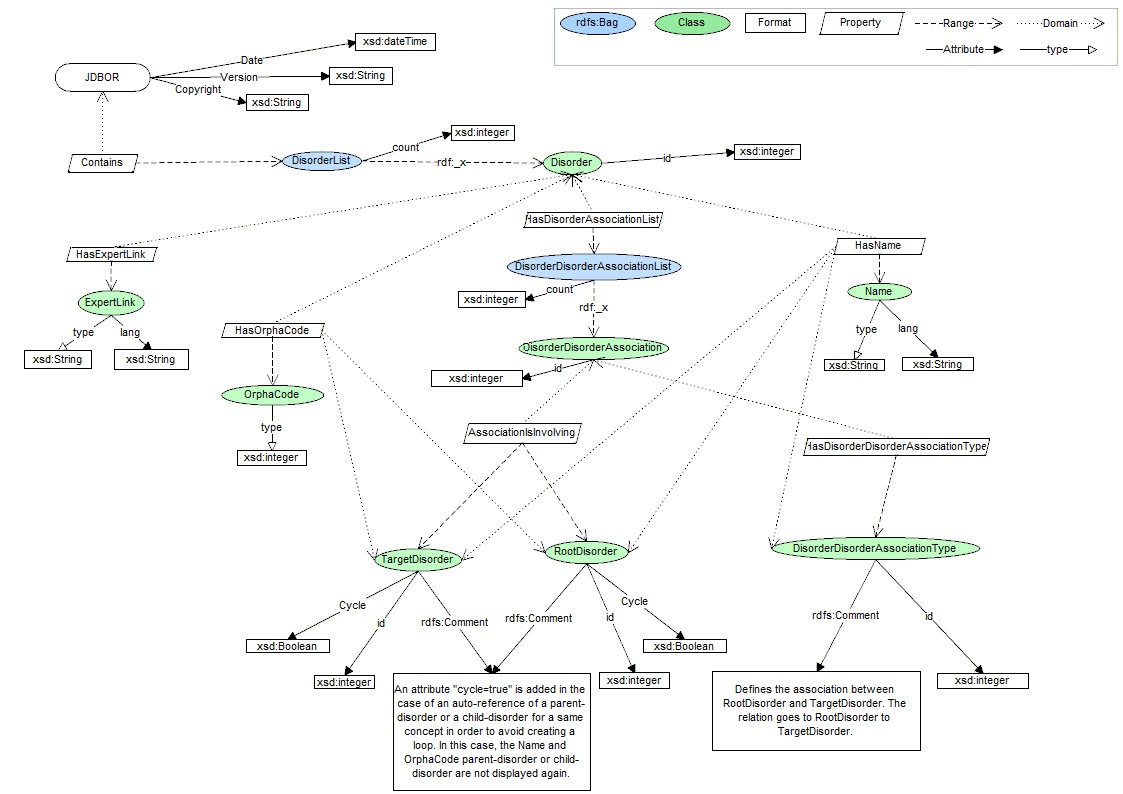
The Orphacode API will return results in JSON format.
XML is usually a format used to be parsed with languages such "python", "java" etc. Somehow, for non technical people, this could be easily converted into csv/excel files.
Warning this "tips" could may not work on your computer, depending of your own configuration. More over, this "automated" conversion could lead to misinterpretation of some datasets.
Pre-requisite: having Excel (above 2003 version) on a windows OS computer (seems not working properly on other platforms)
Once a XML files downloaded or unzipped on your computer, you can open it with Microsoft Excel. The software will attempt to interprete the content and generate a "flat" version of it. Once the conversion done, you can save the file into csv or excel format. Please not that Excel will generate several columns, trying to deal with the XML structure and therefore Excel will generate automatically names for those columns. Some of the columns names will be based on the XML tag, some of the names won't...