



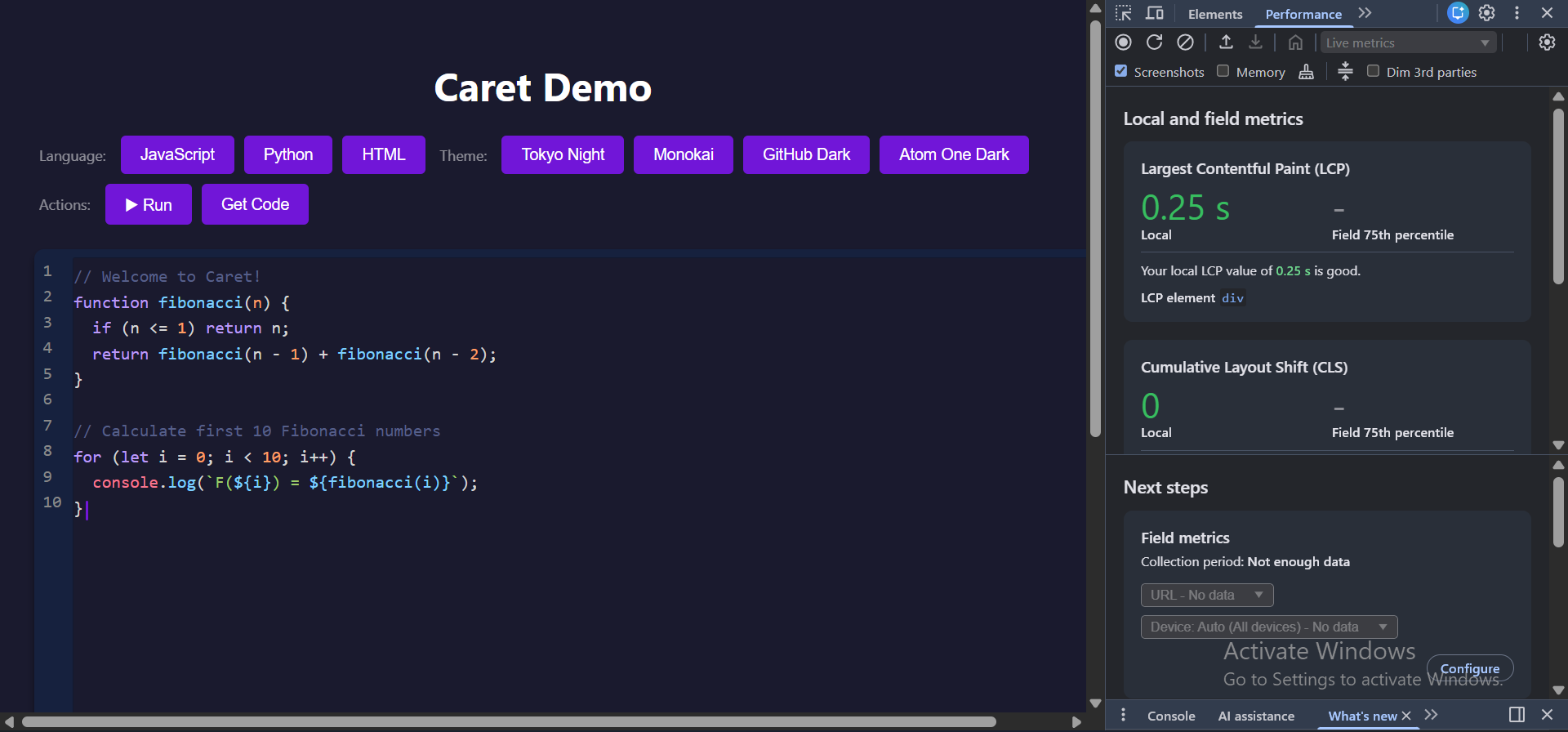
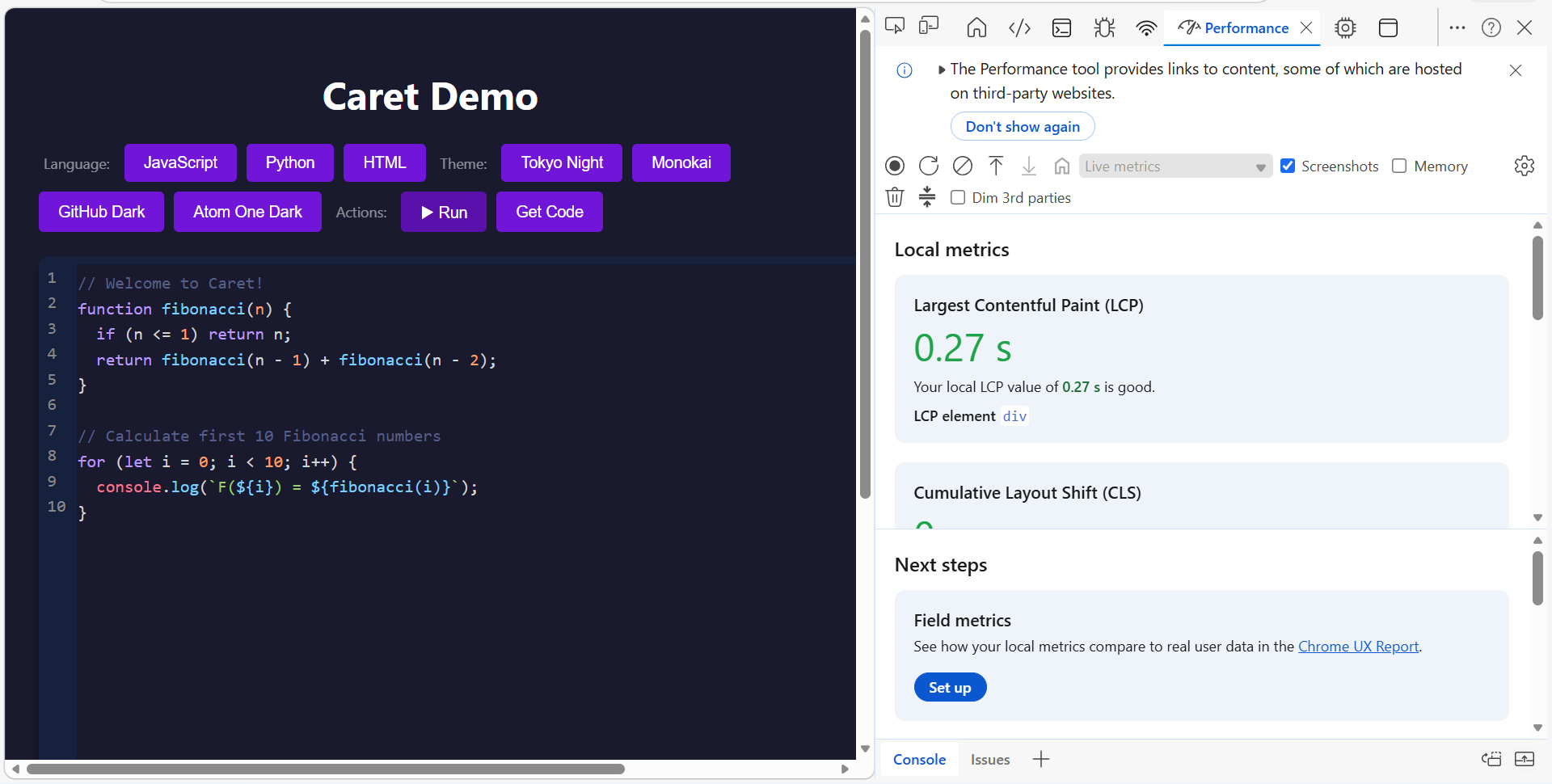
A lightweight, fast code editor engine with real-time syntax highlighting, custom caret rendering, and a clean EditContext-based architecture. 605 lines. ~30KB. ~27ms load time.
- EditContext API - Clean input handling with no browser fighting, no textarea hacks
- Live Syntax Highlighting - Real-time highlighting powered by Highlight.js
- Custom Caret - Pixel-perfect caret positioning via Range API
- Line Numbers - Built-in line counter with dynamic updates
- Smart Indentation - Tab/Shift+Tab for indenting and unindenting code blocks
- Undo/Redo - Full undo/redo stack with cursor position restoration (Ctrl+Z / Ctrl+Y / Ctrl+Shift+Z)
- Arrow Key Movement - Full arrow key navigation with column preservation
- Theme Support - Custom background, text, caret and line counter colors
- Lock Mode - Read-only mode for displaying code
- Font Support - Custom font loading
- Paste Handling - Always pastes plain text, no rich HTML
- Browser Detection - Friendly error message for unsupported browsers
- ES Modules - Modern ESM architecture
- Lightweight - 605 lines, ~30KB total, loads in ~27ms
- What's New
- Installation
- Quick Start
- Project Structure
- Usage
- API Reference
- Customization
- Browser Support
- Performance
- License
- Arrow key movement (←→↑↓) - previously did not work, now fully functional with column preservation
- getCursor() - get the cursor/caret's current position
- setCursor(pos) - set cursor/caret position to a specific character offset
- onCursorMove(cb) - triggers a callback when the cursor moves
- undo() and redo() exposed in API - call them programmatically
- Enter key fix - newline rendering fixed with zero-width space anchor
- Browser detection - friendly error message for non-Chromium browsers with link to file an issue
- Updated JSDoc documentation
- Ditched textarea — rebuilt on Chrome's EditContext API
- No more sync issues — single text model, no dual layer fighting
- Undo/redo with cursor restoration — cursor returns to exact position
- Pixel-perfect caret — positioned via Range API, no canvas math
- Modular architecture —
textEditor.js,caret.js,lineCounter.js,font.js,languages.js - setLanguage() — switch language at runtime
- delete() — clean teardown with full event listener removal
- onClick cursor positioning — click anywhere to place cursor
- Bug fixes
- File optimizations and updated comments
- CommonJS support removed to reduce package size
- Multiple editor instances support
- Word-aware line wrapping
- Fixed language re-registration bug
npm install @pfmcodes/caretyarn add @pfmcodes/caretpnpm add @pfmcodes/caret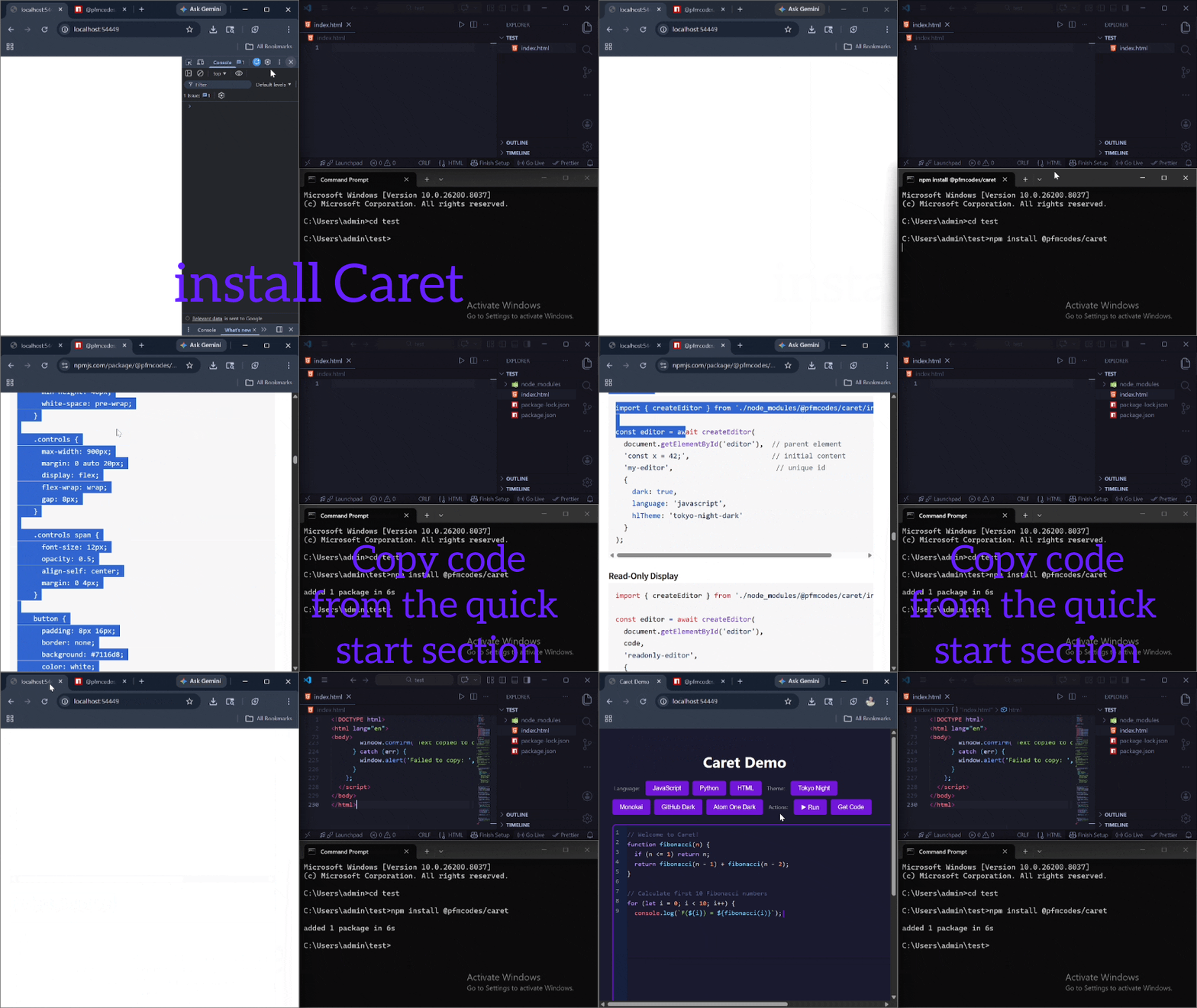
<!DOCTYPE html>
<html lang="en">
<head>
  <meta charset="UTF-8">
  <meta name="viewport" content="width=device-width, initial-scale=1.0">
  <title>Caret Demo</title>
  <link rel="shortcut icon" href="logo.svg" type="image/svg">
  <style>
    body {
      font-family: system-ui, -apple-system, sans-serif;
      padding: 20px;
      background: #1a1a2e;
      color: #fff;
    }

    h1 {
      text-align: center;
      margin-bottom: 20px;
    }

    #editor {
      width: 900px;
      height: 600px;
      margin: 20px auto;
      box-shadow: 0 4px 6px rgba(0, 0, 0, 0.4);
      border-radius: 8px;
      overflow: hidden;
    }

    #result {
      width: 900px;
      margin: 10px auto;
      padding: 10px;
      background: #111;
      color: #0f0;
      font-family: monospace;
      font-size: 13px;
      border-radius: 8px;
      min-height: 40px;
      white-space: pre-wrap;
    }

    .controls {
      max-width: 900px;
      margin: 0 auto 20px;
      display: flex;
      flex-wrap: wrap;
      gap: 8px;
    }

    .controls span {
      font-size: 12px;
      opacity: 0.5;
      align-self: center;
      margin: 0 4px;
    }

    button {
      padding: 8px 16px;
      border: none;
      background: #7116d8;
      color: white;
      border-radius: 4px;
      cursor: pointer;
      font-size: 13px;
    }

    button:hover {
      background: #5a11ab;
    }
  </style>
</head>
<body>
  <h1>Caret Demo</h1>

  <div class="controls">
    <span>Language:</span>
    <button onclick="window.changeLanguage('javascript')">JavaScript</button>
    <button onclick="window.changeLanguage('python')">Python</button>
    <button onclick="window.changeLanguage('html')">HTML</button>
    <span>Theme:</span>
    <button onclick="window.changeTheme('tokyo-night-dark')">Tokyo Night</button>
    <button onclick="window.changeTheme('monokai')">Monokai</button>
    <button onclick="window.changeTheme('github-dark')">GitHub Dark</button>
    <button onclick="window.changeTheme('atom-one-dark')">Atom One Dark</button>
    <span>Actions:</span>
    <button onclick="window.runCode()">▶ Run</button>
    <button onclick="window.getCode()">Get Code</button>
  </div>

  <div id="editor"></div>
  <div id="result"></div>

  <script type="module">
    import Caret from './index.js';

    window.language = 'javascript';
    window.currentTheme = 'tokyo-night-dark';

    const jsCode = `// Welcome to Caret!
function fibonacci(n) {
  if (n <= 1) return n;
  return fibonacci(n - 1) + fibonacci(n - 2);
}

// Calculate first 10 Fibonacci numbers
for (let i = 0; i < 10; i++) {
  console.log(\`F(\${i}) = \${fibonacci(i)}\`);
}`;

    const pyCode = `# Welcome to Caret!
def fibonacci(n):
    if n < 1:
        return n
    return fibonacci(n - 1) + fibonacci(n - 2)

# Calculate first 25 Fibonacci numbers
for i in range(25):
    print(" i: " + f'{i} = {fibonacci(i)}. ')`;

    const htmlCode = `<!-- Welcome to Caret! -->
<!DOCTYPE html>
<html lang="en">
<head>
  <meta charset="UTF-8">
  <meta name="viewport" content="width=device-width, initial-scale=1.0">
  <title>Caret HTML Demo</title>
</head>
<body>
  <h1>Hello, Caret!</h1>
  <p>This is a simple HTML example to demonstrate Caret's capabilities.</p>
  <ul>
    <li>HTML5 support</li>
    <li>Syntax highlighting</li>
    <li>Auto-completion</li>
  </ul>
</body>
</html>`;

    const editorInstance = await Caret.createEditor(
      document.getElementById('editor'),
      jsCode,
      {
        dark: true,
        language: 'javascript',
        id: `${Math.floor(Math.random() * 1000000000)}`,
        hlTheme: 'tokyo-night-dark',
        focusColor: '#7116d8',
        theme: {
          dark: {
            'background.editor': '#1a1a2e',
            'background.lineCounter': '#16213e',
            'color.editor': '#d4d4d4',
            'color.lineCounter': '#888',
            'editor.caret': '#7116d8'
          },
          light: {
            'background.editor': '#fff',
            'background.lineCounter': '#f0f0f0',
            'color.editor': '#000',
            'color.lineCounter': '#666',
            'editor.caret': '#7116d8'
          }
        }
      }
    );

    window.editorInstance = editorInstance;

    window.changeLanguage = async (lang) => {
      window.language = lang;
      await editorInstance.setLanguage(lang);
      if (lang === 'javascript') editorInstance.setValue(jsCode);
      if (lang === 'python') editorInstance.setValue(pyCode);
      if (lang === 'html') editorInstance.setValue(htmlCode);
    };

    window.changeTheme = (theme) => {
      window.currentTheme = theme;
      // update the hlTheme stylesheet
      const link = document.getElementById('caret-theme-demo-editor');
      if (link) link.href = `https://esm.sh/@pfmcodes/highlight.js@1.0.0/styles/${theme}.css`;
    };

    window.runCode = async () => {
      const resultEl = document.getElementById('result');
      resultEl.textContent = 'Running...';

      if (window.language === 'html') {
        resultEl.innerHTML = editorInstance.getValue();
        return;
      }

      const code = editorInstance.getValue();
      const lang = window.language;

      try {
        const res = await fetch('https://lexius-transpiler.onrender.com/run', {
          method: 'POST',
          headers: { 'Content-Type': 'application/json' },
          body: JSON.stringify({ code, lang })
        });

        if (!res.ok) throw new Error(`Server error: ${res.status}`);

        const data = await res.json();
        const exec = data.result ?? {};
        const stdout = exec.stdout ?? '';
        const stderr = exec.stderr ?? '';
        const result = exec.result !== undefined && exec.result !== null
          ? String(exec.result) : '';

        resultEl.textContent = [stdout, stderr, result].filter(Boolean).join('\n') + '\n';
      } catch (err) {
        resultEl.textContent = 'Error: ' + (err.message || err) + '\n';
      }
    };

    window.getCode = async () => {
      try {
        await navigator.clipboard.writeText(editorInstance.getValue());
        window.confirm('Text copied to clipboard');
      } catch (err) {
        window.alert('Failed to copy: ', err);
      }
    };
  </script>
</body>
</html>caret/
├── components/
│ ├── textEditor.js # Text editor (core) — EditContext, undo/redo, highlighting
│ ├── caret.js # Custom caret positioning via Range API
│ ├── lineCounter.js # Line number display
│ ├── font.js # Custom font loading
│ └── languages.js # Highlight.js language registration
├── .gitignore
├── .npmignore
├── index.js # Main entry point
├── LICENSE
├── package.json
├── README.md
└── utilities.js # Shared utilities
import Caret from './node_modules/@pfmcodes/caret/index.js';

const editor = await Caret.createEditor(
  document.getElementById('editor'),  // parent element
  'const x = 42;',                    // initial content
  {
    id: 'my-editor',                        // unique id
    dark: true,
    language: 'javascript',
    hlTheme: 'tokyo-night-dark'
  }
);import Caret from './node_modules/@pfmcodes/caret/index.js';
const editor = await Caret.createEditor(
document.getElementById('editor'),
code,
{
dark: true,
language: 'python',
id: 'readonly-editor',
hlTheme: 'github-dark',
lock: true
}
);import Caret from './node_modules/@pfmcodes/caret/index.js';
// each editor needs a unique id
const editor1 = await Caret.createEditor(el1, code1, {id: 'editor-1', ...options});
const editor2 = await Caret.createEditor(el2, code2, { id: 'editor-2', ...options });import Caret from './node_modules/@pfmcodes/caret/index.js';
const editor = await Caret.createEditor(
document.getElementById('editor'),
code,
'editor-1',
{
dark: true,
language: 'javascript',
hlTheme: 'tokyo-night-dark',
focusColor: '#fff',
theme: {
dark: {
'background.editor': '#222',
'background.lineCounter': '#333',
'color.editor': '#d4d4d4',
'color.lineCounter': '#d4d4d4',
'editor.caret': '#37ff29'
},
light: {
'background.editor': '#cfd8f7',
'background.lineCounter': '#e2e7f9',
'color.editor': '#000',
'color.lineCounter': '#000',
'editor.caret': '#37ff29'
}
}
}
);import Caret from './node_modules/@pfmcodes/caret/index.js';
const editor = await Caret.createEditor(
document.getElementById('editor'),
code,
'editor-1',
{
dark: true,
language: 'javascript',
font: {
url: './fonts/FiraCode.ttf',
name: 'Fira Code'
}
}
);Creates a new editor instance.
Parameters:
| Parameter | Type | Required | Description |
|---|---|---|---|
parent |
HTMLElement |
✓ | Container element |
content |
string |
✓ | Initial content |
options |
object |
✓ | Configuration |
Options:
| Option | Type | Default | Required | Description |
|---|---|---|---|---|
dark |
boolean |
false |
✕ | Dark mode |
id |
string |
- | ✓ | required to distinguish between multiple instances |
shadow |
boolean |
true |
✕ | Box shadow |
focusColor |
string |
#7c3aed |
✕ | Border color on focus |
shadowColor |
string |
#000 |
✕ | Shadow color |
lock |
boolean |
false |
✕ | Read-only mode |
language |
string |
plaintext |
✓ | Highlight.js language |
hlTheme |
string |
hybrid |
✕ | Highlight.js theme |
font |
object |
— | ✕ | Custom font { url, name } |
theme |
object |
— | ✕ | Custom colors (see more.) |
Returns: Promise<EditorInstance>
// Get current content (strips internal zero-width spaces)
const code = editor.getValue();

// Set content
editor.setValue('console.log("hello");');

// Get current cursor position (character offset)
const pos = editor.getCursor();

// Set cursor to a specific position
editor.setCursor(42);

// Programmatically undo
editor.undo();

// Programmatically redo
editor.redo();

// Listen for content changes
editor.onChange((text) => {
  console.log('content changed:', text);
});

// Listen for cursor movement
editor.onCursorMove((pos) => {
  console.log('cursor at:', pos);
});

// Check if focused
const focused = editor.isFocused();

// Switch language
await editor.setLanguage('python');

// Destroy instance and clean up all DOM elements and event listeners
editor.delete();from option:
| Property | Default |
|---|---|
| focusColor | #7c3aed |
| shadowColor | #000000 |
from theme:
| Property | Dark | Light |
|---|---|---|
background.editor |
#101010 | #d4d4d4 |
editor.caret |
#ffffff | #111111 |
color.editor |
#ffffff | #000000 |
color.lineCounter |
#ffffff | #111111 |
background.lineCounter |
#1e1e1e | #ffffff |
| Shortcut | Action |
|---|---|
Tab |
Indent (4 spaces) |
Shift+Tab |
Unindent |
Ctrl+Z |
Undo |
Ctrl+Y |
Redo |
Ctrl+Shift+Z |
Redo |
← |
Move cursor left |
→ |
Move cursor right |
↑ |
Move cursor up (preserves column) |
↓ |
Move cursor down (preserves column) |
Each editor instance stores its undo/redo stack on window.caret:
// access undo stack for a specific editor
window.caret['undoStack.editor-1']; // array of { content, cursor }
window.caret['redoStack.editor-1'];/* editor container */
#editor {
width: 900px;
height: 500px;
font-size: 16px;
}
/* line numbers */
.lineCounter {
min-width: 40px;
}
.line-number {
padding: 0 8px;
}Dark:
atom-one-darkmonokainight-owlnordtokyo-night-darkvs2015hybridgithub-dark
Light:
githubatom-one-lightstackoverflow-lightxcode
| Browser | Support |
|---|---|
| Chrome / Chromium | ✓ |
| Edge | ✓ |
| Firefox | ✗ |
| Safari | ✗ |
Caret v0.3+ uses the EditContext API which is currently only available in Chromium-based browsers. Firefox support is tracked here.
| Metric | Caret v0.3+ | Monaco | CodeMirror 6 |
|---|---|---|---|
| Bundle size | ~32.34KB | ~5MB | ~400KB |
| Load time | ~25ms | ~2-3s | ~500ms |
| Lines of code | 650 | ~300,000 | ~50,000 |
| Architecture | EditContext | textarea | contenteditable |
| Files | Blank Lines | Comments | Code | Total |
|---|---|---|---|---|
| 7 | 82 | 127 | 604 | 813 |
| File Name | Language | Size | Path | Blank Lines | Comments | Code |
|---|---|---|---|---|---|---|
| index.js | JavaScript | 174 bytes | / | 1 | 0 | 6 |
| utilities.js | JavaScript | 765 bytes | / | 6 | 2 | 24 |
| caret.js | JavaScript | 3.04 KB | components/ | 16 | 15 | 64 |
| font.js | JavaScript | 361 bytes | components/ | 2 | 8 | 6 |
| languages.js | JavaScript | 3.98 KB | components/ | 7 | 7 | 88 |
| lineCounter.js | JavaScript | 3.72 KB | components/ | 5 | 24 | 62 |
| textEditor.js | JavaScript | 20.3 KB | components/ | 46 | 57 | 400 |
| Total | — | ~32.34KB | — | 83 | 113 | 650 |
Caret v0.3+ uses Chrome's EditContext API to completely separate input handling from rendering:
- EditContext receives all keyboard input, IME, clipboard events
- Text model — a single string
textis the source of truth - render() — calls
hljs.highlight()and setsmain.innerHTML - Caret — positioned via
Range.getBoundingClientRect(), no canvas math - Undo/redo — pure string operations stored in
window.caret
No dual-layer sync issues. No textarea fighting. No canvas measurements.
- Fork the repository
- Create your feature branch (
git checkout -b feature/amazing-feature) - Commit your changes (
git commit -m 'Add amazing feature') - Push to the branch (
git push origin feature/amazing-feature) - Open a Pull Request
MIT License — see LICENSE for details.
Made with ❤️ by PFMCODES