Releases: PhrotonX/TextPad
TextPad v0.1.0.12 Alpha

Version 0.1.0.12 alpha build 340 - May 14, 2021
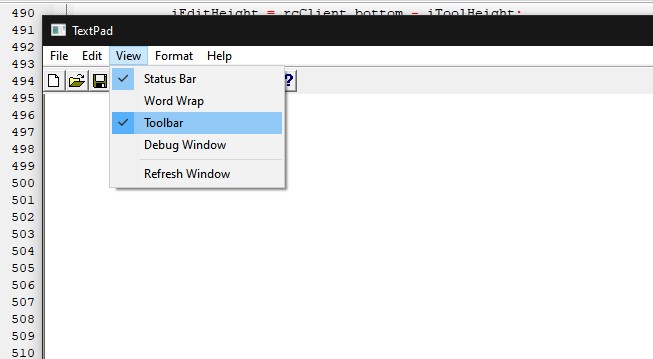
-Fixed crash when clicking on View > Word Wrap (Issue #9)
-Items on View is now checked by default, but it doesn't work.
-Improvements when toggling Toolbar & Status bar
-Improved View > Refresh Window
TextPad v0.1.0.11 Alpha
Version 0.1.0.11 alpha build 300 - April 30, 2021
-Minor improvements for hiding status bar & toolbar
-Added function to word wrap. Currently not working
TextPad v0.1.0.10 Alpha
Version 0.1.0.10 alpha build 255 - April 12, 2021
-Fixed an issue causing the About dialog will not close properly using the close button (Issue #3)
-Added an error message if status bar is null
-Temporarily removed check mark on items in View Menu
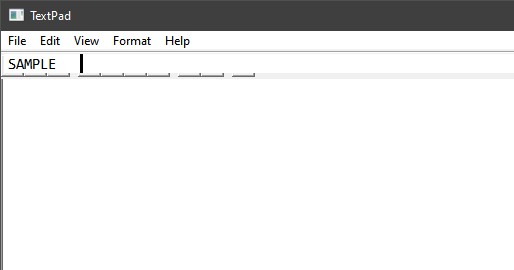
-Added function to View > Status bar & Toolbar. Does not work correctly
-Added View > Refresh Window
-Fixed bug causing the inability to write UPPERCASE letters (Issue #8)
TextPad v0.1.0.9 Alpha
Version 0.1.0.9 alpha build 201 - April 9, 2021
-Added unused code for items in View menu
-Added the ability to show debug window on View > Debug Window
-Improved Alt key shortcuts on menus
-Added keyboard shortcut for Get Help, Save, New & Open
-Renamed View > Clear to View > Delete
-Added hotkey info for Get Help, Open, Save & New
TextPad v0.1.0.8 Alpha
Version 0.1.0.8 alpha build 163 - April 5, 2021
-Added warning prompt before exiting through File > Exit & the close button
-Improvements to help file
-Added more topic, indexes & header in Help
-Removed message box on Help > About
-Added more info on About Dialog
-Added hotkey info for Copy, Cut & Paste
-Added unused code for hotkeys
TextPad v0.1.0.7 Alpha
Version 0.1.0.7 alpha build 147 - April 4, 2021
-Added functionality to Format > Default Font
-Get Help & Delete button is no longer disabled on toolbar
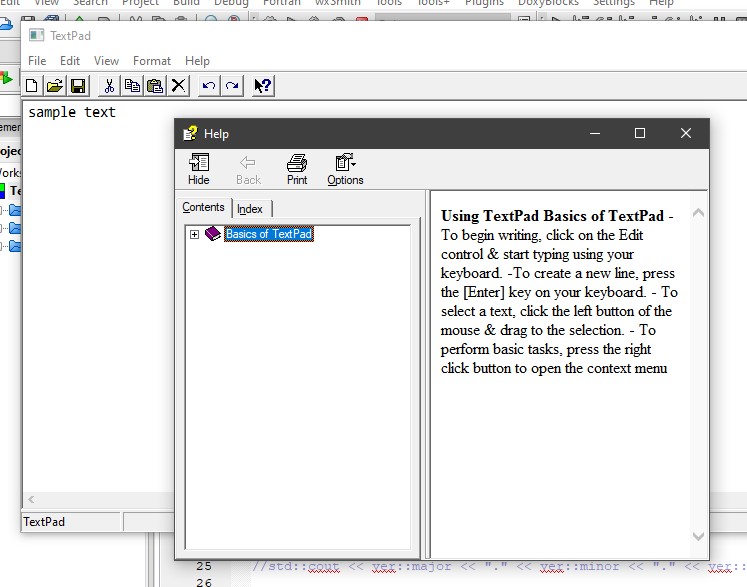
-Added function to Get Help button on toolbar & Help > Get Help
-Added Help Pane. Uses Compiled HTML File.
TextPad v0.1.0.6 Alpha
Version 0.1.0.6 alpha build 137 - April 3, 2021
-Fixed runtime error requiring VCRUNTIME140D.dll in order to start the program (Issue #2)
-Added Clear button in Edit menu & toolbar. Currently not working
-Default font is now set to Consolas by default
-Can now change font through Format > Font
TextPad v0.1.0.5 Alpha
TextPad v0.1.0.5 alpha build 107 - April 2, 2021
-Fixed bug causing About Dialog Box in Help > About being not able to close
-Added function to buttons "View on GitHub" & "Check for Updates" in Help > About
-Improvements to Saving files
-Added Unused Get Help button on Toolbar
-The program's default size is now much bigger. From 720x420 to 1020x520
-Font dialog can now be opened through Format > Font, but it will not change anything
TextPad v0.1.0.4 Alpha
Version 0.1.0.4 alpha build 94 - April 1, 2021
-Converted Code from C to C++ (Pull Request #1)
-Added Dialog box for About dialog
-Added temporary function to Edit > Redo
-Known bugs: Dialog box will not exit
TextPad v0.1.0.3 Alpha
Version 0.1.0.3 alpha build 73 - March 31, 2021
-View > Toolbar & Status bar is now checked by default, still non functional
-Added same save function to file > save, cannot overwrite files yet
-Program now uses WS_EX_APPWINDOW
-Added Status bar & Toolbar, cannot be toggled on View menu with non-functional redo button.
-Help > About is now on always on Top
-Fixed status bar displaying Chinese Characters