
A mechanism for controlling a Raspberry Pi or ESP32 microcontroller. The PySimpleGUI Windows program and accompanying MicroPython program work together. They communicate over a serial port provided by the USB cable.
Under a couple of months ago, I had never used a Pi or ESP32 for a project. I did get PySimpleGUI running on a Pi years ago, but that's a different system than one of these microcontrollers running MicroPython.
The capabilities contained here are:
- A Windows program (the GUI) that loads a MicroPython program over the USB cable
- A MicroPython program that communicates back to the Windows program
- The GUI can send commands to the microcontroller and display information received
I've run this setup on several Pi Pico & Pico 2 boards. It also worked on the ESP32 board I have. I don't know if it'll work for anyone else. This is new territory for me and I would call this code to be somewhat hacked together. I've used it to build a 6502 bus analyzer and it's worked really well. The hope is that someone will find this code useful.
You need to get MicroPython up and running on your hardware first. You should be able to run programs on it using Thonny. The REPL needs to be running in order for the GUI to load programs onto the board.
You will need to set the path to your MicroPython programs if it's not in the same folder as the GUI. Simply change the variable PROGRAM_FOLDER.
If you have multiple COM ports or a tricky setup then you might need to change the GUI to ask for the COM port to use rather than letting the program try to figure out which to use.
Of course you'll need to customize both programs to match whatever you're building.
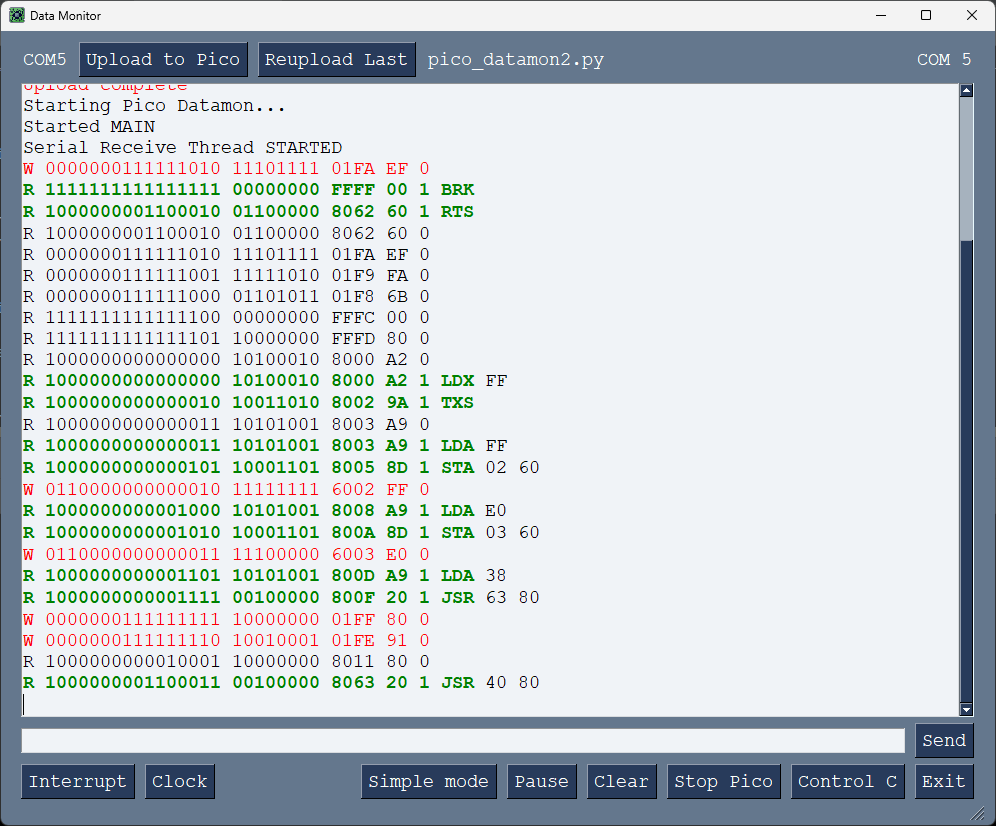
Here are a few screenshots of my project. I modified the template in this repo to display 6502 bus traffic. You'll need to modify both the target MicroPython code and the Windows GUI code.
Note that when you start the GUI, you'll be able to interact with the MicroPython REPL through the terminal interface. The upload happens through the REPL.
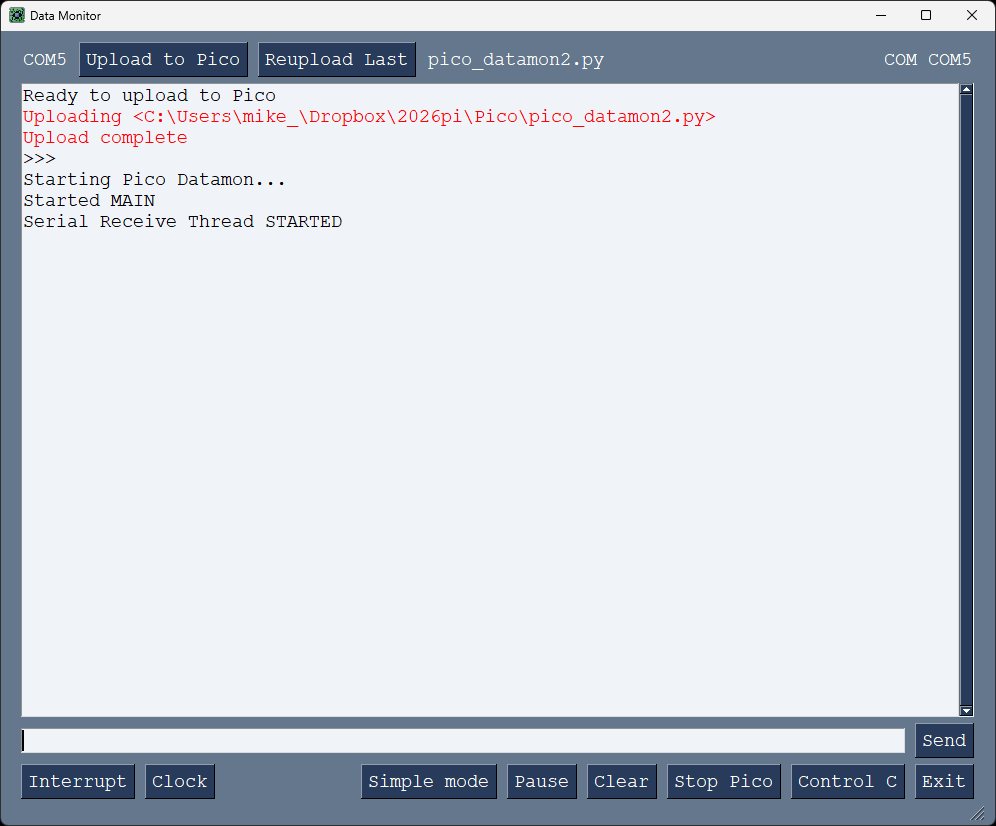
The program gets bus traffic and disassembles the opcodes it finds.
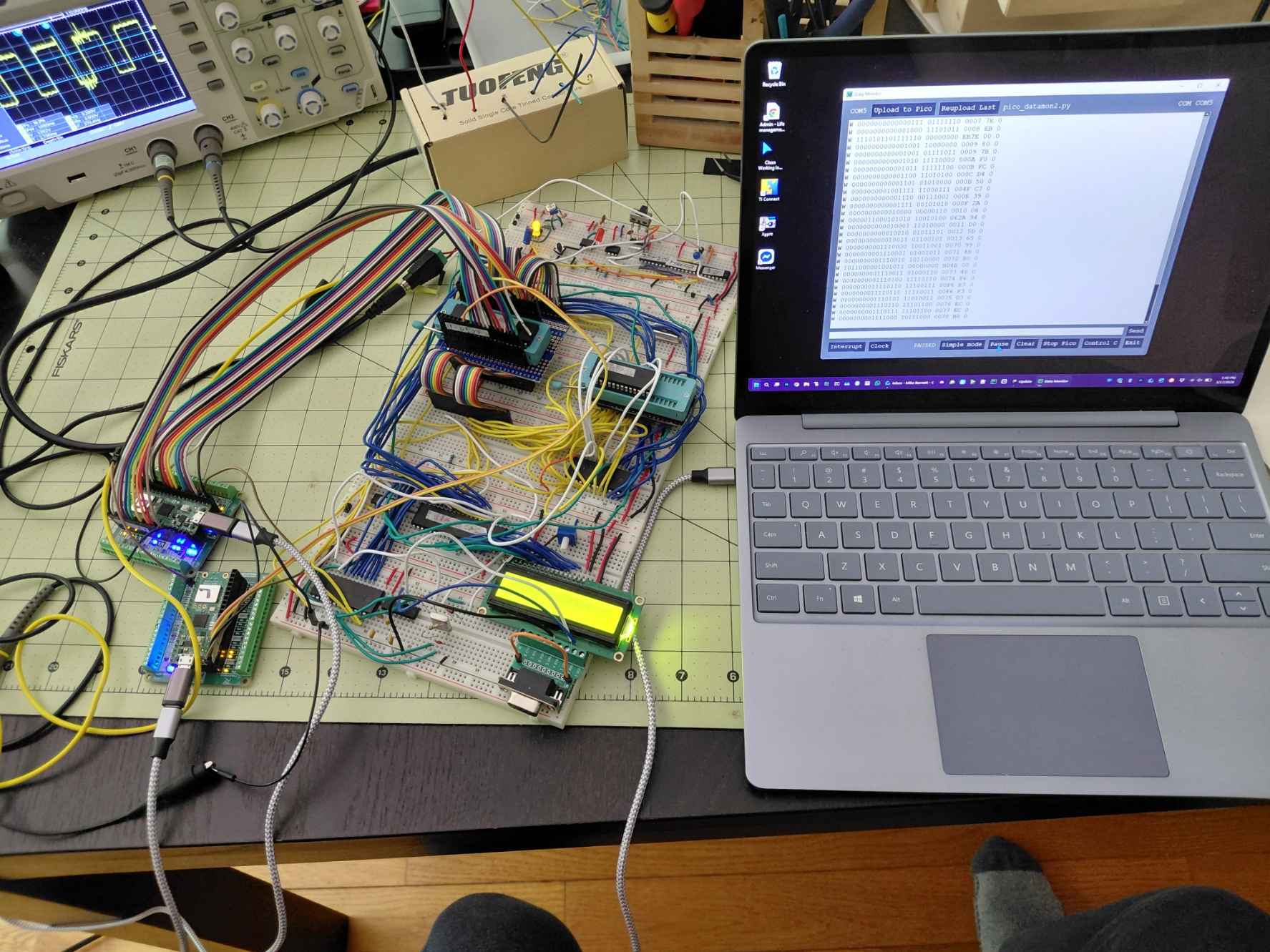
This mess is my first breadboard computer. Lots of learning to get it up and running. It's been a fun change of pace.
If you make something and care to share it, I'm sure other people would like to see it (I know I would). Feel free to drop a screenshot over in the screenshots issue in the PySimpleGUI repo.
Copyright 2026 PySimpleGUI. All rights reserved.
Licensed under LGPL3.